
GMKtec M3 Mini PC
4.4Editor score
Core i5-12450H processor
1TB NVMe SSD included
Dual 4K HDMI support
This guide compares the top Intel Core i5 Mini PC models for 2026, analyzing performance, port options, and build quality to help you choose the right desktop.
Mini PCs have revolutionized modern computing by delivering desktop power in a fraction of the space. An Intel Core i5 Mini PC balances efficiency and speed perfectly for office work, streaming, and light creative tasks without consuming much room.
We evaluated ten top models based on processor generation, memory capacity, storage speed, and connectivity options. Our analysis focuses on real-world performance, thermal management, and expandability to ensure each pick meets professional and home office demands.
Each selection highlights key strengths like multi-monitor support, wireless standards, and durability. While specifications provide a solid baseline, actual user needs vary. Always verify current stock and pricing before making your final purchase decision.
4.4Editor score

4.5Editor score
5.0Editor score
The following table provides a side-by-side look at each model processor key specifications. This comparison helps you quickly identify which unit offers the right balance of cores, storage, and ports for your specific workflow requirements.



The ASUS NUC 13 Pro delivers a perfect blend of compact size and robust computing power. It earns our Editor's Choice badge due to its exceptional 13th Gen Core i5 processor and versatile port selection.
We may earn a commission when you buy through this link, at no additional cost to you.
At its heart lies the i5-1340P processor, which features four Performance-cores and eight Efficient-cores. This hybrid design excels at multitasking, keeping system responsive during heavy workloads. The 16GB of DDR4 RAM ensures smooth application switching, while the 512GB NVMe SSD provides instant boot times.
Connectivity is a standout feature with dual Thunderbolt 4 ports supporting up to 40Gbps data transfer. You can connect two 4K monitors and high-speed peripherals simultaneously. The inclusion of Intel Wi-Fi 6E and Bluetooth 5.3 guarantees stable wireless performance in dense network environments.
Ideal for professionals needing reliability and speed, this unit supports advanced management features like hardware alarm clocks and boot redirection. If you need a desktop that fits on your desk but handles serious work, this is the top recommendation.
The Intel NUC Pro Software Suite offers cloud-based manageability and remote PC remedy tools. This ensures your system stays secure and operational even during unexpected failures.
With dual Thunderbolt 4 and two HDMI 2.1 ports, you can easily connect multiple high-resolution displays for an expansive workstation setup without needing dongles.
We may earn a commission when you buy through this link, at no additional cost to you.
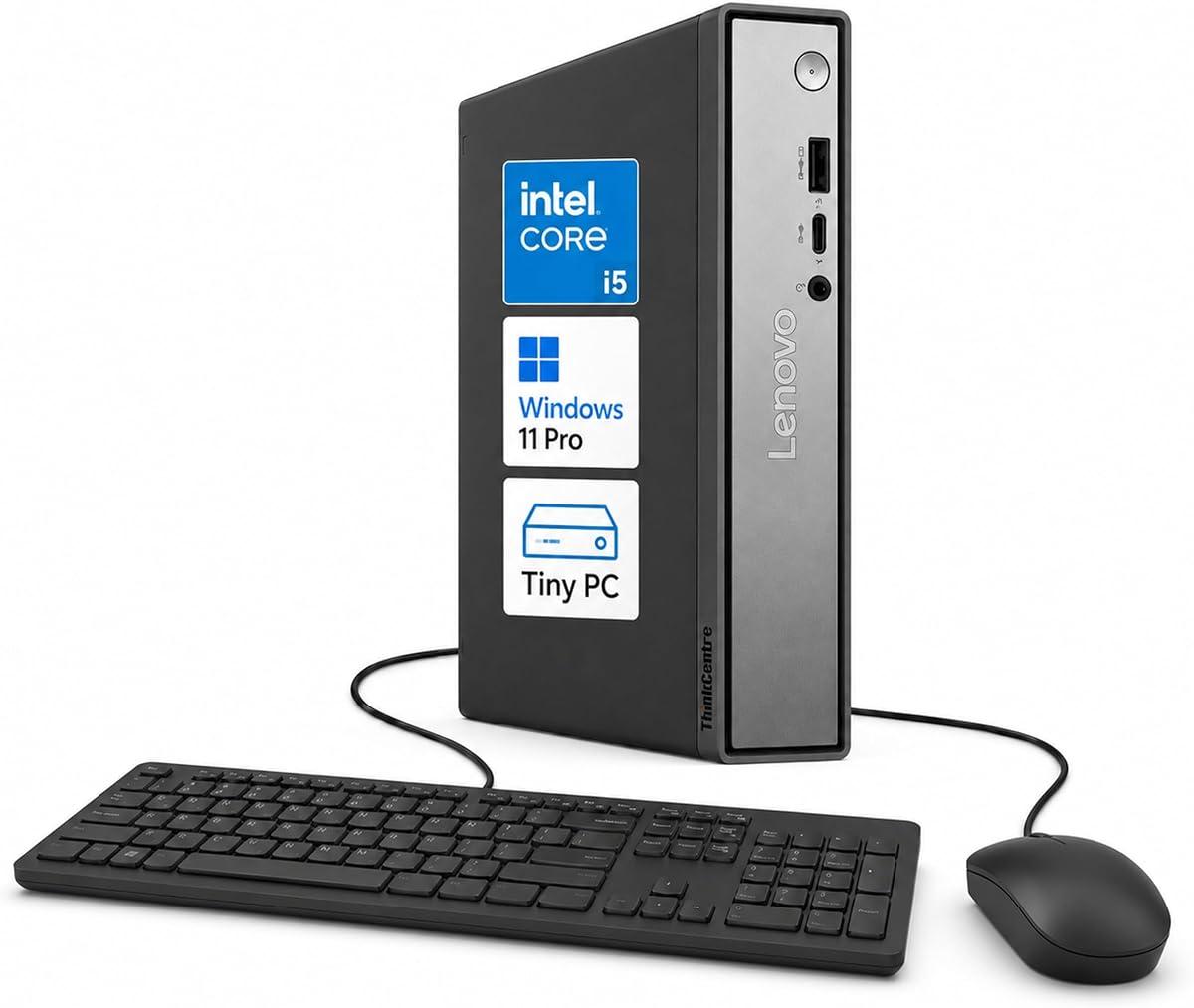
The Lenovo ThinkCentre Neo 50q stands out as a premium choice for businesses needing a tiny footprint. It achieves a perfect five-star rating for its innovative design and advanced DDR5 memory support.
We may earn a commission when you buy through this link, at no additional cost to you.
Powered by the 13th Gen Core i5-13420H processor, this unit offers 8 cores and 12 threads for efficient multitasking. The DDR5 memory configuration ensures faster data access speeds compared to older DDR4 systems, making it ideal for data-heavy applications.
Its 1L chassis is incredibly space-saving, allowing it to mount behind monitors or fit in tight cubicles. The system supports up to three displays via two DisplayPort and one HDMI ports, expanding your workspace without extra desk clutter.
Security is built-in with TPM 2.0 and a Kensington slot. This unit is perfect for enterprise environments or home offices where performance and security must coexist in a compact package.
DDR5 memory provides higher bandwidth and efficiency than DDR4. This ensures your system handles multiple apps and browser tabs with minimal latency.
TPM 2.0 protects sensitive data with hardware encryption, while the Kensington slot physically secures the device against theft in shared spaces.
We may earn a commission when you buy through this link, at no additional cost to you.
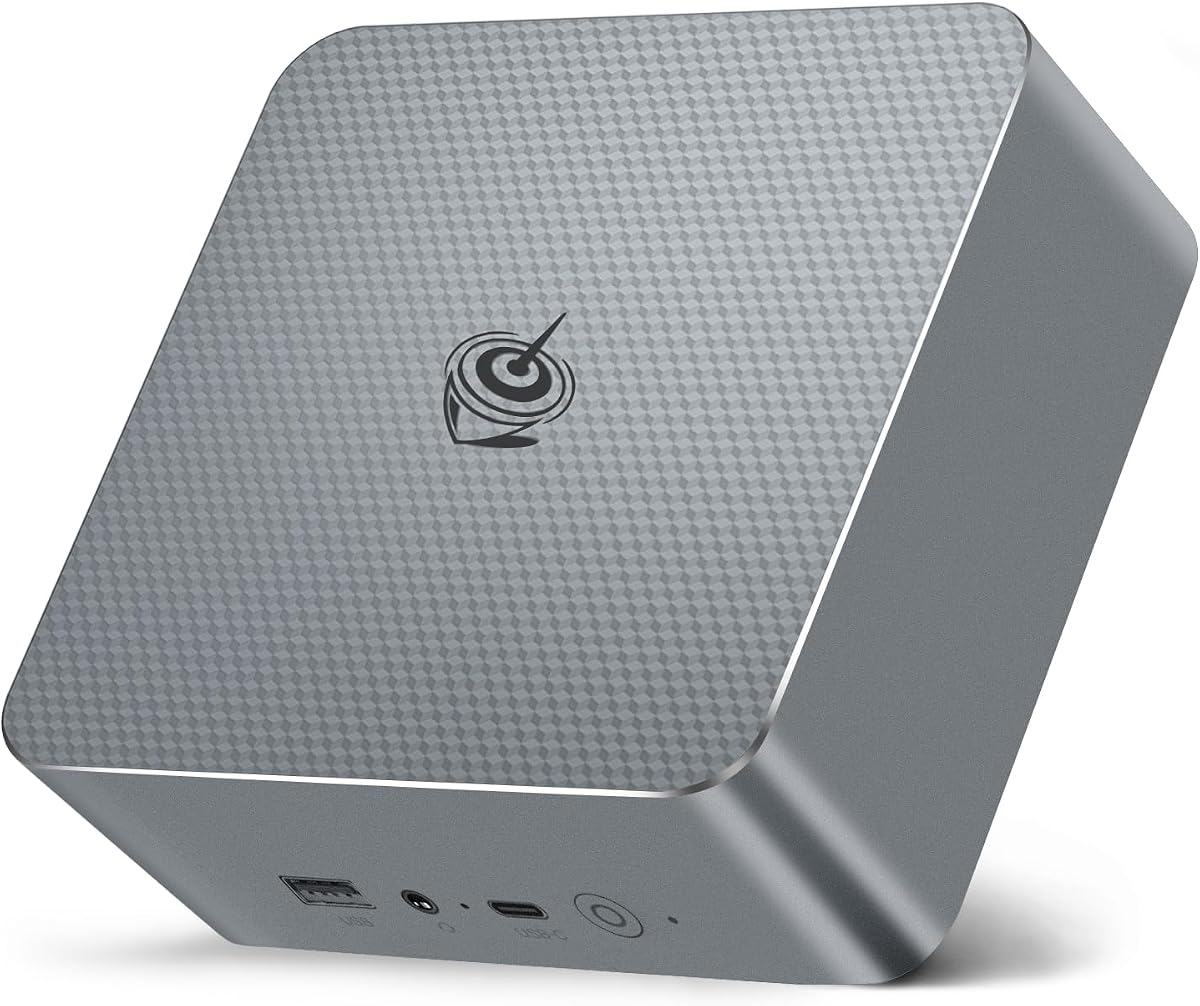
The GMKtec M3 offers incredible value, securing the Best Budget title with its powerful 12th Gen i5 processor and massive storage capacity. It is an excellent choice for users seeking performance without breaking the bank.
We may earn a commission when you buy through this link, at no additional cost to you.
Running on the Core i5-12450H, this mini PC delivers 8 cores and 12 threads. It handles everyday tasks and light rendering with ease. The 1TB NVMe SSD is a standout feature, providing ample space for applications and media files right out of the box.
Connectivity includes dual 4K HDMI ports and one USB-C video output, allowing for a triple-monitor setup. This is rare at this price point and highly beneficial for productivity. It also features a 2.5Gbps Ethernet port for fast network speeds.
If you are a student or small business owner looking for a cost-effective workstation, this model provides the essential hardware needed to get started immediately.
The included 1TB SSD means you do not need to buy extra drives immediately. You can store large project files and games locally.
Three independent displays can be connected simultaneously, which is vital for monitoring multiple charts or code windows without clutter.
We may earn a commission when you buy through this link, at no additional cost to you.
The MINISFORUM NAB5R is engineered for high-performance tasks. It boasts the powerful i5-13500H processor with 12 cores, making it one of the fastest units in this roundup.
We may earn a commission when you buy through this link, at no additional cost to you.
This system runs on Windows 11 IoT Enterprise, offering long-term stability for industrial or critical business applications. The hardware supports quad 4K displays via two HDMI and two USB-C ports, which is perfect for digital signage or monitoring stations.
Networking is robust with dual 2.5Gb Ethernet ports, allowing for link aggregation or firewall use. You can upgrade RAM up to 64GB for heavy virtual machine workloads. This makes it a versatile server or workstation solution.
Choose this unit if you need raw processing power and advanced networking features in a small form factor. It excels in environments demanding reliability and multitasking.
Connecting four 4K monitors simultaneously allows for a comprehensive workspace. Ideal for traders, designers, or engineers needing multiple reference screens.
Windows 11 IoT Enterprise provides extended lifecycle support and stability, ensuring your system remains secure and up-to-date for years.
We may earn a commission when you buy through this link, at no additional cost to you.
HP Mini PCs are known for their durability and enterprise readiness. This model features the Intel Q370 chipset, ensuring reliable performance for mission-critical workflows.
We may earn a commission when you buy through this link, at no additional cost to you.
With 16GB of DDR4 RAM and a 256GB NVMe SSD, it delivers instant application launches and smooth multitasking. The dual DisplayPort outputs allow for professional multi-monitor setups suitable for data analysis.
Its ultra-compact design measures just 6.97 inches wide, fitting easily behind monitors or on crowded desks. The system includes Windows 11 Pro with enhanced security tools for remote desktop access.
This is a solid choice for users who prioritize reliability and quiet operation over the latest processor features. It serves as a dependable daily driver for office tasks.
The Q370 chipset is designed for commercial use, offering better error handling and long-term reliability than consumer-grade alternatives.
Its tiny footprint allows for clean setups in limited spaces. You can mount it directly behind a monitor for an all-in-one look.
We may earn a commission when you buy through this link, at no additional cost to you.
This Lenovo ThinkCentre brings the latest 14th Gen processing power and DDR5 memory to the tiny form factor. It is designed for future-proofing your desktop setup against rapid hardware obsolescence.
We may earn a commission when you buy through this link, at no additional cost to you.
The i5-14400T processor combines 6 Performance-cores and 4 Efficient-cores for balanced efficiency. With 16GB of DDR5 RAM, system responsiveness is significantly improved compared to DDR4 models, ensuring smoother transitions between heavy applications.
It comes pre-installed with Windows 11 Pro and features integrated AI business tools to assist with productivity tasks. The system supports robust connectivity with WiFi 6 and Bluetooth 5.1.
If you want a machine that will remain relevant for several years, the combination of DDR5 memory and the latest processor makes this a strong investment for long-term use.
DDR5 memory offers lower power consumption and higher bandwidth. This results in better battery life for laptops and faster desktop performance.
Integrated AI capabilities help streamline routine tasks like data summarization and voice-to-text conversion for improved workflow efficiency.
We may earn a commission when you buy through this link, at no additional cost to you.
The KAMRUI Hyper H2 brings desktop-class power to a palm-sized unit. Its standout feature is the dual-fan cooling system that keeps temperatures low under heavy loads.
We may earn a commission when you buy through this link, at no additional cost to you.
Powered by the 14th Gen Core i5-14500HX, it offers 14 cores and 20 threads. This allows for seamless multitasking across large Excel files and complex business software without lag or thermal throttling.
The premium cooling design uses full copper heat pipes and dedicated SSD heatsinks. This ensures the device remains quiet even at 100% CPU load, making it suitable for long-duration rendering or server tasks.
Ideal for creative professionals and power users, this model provides high-end performance in a portable package. If you need a workstation that can handle sustained tasks quietly, this is a top choice.
The i5-14500HX is typically found in powerful laptops. In this mini PC, it delivers performance comparable to larger desktop towers.
Dual fans and copper heat pipes prevent overheating. This extends the lifespan of the hardware and ensures consistent speeds during long sessions.
We may earn a commission when you buy through this link, at no additional cost to you.
The Intel NUC 13 Pro offers unmatched connectivity in a tiny chassis. It supports multiple 4K displays and 8K content, making it a powerhouse for media consumption.
We may earn a commission when you buy through this link, at no additional cost to you.
With dual Thunderbolt 4 ports, you can transfer data at 40Gbps speeds. The system supports up to four external displays, doubling your workspace. It runs on the same reliable i5-1340P processor as the ASUS variant.
The 4.6-inch design is perfect for VESA mounting behind monitors. Built-in fan cooling keeps operation quiet. Intel Wi-Fi 6E ensures fast wireless connectivity across three frequency bands.
This unit is best for creative professionals who need high-speed external drive connections and multiple monitors. Its robust port selection eliminates the need for additional hubs.
Support for 4K@120Hz means smooth scrolling and video playback. This is essential for graphic designers and video editors working on precise projects.
Thunderbolt 4 combines power and data in one cable. It allows you to dock multiple peripherals using a single connection to your mini PC.
We may earn a commission when you buy through this link, at no additional cost to you.
The Beelink EQI13 is exceptionally portable and convenient thanks to its built-in power supply. This eliminates the need for a separate external brick, saving space and reducing cable clutter.
We may earn a commission when you buy through this link, at no additional cost to you.
Running on the 13th Gen Core i5-13420H, it handles daily tasks and gaming smoothly. The compact 4.96-inch chassis makes it easy to carry in a laptop bag for remote work or travel.
It features silent cooling with temperatures kept low even under load. Dual 2.5G LAN ports provide stable wired internet for streaming or servers. It supports Wake on LAN for easy remote access.
Ideal for travelers and remote workers, this model offers essential desktop power in a portable form. It simplifies your setup by removing the bulky power adapter.
The internal power supply means just one cable connects to your device. This reduces the footprint on your desk and makes travel easier.
Advanced cooling keeps noise levels below 32dB. You can work in quiet environments without background fan noise interfering with calls.
We may earn a commission when you buy through this link, at no additional cost to you.
The HP EliteDesk 800 G4 is an excellent entry-level option for those on a strict budget. It is professionally renewed to perform like new with minor cosmetic wear.
We may earn a commission when you buy through this link, at no additional cost to you.
It uses the 8th Gen Core i5-8500T which, while older, is still sufficient for standard office tasks and web browsing. The 16GB RAM ensures smooth operation for common applications.
The 256GB SSD provides fast boot times and enough space for documents. It supports dual monitors for extended workspace. The system comes with Windows 11 Pro installed.
If you need a reliable computer for basic tasks without a high price tag, this renewed model is the smart choice. It offers significant savings while maintaining essential desktop features.
Renewed models undergo rigorous testing to ensure functionality. They offer the same usability as new units at a fraction of the cost.
With dual monitor support and 16GB RAM, this PC is ready for spreadsheets and email. It is ideal for administrative roles.
We may earn a commission when you buy through this link, at no additional cost to you.
Choosing the right Intel Core i5 Mini PC involves balancing several technical factors to match your specific workflow needs.
Modern Intel Core i5 processors come in various generations such as 13th or 14th Gen. Newer generations typically offer better power efficiency and integrated graphics performance. Look for H-series processors if you need high performance or U-series for efficiency.
Always check the generation number to ensure you are getting the latest architecture available for better longevity.
16GB of RAM is generally recommended for comfortable multitasking in 2026. Check if the RAM is soldered or upgradable to fit your future needs. For storage, an SSD is mandatory for speed, and 512GB is a good starting point.
Ensure the device has free M.2 slots if you expect to store large files locally.
A good mini PC should have enough USB-A and USB-C ports to connect your peripherals without dongles. HDMI and DisplayPort outputs are crucial if you use multiple monitors. Thunderbolt 4 is a premium feature worth considering for high-speed data transfer.
Verify that the ports match your existing hardware to avoid buying extra adapters.
Windows 11 Pro is standard for business users due to its security features and remote desktop capabilities. Some models may ship with Windows 11 Home or IoT Enterprise. Ensure the OS version matches your licensing needs.
A proper OS license simplifies enterprise management and security protocols significantly.
Metal chassis dissipate heat better than plastic ones. This is vital for sustained performance without throttling. A well-designed cooling system ensures the PC stays quiet and cool during long sessions.
Look for reviews mentioning thermal performance to avoid models that run too hot.
Gigabit Ethernet is standard, but 2.5Gb Ethernet is a future-proof feature for fast local file transfers. Wi-Fi 6 or 6E support ensures wireless speeds match your internet plan in modern networks.
Strong network hardware is essential for remote work and cloud backup solutions.
A standard warranty covers hardware defects for one to three years. Some brands offer better support services than others. Check if the warranty is global if you travel frequently.
Reliable support saves money and time if your device needs repairs.
Some mini PCs allow RAM and SSD upgrades while others do not. Check the user manual for upgrade paths. A model with open slots offers more flexibility as your storage needs grow.
Choose a model that allows you to add more capacity later for better value.
Place your mini PC in a well-ventilated area to allow airflow for the cooling system. Avoid covering the ventilation grilles with papers or other objects that could block airflow. Proper airflow ensures the internal fans work efficiently and prevent overheating.
Regularly clean the exterior using a soft, dry cloth to remove dust and fingerprints. Do not use abrasive chemicals or water directly on the device. Dust can accumulate in the vents over time so gently vacuuming the exterior helps maintain performance.
Keep your system updated with the latest driver releases to ensure stability and security. Use the built-in update tools in your operating system to apply patches automatically. Regular updates fix bugs and improve compatibility with newer applications.
Yes, models with recent i5 processors like the 13th or 14th Gen can handle 1080p and light 4K editing. They rely on integrated graphics which are sufficient for basic cuts. For heavy 4K workflows, consider upgrading RAM to 32GB.
Yes, they are suitable for esports titles and older games at lower settings. The integrated graphics perform well for light gaming. For AAA titles, you will need an external GPU via Thunderbolt 4 or stick to cloud gaming services.
Yes, almost all modern mini PCs include built-in Wi-Fi 6 or 6E. This ensures you connect to modern wireless networks for fast speeds. You do not need to buy a separate USB Wi-Fi adapter for standard home use.
It depends on the model. Some units have accessible slots on the side for easy upgrades. Others have soldered memory which cannot be changed. Always check the product specifications before buying if you plan to upgrade RAM later.
The main advantage is more power and port selection for the same price. A mini PC can have more USB ports and better cooling than a laptop. It also allows you to reuse your existing monitor and keyboard for a clean setup.
Yes, most units support dual or triple monitor configurations via HDMI and DisplayPort. Some even support four displays via USB-C or Thunderbolt. This is ideal for multitasking and spreadsheets. Verify the port count on the specific model you choose.
Most modern units are designed to stay cool during typical office tasks. High-load tasks like rendering may cause the fans to spin faster. Good ventilation helps keep internal temperatures within safe limits.
Yes, mini PCs generally consume less power than traditional desktop towers. This saves on electricity bills and reduces heat output in the room. Their smaller components require less energy to run efficiently.
We have reviewed ten top models that offer performance reliability and connectivity. The ASUS NUC 13 Pro leads as our Editor's Choice due to its balanced features. The GMKtec M3 offers the best value for budget-conscious buyers.
Prioritize models with 13th Gen or newer processors for better longevity. Ensure your device has enough RAM and USB ports for your specific workflow needs. A well-chosen mini PC can serve your needs for years.
Always check current stock and pricing before purchasing to ensure you get the best deal. Specifications and features may vary by region or seller. We hope this guide helps you find the perfect compact desktop.