
Amazon Basics Stereo 2.0 Speakers
4.4Editor score
USB-powered for easy connection
In-line volume control included
3.5mm Aux input support
This guide compares the top external speakers for MacBook setups to help you find the best audio solution for your workspace and entertainment needs.
Finding the right external speakers for your MacBook can transform your workspace into an immersive audio environment. Whether you are editing video, enjoying music, or attending virtual meetings, clear sound is essential for productivity and relaxation. This guide explores the best options available to enhance your listening experience.
We have carefully evaluated ten top-rated speakers based on connectivity, sound quality, and ease of setup. Each product offers unique features tailored to different user needs, from compact desk savers to high-fidelity studio monitors. Our analysis ensures you can make an informed decision for your specific MacBook model.
Each pick highlights key strengths and ideal use cases to help you narrow down your choices quickly. Prices and availability may change frequently, so please check current listings before purchasing. We aim to provide honest insights that match your budget and technical requirements for the perfect audio upgrade.
4.4Editor score

4.4Editor score
4.5Editor score
The following table provides a side-by-side comparison of all ten selected speakers to help you quickly identify the best fit for your MacBook setup based on key specifications and features.



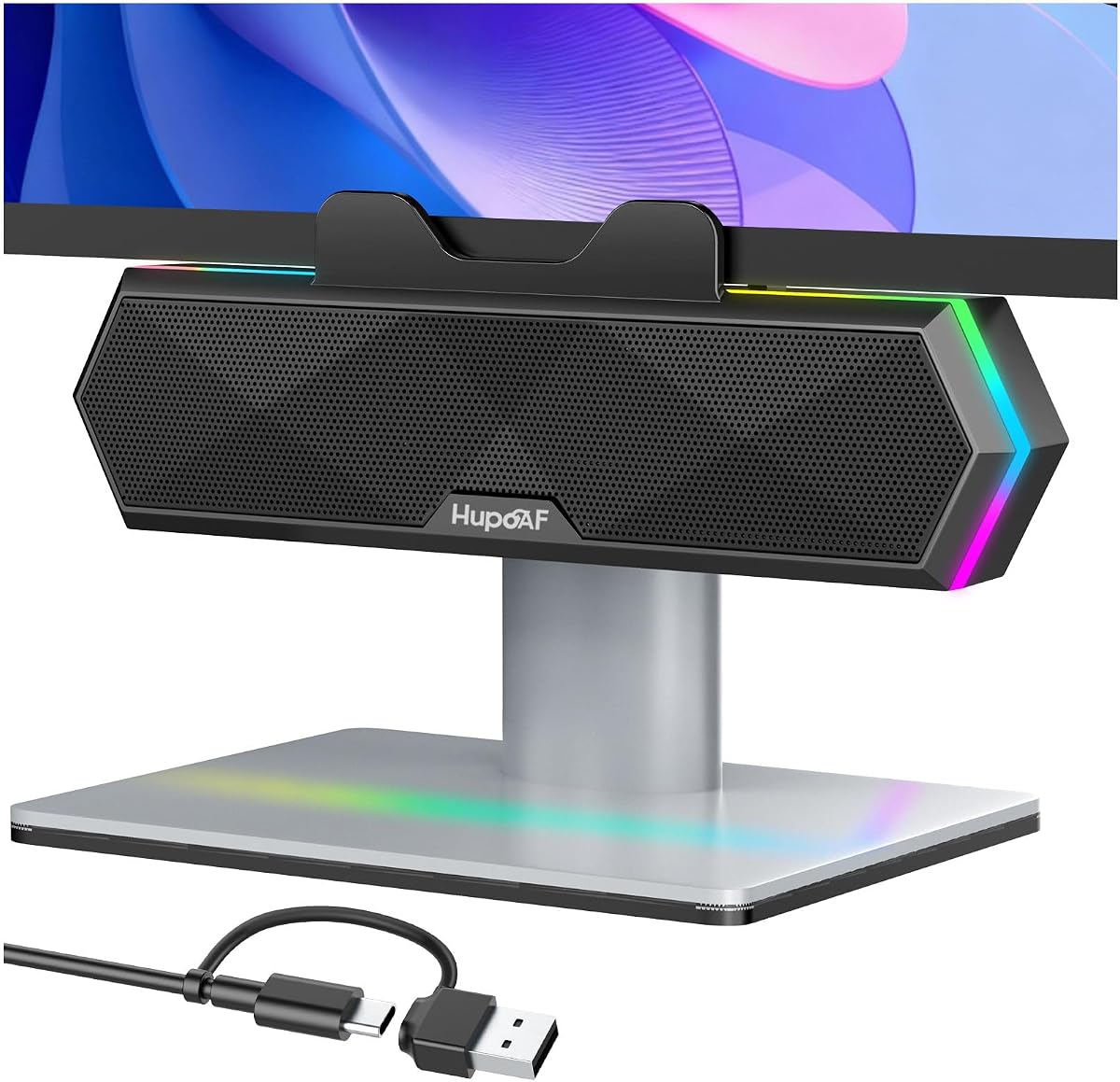
This compact speaker system offers a unique solution for MacBook users with limited desk space. Rated 4.2 stars, it features an adaptive channel-switching mechanism that ensures proper stereo imaging regardless of where you clip it on your monitor. The USB-C adapter makes it particularly suitable for modern MacBooks.
We may earn a commission when you buy through this link, at no additional cost to you.
The standout quality is its ability to deliver loud sound and deep bass from a tiny footprint. Dual passive radiators enhance low frequencies, while the touch controls allow you to mute or adjust volume without reaching for your computer. The G-sensor technology automatically corrects channel positioning.
One trade-off is the dependency on your monitor's thickness; the clamp has a maximum limit which might exclude some ultrawide displays. Additionally, users may need to check their audio driver settings to ensure optimal playback. These are minor issues considering the space-saving benefits.
Buyers seeking a clean desktop aesthetic without sacrificing audio quality should consider this model. It is ideal for those who want a plug-and-play experience with their MacBook Pro or Air. We recommend it for students and professionals with tight workspace constraints.
The innovative clamp design allows you to mount the speakers directly to your monitor, freeing up valuable desk real estate for your workspace.
Included adapter ensures seamless connection with newer MacBook models that only feature USB-C ports, eliminating the need for extra dongles.
We may earn a commission when you buy through this link, at no additional cost to you.
The Amazon Basics Stereo 2.0 Speakers are a straightforward choice for MacBook users needing reliable audio without breaking the bank. With a 4.4-star rating, these speakers are USB-powered and include a helpful in-line volume control for quick adjustments during playback.
We may earn a commission when you buy through this link, at no additional cost to you.
Their simplicity is a key strength. You connect one USB cable for power and a 3.5mm aux cable for audio from your MacBook. This setup ensures minimal latency and consistent performance for music and videos. The metal finish adds a touch of durability to the base.
While they lack wireless features like Bluetooth, the wired connection guarantees stable audio quality which is important for focused work or gaming. The bass is decent for the size but may lack depth compared to premium models with active subwoofers.
These speakers are perfect for budget-conscious buyers who prioritize function over fancy features. They are easy to set up on any MacBook and provide a clear audio upgrade from built-in laptop speakers. We recommend them as a practical first step in upgrading your setup.
Powering these speakers is effortless as they draw energy directly from your MacBook USB port requiring no extra power adapter.
The standard 3.5mm input ensures compatibility with any MacBook model regardless of the port type or dongles you currently use.
We may earn a commission when you buy through this link, at no additional cost to you.
The Logitech Z207 offers a versatile audio experience for MacBook users who value flexibility. With a 4.4-star rating, these speakers connect via Bluetooth or a 3.5mm cable allowing you to switch between your laptop and phone effortlessly.
We may earn a commission when you buy through this link, at no additional cost to you.
Its standout feature is the Easy-Switch technology. You can pause audio on one device and press play on another to transfer the sound stream. This is incredibly useful for multitasking between work calls on your MacBook and music on your phone without manual re-pairing.
The sound quality is balanced for everyday use with clear mids and highs. However, the passive radiator provides modest bass extension which may not satisfy audiophiles. The onboard controls for volume and pairing are conveniently located on the speaker unit.
These speakers are ideal for users who frequently switch between devices and need a clutter-free desk. They are reliable for video calls and media consumption. We recommend them for anyone wanting wireless convenience without a huge price hike.
Choose between Bluetooth for wireless freedom or a wired connection for zero latency depending on your current activity needs.
Physical buttons on the speaker allow quick access to volume and power settings keeping your workflow uninterrupted.
We may earn a commission when you buy through this link, at no additional cost to you.
For serious audiophiles using a MacBook, the Edifier M60 delivers exceptional performance with its 66W RMS output. Rated 4.5 stars, it features Hi-Res Audio certification ensuring that high-fidelity files play with the detail and depth you deserve.
We may earn a commission when you buy through this link, at no additional cost to you.
The key strengths include the Class-D amplifier which provides efficient power delivery and precise sound reproduction. Bluetooth 5.3 supports LDAC codec allowing high-bitrate wireless streaming from your MacBook. The touch panel is sleek and responsive for volume and track controls.
The design is elegant but requires more desk space than compact options. The included aluminum stands elevate the speakers to ear level which improves soundstage but may not fit every setup. It is a significant investment compared to budget models.
Buyers who prioritize audio quality and want a premium desktop centerpiece should choose this model. It transforms your MacBook into a high-quality home theater or music station. We recommend it for those willing to invest in superior sound.
Certified for Hi-Res playback the M60 ensures every nuance in your music is preserved for a rich and immersive experience.
Built-in DSP ensures balanced audio output across all frequencies minimizing distortion even at higher volume levels.
We may earn a commission when you buy through this link, at no additional cost to you.
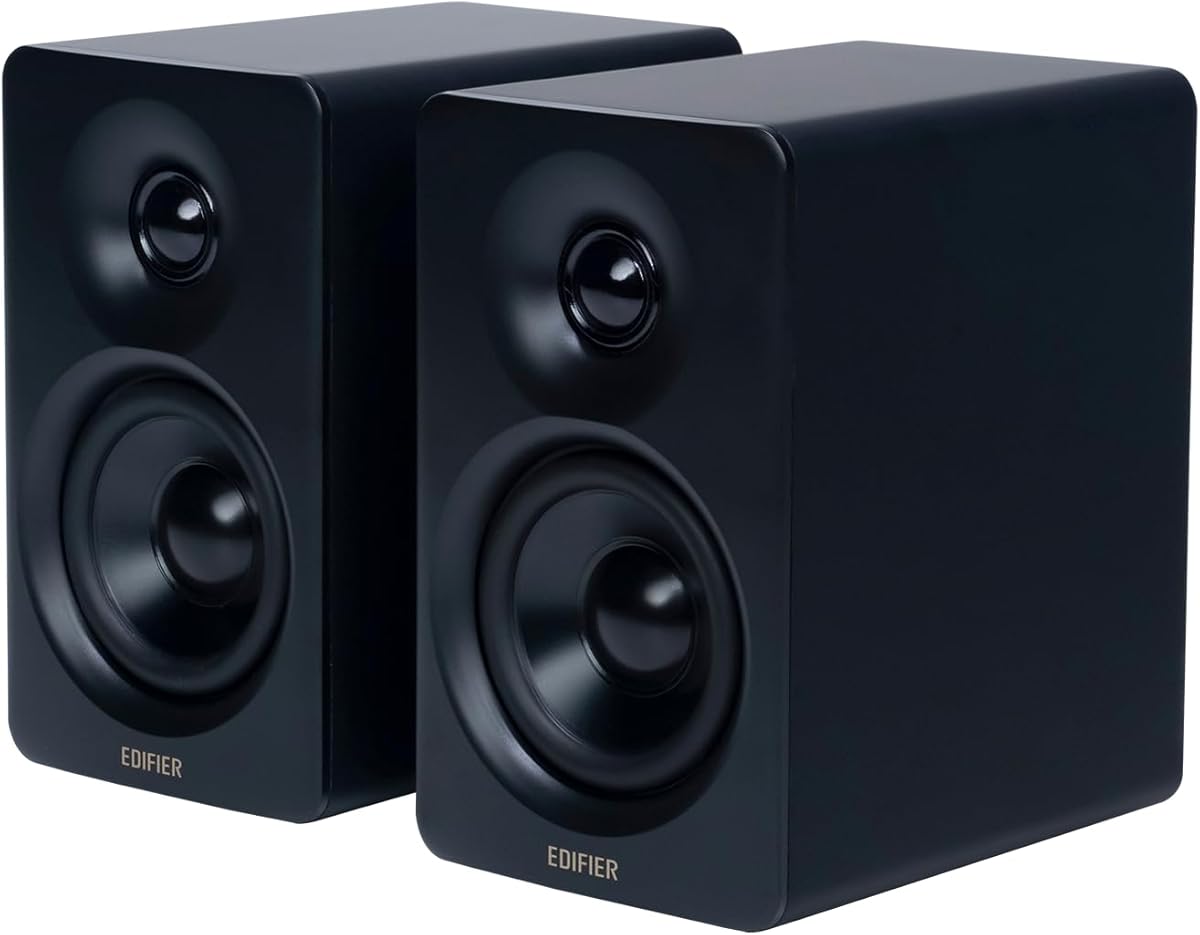
The Edifier MR3 is designed for professionals who need accuracy over coloration. With a 4.5-star rating and Hi-Res certification, it delivers a flat response from 52Hz to 40kHz which is ideal for editing and critical listening on your MacBook.
We may earn a commission when you buy through this link, at no additional cost to you.
Its strengths include the ability to connect via balanced TRS inputs and RCA. The MDF cabinet minimizes resonance providing clean audio. You can also pair multiple devices simultaneously via Bluetooth for seamless transitions between calls and media.
The sound is very detailed which might feel harsh to those used to consumer speakers with boosted bass. Users may need to use the companion app to tweak EQ settings for casual listening. It is a specialized tool for specific workflows.
These speakers are perfect for content creators and audio engineers working on a MacBook. They offer a level of clarity that supports precise work. We recommend them if you need to hear every detail in your project.
Engineered for studio use these speakers provide a neutral sound profile that reveals the true quality of your audio source.
Bluetooth supports multi-point pairing allowing you to stay connected to both your phone and laptop without manual switching.
We may earn a commission when you buy through this link, at no additional cost to you.
The Creative Pebble V3 is a sleek choice for modern MacBooks featuring USB-C ports. Rated 4.4 stars, it uses a single USB-C cable for power and audio simplifying your desk setup significantly without needing auxiliary cables.
We may earn a commission when you buy through this link, at no additional cost to you.
Key strengths include the 45-degree elevated drivers which direct sound straight to your ears for a better sweet spot. The Clear Dialog audio processing makes voices in movies and calls stand out clearly even at low volumes which is excellent for home offices.
While bass is limited by the 2.25-inch drivers you can enable a gain switch for more volume if your port supports it. Bluetooth connectivity adds flexibility when moving away from the desk. It balances functionality and aesthetics well.
These speakers are ideal for MacBook Air users who want a neat setup with decent sound. The USB-C simplicity is a major draw for modern workflows. We recommend them for general multimedia use and streaming.
Using one cable for both power and audio keeps your desk clean and avoids the clutter of traditional audio jacks.
The angled placement of drivers ensures sound is directed upward toward your listening position for better clarity.
We may earn a commission when you buy through this link, at no additional cost to you.
The Upgraded Computer Speakers are designed for ease of use with any MacBook running macOS. With a 4.2-star rating, they work instantly when plugged into a USB port requiring no software installation or complex audio routing.
We may earn a commission when you buy through this link, at no additional cost to you.
Their strength lies in simplicity. Dual 3W drivers and a passive radiator provide louder sound with some bass enhancement compared to standard laptop speakers. The single cable manages both audio signal and power keeping your desk organized.
The sound quality is decent for general tasks like watching videos or casual music listening. It is not audiophile grade but fulfills the basic need for external sound. The design is utilitarian with a plastic finish.
Buyers looking for a quick fix to quiet laptop speakers should consider these. They work well for basic office work and light media consumption. We recommend them as an entry-level solution for Mac users.
No drivers or software required just plug in the USB cable and your MacBook recognizes the device immediately.
Designed to work seamlessly with macOS ensuring that Apple users can enjoy external audio without technical hurdles.
We may earn a commission when you buy through this link, at no additional cost to you.
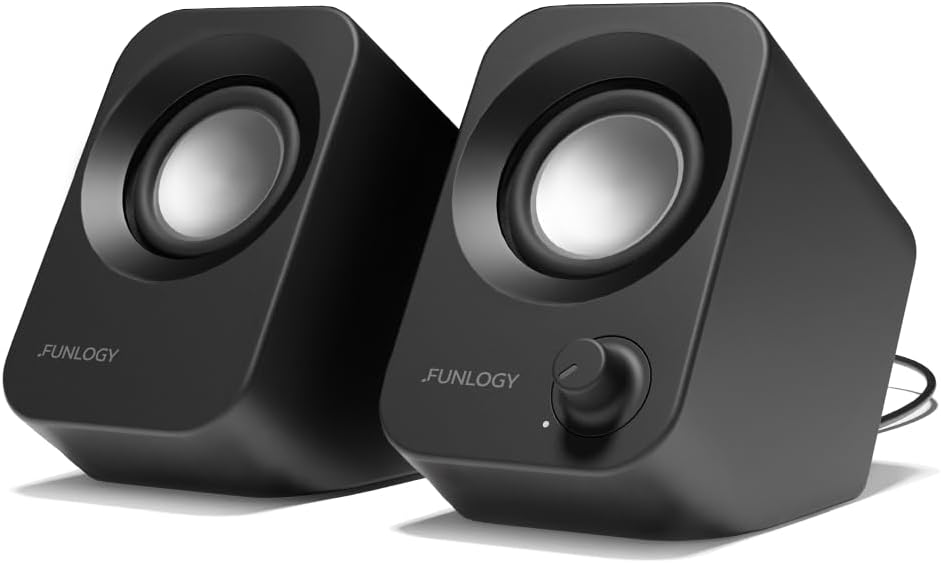
The FUNLOGY Speaker stands out with its smart 30-degree upward tilt design which is tailored to direct sound toward your ear level when sitting at a desk. Rated 4.2 stars, this ergonomic approach ensures a more immersive listening experience on your MacBook.
We may earn a commission when you buy through this link, at no additional cost to you.
It offers a satisfying tactile volume dial instead of buttons providing precise control. The Japanese engineering focuses on reducing static noise and ensuring clear audio. It is compact enough for any desk while still delivering 14W of power.
The sound is balanced with crisp highs and clear mids though deep bass might be limited by the size. The matte finish looks professional and resists fingerprints. It is a reliable choice for daily work and media.
This speaker is great for users who prefer physical knobs for volume control and a clean desk look. The tilt feature makes it a smart choice for seated work. We recommend it for anyone valuing design and usability.
The angled design directs audio straight at your ears improving clarity and immersion without increasing volume.
Japanese engineering ensures durable components and noise-reducing features that maintain audio purity during use.
We may earn a commission when you buy through this link, at no additional cost to you.
The Dell Speakerphone SP3022 is tailored for professionals who spend much of their day on video calls with their MacBook. With a 4.2-star rating, it offers AI noise cancellation ensuring that your voice is heard clearly in any environment.
We may earn a commission when you buy through this link, at no additional cost to you.
Its primary strength is the certification for Teams and Zoom allowing quick access to meetings via dedicated buttons. Full duplex audio means you can speak and listen simultaneously without cutting off. It is designed specifically for business productivity.
Music playback is functional but the focus is on voice clarity. There is no aux input limiting it to USB for audio. The design is elegant but the features are optimized for conferencing rather than entertainment.
If your main use case is remote work and meetings this is a top-tier choice. It simplifies the meeting process and improves audio communication. We recommend it for remote workers and business professionals.
Filters out background sounds so your voice is clear and professional during important video calls.
Quick-access buttons for Teams reduce the steps needed to join or manage meetings during your day.
We may earn a commission when you buy through this link, at no additional cost to you.
The RGB Computer Speakers add a stylish visual element to your MacBook setup with six dynamic lighting modes. Rated 4.6 stars, they combine a space-saving clip design with dual passive radiators that deliver deep bass for an immersive experience.
We may earn a commission when you buy through this link, at no additional cost to you.
Users love the versatility of turning lights on for gaming or off for work with a single button. The dual drivers provide sparkling highs and crisp mids. It is an attractive upgrade that enhances the look of your desktop.
The clamp is designed to fit standard monitors but may have thickness limits. Light control is easy allowing you to disable them if you prefer a distraction-free workspace. It balances style and function well.
Gamers and enthusiasts will appreciate the visual flair and audio performance. It is a fun addition that personalizes your desk. We recommend it for those who value both aesthetics and sound.
Choose from six vibrant lighting modes to match your mood or gaming setup with simple button controls.
Dual passive radiators enhance low frequencies providing rich sound that exceeds the compact size of the speaker.
We may earn a commission when you buy through this link, at no additional cost to you.
Selecting the right external speakers for your MacBook involves considering connectivity, sound quality, and your specific use case. This guide outlines the essential factors to help you make the best choice.
Check your MacBook model to determine available ports. Many new MacBooks only have USB-C so look for speakers with USB-C support or included adapters. Avoid models that rely solely on analog inputs unless you have the necessary dongles.
Prioritize speakers with the right ports for your device to ensure a hassle-free setup. Wireless options like Bluetooth offer flexibility but wired connections reduce latency.
Look for speakers with dedicated drivers and passive radiators for better bass response. Higher RMS power generally indicates louder and clearer sound. Hi-Res Audio certification ensures your music plays with high fidelity.
Choose speakers with sufficient power and driver size to fill your room with sound without distortion.
Measure your available space to find speakers that fit comfortably. Compact models or clip-on options can save desk real estate while larger studio monitors require more room.
Select a design that fits your aesthetic whether it is minimalist, industrial, or colorful to keep your workspace pleasant.
Physical volume controls on the speaker itself can save you from constantly using keyboard shortcuts. Some models offer touch panels or dials that are more intuitive than software sliders.
Ensure the controls are easily accessible so you can adjust volume or mute quickly without interrupting your workflow.
Set a realistic budget based on your needs. Entry-level USB speakers are affordable and sufficient for casual use while premium models offer better audio fidelity for professionals.
Balance the cost with the features you actually need to avoid overspending on capabilities you won't use.
Decide if you need speakers for music, gaming, or calls. Conference speakers might have built-in mics whereas multimedia speakers focus on stereo sound. Gaming speakers might have RGB lighting.
Pick a model optimized for your primary activity to get the most value out of your purchase.
If you want wireless flexibility, check the Bluetooth version for stable connection. Bluetooth 5.0 or higher is recommended for better range and lower latency.
Ensure the speaker supports multi-point connection if you frequently switch between devices for seamless audio switching.
Look for materials like metal or sturdy plastic that resist scratches and wear. A well-built speaker will last longer and maintain its look over time.
Prioritize brands with good reputations for durability and customer support to ensure a long-term investment.
Begin by connecting the speakers to your MacBook using the appropriate cable or Bluetooth pairing process. Go to System Preferences or System Settings and select the external speakers as your default audio output device.
To maintain sound quality, place the speakers at ear level and slightly angled toward you. Avoid placing them directly against walls or in corners as this can muffle the audio and reduce clarity.
Clean the speakers regularly with a soft dry cloth to remove dust and fingerprints. Do not use water or harsh chemicals as they can damage the electronics or finish. Store them in a cool dry place when not in use.
It depends on your MacBook model. Newer models often only have USB-C ports so check if the speakers include a USB-C adapter or support USB-C directly. If they use 3.5mm audio you may need a dongle.
Wireless speakers offer flexibility but can have latency issues. Wired USB-C speakers often provide better sound quality and zero latency which is better for watching videos or gaming.
Yes most Bluetooth speakers are compatible with Macs. Simply enable Bluetooth in System Preferences and pair your device. Look for speakers with Bluetooth 5.0 for best performance.
Use external speakers with passive radiators or subwoofers. Adjust the equalizer settings in macOS to boost low frequencies for richer sound during media playback.
Compact bookshelf speakers or clip-on monitors are ideal for small desks. They save space while providing better audio than built-in laptop speakers.
USB-powered speakers draw power from your MacBook which can reduce battery life. Using USB-C powered models is more efficient than older USB-A options.
Yes you can connect multiple speakers but sound may not sync perfectly. Use an audio hub or software mixer to combine output for surround sound setups.
Yes they are generally suitable. However studio monitors offer more accurate sound. Choose based on whether you prioritize gaming features or audio fidelity.
We have reviewed ten top speakers ranging from affordable USB options to premium studio monitors. Whether you need space-saving clip-ons or high-fidelity audio there is a model for every user.
Prioritize connectivity and sound quality based on your workflow. If you want a quick upgrade choose the Creative Pebble V3 or Amazon Basics for simplicity.
Remember to check current prices and availability before purchasing as market conditions change frequently. Happy listening with your enhanced MacBook setup.