
Acer Nitro 29.5in
4.3Editor score
200Hz Refresh Rate
1ms Response Time
AMD FreeSync Premium
Finding the right display for your workspace or gaming setup can be challenging when you are working with a limited budget. A cheap ultrawide monitor offers a compelling solution by providing expansive screen real estate without the premium price tag of high-end models.
We have carefully evaluated ten top contenders based on their performance, build quality, and value proposition. This list covers a range of options from entry-level curved displays to feature-rich IPS panels that deliver excellent color accuracy and refresh rates.
Each pick shows detailed specifications and key benefits to help you make an informed decision for your specific needs. Please note that prices and availability can change frequently, so we recommend checking the latest listings before you purchase.
4.3Editor score

4.4Editor score

4.5Editor score
As an Amazon Associate we earn from qualifying purchases.
Here is a side-by-side comparison of all ten products to help you quickly identify the best fit for your setup needs and budget constraints.


The SANSUI 34-Inch Curved Gaming Monitor stands out as a top contender in the budget ultrawide market. With a rating of 4.4 stars, it offers a compelling mix of performance and affordability that appeals to gamers and professionals alike. Its standout qualities include a lightning-fast 200Hz refresh rate and a VA panel that delivers deep blacks and vibrant colors.
We may earn a commission when you buy through this link, at no additional cost to you.
Performance-wise, this monitor is engineered for speed. The 1ms response time ensures that fast-paced games look fluid without ghosting artifacts. The UWQHD resolution provides crisp text and detailed graphics, making it suitable for productivity tasks as well. AI features like blue light reduction help reduce eye strain during long sessions.
While the monitor excels in performance, it does have some trade-offs. The lack of built-in speakers means you will need external audio solutions. Additionally, the stand offers tilt adjustments but lacks full height or swivel options, which might limit positioning flexibility for some users.
This monitor is ideal for gamers who want high refresh rates without spending a fortune. It is also a great choice for multitaskers who need the extra screen real estate. If you prioritize smooth visuals and color depth over audio features, this is a highly recommended purchase.
The 200Hz refresh rate ensures that competitive games remain fluid and responsive, giving players a distinct advantage in fast-paced titles.
The VA panel technology delivers excellent contrast ratios, resulting in deeper blacks and more vibrant colors compared to standard IPS panels.
We may earn a commission when you buy through this link, at no additional cost to you.
The Acer Nitro 29.5in monitor is a fantastic entry point for those seeking an ultrawide experience on a tight budget. With a 4.3 rating, it delivers solid performance for gaming and casual use. Its standout features include a rapid 200Hz refresh rate and AMD FreeSync Premium technology which helps eliminate screen tearing.
We may earn a commission when you buy through this link, at no additional cost to you.
In terms of specs, this monitor offers a 2560 x 1080 resolution on a 29.5-inch curved panel. The 1ms response time ensures quick transitions between frames, which is crucial for competitive shooters. The curved design wraps around your field of view, enhancing immersion without costing a premium.
The main trade-off is the resolution. While 1080p is adequate for many users, it is not as sharp as the 1440p options available in larger sizes. Additionally, the stand offers tilt only, so you might want a monitor arm if you need height adjustment for ergonomics.
This model is perfect for budget-conscious gamers who prioritize refresh rates over pixel density. It is also great for secondary setups or smaller desks where a 34-inch monitor might feel too large. If you want smooth motion at a low cost, this is a strong choice.
AMD FreeSync Premium synchronizes the monitor's refresh rate with the graphics card to eliminate tearing and stuttering during gameplay.
The 1800R curvature provides a more natural viewing experience by keeping all parts of the screen at an equal distance from your eyes.
We may earn a commission when you buy through this link, at no additional cost to you.
The KTC 34 Inch Ultrawide Curved Gaming Monitor offers premium features typically found in much more expensive displays. With a 4.5 rating, it impresses with its HVA panel technology and robust stand design. It is a top pick for users who want deep blacks and a fully adjustable setup without breaking the bank.
We may earn a commission when you buy through this link, at no additional cost to you.
This monitor features a 1500R curve that enhances immersion significantly. The HVA panel delivers a high contrast ratio, resulting in richer blacks and better shadow detail. With 125% sRGB coverage, colors are vibrant and accurate for both gaming and creative work. The 180Hz refresh rate keeps motion smooth.
One potential drawback is that as a newer brand, long-term support might vary compared to established giants. However, the three-year warranty helps mitigate this risk. Some users might need to spend time calibrating the display to get the best color accuracy out of the box.
If you need a monitor that handles everything from gaming to photo editing, this model is an excellent investment. The stand allows for height, tilt, swivel, and pivot adjustments, making it highly versatile for different desk setups. It is a premium experience at a budget price.
The HVA panel offers a higher contrast ratio than standard VA or IPS panels, delivering deeper blacks and more striking images.
The stand supports height, tilt, swivel, and pivot adjustments, ensuring you can find the perfect viewing angle for comfort.
We may earn a commission when you buy through this link, at no additional cost to you.
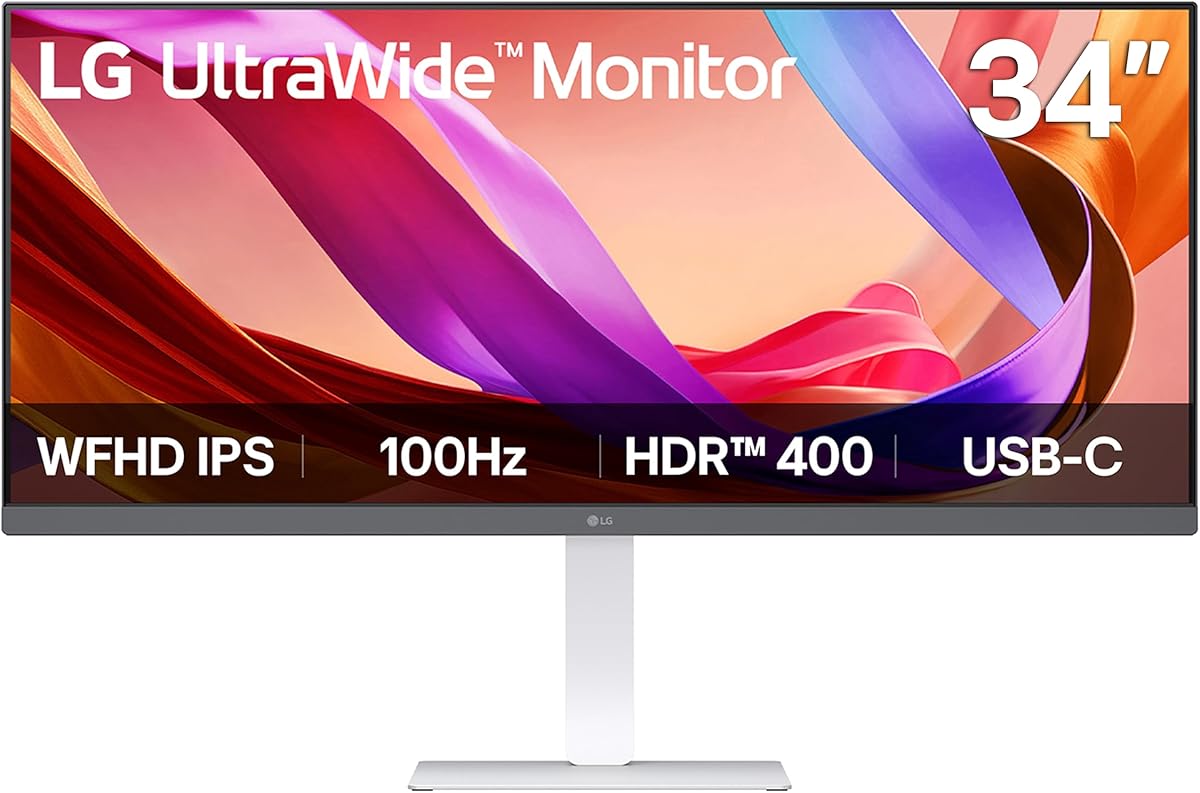
The LG 34U530A-W is a strong choice for those who prioritize color accuracy and connectivity options. Its IPS panel ensures wide viewing angles and consistent colors from any angle. The monitor also includes a versatile stand that allows for height and swivel adjustments, which is rare at this price point.
We may earn a commission when you buy through this link, at no additional cost to you.
Connectivity is a highlight with USB-C support for both display output and data transfer. This simplifies setups for laptop users who want a single cable connection. The built-in speakers with MaxxAudio provide decent sound quality, reducing the need for external devices. HDR 400 support enhances visual depth in media.
The main trade-off is the resolution. At 2560 x 1080, the screen is less sharp than UWQHD models, which might be noticeable if you sit close to the screen. Additionally, the white finish, while stylish, may require more cleaning to maintain its pristine appearance over time.
This monitor is ideal for professionals who need accurate colors and a clutter-free desk. It is also a great fit for office workers who need ergonomic adjustments and good audio for calls. If you value flexibility and color over maximum sharpness, this LG model is a solid pick.
The IPS panel provides sRGB 99% coverage, ensuring that colors are precise and consistent across the entire screen.
USB-C allows for display output and data transfer, simplifying your setup and reducing cable clutter.
We may earn a commission when you buy through this link, at no additional cost to you.
The MSI PRO MP341CQ E12 focuses on comfort and clarity for long work sessions. Its UWQHD resolution ensures sharp text and detailed images, making it excellent for productivity. The inclusion of Eye-Q Check and Flicker Free technology shows MSI's commitment to reducing eye strain during extended use.
We may earn a commission when you buy through this link, at no additional cost to you.
Performance-wise, the 120Hz refresh rate offers smooth scrolling and responsive visuals. Adaptive Sync ensures that motion remains fluid without tearing. The VA panel provides good contrast, though viewing angles are not as wide as IPS. VESA compatibility allows you to mount it on an arm for better ergonomics.
The stand limitations are a notable downside as it only tilts. This means you must use a VESA mount or rely on desk height to position the screen correctly. Additionally, the built-in speakers are adequate for alerts but not for rich media consumption.
This monitor is best for professionals who need a large workspace and eye health features. If you work on documents or code for hours, the low blue light and flicker-free benefits are significant. For those willing to use a monitor arm, this is a great value proposition.
Eye-Q Check and Low Blue Light certifications help minimize strain during long periods of screen time.
The 3440 x 1440 resolution allows you to fit multiple windows side by side without sacrificing text clarity.
We may earn a commission when you buy through this link, at no additional cost to you.
The LG 34WR55QK-B earns a high rating for its balanced feature set and build quality. It offers a 34-inch curved screen that enhances immersion without being distracting. The stand includes height adjustment, which is a significant plus for ergonomic setups right out of the box.
We may earn a commission when you buy through this link, at no additional cost to you.
Connectivity is streamlined with USB-C that supports up to 65W power delivery. This means you can charge a laptop while connecting the display with a single cable. The HDR10 support adds dynamic range to supported content, making movies and games look more vibrant. Reader Mode is ideal for reading documents.
While it is priced higher than some budget options, the added features justify the cost for many users. The curve might not suit everyone who prefers flat screens for color accuracy, but for general use it is excellent. The black design fits well in most home offices.
This model is a top pick for laptop users who want a clean setup. The height adjustability and USB-C make it a strong choice for productivity. If you value convenience and ergonomics, this LG monitor offers a comprehensive solution at a reasonable price.
Up to 65W power delivery through USB-C allows you to charge compatible laptops while using the monitor.
The adjustable stand allows you to set the height and tilt to reduce neck strain during long work sessions.
We may earn a commission when you buy through this link, at no additional cost to you.
The LG 34U650A-B combines the best of IPS color with a subtle curve for comfort. It has a 4.4 rating reflecting its solid all-around performance. The IPS technology ensures wide viewing angles and accurate colors, while the curve wraps the screen for a more immersive feel.
We may earn a commission when you buy through this link, at no additional cost to you.
One of its strongest features is the USB-C connectivity that supports up to 96W laptop charging. This is a massive plus for users with high-performance laptops. The built-in speakers with DepthSound provide richer audio than most competitors. The Switch app allows for easy screen splitting and management.
The cost is slightly higher than entry-level models, but the feature set justifies it. The speakers are good for calls and media but not a replacement for dedicated audio gear. The narrow bezels make it look premium on any desk setup.
This monitor is ideal for hybrid workers who switch between tasks frequently. The high wattage charging and screen management tools improve workflow efficiency. If you want a reliable and feature-rich monitor that handles both work and play well, this LG model is a great choice.
This monitor combines IPS color accuracy with a gentle curve for a comfortable viewing experience.
With 96W charging support, this monitor can power high-performance laptops while connecting via a single cable.
We may earn a commission when you buy through this link, at no additional cost to you.
The Samsung ViewFinity S50GC Series is designed with multitasking in mind. Its PIP and PBP modes allow you to view multiple inputs simultaneously on one screen. This makes it perfect for monitoring two different systems or apps without needing dual monitors. The ambient light sensor adjusts brightness automatically.
We may earn a commission when you buy through this link, at no additional cost to you.
The borderless design maximizes screen real estate and provides a clean look. AMD FreeSync ensures smooth gaming without tearing. Eye Saver Mode reduces blue light for comfortable viewing. The UWQHD resolution gives you plenty of space to work with complex documents or projects.
The stand is limited to tilt adjustments which might be annoying for tall users. Additionally, the HDR performance is decent but not class-leading compared to more expensive models. However, the price point makes it very accessible for those needing extra screen space.
This monitor is best for users who need to manage multiple workflows. Whether you are trading stocks or managing social media, the dual input modes are useful. If you value screen utility and eye comfort over premium build, this Samsung model fits the bill.
Picture in Picture and Picture by Picture allow you to view multiple inputs on one screen simultaneously for better multitasking.
The ambient light sensor adjusts brightness based on your surroundings to reduce eye strain and save power.
We may earn a commission when you buy through this link, at no additional cost to you.
The Samsung ViewFinity S50GC Series is another great option from the same lineup with a focus on aesthetics. The thin bezels make it look seamless and modern. Like the other model, it supports PIP and PBP for multitasking. HDR10 and AMD FreeSync ensure good visual performance for mixed use.
We may earn a commission when you buy through this link, at no additional cost to you.
This model is highlighted by Amazon as a handpicked choice. It offers a balanced experience with solid build quality. The eye care features help reduce strain during long work hours. The contrast ratio is good for deep blacks, though IPS might be better for viewing angles.
The stand ergonomics are basic with tilt only, which might require a monitor arm for full adjustability. While the features are great, the lack of unique specs compared to the other model might make you choose based on price or availability. Both share similar performance traits.
This monitor is ideal for users who want a sleek look with reliable performance. If you prioritize design and basic multitasking features, this is a strong candidate. It is also suitable for home offices where the aesthetic appeal matters alongside functionality.
The virtually bezel-free screen maximizes the display area and looks great in multi-monitor setups.
Eye Saver Mode and Flicker Free technologies help reduce eye strain during extended viewing sessions.
We may earn a commission when you buy through this link, at no additional cost to you.
The CRUA 34 Inch Monitor offers a rare combination of IPS quality and high refresh rate at a budget price. It includes PIP and PBP modes for multitasking, which is uncommon at this price. Built-in speakers and dual HDMI and DP ports provide convenient connectivity options for various setups.
We may earn a commission when you buy through this link, at no additional cost to you.
The 165Hz refresh rate makes it suitable for competitive gaming where smooth motion is key. The 120% sRGB coverage ensures vibrant and accurate colors. VESA mount compatibility gives you the flexibility to use a monitor arm. The wide viewing angles are a benefit of the IPS panel technology.
One risk is that the brand is less established than others, which could impact support or warranty handling. However, the warranty terms are reasonable. The speakers are basic but useful for system sounds. It is a feature-rich option for the price.
This monitor is perfect for gamers and multitaskers on a budget. If you want an IPS panel without sacrificing refresh rate or multitasking features, this is a great deal. It is worth considering if you want all-in-one connectivity and performance without paying for a big brand name.
The IPS panel offers wide viewing angles while the 165Hz rate ensures smooth performance in fast-paced games.
Built-in PIP and PBP modes allow you to view multiple inputs simultaneously for better workflow efficiency.
We may earn a commission when you buy through this link, at no additional cost to you.
Choosing the right ultrawide monitor involves balancing performance, features, and price. Here are key factors to consider before you buy.
Resolution determines how sharp your images and text appear. For 34-inch monitors, UWQHD (3440×1440) is the standard for crisp detail. If you prioritize text clarity for work, higher resolution is better. Lower resolutions like WFHD (2560×1080) are cheaper but less sharp.
Look for UWQHD if you want high detail. WFHD is acceptable if you are strictly gaming or on a tight budget.
Refresh rate affects how smooth motion looks in games and videos. 60Hz is standard for office work, while 120Hz or higher is better for gaming. High refresh rates reduce motion blur and make scrolling feel more fluid.
Choose 120Hz or higher for gaming. 60Hz or 75Hz is fine for basic office tasks and video watching.
IPS panels offer the best viewing angles and color accuracy. VA panels provide deeper blacks and higher contrast which is good for dark rooms. TN panels are fast but have poor viewing angles. IPS is usually preferred for general use.
IPS is best for color work. VA is best for contrast and dark room viewing.
A good stand allows height, tilt, swivel, and pivot adjustments. Height adjustment is crucial for neck health. If the stand is basic you can use a VESA mount arm to add flexibility. Check the stand features carefully.
Prioritize height adjustable stands. If not available, plan to buy a VESA mount arm separately.
USB-C connectivity simplifies setups by supporting video and power in one cable. HDMI and DisplayPort are standard. If you use a laptop, USB-C is highly recommended. Check the number of ports to ensure you can connect all devices.
Look for USB-C if you use a laptop. Ensure enough HDMI and DisplayPort inputs for all devices.
PIP and PBP modes allow you to view multiple inputs at once. These features help you manage multiple tasks without extra monitors. Some monitors also include software tools to split the screen. Consider these if you need efficiency.
Check for PIP and PBP if you use multiple devices. Software tools help split windows for better workflow.
Features like Flicker Free and Low Blue Light reduce eye strain during long sessions. These are important if you spend hours working or gaming. Some monitors include built-in tools to assess vision. Prioritize these for health.
Choose monitors with Flicker Free and Low Blue Light. These features protect eyes during extended use.
Warranty terms vary by brand. Look for at least a one or three-year warranty. Check customer support reviews to ensure reliable service. A good warranty protects you against defects and gives peace of mind over time.
Ensure a warranty of at least one year. Check support reviews to verify reliability.
Place the monitor at eye level to prevent neck strain. Adjust the tilt so the screen reflects minimal light from windows or overhead fixtures. Use the stand's adjustment features to find a comfortable viewing position.
Clean the screen with a soft microfiber cloth to avoid scratches. Use distilled water if necessary but avoid harsh chemicals. Turn off the monitor before cleaning to protect the panel and electronics from moisture damage.
Update firmware regularly to improve performance and fix bugs. Use the software tools provided by the manufacturer to manage screen settings. Enable eye care features during long work sessions to maintain comfort and health.
An ultrawide monitor provides more horizontal screen real estate which helps with multitasking. You can view multiple windows side by side without needing multiple screens. This improves productivity and creates a more immersive experience for media and gaming.
Yes UWQHD offers higher resolution and sharper text compared to WFHD. On a 34-inch screen UWQHD provides better clarity for work and detailed tasks. WFHD is cheaper but you might notice less sharpness especially if you sit close to the monitor.
For basic productivity and media you do not need a powerful PC. For gaming at higher refresh rates you need a graphics card capable of running games at those speeds. Check your system requirements before purchasing for gaming purposes.
Many IPS models have good color accuracy but professional work may require calibration. Budget models are great for general editing but check the sRGB coverage. Higher-end professional monitors offer better consistency for critical color work.
Yes they offer wide screens for sharing multiple apps or documents during calls. You can use Picture in Picture to show content while keeping the camera active. Some monitors have built-in speakers which reduce the need for external audio devices.
IPS panels offer better viewing angles and color accuracy while VA panels have deeper blacks and higher contrast. IPS is better for light environments and color work. VA is better for dark environments and immersive media consumption.
Use a soft microfiber cloth to gently wipe the screen. Do not use paper towels or rough materials that can scratch the glass. Turn off the monitor and use distilled water if needed to remove stubborn marks safely.
Most models support VESA wall mounting. Check the specific dimensions such as 100x100mm to ensure compatibility with your mount. A wall mount can save desk space and improve ergonomics by placing the screen at ideal height.
We reviewed ten top budget-friendly ultrawide monitors that deliver excellent value without compromising on essential features. From high refresh rates to IPS panels and ergonomic stands each option offers unique strengths for different needs.
When choosing prioritize the features that matter most to you. If gaming is your goal focus on refresh rate and response time. If work is the priority look for resolution and eye care technologies to ensure long comfort.
Prices and availability change regularly so check the latest listings before you purchase. Our recommendations are based on current market conditions and performance data to help you make the best choice.