
Computer Desktop Tower Large Case
4.3Editor score
Dedicated keyboard compartment
Rear buckle fastener design
Anti-slip feet included
This expert guide compares the top 10 Desktop PC Tower Travel Carrying Case options to help you find the perfect protective transport solution for your tower
Transporting a powerful desktop computer requires specialized protection against bumps and vibrations. A dedicated carrying case ensures your investment remains safe during moves or LAN parties.
We evaluated ten top-rated models based on durability, storage capacity, and ergonomic design. Each product offers unique features tailored to different travel needs and tower sizes.
Our detailed breakdown highlights key strengths and potential drawbacks for every option. Prices fluctuate frequently, so verify current details before making your final purchase decision.
4.3Editor score
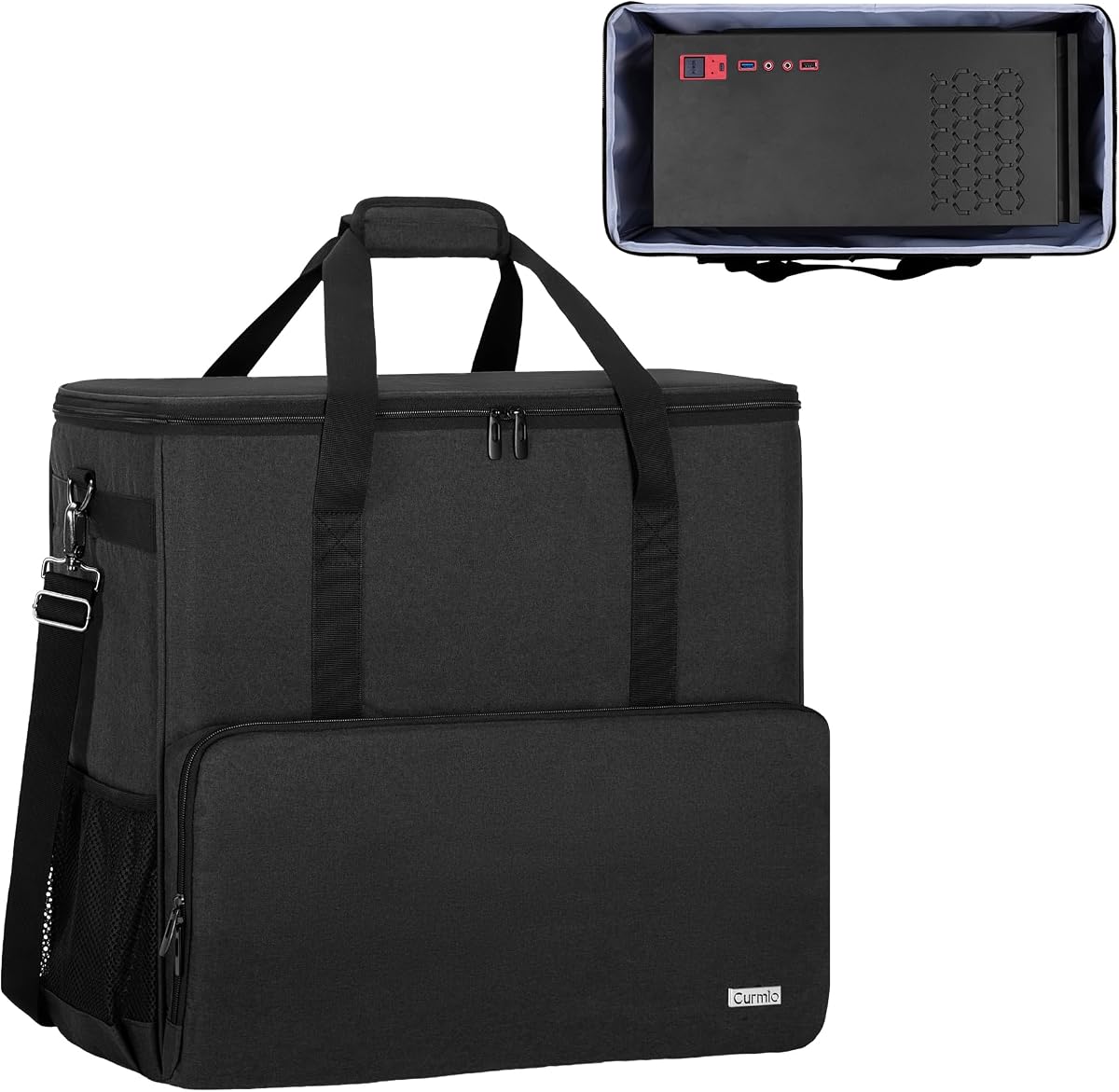
4.7Editor score

4.9Editor score
The following table provides a side-by-side comparison of all ten reviewed products. Examine dimensions, materials, and unique features to determine which case fits your specific hardware requirements.


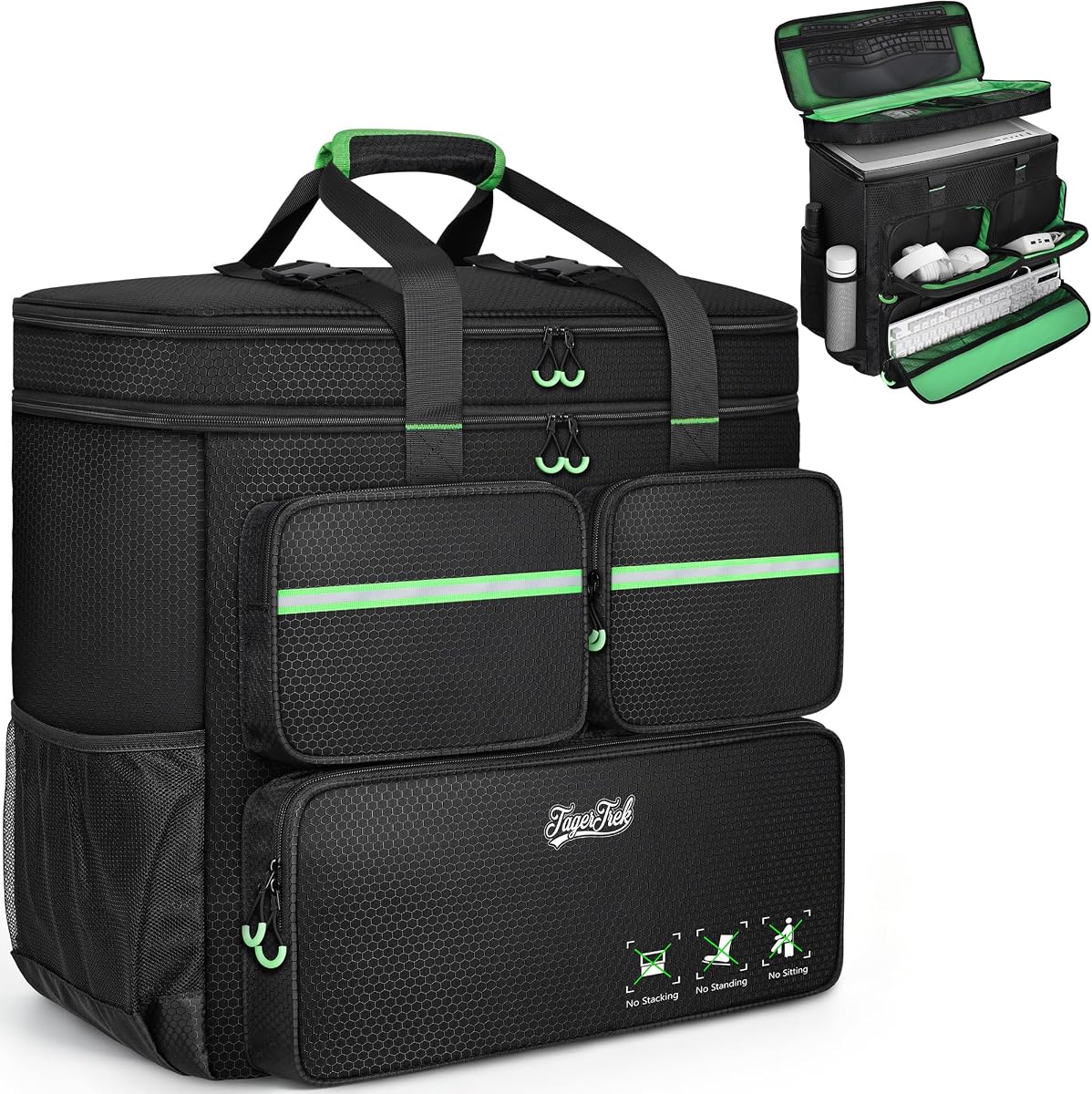
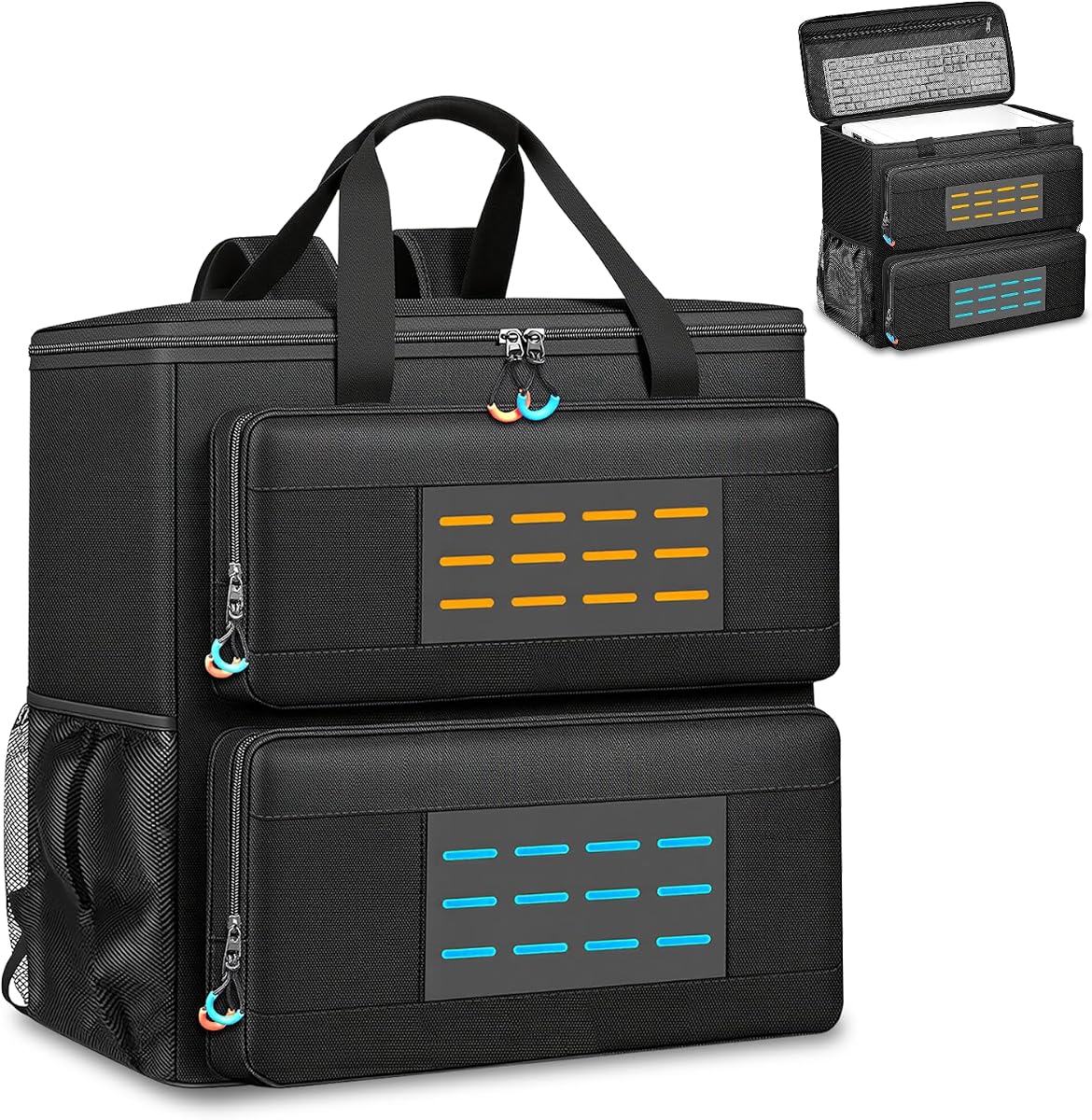


This CURMIO case delivers reliable protection for full computer towers with a strong rating. It features a thick nylon exterior designed to resist water and scratches during transit.
We may earn a commission when you buy through this link, at no additional cost to you.
The interior includes a removable foldaway cushioned pad that absorbs shock effectively. Four bottom feet pads reduce friction with the ground to prevent bottom wear.
While it offers excellent durability, verifying your tower dimensions before purchase is crucial. The weight is slightly higher than fabric-only options but ensures robust support.
Anyone moving or traveling frequently with a desktop PC will appreciate this balance of strength and portability. It is a top choice for secure transport.
The thick nylon material provides long-term resistance against tears and environmental elements.
Foam padding and removable cushions safeguard internal components from impact damage.
We may earn a commission when you buy through this link, at no additional cost to you.
This case offers an affordable entry point for protecting mid-tower desktops. It features smart storage compartments specifically designed for keyboards and mice.
We may earn a commission when you buy through this link, at no additional cost to you.
The full-height mesh panel organizes accessories efficiently. Oxford fabric resists rain and dust to keep your equipment clean during storage.
It relies on standard dimensions which means measurement is required before buying. Basic zippers may lack the heavy-duty feel of premium models.
Budget-conscious users needing reliable transport for standard towers will find this practical. It balances cost with essential protective features effectively.
Dedicated compartments keep your peripherals neat and accessible during travel.
Durable Oxford fabric prevents dust and moisture from damaging your hardware.
We may earn a commission when you buy through this link, at no additional cost to you.
This top-rated case provides ultimate protection with high-density foam padding. It stands out with a MOLLE webbing system for attaching extra gear.
We may earn a commission when you buy through this link, at no additional cost to you.
The rear luggage strap allows you to secure the bag on a wheeled suitcase. This frees your hands during long airport or train travel.
The price reflects these premium features which may be unnecessary for simple local moves. The design requires some learning to maximize all attachment points.
Power users and professional movers seeking the highest protection level should choose this. It transforms bulky computer moving into a streamlined operation.
Luggage straps and MOLLE systems offer professional-grade transport solutions.
High-density foam ensures maximum shock absorption for sensitive electronics.
We may earn a commission when you buy through this link, at no additional cost to you.
Designed for larger towers, this case offers significant internal capacity. The 5mm EPE inner lining absorbs impact effectively during heavy transport.
We may earn a commission when you buy through this link, at no additional cost to you.
Three front zippered pockets allow organized storage for keyboards and cables. The soft padded handle provides comfort when lifting by hand.
The large size can make it cumbersome in tight spaces. Managing multiple pockets requires time to keep everything organized properly.
Users with extra-large towers will appreciate the dedicated space for GPUs and radiators. It solves the problem of fitting big hardware securely.
The design allows room for GPUs and radiators alongside the main tower.
600D Oxford cloth ensures wear resistance over long periods of use.
We may earn a commission when you buy through this link, at no additional cost to you.
This case offers unmatched mobility with a detachable wheeled cart. The silent swivel casters make pulling heavy loads effortless on smooth surfaces.
We may earn a commission when you buy through this link, at no additional cost to you.
Bright green U-pull zippers are easy to spot in low light. The sturdy handle supports heavy loads when lifting the bag manually.
The cart mechanism adds bulk and weight to the overall package. Wheels may require maintenance if used on rough or gravel surfaces.
Travelers or commuters who cannot lift heavy loads will benefit most from this. It turns a backpack into a rolling suitcase easily.
Silent swivel casters provide easy movement across various floor types.
Bright green zippers make the case easy to locate in crowds.
We may earn a commission when you buy through this link, at no additional cost to you.
A balanced design with secure top buckles to prevent shifting. The integrated chest strap distributes weight evenly across shoulders and back.
We may earn a commission when you buy through this link, at no additional cost to you.
High-quality polyester fabric offers water resistance and wear durability. Solid stitching ensures the bag holds together under heavy computer loads.
It lacks the advanced features of premium rolling models. Basic exterior design might not stand out visually compared to tactical styles.
Those seeking reliable transport without complex features will find this ideal. It handles stairs and general travel with comfort and stability.
Integrated straps help balance the load for easier long-distance carrying.
Solid stitching and polyester resist tearing during heavy usage.
We may earn a commission when you buy through this link, at no additional cost to you.
This gaming backpack combines a protective case with a full backpack design. The 8mm EPE foam interior provides superior shock absorption for components.
We may earn a commission when you buy through this link, at no additional cost to you.
Internal mesh storage keeps essential accessories orderly and accessible. Side mesh pockets conveniently hold water bottles during long travel sessions.
The standard backpack profile may feel bulky on smaller frames. Weight distribution can sometimes cause fatigue on very long journeys.
Gamers moving setups for LAN parties will love the consolidation of gear. It keeps the tower and peripherals safe in one organized unit.
Extra foam padding ensures your PC survives rough handling during transit.
Dedicated sleeves prevent cables and mice from scratching the tower.
We may earn a commission when you buy through this link, at no additional cost to you.
Focuses heavily on comfort with thickened pearl cotton cushions inside. An adjustable ergonomic padded shoulder strap reduces pressure on your body.
We may earn a commission when you buy through this link, at no additional cost to you.
Non-slip feet pads keep the case upright and reduce ground friction. Side pockets with buckles secure valuables against theft during travel.
The soft padding limits extreme heavy-duty shock protection slightly. Size options are standard which may require verification for larger towers.
Anyone prioritizing carrying comfort for frequent moves will find this excellent. It protects your station while keeping your body safe from strain.
Ergonomic straps and padding prioritize user comfort during transport.
Buckle closures on side pockets prevent accidental loss of items.
We may earn a commission when you buy through this link, at no additional cost to you.
This case is specifically designed for mid-tower desktops with large capacity. High-density EPE lining absorbs impact effectively during rough travel conditions.
We may earn a commission when you buy through this link, at no additional cost to you.
A zippered mesh pocket inside the top cover stores keyboards and mice. The soft padded handle makes lifting by hand comfortable for short distances.
It is heavier than lightweight fabric alternatives due to padding density. Standard zipper closures are durable but lack premium locking mechanisms.
Users needing a reliable bag for mid-sized systems should consider this. It balances protection and storage for daily commuting or office moves.
High-density lining provides robust defense against bumps and vibrations.
Internal mesh pockets keep small accessories secure and visible.
We may earn a commission when you buy through this link, at no additional cost to you.
Features a unique double-layer design offering significant storage capacity. The removable foldaway cushioned pad allows for flexible internal configuration.
We may earn a commission when you buy through this link, at no additional cost to you.
Large opening access makes putting in and taking out the tower easy. Four bottom feet pads protect the case base from wear and tear.
The extra layer adds thickness and bulk to the bag overall. When fully packed it can be quite heavy for long carries.
Those needing to carry extra drives and radiators will value this design. It maximizes utility while maintaining solid protection standards.
Double layers provide options for organizing peripherals effectively.
Large openings simplify the loading and unloading process.
We may earn a commission when you buy through this link, at no additional cost to you.
Selecting the right case requires understanding specific needs and hardware dimensions. Consider these factors to find a case that offers both protection and practicality.
Verify your tower's dimensions against the internal specifications of the case. Standard ATX and M-ATX form factors are common but exact depth varies by model.
Always measure your hardware before purchase to ensure a snug fit without forcing components.
Look for heavy-duty fabrics like 600D Oxford cloth or thick nylon for abrasion resistance. These materials withstand the rigors of frequent travel and moving.
Water-resistant properties are essential to protect electronics from unexpected moisture or spills.
Thick internal padding absorbs shock and vibration during transit. Foam or EPE liners are standard for protecting delicate electronic components from impact.
Higher quality padding often correlates with better long-term protection and safety.
Choose between hand straps backpack straps or rolling systems based on your transport needs. Ergonomic handles and chest straps reduce fatigue during long carries.
Ensure the mechanism supports the weight of your specific tower configuration securely.
Assess if you need to carry accessories like keyboards or mice inside the same case. Multiple pockets or expandable compartments help organize peripherals effectively.
Adequate storage prevents the need for separate bags when moving your entire setup.
Solid stitching and high-quality zippers indicate a robust construction capable of heavy loads. Reinforced corners add extra protection against drops and rough handling.
Durability ensures the case remains functional for years of regular use.
Wide openings and smooth zippers simplify the process of loading and unloading. Consider cases with top access for quick retrieval of internal items.
Easy access saves time when setting up at new locations.
Balance your budget against the level of protection required for your hardware. Investment in a quality case is often worth the cost to prevent equipment damage.
Compare features across different price points to find the best value for your needs.
Always disconnect all cables and power off the desktop before packing to prevent electrical hazards. Use anti-static bags for extra-sensitive components if possible.
Adjust shoulder straps and handles to fit your body size securely before lifting. Proper adjustment prevents back strain and ensures balanced weight distribution.
Store the case in a dry environment when not in use to prevent mold or material degradation. Clean the exterior fabric regularly with a damp cloth to remove dust.
Most cases are designed for standard ATX and Micro-ATX towers. Check internal dimensions carefully to ensure your specific model fits without excess force.
Most cases feature water-resistant or dust-resistant fabric. They can handle light rain or spills but are not fully waterproof submersion-proof.
Yes most models include dedicated pockets for keyboards mice and cables. Some designs allow space for GPUs or radiators if the main tower fits snugly.
Rolling cases are best suited for flat surfaces. Use the handles to lift the bag when navigating stairs for safety.
Use a damp cloth to wipe the exterior surface gently. Avoid soaking the material or using harsh chemicals that could damage water resistance.
A chest strap helps stabilize the bag and distribute weight evenly across shoulders. It is highly recommended for heavy loads to prevent shoulder strain.
High-density padding offers excellent shock absorption. However it is always safer to carry the case manually rather than checking it as standard luggage.
Yes the interior is often versatile enough for servers or audio gear. Just ensure the equipment fits within the internal dimensions securely.
We reviewed ten top options ranging from rolling carts to durable backpacks. Each offers unique strengths for protection transport or storage capacity.
Prioritize size compatibility and padding quality to ensure your hardware survives transit safely. The right choice depends heavily on how often you move your tower.
Remember to check current pricing and availability before making a purchase. Prices fluctuate frequently so verifying deals ensures you get the best value.