
Yealink Sp92 Conference Speaker
4.1Editor score
AI noise cancelling
360 degree coverage
20 hour call time
This comprehensive guide compares the top ten Bluetooth speakerphones for the home office, evaluating audio quality, connectivity, and features for remote work.
Finding the right Bluetooth speakerphone for the home office is essential for clear communication during virtual meetings. A good device ensures your voice is heard clearly while minimizing background noise for professional interactions.
We compared ten top-rated models based on audio clarity, microphone array quality, battery life, and compatibility with major conferencing platforms. Each product was evaluated for its ability to enhance productivity in remote work environments.
Each pick highlights key strengths and ideal use cases to help you choose the best fit for your specific workspace. Please note that prices and availability can change frequently on retailer sites.
4.1Editor score
4.4Editor score

4.6Editor score
This side by side comparison highlights the key specifications and features of each model to help you decide which speakerphone meets your needs.

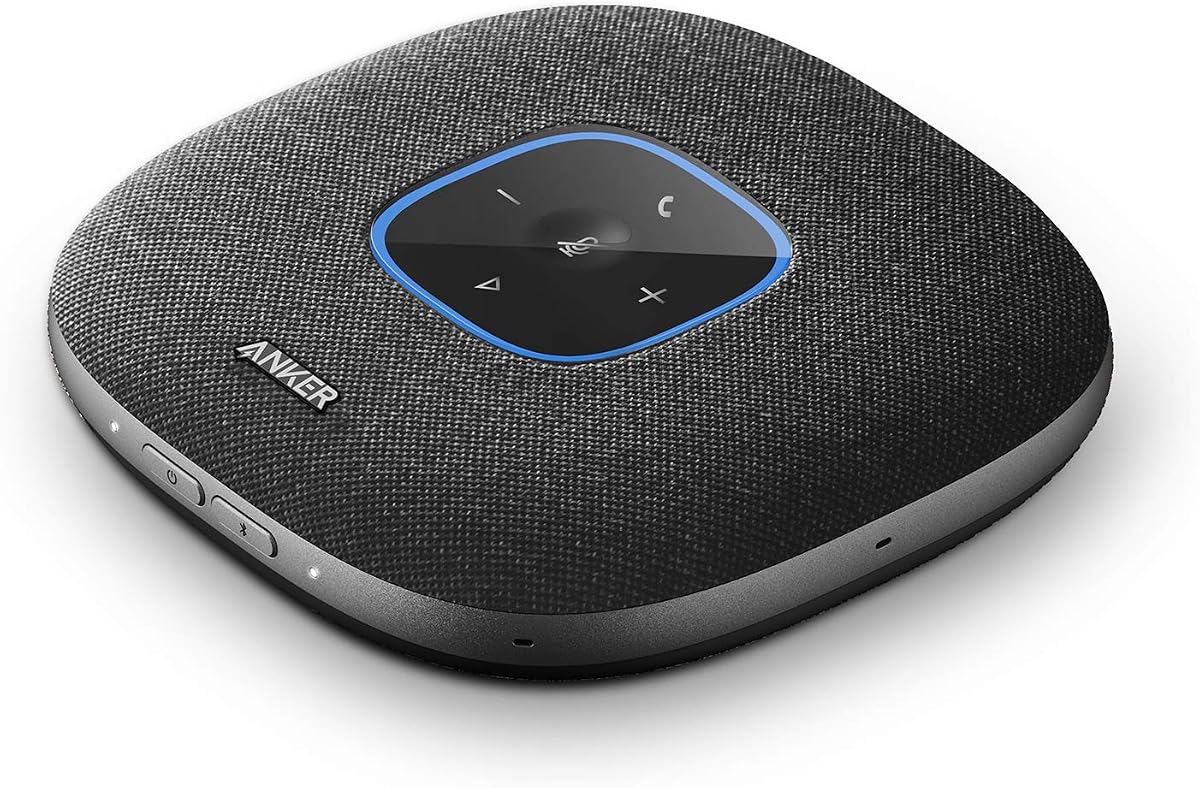


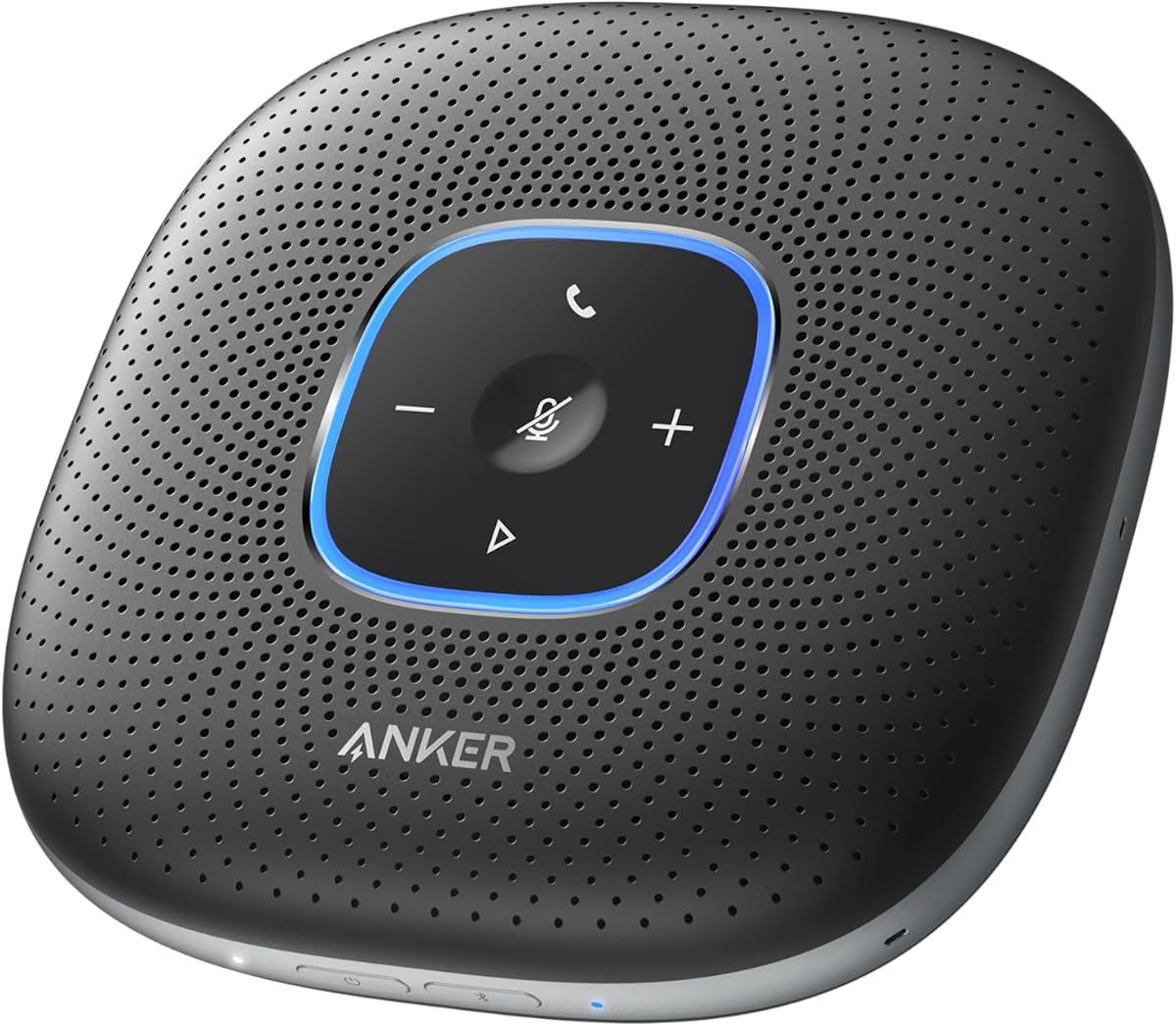
The Anker PowerConf Speakerphone stands out as a top choice for home office professionals seeking reliable audio performance. With a 4.4 rating from users, it consistently delivers clear sound and effective noise reduction during calls.
We may earn a commission when you buy through this link, at no additional cost to you.
Its six microphones arranged in a 360-degree array ensure that voices are picked up from any direction. The Voice Radar 3.0 technology uses AI to cancel echo and reduce background noise, making meetings smoother and more professional.
While the price point is higher than some competitors, the 24-hour battery life justifies the investment for frequent users. The device also supports charging other gadgets via its built-in power bank feature, adding versatility to your desk setup.
This speakerphone is ideal for users who prioritize call clarity and battery longevity. If you need a dependable device for daily virtual meetings, the Anker PowerConf Speakerphone is a strong recommendation for your home office.
The Voice Radar 3.0 technology leverages deep learning to distinguish between speech and background noise, ensuring your voice remains the focus during calls.
With up to 24 hours of talk time, this device supports full workdays without needing a recharge, keeping you connected throughout busy schedules.
We may earn a commission when you buy through this link, at no additional cost to you.
The Anker PowerConf S330 offers a straightforward solution for users who prefer a stable wired connection. It has earned a 4.4 rating for its reliable performance and ease of use in home office settings.
We may earn a commission when you buy through this link, at no additional cost to you.
Connectivity is simple via USB-C, allowing you to join meetings instantly without pairing delays. The four high-sensitivity microphones capture voices clearly within a three-meter range, ensuring everyone is heard during group calls.
While it lacks Bluetooth capability, the wired connection ensures consistent audio quality without signal drops. The speaker driver paired with passive bass radiators adds depth to voices and music, enhancing overall meeting experiences.
This model is perfect for stationary workstations where mobility is not a priority. If you value simplicity and reliability over wireless features, the Anker PowerConf S330 provides excellent value for your home office needs.
The plug and play design means no driver installation is required, allowing you to start meetings immediately after connecting the USB cable.
Four microphones work together to ensure that voices are captured with high clarity, reducing the need for participants to repeat themselves.
We may earn a commission when you buy through this link, at no additional cost to you.
The Anker PowerConf S3 combines Bluetooth and USB connectivity for versatile use in various environments. Users rate it 4.4 stars for its ability to adapt to different meeting setups with ease.
We may earn a commission when you buy through this link, at no additional cost to you.
Six microphones provide 360-degree coverage, ensuring voices are picked up regardless of where participants are seated. The app control allows for customization of settings, giving you more control over audio performance during calls.
Noise reduction algorithms optimize clarity in real-time, which is crucial for professional interactions. With a 24-hour battery, it supports long workdays without interruption, making it a reliable tool for remote teams.
This speakerphone is suitable for those who want flexibility between wired and wireless connections. If you need a device that can handle both mobile and desktop use effectively, the PowerConf S3 is a solid choice.
Customized DSP algorithms enhance your voice quality in real-time, ensuring you sound clear and professional to remote participants.
Double Talk technology prevents audio cutouts when multiple people speak at once, maintaining smooth conversation flow during collaborative meetings.
We may earn a commission when you buy through this link, at no additional cost to you.
The Jabra Speak 510 is a highly rated device with a 4.7 rating, known for its portability and ease of use. It remains a favorite among professionals who need a speakerphone that travels well.
We may earn a commission when you buy through this link, at no additional cost to you.
Setup is quick and intuitive, allowing you to start meetings within seconds. The device connects via Bluetooth or USB, giving you the flexibility to use it with laptops or smartphones depending on the situation.
Despite its compact size, it delivers professional-quality audio that enhances call clarity. The design is robust enough for daily use, and it integrates seamlessly with various conferencing platforms without complex configurations.
This speakerphone is ideal for mobile professionals or those who frequently change workspaces. If portability and simplicity are your main concerns, the Jabra Speak 510 offers a reliable and convenient solution.
Works with a wide range of devices including softphones and mobile phones, making it versatile for different work environments and setups.
The plug and play design allows for immediate use without technical hurdles, saving time during busy workdays and tight schedules.
We may earn a commission when you buy through this link, at no additional cost to you.
The Yealink Sp92 is an excellent budget-friendly option that does not compromise on essential features. With a 4.1 rating, it is recognized for its cost-effective performance in home office environments.
We may earn a commission when you buy through this link, at no additional cost to you.
AI noise cancellation filters out over a thousand noise types, ensuring clear speech reproduction. It is certified for Microsoft Teams and compatible with other major platforms, making it easy to integrate into existing workflows.
The 20-hour battery life supports all-day usage, and the ultra-portable design makes it easy to carry during business travel. The sound quality is balanced, providing clear voice pickup within a three-meter radius.
This speakerphone is best for users looking for reliable performance without a high price tag. If you need a certified device for small meetings or remote work, the Yealink Sp92 offers great value for your investment.
AI technology effectively removes background noises like keyboard taps and AC hums, keeping the focus on spoken words during discussions.
Teams certification ensures seamless integration with Microsoft environments, while support for other platforms adds flexibility for diverse users.
We may earn a commission when you buy through this link, at no additional cost to you.
The Lenovo Speakerphone is designed for enterprise needs with a robust 4.5 rating from business users. It offers advanced audio features tailored for professional hybrid work environments.
We may earn a commission when you buy through this link, at no additional cost to you.
Eight beamforming microphones prioritize voices and reduce background distractions effectively. The dedicated Teams button allows for quick access to call controls, streamlining workflows for teams deeply integrated with Microsoft tools.
Its IP54 dust and splash resistance ensures durability in various settings, and the dual Bluetooth connectivity lets you connect to two devices simultaneously. The 50mm driver delivers powerful sound for clear communication.
This device is suitable for organizations requiring durable and high-performance audio solutions. If you need a speakerphone that supports complex enterprise collaboration needs, the Lenovo Speakerphone is a strong contender.
Eight intelligent microphones work together to ensure voices are captured clearly, even in noisy office environments or busy workspaces.
IP54 resistance protects the device against dust and water splashes, making it reliable for travel and diverse work conditions.
We may earn a commission when you buy through this link, at no additional cost to you.
The Jabra Speak2 55 is a premium wireless speakerphone that receives high praise for its sound quality. With a 4.4 rating, it is well-regarded for its seamless integration with Microsoft Teams.
We may earn a commission when you buy through this link, at no additional cost to you.
Beamforming microphones pick up sound from all directions, and voice level normalization ensures balanced audio for all participants. The device offers up to 12 hours of battery life, which is sufficient for most daily usage needs.
Connectivity options include Bluetooth and USB-C, providing flexibility for different devices. The inclusion of a USB-C charging adapter in the box adds convenience, ensuring you can keep the device powered up easily.
This speakerphone is ideal for Teams users who demand high-quality audio and reliability. If you prioritize clear calls and robust build quality, the Jabra Speak2 55 is a worthwhile investment for your home office.
Voice level equalization adjusts for different distances, ensuring everyone sounds equally clear without needing to adjust microphone sensitivity manually.
With up to 12 hours of talk time, you can work through a full day of meetings without worrying about running out of power unexpectedly.
We may earn a commission when you buy through this link, at no additional cost to you.
The Jabra Speak 510 MS is a reliable legacy model that offers solid performance with a 4.6 rating. It remains a popular choice for environments requiring basic and dependable conferencing tools.
We may earn a commission when you buy through this link, at no additional cost to you.
HD Voice capability ensures conversations are in high definition, improving clarity and understanding. The device connects via Bluetooth or USB, making it versatile for use with softphones and mobile devices alike.
Battery life is impressive, offering up to 15 hours of talk time. This makes it suitable for long shifts or days filled with back-to-back meetings without needing frequent recharging.
This speakerphone is best for users who need simple connectivity without complex features. If you are looking for a no-frills device that works reliably, the Jabra Speak 510 MS is a practical option.
HD Voice technology ensures that calls are crisp and clear, reducing misunderstandings and improving overall communication efficiency during meetings.
With 15 hours of talk time and four days of standby, this device minimizes downtime caused by charging, keeping you connected throughout the week.
We may earn a commission when you buy through this link, at no additional cost to you.
The Jabra Speak 710 UC is celebrated for its immersive sound quality, earning a 4.6 rating from users. It transforms any room into a conference space with its robust audio capabilities.
We may earn a commission when you buy through this link, at no additional cost to you.
Certified for Zoom and Google Meet, it ensures seamless compatibility with major platforms. The omnidirectional microphone supports up to six people, making it suitable for small team meetings or home office setups.
The device is lightweight and comes with a travel pouch, making it easy to carry. The Link 370 USB adapter provides a stable connection, and setup is straightforward without needing IT assistance.
This speakerphone is ideal for professionals who travel often or need top-tier sound. If you prioritize audio immersion and reliable certification for video meetings, the Jabra Speak 710 UC is a top choice.
The speaker delivers immersive audio that makes every call sound professional, enhancing the quality of virtual interactions significantly.
Official certification for major platforms ensures that the device works optimally with Zoom and Google Meet for the best user experience.
We may earn a commission when you buy through this link, at no additional cost to you.
The Yamaha YVC-330 is a high-end option designed for professional settings with a 4.6 rating. It offers advanced audio technologies that ensure clear communication in larger or noisy environments.
We may earn a commission when you buy through this link, at no additional cost to you.
SoundCap Technology provides far-field noise reduction, eliminating background noise outside a three-foot range. Self-silence mutes the mic when no one is speaking, which helps keep meetings focused and free of interruptions.
It supports USB 3.0 and NFC connections for flexibility and speed. The three unidirectional microphones with voice activity detection handle five to eight people effectively, making it suitable for larger conference rooms.
This speakerphone is best for professional environments where audio quality is paramount. If you need a device that can handle complex acoustic challenges, the Yamaha YVC-330 delivers exceptional performance.
Far-field noise reduction eliminates unwanted sounds outside the immediate range, ensuring only speech is picked up during calls.
Self-silence automatically mutes the microphone when participants are silent, preventing background noise from disrupting the meeting flow.
We may earn a commission when you buy through this link, at no additional cost to you.
Choosing the right speakerphone involves considering audio quality, connectivity options, and compatibility with your existing tools.
The microphone array determines how well your voice is captured. Look for devices with multiple microphones and beamforming technology to ensure clear pickup from any direction.
Prioritize models with noise cancellation to filter out background sounds like typing or traffic noise.
Consider whether you need Bluetooth, USB, or both. USB offers stability, while Bluetooth provides flexibility for mobile devices.
Ensure the device supports your preferred connection type to avoid compatibility issues.
Check if the speakerphone is certified for the platforms you use most, such as Zoom, Microsoft Teams, or Google Meet.
Certification ensures optimized performance and integration with your conferencing software.
For wireless use, long battery life is crucial. Aim for at least 10 hours of talk time to cover a full workday.
Also consider charging speed and whether the device offers USB-C for modern compatibility.
If you travel or work from different locations, a lightweight and compact design is essential. Look for durable build quality to withstand daily movement.
Carrying cases add convenience for travel and protection.
The speaker driver size and quality affect audio output. A balanced audio experience ensures everyone can hear you clearly.
Look for models with bass radiators or advanced audio processing for better sound.
Omnidirectional coverage is important for group meetings. Ensure the device can pick up voices within your typical meeting radius.
Aim for coverage that matches your room size and number of participants.
Plug and play features save time. Look for intuitive controls and easy setup processes to avoid technical friction.
User-friendly interfaces help maintain productivity during meetings.
Connect your device using the appropriate method. For wireless, pair via Bluetooth settings; for wired, plug the USB cable into your computer.
Test the audio before important meetings. Speak into the device and ask a colleague to confirm they can hear you clearly.
Keep the speaker clean and charged. Use a soft cloth to wipe the exterior and store it in a protective case when not in use.
Yes, Bluetooth speakerphones are designed for video conferencing. They connect seamlessly to most platforms like Zoom and Teams to provide clear audio.
For home offices, a range of three to four meters is ideal. This ensures clear pickup within typical desk or meeting room setups.
Check the product specifications for platform certifications. Devices certified for Zoom or Teams will list this clearly in the description.
Some models include adapters, but many work directly via standard USB-C. Check the product details to see what is included in the box.
Most quality speakerphones offer 10 to 24 hours of talk time. This should cover a full workday without needing a recharge.
Wired connections via USB are generally more stable and prevent battery drain during long calls. Bluetooth is more flexible for mobile use.
Selecting the right Bluetooth speakerphone can significantly improve your remote work experience. The top picks like the Anker PowerConf and Jabra Speak series offer strong performance.
Prioritize features that match your specific needs, such as battery life, portability, or platform certification. A good investment pays off in clear communication.
Always check current prices and availability before buying to ensure you get the best deal. Your home office setup deserves reliable tools for success.