
Sceptre 24-inch Prime Monitor
4.6Editor score
99 percent sRGB
Built-in speakers
Multiple HDMI ports
Blue Light Shift
Finding the right HDMI LED monitor can transform your workspace or gaming setup significantly. Modern displays offer high refresh rates and vivid colors ensuring smooth visuals for any task you undertake daily.
We have carefully selected ten leading models based on performance metrics user feedback and build quality. Each option provides distinct advantages whether you prioritize budget friendly pricing or advanced professional features.
Below you will find detailed insights into every pick including strengths and potential limitations. Prices fluctuate frequently so please verify current listings before making your final purchasing decision today.
4.6Editor score

4.7Editor score

4.6Editor score
As an Amazon Associate we earn from qualifying purchases.
The following table provides a side-by-side overview of every monitor featured in this guide allowing you to quickly compare specifications and identify the model that aligns best with your specific requirements.





The Dell 24 Monitor SE2426H stands out as a top contender for anyone seeking reliable performance in an HDMI LED monitor. It holds an impressive rating of 4.7 stars reflecting high satisfaction among users who value clarity and speed.
We may earn a commission when you buy through this link, at no additional cost to you.
Its 144Hz refresh rate combined with a 1ms MPRT response time ensures fluid visuals essential for fast-paced gaming and seamless multitasking. The IPS technology delivers consistent colors across a wide 178-degree viewing angle making it versatile for shared workspaces or media consumption.
While it lacks extensive ergonomic adjustments like height pivot or swivel the included tilt function offers basic positioning comfort. The contrast ratio is standard for IPS panels which means blacks may appear gray in dark environments but this is acceptable given the price point.
This model is ideal for students professionals and casual gamers who need a balanced display without breaking the bank. We highly recommend it for its blend of speed color accuracy and eye comfort certification.
The high refresh rate eliminates screen tearing ensuring every frame renders crisply for an immersive experience.
TUV Rheinland 3-star certification reduces harmful blue light allowing for longer viewing sessions without strain.
We may earn a commission when you buy through this link, at no additional cost to you.
The Sceptre 24-inch Prime Monitor delivers exceptional value making it a standout choice for budget-conscious buyers. With a solid 4.6 star rating it proves that affordable options can still offer rich visuals and useful features.
We may earn a commission when you buy through this link, at no additional cost to you.
It covers 99 percent of the sRGB color space which is impressive for this price range ensuring vibrant images for design work and media. The inclusion of built-in speakers saves desk space while the Blue Light Shift feature helps protect your eyes during long hours.
The build relies on plastic materials and the stand offers limited adjustability which may not suit users seeking premium ergonomics. However these compromises are minor considering the competitive pricing and feature set provided.
Perfect for students home offices or casual gaming this monitor proves you do not need to spend heavily for quality. We recommend it for anyone prioritizing color accuracy and budget efficiency above all else.
The 99 percent sRGB coverage ensures images look true to life for creative projects and entertainment.
Integrated speakers eliminate the need for external audio devices keeping your workspace clean and organized.
We may earn a commission when you buy through this link, at no additional cost to you.
The Dell 24 Plus Monitor S2425HSM represents a premium option with robust features designed for comfort and performance. It earns a 4.6 star rating from users who appreciate its flexibility and integrated audio capabilities.
We may earn a commission when you buy through this link, at no additional cost to you.
Unlike many competitors it offers full ergonomic adjustments including height tilt pivot and swivel allowing you to customize your viewing angle perfectly. The dual 3W speakers provide clear audio for calls and media enhancing the overall experience without extra hardware.
The white finish adds a modern aesthetic but may show dust or fingerprints more easily than darker models. While the price is higher than standard options the added ergonomics and audio justify the cost for professional setups.
This monitor suits professionals and enthusiasts who demand comfort and style alongside technical performance. We recommend it for those needing a versatile display that supports long working hours with ease.
Adjustable height pivot and swivel features reduce neck strain by allowing perfect posture alignment.
Dual speakers deliver clear sound for meetings and media reducing clutter from external audio devices.
We may earn a commission when you buy through this link, at no additional cost to you.
The Sceptre E275W offers a larger 27-inch viewing area appealing to those who want more screen real estate. It holds a 4.5 star rating indicating reliable performance for general use and multimedia tasks.
We may earn a commission when you buy through this link, at no additional cost to you.
It features 99 percent sRGB coverage ensuring vivid colors for photos and videos. The built-in speakers add convenience making it suitable for home theater setups where separate speakers are not desired.
The 75Hz refresh rate is adequate for casual gaming but may feel less smooth compared to higher refresh options. The stand only tilts which limits ergonomic flexibility but works well for stationary desks.
Ideal for home users or casual gamers looking for a bigger display without high costs. We recommend it for entertainment and general computing where screen size matters most.
The 27-inch display provides ample space for multitasking and immersive media consumption.
With 99 percent sRGB colors pop making images and games look vibrant and detailed.
We may earn a commission when you buy through this link, at no additional cost to you.
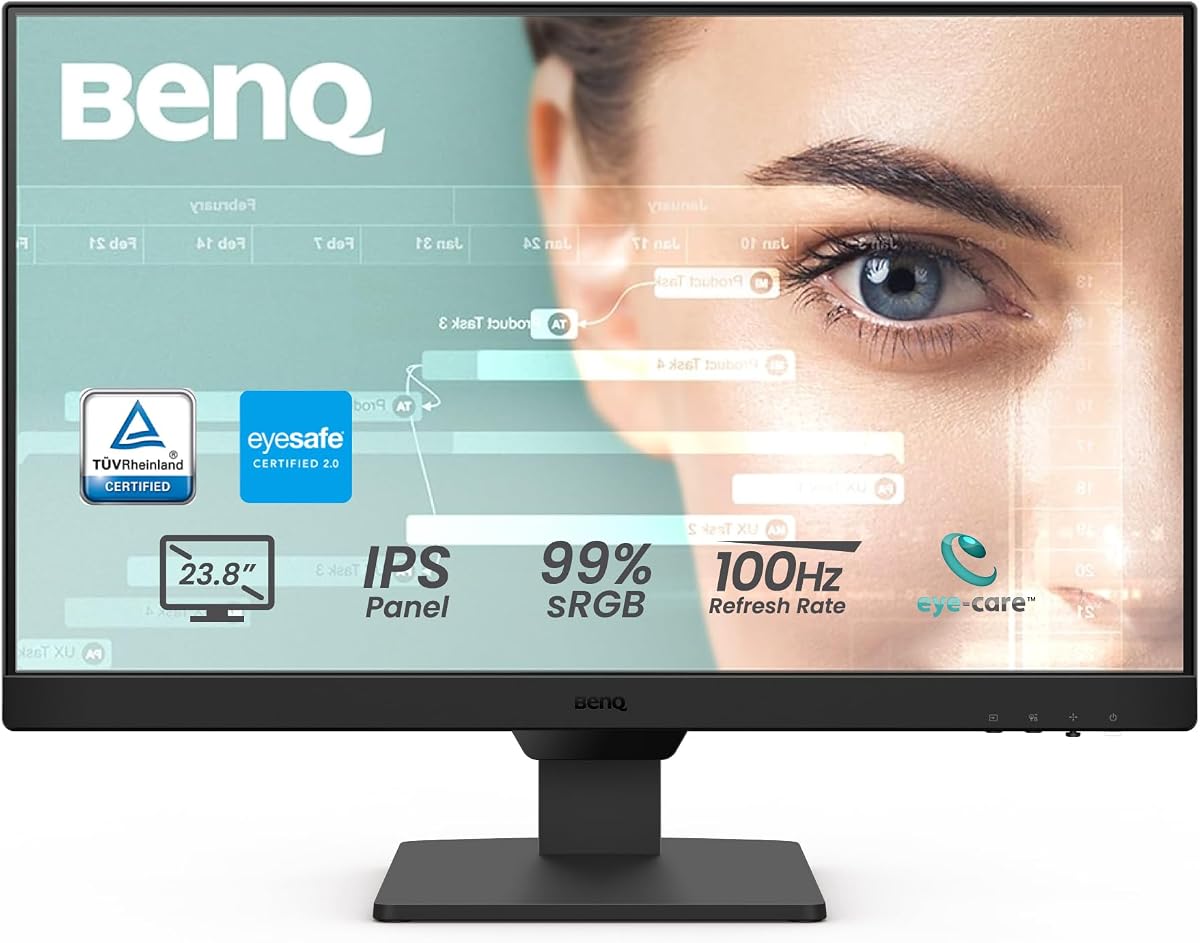
The BenQ GW2490 focuses heavily on eye health with features designed to reduce strain during extended use. It has a 4.6 star rating reflecting user appreciation for its comfort features and reliable performance.
We may earn a commission when you buy through this link, at no additional cost to you.
Its Low Blue Light Plus technology filters harmful rays without sacrificing color quality making it great for reading and work. The 100Hz refresh rate ensures smooth motion while the IPS panel provides consistent colors across angles.
The stand offers basic tilt and the brightness adjusts automatically to room light which can sometimes be too aggressive. These issues are minor compared to the overall benefits of reduced eye strain.
This model is perfect for professionals who spend long hours on the computer. We recommend it for those prioritizing visual comfort and health in their daily workflow.
Low Blue Light Plus filters harmful radiation reducing eye fatigue during long work sessions.
Auto-adjusting brightness adapts to room lighting maintaining comfortable viewing without manual changes.
We may earn a commission when you buy through this link, at no additional cost to you.
The Philips 24 Inch Computer Monitor uses a VA panel to deliver deep blacks and strong contrast. It holds a 4.6 star rating showing satisfaction among users who value image depth and comfort.
We may earn a commission when you buy through this link, at no additional cost to you.
VA technology ensures richer blacks compared to IPS which makes movies and games look more immersive. The flicker free feature and EasyRead mode enhance comfort for reading documents or browsing the web.
Response times are slower than IPS panels which might affect fast-paced gaming. The stand is fixed with no tilt but the slim bezel design keeps the monitor looking modern.
Best for home media users and office workers who prioritize contrast and comfort. We recommend it for those who watch a lot of video content daily.
The VA panel produces deeper blacks creating richer images for movies and media.
EasyRead mode mimics paper textures making long documents easier on the eyes.
We may earn a commission when you buy through this link, at no additional cost to you.
The Dell P2425H is built for office environments with a focus on ergonomics and reliability. It carries a 4.6 star rating from professionals who value a stable and comfortable viewing experience.
We may earn a commission when you buy through this link, at no additional cost to you.
It features a stand with height tilt swivel and pivot adjustments allowing perfect positioning for any workspace. This versatility reduces neck strain and supports long work sessions effectively.
It lacks high refresh rates or advanced gaming features which keeps it focused on productivity. The price is higher than basic models but the build quality and ergonomic support justify the cost.
Ideal for corporate offices and work-from-home setups needing durability and comfort. We recommend it for those prioritizing adjustability and build over speed.
Full range adjustments ensure the monitor fits your posture reducing physical strain over time.
Built for business use the monitor offers stable performance and consistent image quality.
We may earn a commission when you buy through this link, at no additional cost to you.
The BenQ BL2490 has a perfect 5.0 star rating showing exceptional user satisfaction for its clarity and build. It stands out for its anti-glare coating which makes it useful in bright rooms.
We may earn a commission when you buy through this link, at no additional cost to you.
The anti-glare surface reduces reflections improving visibility during sunny days or under bright lights. With HDMI and DisplayPort ports it offers versatile connectivity for various devices.
The response time is 5ms which may not suit competitive gaming. The stand only tilts which limits ergonomic adjustment but keeps the design simple and clean.
Best for office environments and bright rooms where glare is a concern. We recommend it for users needing a reliable and clear display for daily tasks.
The anti-glare surface minimizes reflections ensuring clear visibility even in bright environments.
Users praise the sharpness and color consistency making it great for work and browsing.
We may earn a commission when you buy through this link, at no additional cost to you.
The LG 24U411A-B brings a rich feature set including HDR10 and a 120Hz refresh rate. It holds a 4.6 star rating showing users appreciate its modern features and display quality.
We may earn a commission when you buy through this link, at no additional cost to you.
Its slim bezel design creates a seamless look perfect for multi-monitor setups. The HDR10 support enhances color and contrast for compatible content making videos look more vibrant.
The stand is slim but lacks tilt or height adjustments which might limit comfort. The Switch app helps organize windows making multitasking easier on the desktop.
Ideal for home entertainment users and multitaskers needing software aids. We recommend it for those wanting a modern look and rich features.
HDR10 support enhances brightness and color making compatible content look more immersive.
The Switch app allows screen splitting and layouts to boost productivity efficiently.
We may earn a commission when you buy through this link, at no additional cost to you.
The Acer KB220Q H2bi is a compact monitor ideal for smaller desks. It has a 4.6 star rating indicating satisfaction with its performance and space-saving design.
We may earn a commission when you buy through this link, at no additional cost to you.
The ZeroFrame design makes the screen appear larger despite its 21.5-inch size. The 100Hz refresh rate and Adaptive Sync ensure smooth motion for casual gaming.
The smaller screen may not suit those needing lots of workspace. The stand is fixed which limits ergonomic adjustments but fits well in tight spots.
Perfect for students or anyone with limited desk space. We recommend it for those needing a reliable and compact display.
The slim bezel and compact footprint make it ideal for small desks.
Adaptive Sync and high refresh rate reduce tearing for smooth gameplay.
We may earn a commission when you buy through this link, at no additional cost to you.
Selecting the right HDMI LED monitor involves evaluating several key factors that affect performance comfort and longevity.
Refresh rate determines how many times the screen updates per second. Higher rates like 100Hz or 144Hz provide smoother motion especially for gaming and scrolling.
Prioritize 100Hz or higher if you play games or need fluid visuals for work.
Panel types include IPS VA and TN. IPS offers best color and viewing angles VA has better contrast and TN is fastest but least colorful.
Choose IPS for color work VA for media and TN for competitive gaming.
Look for monitors with low blue light and flicker free modes. These reduce strain during long sessions and protect your vision.
Select models with eye care certification for daily office or study use.
Ensure the monitor has multiple HDMI ports if you connect several devices. DisplayPort adds flexibility for higher refresh rates.
Check ports match your devices to avoid needing extra adapters.
Adjustable stands with height tilt pivot and swivel help maintain good posture. Fixed stands limit comfort over time.
Invest in ergonomic adjustability if you sit for long periods daily.
Full HD 1920×1080 is standard for 24-inch monitors. Larger screens may benefit from higher resolution for sharp text.
Match size to desk space and ensure resolution meets your clarity needs.
Color gamut coverage like sRGB matters for photo editing. Higher coverage ensures more accurate and vibrant colors.
Aim for 99 percent sRGB if color work is part of your tasks.
Response time affects motion blur. Lower values like 1ms or 5ms ensure sharper fast-moving images.
Choose under 5ms for gaming to avoid ghosting effects.
Connect the monitor using an HDMI cable to your PC or console and power it on. Adjust the display settings in your system to match the native resolution for best clarity.
Clean the screen regularly with a microfiber cloth to remove dust and smudges. Avoid harsh chemicals which can damage the anti-glare or coating layers.
Calibrate brightness and color settings to your environment using built-in tools. This reduces eye strain and ensures consistent color accuracy over time.
A refresh rate of 100Hz or higher is ideal for smooth visuals and gaming. Lower rates like 75Hz are acceptable for basic office work but may feel less fluid during motion.
Some models include built-in speakers for convenience while others do not. Check the product specs before buying if audio output is important to your setup.
Use monitors with low blue light and flicker free technologies. Adjust brightness to match room lighting and take regular breaks to rest your eyes.
Many models support VESA mounting allowing wall installation. Verify the VESA pattern size in the specs before purchasing a mount bracket.
IPS panels offer better color accuracy and wider viewing angles while VA panels provide deeper blacks and higher contrast. Choose based on your primary use case.
Higher resolution offers sharper images but requires more processing power. For 24-inch screens Full HD is usually sufficient and balances performance and clarity.
We have reviewed ten top HDMI LED monitors offering a range of options for budget premium and feature-focused users. Each model brings unique strengths to different needs.
Prioritize refresh rate and eye care features based on your daily tasks. Ergonomics and connectivity should also guide your final choice.
Remember that prices fluctuate so check current listings before buying. These guides will help you secure the best deal for your perfect display.