
AOC 27G41ZE
4.6Editor score
240Hz Refresh Rate
IPS Panel Quality
Affordable Pricing
Finding the right display for high-speed gaming requires balancing resolution and refresh rate effectively. You need sharp visuals that match the fluid motion of fast-paced titles without compromising on image quality or color accuracy during intense sessions.
We evaluated ten leading models based on panel technology, response times, and adaptive sync capabilities. Our analysis focuses on real-world performance metrics that matter most to competitive gamers and enthusiasts seeking an edge in modern gaming environments.
Each pick highlights key strengths and trade-offs to guide your decision-making process. Prices fluctuate often so check current listings before purchasing to ensure you get the best value for your specific setup and budget requirements today.
4.6Editor score

4.4Editor score

4.5Editor score
As an Amazon Associate we earn from qualifying purchases.
This table provides a side-by-side view of all ten models including their core specifications and key strengths to help you quickly compare options and find the perfect match for your gaming needs.


The LG 27GR83Q-B delivers a balanced experience for competitive gamers seeking high refresh rates without sacrificing color fidelity. It stands out with its reliable IPS panel that maintains consistent performance across various titles and scenarios.
We may earn a commission when you buy through this link, at no additional cost to you.
Its 240Hz refresh rate ensures smooth motion rendering while the 1ms response time keeps ghosting to a minimum during fast-paced action sequences. The inclusion of both G-Sync compatibility and FreeSync Premium covers most GPU configurations effectively.
Trade-offs include moderate HDR performance that may not satisfy media enthusiasts and a stand that requires significant desk space. These limitations are acceptable given the strong gaming focus and price point relative to similar offerings.
This monitor is ideal for players prioritizing frame rates and responsiveness in multiplayer titles. It offers a solid foundation for high-performance setups without breaking the bank on premium OLED alternatives.
The IPS panel delivers sharp frames even during rapid movements ensuring enemies remain visible during critical moments.
Support for 95 percent DCI-P3 ensures rich and vibrant colors that enhance immersion in single-player games.
We may earn a commission when you buy through this link, at no additional cost to you.
The AOC 27G41ZE proves that high performance does not require a premium price tag. It targets budget-conscious gamers who still demand fast refresh rates and reliable image quality for competitive play.
We may earn a commission when you buy through this link, at no additional cost to you.
With a 240Hz refresh rate and 0.3ms MPRT it handles motion exceptionally well. The IPS panel ensures wide viewing angles and accurate colors making it suitable for both gaming and casual content consumption.
The OSD is straightforward but lacks advanced features found in higher-end models. Additionally the lack of a USB hub might inconvenience users needing extra connectivity options for peripherals.
This pick is perfect for those entering the 240Hz scene or upgrading from older displays. It offers excellent value by balancing speed and visual fidelity at an accessible entry point.
Competitive pricing makes this monitor accessible to students and gamers with limited budgets without compromising core specs.
The sleek frameless design maximizes screen real estate and blends seamlessly into modern gaming setups.
We may earn a commission when you buy through this link, at no additional cost to you.
The Acer Predator X27U W1 showcases the power of QD-OLED technology in a compact 26.5-inch form factor. It delivers unparalleled contrast and response times that redefine competitive gaming visuals.
We may earn a commission when you buy through this link, at no additional cost to you.
The 0.03ms response time eliminates virtually all motion blur allowing for pixel-perfect tracking in fast shooters. Colors are incredibly vivid thanks to the quantum dot layer enhancing visual fidelity across all genres.
Users must manage expectations regarding burn-in prevention features although image retention refresh helps mitigate risks. The lack of high HDR brightness makes it less ideal for bright rooms but perfect for dim environments.
This monitor is a top choice for enthusiasts seeking the absolute best image quality. It justifies its price with technology that significantly outperforms traditional LCD panels in key areas.
Each pixel emits its own light allowing for true blacks and infinite contrast that LCD panels cannot match.
The near-instant response time ensures that even the fastest-moving objects remain crisp and defined.
We may earn a commission when you buy through this link, at no additional cost to you.
The Acer Nitro XV272U offers a comprehensive package with a fully ergonomic stand and built-in speakers. It aims to simplify setups by removing the need for external audio solutions or complex mounting systems.
We may earn a commission when you buy through this link, at no additional cost to you.
Its 240Hz performance via DisplayPort is reliable with low input lag and consistent frame pacing. The panel quality provides decent contrast and color saturation suitable for general gaming tasks.
The limitation of HDMI to 144Hz restricts console users who may not have a DisplayPort connection available. Additionally the stand adjustments might feel stiff during initial setup requiring some force to move.
This model is a strong contender for desktop users needing a one-stop display solution. Its convenience features make it appealing for those who value practicality alongside performance.
Full height and pivot adjustments allow users to customize the viewing angle for long sessions.
Integrated 2-watt speakers provide basic sound without requiring extra peripherals for quiet environments.
We may earn a commission when you buy through this link, at no additional cost to you.
The KTC H27E6S stands out for its overclocking potential and distinctive white finish. It provides a cost-effective alternative to mainstream brands while offering solid competitive specs for fast-paced titles.
We may earn a commission when you buy through this link, at no additional cost to you.
Pushing up to 275Hz allows for ultra-smooth motion when paired with high-end GPUs. The fast IPS panel ensures quick transitions and good viewing angles making it versatile for different content types.
As a lesser-known brand calibration may vary between units requiring manual adjustments for best results. Users should also be aware of potential driver compatibility nuances compared to established manufacturers.
This monitor is best suited for those willing to tinker with settings to achieve peak performance. It offers a unique aesthetic and performance ratio that appeals to specific niche users.
The ability to reach 275Hz provides an edge in games where every frame of advantage matters.
The clean white aesthetic complements modern gaming rigs and stands out from traditional black monitors.
We may earn a commission when you buy through this link, at no additional cost to you.
The ASUS ROG XG27ACMG brings high-end features like USB-C and ELMB SYNC to the 240Hz market. It targets users who demand seamless connectivity and advanced motion control features for professional setups.
We may earn a commission when you buy through this link, at no additional cost to you.
With a 270Hz overclock and adaptive sync integration it delivers fluid motion and sharp details. The ELMB SYNC technology helps reduce ghosting without needing full backlight strobe modes.
The advanced software suite adds complexity for users who prefer simple plug-and-play experiences. Additionally the higher price point places it above many budget-friendly alternatives with similar specs.
This monitor is ideal for content creators and gamers needing unified connectivity and advanced settings. It offers a robust feature set that justifies the cost for power users.
ELMB SYNC combines variable refresh rates with motion blur reduction for sharper visuals during action.
USB-C with DP Alt mode reduces cable clutter by connecting displays and devices through one port.
We may earn a commission when you buy through this link, at no additional cost to you.
The MSI MAG 274QP QD-OLED X24 combines quantum dot color with OLED self-emissive technology for superior image quality. It offers a premium experience for users seeking deep blacks and vibrant colors.
We may earn a commission when you buy through this link, at no additional cost to you.
Its 0.03ms response time ensures minimal motion blur even in the most demanding scenarios. The OLED Care 2.0 software provides protection measures to extend the panel's lifespan against image retention.
Despite advanced care tools users must still avoid static elements to prevent potential burn-in over time. Limited peak brightness restricts use in very bright environments compared to LCD alternatives.
This monitor is best for dedicated gaming rigs with controlled lighting conditions. It delivers a visual experience that is hard to match for immersive single-player and competitive titles.
Quantum dots ensure accurate reproduction of 1.07 billion colors for rich and lifelike visuals.
Advanced care software monitors usage patterns and manages pixel refresh to prolong panel health.
We may earn a commission when you buy through this link, at no additional cost to you.
The Alienware AW2723DF brings a premium look with its Lunar Light design and integrated lighting features. It appeals to users who want a centerpiece monitor that matches a high-end gaming setup.
We may earn a commission when you buy through this link, at no additional cost to you.
With HDR600 certification it offers brighter highlights than many competitors making it suitable for mixed media and gaming use. The build quality and stand adjustability provide stability and flexibility.
The integrated lighting may distract in dark rooms or require adjustment to avoid reflection issues. Additionally the price premium over similar specs is justified by design and brand reputation.
This monitor is a great choice for those valuing aesthetics alongside performance. It offers a cohesive look for battle stations that demand style as well as speed.
HDR600 support delivers brighter highlights and better detail in bright scenes than standard displays.
The Lunar Light finish and customizable lighting create a unique visual signature for your setup.
We may earn a commission when you buy through this link, at no additional cost to you.
The Acer Nitro KG271U focuses on delivering reliable 240Hz performance with a clean design. It is designed to offer strong gaming features without unnecessary frills or complex menus.
We may earn a commission when you buy through this link, at no additional cost to you.
Its 0.5ms response time and FreeSync Premium support ensure fluid gameplay across various titles. The zero-frame design maximizes screen space and improves visual immersion by minimizing bezel distractions.
The stand lacks advanced adjustment features compared to more expensive models limiting ergonomic flexibility. HDR performance remains basic making it more suited for gaming than movie watching.
This model is a practical choice for those seeking straightforward high-refresh gaming. It balances cost and functionality well for entry-level competitive setups.
Minimal bezels create a continuous visual experience that keeps focus on the gameplay.
99% sRGB coverage ensures colors remain consistent for both gaming and creative work.
We may earn a commission when you buy through this link, at no additional cost to you.
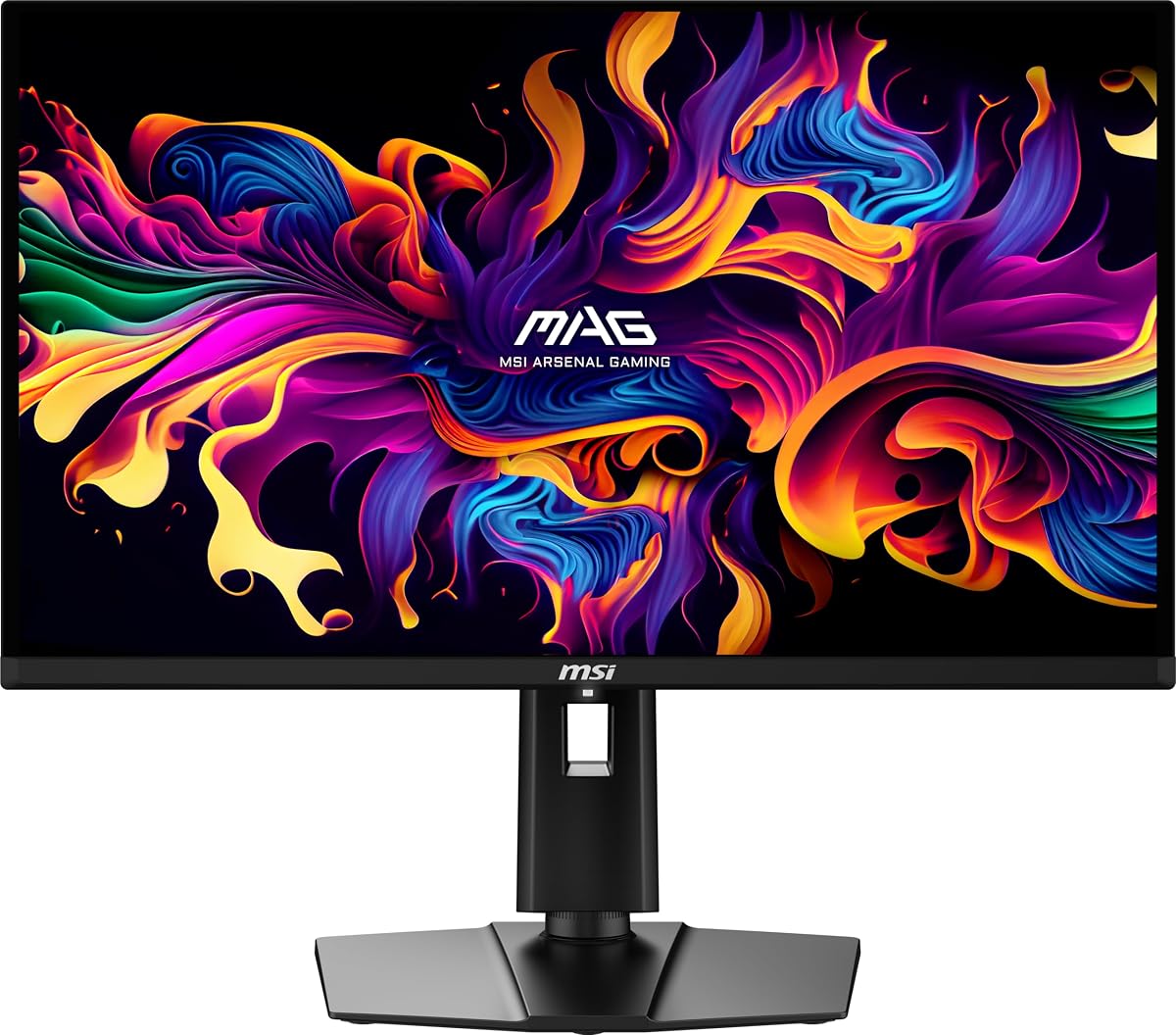
The MSI MAG 271QPX QD-OLED E2 combines elite response times with exceptional contrast for immersive gaming. It uses advanced heat management to maintain performance during long sessions without active fans.
We may earn a commission when you buy through this link, at no additional cost to you.
With a 0.03ms response time it eliminates motion blur effectively providing clear targets in competitive shooters. The OLED Care 2.0 software helps manage pixel longevity ensuring durability over time.
While effective users must remain mindful of static elements to prevent image retention issues. The higher cost reflects the premium panel technology but may be restrictive for budget buyers.
This monitor is best for enthusiasts seeking top-tier visual fidelity and speed. It justifies its price through superior panel performance and robust care features.
A fanless design ensures silent operation while keeping the OLED panel cool during intense use.
QD-OLED technology delivers true blacks and vibrant colors for unmatched visual immersion.
We may earn a commission when you buy through this link, at no additional cost to you.
Selecting the right monitor involves balancing multiple technical factors to suit your gaming style and hardware capabilities.
A 240Hz refresh rate provides fluid motion while a low response time reduces ghosting. Together they ensure that fast-moving objects remain sharp and responsive during play.
Look for 0.5ms or lower response times to maintain image clarity in competitive scenarios.
IPS panels offer better color and viewing angles while OLED delivers deeper blacks and instant response. Choose based on whether you prioritize color accuracy or pure motion speed.
IPS is generally safer for mixed use whereas OLED excels in dark gaming environments.
Adaptive Sync prevents screen tearing by syncing the display to your GPU output. Ensure compatibility with your graphics card whether it is NVIDIA or AMD.
FreeSync Premium or G-Sync Certified options are recommended for tear-free experiences.
To achieve 240Hz at 1440p a DisplayPort 1.4 connection is usually required. HDMI 2.1 can support this but check specific monitor limitations for console support.
Confirm your system outputs the correct refresh rate through the available ports.
A stand with height tilt and pivot adjustments improves comfort during long gaming sessions. Proper ergonomics reduce strain and help maintain consistent viewing angles.
Consider a VESA mount if the included stand lacks sufficient adjustability.
HDR support enhances contrast and brightness in supported games but effectiveness varies widely. Basic HDR400 offers limited improvement compared to HDR600 or higher.
Prioritize HDR if you consume mixed media content beyond just competitive gaming.
Wide color coverage like DCI-P3 ensures vibrant and accurate visuals. This is important for single-player games and content creation tasks.
Look for at least 95 percent DCI-P3 coverage for rich color reproduction.
A longer warranty protects your investment especially with advanced panel types like OLED. Manufacturer support policies vary so check terms before purchasing.
Three-year warranties are common and provide peace of mind for daily use.
Calibrate your display using built-in presets or external tools to ensure accurate colors. This step improves visual consistency across different games and applications.
Use adaptive sync features in your system settings to enable tear-free gaming. Matching refresh rate to frame output maximizes the benefit of high Hz panels.
For OLED models utilize screen savers and OLED care software to prevent burn-in. Avoid static HUDs on screen for extended periods to extend panel life.
Most 240Hz 1440p monitors require DisplayPort 1.4 for full speed. HDMI 2.1 may support it on newer models but HDMI 2.0 often limits rates to 144Hz.
Yes for competitive shooters every frame counts. The smoothness is noticeable in fast-paced titles though it requires powerful hardware to drive higher frame rates.
Not necessarily if you have an AMD GPU but adaptive sync is essential. G-Sync Compatible models work with both NVIDIA and AMD GPUs for tear-free visuals.
Most monitors plug into standard wall outlets. OLED models may draw slightly more power but typically do not require special circuits beyond standard desktop setups.
Current consoles max out at 120Hz. A 240Hz monitor works but only provides 120Hz output for consoles so high refresh benefits apply mainly to PC gaming.
Use screen savers and reduce static elements like HUDs. Most monitors have pixel refresh features to clear temporary image retention during off times.
1440p balances performance and sharpness well. Higher resolutions like 4K require more GPU power to maintain 240Hz so adjust settings based on your hardware.
No HDR is mostly useful for single-player immersion. Competitive players prioritize low input lag and high refresh rates over HDR brightness or contrast.
This guide highlights ten top-tier models covering budget to premium options like the AOC 27G41ZE and MSI MAG 271QPX QD-OLED E2. Each brings unique strengths tailored to different performance needs.
Prioritize panel type and refresh rate based on whether you value motion clarity or deep blacks. Ergonomics and connectivity also play key roles in long-term satisfaction.
Prices vary frequently so check current listings before purchasing. Ensure your GPU can deliver high frame rates to make the most of these 240Hz displays.