
2×2 4k Video Wall Controller
4.6Editor score
Supports HDMI and DVI input
11 splicing modes available
Remote and RS232 control
This guide compares the top HDMI Video Wall Controllers for seamless multi-screen displays, covering features like 4K support, audio extraction, and bezel
Finding the right HDMI Video Wall Controller is essential for creating professional multi-screen displays in retail, corporate, or entertainment settings.
We evaluated ten top-rated models based on resolution support, display modes, audio capabilities, and ease of control to help you choose confidently.
Each pick highlights key specs and real-world performance notes. Prices and availability change frequently, so verify details on the product page before purchasing.
4.6Editor score

4.8Editor score

4.2Editor score
The following table provides a quick side-by-side overview of the top ten HDMI Video Wall Controllers, highlighting their core specifications and key capabilities.



This J-Tech Digital HDMI Video Wall Controller stands out as a reliable choice for integrating up to four displays into a unified presentation space.
We may earn a commission when you buy through this link, at no additional cost to you.
It supports 4K 30Hz input and provides eight distinct display modes, allowing you to switch between layouts easily. Audio extraction via SPDIF and 3.5mm ensures you can route sound independently.
While the output resolution caps at 1080p, the edge masking and image rotation features significantly improve visual seamlessness. The one-year warranty and lifetime tech support add peace of mind.
Ideal for professional AV setups requiring flexibility, this model balances performance and price exceptionally well. We recommend it for users needing precise bezel alignment and strong support.
Adjusting up to eight pixels per edge helps eliminate distortion caused by bezels, creating a cleaner and more professional video wall appearance.
Separate audio outputs let you connect external speakers or sound systems without cluttering the HDMI signal path to the displays.
We may earn a commission when you buy through this link, at no additional cost to you.
This compact controller offers a budget-friendly path to building a multi-screen display. It accepts HDMI and DVI inputs, making it versatile for older systems.
We may earn a commission when you buy through this link, at no additional cost to you.
It supports 11 splicing modes and offers multiple control methods including IR remote, RS232, and button presses. The memory function remembers your last settings automatically.
Although DVI input caps at lower resolutions, HDMI supports up to 4K 30Hz. Rotation and edge mask features help align screens cleanly without distortion.
Best for small businesses or hobbyists, this model delivers core video wall functionality at a low cost. It is an excellent entry-level solution.
Choosing between remote, RS232, or button controls allows you to adapt the device to your specific installation or operational workflow.
Retaining settings between power cycles saves time and prevents confusion when the system is restarted after an outage or reboot.
We may earn a commission when you buy through this link, at no additional cost to you.
This premium model delivers top-tier resolution handling with 4K 60Hz input. It offers LAN connectivity for web-based control, ideal for enterprise environments.
We may earn a commission when you buy through this link, at no additional cost to you.
Features include multiviewer presets, resolution scaling, and seamless switching without picture loss. It supports various output resolutions from 720p to 4K.
While expensive, the advanced features justify the cost for professional users needing remote management and high fidelity. Setup may require networking knowledge.
Recommended for high-end installations requiring remote access and robust performance. It is a powerful tool for complex AV deployments.
Managing the controller through a browser allows for remote configuration and adjustments without needing physical access to the unit.
The ability to switch sources without visible delays is critical for live events or dynamic display scenarios where continuity matters.
We may earn a commission when you buy through this link, at no additional cost to you.
OREI provides a solid option with USB-C input flexibility alongside HDMI. It supports 4K 60Hz input and multiple display modes including 1×4 and 2×2.
We may earn a commission when you buy through this link, at no additional cost to you.
The device includes RS-232 control and audio extraction via SPDIF and L/R. Dual voltage supply makes it suitable for international travel or varied regions.
Bezel adjustments help align images perfectly, though HDR10 is not supported. It is a versatile device for both local and remote setups.
Best for users needing USB-C compatibility and strong support. OREI offers one-year warranty and responsive customer service for peace of mind.
Direct USB-C input simplifies connections for modern laptops, reducing the need for additional adapters or converters.
The included adapter and converter enable operation across different electrical standards, making it ideal for portable or travel setups.
We may earn a commission when you buy through this link, at no additional cost to you.
This 4×4 matrix combines switching and video wall functionality. It allows you to switch four inputs across four displays while supporting a 2×2 video wall layout.
We may earn a commission when you buy through this link, at no additional cost to you.
Features include web control, 4K 60Hz input, and support for various audio formats. It supports advanced EDID management for better screen compatibility.
While powerful, setting up multiple inputs requires careful planning. It is best suited for environments needing flexible source routing alongside multi-screen viewing.
Ideal for control rooms or conference areas needing both switching and wall display capabilities. Ensure you understand the web interface before deployment.
Switching any input to any output gives you total control over content distribution, allowing tailored displays for different zones.
Advanced EDID handling ensures the source device outputs the correct resolution for the connected display chain.
We may earn a commission when you buy through this link, at no additional cost to you.
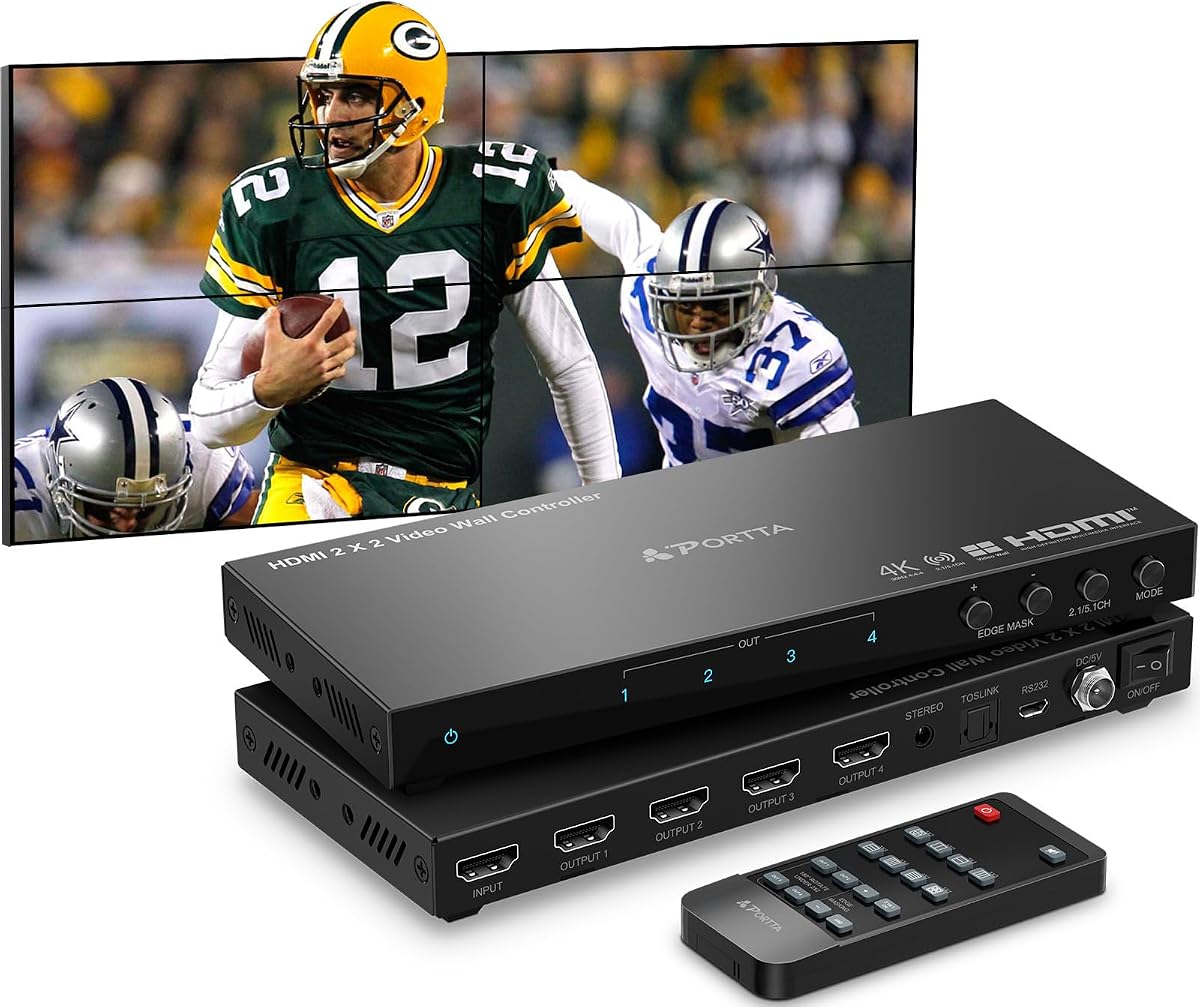
PORTTA offers a robust controller with 11 splicing modes and edge masking for clean visuals. It supports 4K 30Hz input and 1080p outputs.
We may earn a commission when you buy through this link, at no additional cost to you.
The device includes IR remote and RS232 control. It also supports portrait display settings for creative layouts like 1×3 or 1×4.
A two-year warranty and lifetime support show strong backing. The edge masking helps prevent distortion when screens are spliced together.
Best for users needing multiple layout options and reliable warranty coverage. PORTTA is a trusted brand in professional video solutions.
Enabling portrait settings allows displays to be rotated for vertical content, ideal for signage or specific artistic layouts.
Cutting eight pixels from edges avoids image distortion and unnatural looks caused by bezels between monitors.
We may earn a commission when you buy through this link, at no additional cost to you.
OREI delivers another strong unit with HDMI and USB-C inputs. It handles 4K 60Hz input and allows bezel adjustments for seamless displays.
We may earn a commission when you buy through this link, at no additional cost to you.
Features include RS-232 control, optical audio output, and international power adapters. Multiple modes like 1×4 help you tailor the layout.
While it lacks HDR support, it covers most standard formats. It is reliable for professional use where signal consistency matters most.
Recommended for AV professionals needing reliable multi-screen output. OREI provides strong support and a one-year warranty for added confidence.
Included adapters and converters make this unit travel-ready and suitable for international deployment without extra hardware.
Fine-tuning bezel settings ensures content aligns perfectly across screens, reducing visual breaks between displays.
We may earn a commission when you buy through this link, at no additional cost to you.
ISEEVY offers a sturdy controller with 4K60 input and USB-C support. It supports multiple splice modes and handles 24×7 operation well.
We may earn a commission when you buy through this link, at no additional cost to you.
Each output supports 180-degree rotation and remote switching. The device is designed for simple plug-and-play installation.
It is ideal for setups requiring stable performance and modern input options. The basic interface keeps setup straightforward.
Best for professional users needing reliable uptime and modern connectivity. ISEEVY is a strong contender for demanding environments.
Designed for continuous use, this unit maintains stable output without overheating or needing frequent resets.
Quick mode switching via remote simplifies daily operations and adjustments without needing a computer.
We may earn a commission when you buy through this link, at no additional cost to you.
This controller supports HDMI 2.0 and USB playback. It handles 4K60 input and allows image adjustments like brightness and contrast.
We may earn a commission when you buy through this link, at no additional cost to you.
It supports various video wall modes and remote extension up to 10m. Auto USB display features simplify media playback.
Ideal for signage or digital signage setups where USB content is common. The high resolution ensures sharp visuals.
Best for users needing direct media playback alongside video wall capabilities. Its versatility makes it stand out.
Auto-display upon USB insertion streamlines content updates and avoids needing a PC for playback.
A 10-meter extension cable allows placement of the remote away from the device for convenience.
We may earn a commission when you buy through this link, at no additional cost to you.
ISEEVY scales to six displays with 4K60 input support. It allows multiple splice modes like 2×3 or 6×1 for flexible layouts.
We may earn a commission when you buy through this link, at no additional cost to you.
It includes 180-degree rotation and plug-and-play setup. Designed for stability, it supports continuous operation.
Best for larger displays needing more than four screens. The scalability is a strong feature for growing needs.
Ideal for enterprises needing expandable setups. Ensure you verify compatibility before deploying across six displays.
Supporting up to six displays gives you room to grow your video wall without replacing core hardware.
Designed for 24×7 stability, it minimizes downtime during critical display periods like events or monitoring.
We may earn a commission when you buy through this link, at no additional cost to you.
Selecting the right HDMI Video Wall Controller requires understanding resolution needs, control options, and layout flexibility for your specific setup.
Ensure the controller supports the input resolution you need, such as 4K 60Hz, and check if outputs scale to 1080p or maintain native resolution.
Choose a model that matches your source devices to avoid bottlenecks in visual fidelity.
Look for controllers offering multiple splicing modes like 2×2, 1×4, and portrait layouts to accommodate different screen configurations.
More mode options give you greater flexibility for various presentation and signage needs.
Consider whether you need IR remote, RS232, or web-based control for remote management in professional environments.
Advanced control options simplify setup and maintenance for larger installations.
Check for SPDIF or analog audio outputs if you need to connect external sound systems separately from the video signal.
Separate audio paths ensure clear sound without interfering with display performance.
Features like bezel adjustment, edge masking, and rotation help eliminate gaps and distortions between screens.
These tools are essential for creating a seamless and professional video wall.
USB-C input support may be useful for modern laptops while HDMI remains the standard for most devices.
Versatile inputs ensure compatibility with a wider range of source equipment.
Check for warranty terms and technical support availability to ensure long-term reliability and help when needed.
Robust support guarantees peace of mind for critical deployments.
If you plan to expand your setup, choose controllers supporting more outputs or matrix switching capabilities.
Scalable designs allow growth without requiring a complete system replacement.
Connect all display screens to the controller using high-quality HDMI cables to ensure stable signal transmission.
Access the settings menu via remote or RS232 to configure your preferred layout and adjust bezel alignment.
Regularly update firmware if available and avoid blocking ventilation to maintain optimal performance over time.
An HDMI Video Wall Controller is a device that splits one source signal into multiple displays to create a unified large-screen effect. It manages resolution, layout, and bezel alignment for a cohesive view.
Most modern controllers support 4K input, though outputs often scale to 1080p. Always verify specific model capabilities before purchasing to match your source.
Yes, many models include SPDIF or analog outputs for separating audio from video signals to connect external speakers or sound systems.
Use the edge masking or bezel adjustment settings on the controller to trim or shift image edges to match screen bezels precisely.
RS232 is a serial communication protocol used for advanced control, allowing integration with central control systems in professional installations.
Yes, most controllers support 180-degree rotation and portrait mode settings to orient displays vertically or invert for specific setups.
Our top picks like the J-Tech Digital and OREI models offer strong performance for most professional and commercial needs.
Prioritize resolution support and control options that match your existing infrastructure to ensure seamless integration.
Prices and availability fluctuate, so check current offers before purchasing to get the best value for your setup.