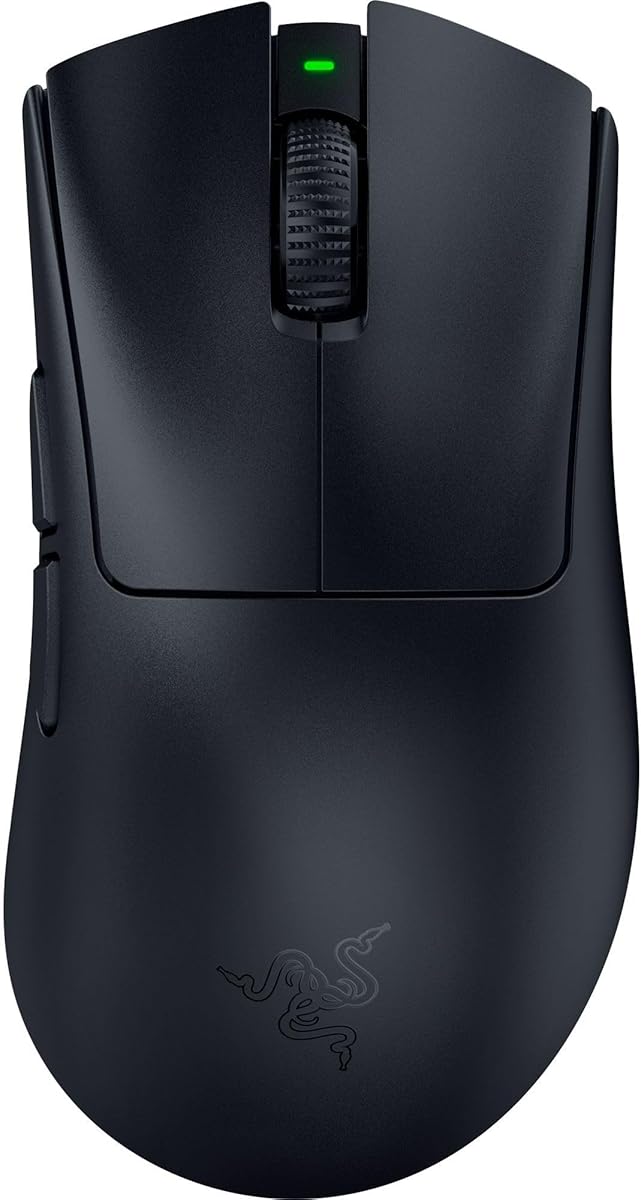
Razer DeathAdder V4 Pro
4.4Editor score
56g ultra lightweight design
45K DPI optical sensor
8K polling rate support
Discover the top high dpi mouse for 4K gaming precision with expert reviews comparing sensors, weights, polling rates, and ergonomics for competitive play.
Finding the right high dpi mouse for 4K gaming precision is essential for competitive players who demand accuracy. Modern sensors track movements flawlessly across various surfaces ensuring every flick and micro-adjustment lands exactly where intended without drift or lag.
We compared ten top rated models based on sensor performance, weight distribution, polling rates, and ergonomic design. Our analysis focuses on real world gaming needs including FPS tracking, MOBAs, and long session comfort to help you choose the perfect tool for your setup.
Each pick highlights specific strengths like battery life, wireless stability, or customizable buttons. Note that prices and stock vary by region and time. Check the links for current availability and deals before making your final decision to ensure you get the best value.
4.4Editor score

4.4Editor score

4.6Editor score
This side by side comparison breaks down the key specifications of each mouse including sensor type, weight, connection mode, and unique features. Use this table to quickly identify which model aligns best with your specific gaming style and hand size requirements.
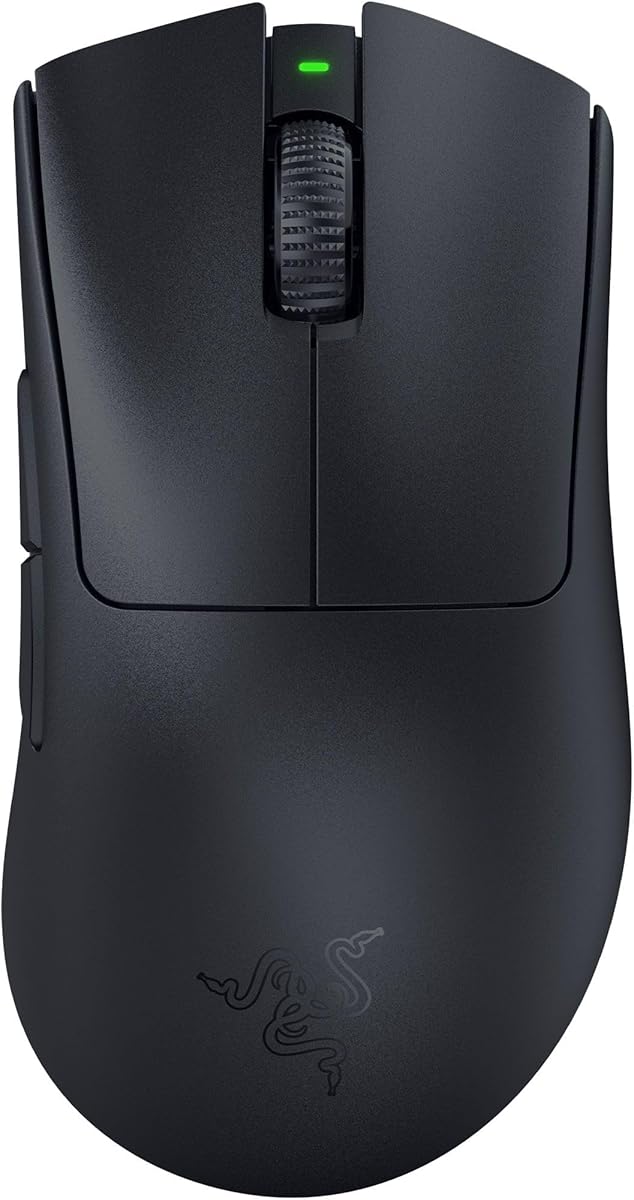




The Razer Basilisk V3 Pro stands out as a top contender for high dpi precision with its Focus Pro 35K optical sensor. It delivers flawless tracking across various surfaces including glass which is rare. Its battery life exceeds expectations for wireless use without compromising performance.
We may earn a commission when you buy through this link, at no additional cost to you.
Its standout feature is the HyperScroll tilt wheel which offers both tactile and free spin modes. You can switch based on speed or manually for different content types. The thirteen customizable controls allow deep macro integration. Razer Synapse software helps refine DPI settings for pixel perfect aim.
While it is pricier than standard options the build quality justifies the cost. The optical switches prevent double clicking issues ensuring longevity. Some users may find the RGB lighting draining on battery if not managed. However the 140 hour life mitigates this concern effectively.
This mouse is ideal for gamers who value customization and precision equally. If you play on 4K screens the DPI adjustments are granular enough for detailed aiming. We recommend it for professionals who need reliability. Check current deals to maximize value before buying today.
The Focus Pro 35K sensor ensures no spin or jitter during fast flicks. It supports 1-DPI steps for fine tuning your sensitivity settings precisely.
Razer Hyperspeed technology keeps latency low while saving power. You can game for weeks on a single charge depending on usage intensity.
We may earn a commission when you buy through this link, at no additional cost to you.
The ATTACK SHARK RS3 ULTRA offers incredible specs for its price point. It features a PAW3955MAX sensor that supports up to 52000 DPI with 1-DPI adjustment. The carbon fiber hybrid shell keeps weight at 63g ensuring agility. This makes it a strong challenger to established brands.
We may earn a commission when you buy through this link, at no additional cost to you.
Its battery life is unmatched at 800 hours at 1000Hz polling. You rarely need to recharge it even with heavy use. The web driver allows customization without installing desktop apps which saves space. Click latency is reported as low as 0.168ms for responsive play.
The main trade off is the lack of a dedicated desktop client for some users. Web drivers can be less intuitive than native apps initially. However the functionality covers all essential needs like macros and lighting. The build feels solid despite the low cost.
Choose this if you want high performance without spending a fortune. It suits gamers who prioritize raw sensor stats and battery over brand prestige. The lightweight design aids flick shooting in shooters. We see it as a top pick for budget conscious pros.
Tri Mode connectivity lets you switch between 2.4GHz, Bluetooth, and wired easily. Battery life ensures you never worry about power during long sessions.
Optical switches are rated for 100 million clicks ensuring long term use. Dual layer skates provide smooth gliding across any mouse pad.
We may earn a commission when you buy through this link, at no additional cost to you.
The Razer DeathAdder V4 Pro pushes boundaries with a 45K Focus Pro Optical Sensor. It offers 99.8% accuracy for reliable tracking in fast paced games. The weight is re-engineered to just 56g for speed. This model is designed for serious esports athletes.
We may earn a commission when you buy through this link, at no additional cost to you.
Its 8K polling rate ensures inputs are processed instantly reducing perceived lag. Optical scroll wheel and switches provide tactile feedback without mechanical fatigue. You can switch between wireless and wired seamlessly without losing polling rates. Battery life supports up to 150 hours for continuous play.
While expensive the performance metrics justify the investment for competitive players. The ergonomic shape reduces strain during marathon sessions. Some may miss the extra thumb buttons found on other models. However the focus is purely on speed and precision here.
We recommend this for high level FPS players needing every advantage. If 4K gaming is your focus the DPI range is overkill for most but useful. It sets a new standard for wireless precision. Buy it if budget allows and you demand top tier stats.
The Focus Pro 45K sensor tracks movements at sub micron levels. It ensures your cursor moves exactly as you intend without error.
8K polling sends data to your PC 8000 times per second. This smooths out movement and improves targeting accuracy significantly.
We may earn a commission when you buy through this link, at no additional cost to you.
The DeathAdder V3 Pro continues a legacy of comfort with its ergonomic form. It weighs only 63g making it easy to control during long sessions. The Focus Pro 30K sensor handles glass surfaces effortlessly. This is a proven choice for fans of the classic shape.
We may earn a commission when you buy through this link, at no additional cost to you.
Its optical switches Gen 3 offer a 90 million click lifecycle with no double clicks. Battery life reaches 90 hours which is decent for wireless use. The Hyperspeed connection ensures stable play even in crowded wireless environments. You get reliable performance without extra bloat.
While the battery is lower than the V3 Pro it balances weight and efficiency well. Lack of extensive RGB saves power but might disappoint enthusiasts. Still it remains a top pick for purists who prioritize feel. It handles precision tasks with zero drift issues.
We suggest this for users who want comfort and simplicity. It is great for gamers who prefer standard layouts over complex configs. The shape supports natural hand positioning reducing fatigue. Check reviews to see if it fits your grip style.
Developed with pro players the shape supports palm grips well. You can play for hours without wrist pain or cramping issues.
Hyperspeed technology matches wired performance closely. Input lag is negligible ensuring your moves register instantly on screen.
We may earn a commission when you buy through this link, at no additional cost to you.
This model combines precision with style through its Chroma lighting system. The Focus Pro 30K sensor ensures your aiming remains sharp. It offers up to 110 hours of battery on wireless at 1000Hz. The scroll wheel allows free spin and tactile modes for utility.
We may earn a commission when you buy through this link, at no additional cost to you.
Chroma RGB reacts dynamically with over 150 integrated games. This adds immersion to your gaming setup beyond just function. Synapse allows deep customization of DPI and macros. You can map essential actions like ping to the multi function trigger easily.
Battery life drops when using high polling rates or full RGB lighting. Managing settings is key to maximizing play time. The shape remains iconic for comfort and control. It suits gamers who value both looks and raw performance stats equally.
We recommend it for those who want a balanced mouse. It handles precision gaming well without sacrificing visual flair. The HyperScroll feature is useful for browsing too. Check the current price to see if it fits your budget.
RGB zones react to game events creating a more immersive feel. You can sync lighting with audio for extra visual feedback.
Supports both HyperSpeed and Bluetooth for flexible setups. You can pair with multiple devices for work and play.
We may earn a commission when you buy through this link, at no additional cost to you.
The GravaStar Mercury M1 Pro stands out with its magnesium alloy shell. It offers a unique tactile feel and durable build. The PAW3395 sensor is top tier for accuracy and tracking. With 4K polling you get responsive inputs for competitive play.
We may earn a commission when you buy through this link, at no additional cost to you.
It supports Tri Mode including 2.4G, Bluetooth, and wired. This ensures you are always connected no matter the device. Battery life reaches 200 hours providing long term use without charging. The shape reduces fatigue allowing for longer gaming sessions comfortably.
At 88g it is heavier than ultra light mice. Some players prefer this weight for stability over speed. The GLOWSYNC RGB adds flair to its premium look. It is a great choice for those who want a durable device.
We suggest this for users valuing build quality. It handles precise movements well despite the extra weight. The software is intuitive for remapping and macros. Check if the weight suits your style before buying today.
Magnesium alloy provides rigidity and a cool touch feel. It resists wear better than standard plastic shells.
Long battery life ensures you play without interruption. Charge less often and stay in the game longer easily.
We may earn a commission when you buy through this link, at no additional cost to you.
The Logitech G502 Hero remains a classic for a reason. It features the HERO sensor which tracks flawlessly up to 25600 DPI. Adjustable weights allow you to tune the balance. The dual mode scroll wheel switches between tactile and free spin.
We may earn a commission when you buy through this link, at no additional cost to you.
With 11 buttons you can map complex macros easily. It suits MMORPGs and MOBAs well. The build quality is robust and durable for years. You can rely on G Hub software for all customization needs. It is a wired mouse ensuring zero battery worries.
Weight is a trade off as it is heavier than wireless options. This can cause fatigue if you prefer light mice. But the grip is comfortable and supportive. It offers great value for those on a budget.
We recommend it for beginners and MMO players. It provides all the features you need without wireless cost. The sensor is accurate for 4K screens. Check if the weight suits you before ordering.
The HERO sensor delivers zero acceleration and perfect tracking. It ensures precise movement for every game you play.
Multiple buttons allow deep macro setups. You can streamline gameplay by assigning complex combos easily.
We may earn a commission when you buy through this link, at no additional cost to you.
The Redragon M916 Wireless is one of the lightest options at 49g. It supports 4000Hz report rate for fast inputs. The sensor allows up to 26000 DPI with five preset levels. This makes it ideal for competitive shooters needing agility.
We may earn a commission when you buy through this link, at no additional cost to you.
Connectivity includes 2.4G, Bluetooth, and wired modes. You can switch based on your needs instantly. The ergonomic shape fits naturally to reduce fatigue. Software allows button remapping for better workflow control. It offers great value for budget buyers.
Build quality is functional but less premium than rivals. You might feel the lightweight feel more than heavy plastic. However it performs well during intense gaming sessions. The low latency ensures your commands register accurately.
We suggest this for gamers seeking speed at low cost. It is great for small hands needing light control. Check the software features before buying to confirm compatibility. It is a strong contender for budget builds.
49g allows faster flicks and reduced wrist effort. You gain speed without sacrificing stability during tracking.
Three modes offer flexibility for different devices. Switch seamlessly between PC and tablet work easily.
We may earn a commission when you buy through this link, at no additional cost to you.
The Razer Basilisk V3 brings classic ergonomics to wired gaming. It features a 26K DPI sensor for precise control. The HyperScroll wheel allows rapid content navigation or click by click. Chroma RGB covers 11 zones for immersive visuals.
We may earn a commission when you buy through this link, at no additional cost to you.
Optical switches ensure crisp clicks without jitter. Synapse software provides deep customization for DPI and buttons. It suits palm grips comfortably for long play. Wired connection guarantees no latency spikes during matches. It is a reliable tool for many gamers.
Weight might be higher for those preferring ultralight options. RGB lighting can be distracting if not configured. But the shape supports natural hand posture well. It is ideal for those who prefer simplicity.
We recommend it for gamers valuing ergonomics. It handles 4K precision well with its sensor. The wired link ensures consistent performance. Check deals to see if it fits your setup.
Shape supports the palm to reduce strain. You can play for hours without discomfort or fatigue.
11 zones allow detailed lighting effects. Sync with games for visual feedback on actions.
We may earn a commission when you buy through this link, at no additional cost to you.
The Logitech G703 Lightspeed offers comfort and reliable wireless performance. It uses a HERO 25K sensor for accurate tracking. Weight is 95g for a balanced feel during use. LIGHTSPEED tech ensures response times match wired mice.
We may earn a commission when you buy through this link, at no additional cost to you.
Battery life reaches 35 hours with lighting on. You can charge via USB if needed. LIGHTSYNC RGB allows game integration for visuals. Side buttons are well placed for thumb reach. It supports power play charging for zero downtime.
Weight might be heavy for some competitive players. Charging pad is a separate purchase to consider. But the comfort is unmatched for long sessions. It offers stable connectivity in crowded rooms.
We suggest this for those prioritizing comfort. It handles 4K precision well with its sensor. Ideal for long play without cable drag. Check current pricing before buying today.
LIGHTSPEED matches wired responsiveness closely. You get zero lag for precise competitive play.
Ergonomic curve supports palm grip well. Rubber grips ensure a stable hold during intense moves.
We may earn a commission when you buy through this link, at no additional cost to you.
Selecting the right mouse requires understanding how sensor performance and ergonomics affect your game. Here are key factors to consider before making your purchase.
The sensor is the heart of any gaming mouse. Look for models with high max DPI like 30K or 45K to ensure you have enough range for detailed pixel aiming on 4K monitors. Features like zero smoothing and consistent tracking across surfaces are essential to prevent accidental cursor skips.
High DPI alone is not enough; the sensor must maintain stability. Choose a model known for accurate tracking at low and high speeds to ensure consistent performance.
Weight affects how quickly you can move the mouse and how comfortable it remains. Lighter mice under 70g are preferred by FPS players for fast flicks. Ergonomic shapes must match your grip style whether palm, claw, or fingertip to prevent fatigue.
Consider the shape and material of the mouse. Rubber grips and symmetrical or ergonomic designs ensure comfort during long gaming sessions.
Polling rate determines how often the mouse reports position to the PC. 4K or 8K rates provide smoother cursor movement and faster response. Low latency is critical in competitive scenarios where every millisecond counts for accurate timing.
Wireless mice should offer tech comparable to wired models. Look for brands with proven wireless performance to avoid input lag.
Wireless mice offer freedom of movement but require battery management. Wired options remove this worry but add cable drag. Modern wireless standards have closed the performance gap making them viable for pros.
Choose based on your desk setup and preference. If you prioritize cable freedom wireless is best.
Battery life varies significantly between models. Long lasting options like 100 hours reduce frequent charging. Some mice support wireless charging docks which keep your device powered passively.
Prioritize efficient power use if you plan to play daily without constant recharging.
Advanced mice offer multiple buttons for macros. Good software allows detailed profile management and DPI tweaking. This ensures the mouse adapts to different game modes easily.
Check if the software supports your OS and is intuitive. Complex tools can be powerful but harder to use.
Durability is vital for longevity. Optical switches prevent double clicking and improve lifespan compared to mechanical ones. Look for high rated click counts like 80 million.
Robust build materials like carbon fiber add strength. This ensures the mouse survives drops and heavy use.
RGB lighting adds style but consumes power. Customizable lighting helps immersion. Some models sync lighting with gameplay events for extra feedback.
Decide if lighting is a priority. If you want long battery, limit RGB features.
Always set your Windows pointer precision to off to ensure raw input for gaming. This allows the mouse sensor to control the cursor directly without software interference improving accuracy and consistency.
Keep your mouse pad clean and flat to prevent tracking errors. Dust and uneven surfaces can cause jumps. Use a clean cloth regularly to maintain smooth gliding on skates.
Update your firmware and drivers periodically for best performance. Manufacturers often release patches that improve sensor calibration. This ensures your mouse stays optimized for latest games.
For 4K gaming, a DPI range of 400 to 3200 is usually sufficient. Higher DPI settings allow precise cursor movement on high resolution screens. You can adjust via software to find the perfect level for your monitor.
Yes, modern wireless mice match wired performance with low latency. Technologies like Lightspeed and Hyperspeed ensure fast response. Battery life is often long enough for competitive sessions without interruption.
Use a microfiber cloth to wipe surfaces gently. Clean sensor lens with a cotton swab and avoid liquids. Use compressed air to remove dust from gaps and buttons to maintain smooth operation.
Lag often comes from power saving modes or driver issues. Update your drivers and disable USB selective suspend. Also ensure your polling rate matches your game needs.
Some models like the G502 offer adjustable weights. Others use fixed materials. Check product specs for weight customization. This allows you to tailor the feel to your grip style.
Optical switches use light to register clicks instead of metal contacts. They reduce double clicks and last longer. This ensures consistent performance over time without wear issues.
We reviewed ten top models ranging from high end wireless to budget friendly wired options. Each offers unique strengths tailored for different gaming styles and budgets. The Razer DeathAdder V4 Pro leads for raw speed while others offer great ergonomics.
Prioritize the sensor and ergonomics when choosing your new tool. High precision tracking ensures you hit targets accurately on 4K screens. Comfortable shapes reduce strain during long sessions so you can play longer.
Prices and availability change often so check current listings before buying. Use our guide to compare features and find the model that suits you best. Investing in the right mouse improves your game experience significantly.