
New IR Remote Control Replecement for Dish Network 20.1 IR Satellite Receiver TV DVD VCR
3.7Editor score
Affordable price point
Compatible with 20.1 models
Requires manual code programming
This guide compares the top ten Dish Network Replacement Remote options available in October 2026 to help you find the perfect match for your receiver and
Finding a reliable Dish Network Replacement Remote is essential for maintaining seamless control over your entertainment system. Whether you lost your original device or need a backup, choosing the right replacement ensures you can navigate channels and features without interruption.
We evaluated ten top-rated replacements based on compatibility, build quality, and user feedback. Each product was analyzed for its ability to pair with specific Dish receivers and its overall performance during daily use scenarios.
Every pick highlights key features and potential drawbacks to help you make an informed decision. Please note that availability and pricing can change frequently, so verify current details before purchasing to ensure you get the best value.
3.7Editor score

4.5Editor score

4.6Editor score
The following table provides a side-by-side comparison of all ten products to help you quickly identify the best match for your specific Dish receiver model and feature requirements.

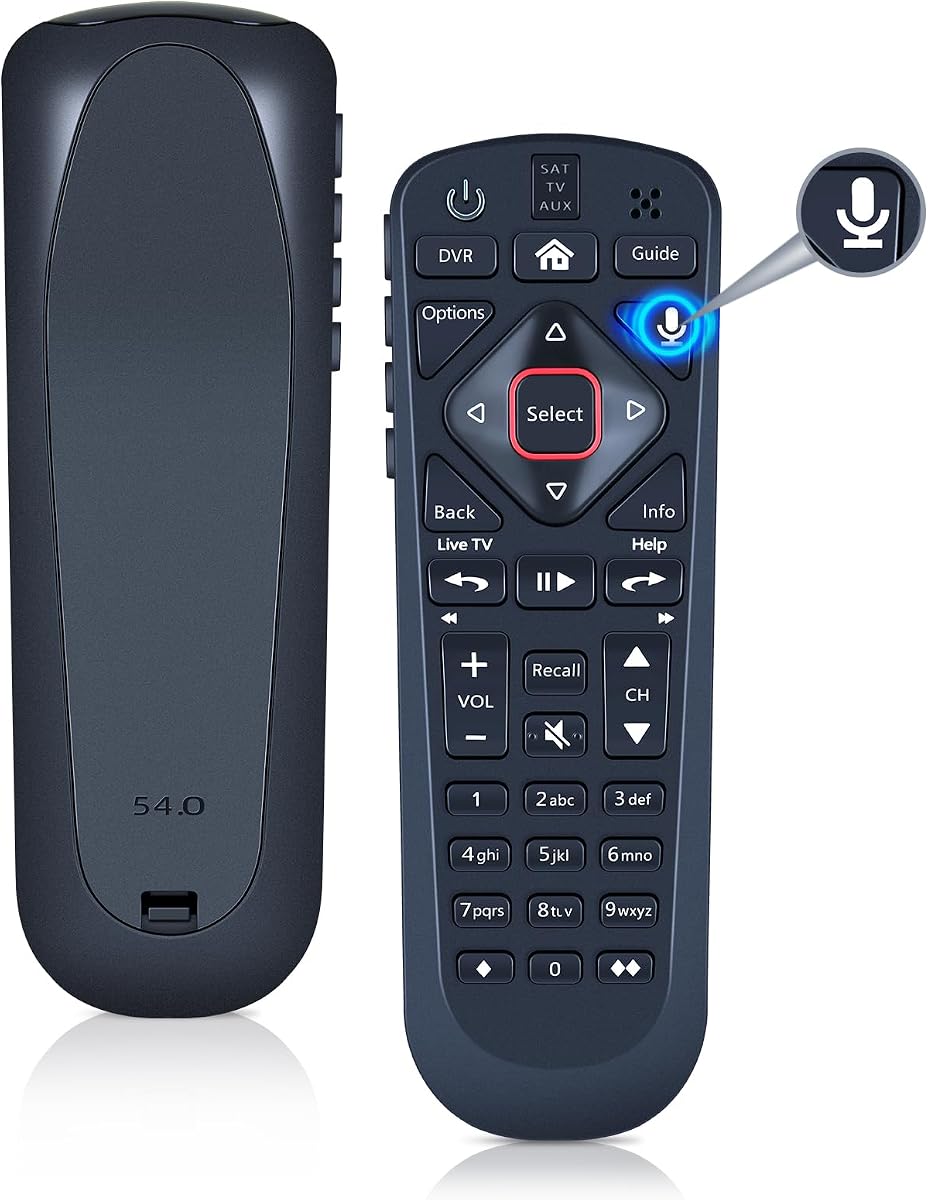



This replacement remote stands out as a top choice for users seeking a reliable upgrade for their Dish network setup. With a strong rating of 4.5 stars it offers robust features like voice search and seamless pairing with 54 series receivers ensuring you maintain full control over your entertainment system without hassle.
We may earn a commission when you buy through this link, at no additional cost to you.
The remote features a voice search function that allows you to find shows quickly without typing. It pairs using the SAT button method which is straightforward and documented. You can also pair it with auxiliary devices like Blu-ray players or stereo systems extending its utility beyond just the TV interface.
While the remote is highly capable it does not come with batteries included which is a minor inconvenience. Additionally it is designed specifically for the 54 series meaning it may not work with older models like the Hopper 3. These limitations are acceptable given its strong performance and feature set.
This remote is ideal for anyone looking to replace a lost or broken 54 series remote with a functional upgrade. Its voice capabilities and easy pairing make it a standout option for modern households. We recommend it for those who value convenience and reliability in their daily viewing experience.
The built-in microphone allows you to search for content using just your voice making navigation significantly faster and more intuitive than using arrow keys.
Pairing is simplified with clear instructions involving the SYS INFO and SAT buttons ensuring you can get the remote working with your receiver in minutes.
We may earn a commission when you buy through this link, at no additional cost to you.
The Dish 54.0 Remote Control is designed specifically for Hopper owners who want premium features integrated into their viewing experience. It holds a high rating of 4.6 stars and includes conveniences like backlit keys and a remote locator that help you find and use the device even in low light conditions.
We may earn a commission when you buy through this link, at no additional cost to you.
This remote allows you to program hot keys to launch apps or record shows quickly. The keypad illuminates automatically when you pick it up which is excellent for night viewing. You can also use the remote locator button on your DVR to make the remote beep if you have misplaced it.
Internet connectivity is required for the full search functionality which might be a limitation in areas with poor connection. The price is also higher than generic replacements but the added features justify the cost for dedicated Hopper users. These trade-offs are minor compared to the overall utility.
We recommend this remote for Hopper families who want an original or high-quality replacement with advanced features. Its ability to integrate with apps and locate itself makes it a superior choice for power users. It ensures your entertainment system remains fully functional and easy to navigate.
The automatic backlighting ensures you can see all buttons clearly when watching TV at night without needing extra light sources.
If you lose the remote you can trigger a beep from the DVR to help you find it quickly under cushions or in other hidden spots.
We may earn a commission when you buy through this link, at no additional cost to you.
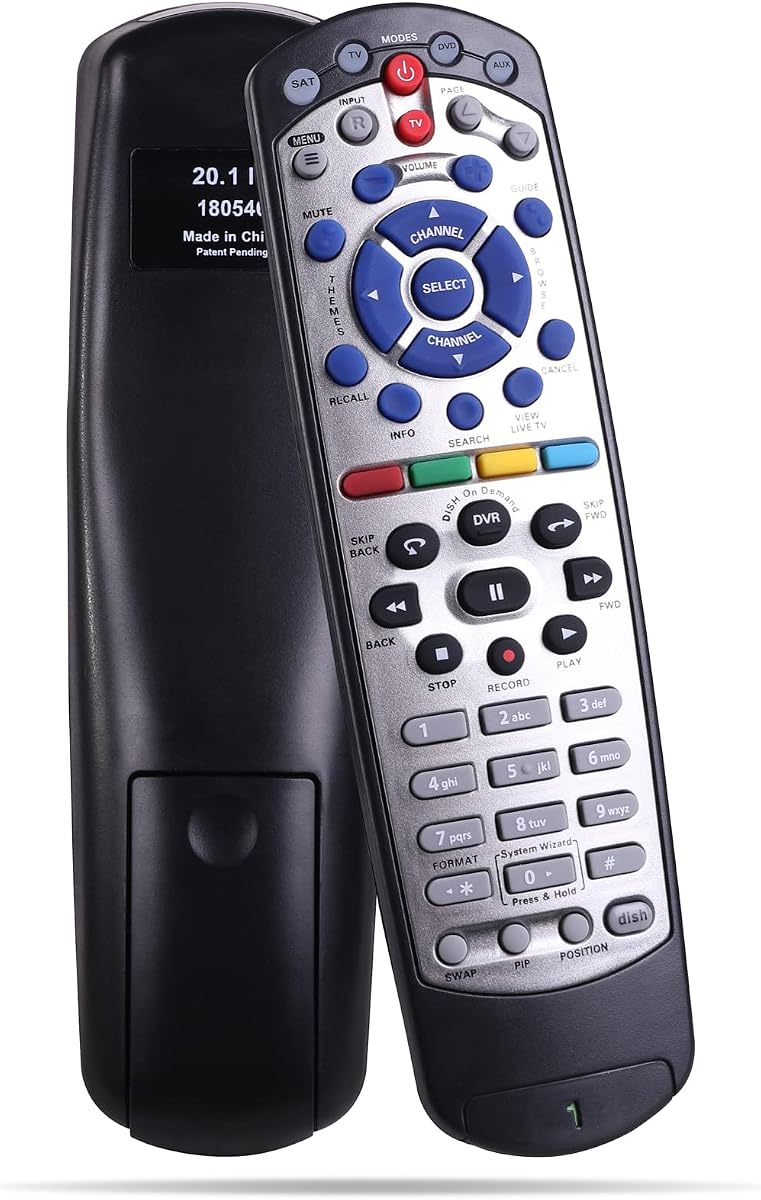
This IR remote offers an affordable solution for users needing a basic replacement for their Dish Network 20.1 receivers. It has a decent rating of 3.7 stars and is designed to function similarly to the original remote without requiring advanced features or smart capabilities.
We may earn a commission when you buy through this link, at no additional cost to you.
To use this remote you must set it up by choosing the correct code for your TV brand during programming. It does not have learning or Bluetooth capabilities but it covers all standard functions like channel changes and volume control. A one year warranty is included for peace of mind.
The lack of smart features like voice search or learning modes limits its versatility compared to newer models. The programming step might be tricky for some users but the manual provides necessary guidance. These factors make it suitable for basic users who prioritize cost over advanced functionality.
We suggest this remote for those on a tight budget who need a reliable backup for older 20.1 units. It effectively restores control to your receiver without the high cost of premium models. Verify compatibility with your specific receiver before purchasing to ensure proper function.
This remote provides a low-cost way to restore functionality to older receivers without spending significantly on advanced technology features.
You need to program the correct code for your TV which ensures the remote communicates correctly with your specific display setup.
We may earn a commission when you buy through this link, at no additional cost to you.
This replacement remote offers voice search capabilities specifically for Dish upgraded 54 series receivers. It holds a rating of 3.7 stars and uses UHF technology to ensure reliable signal transmission even when line of sight is not perfect. It is a solid choice for users needing a feature-rich replacement.
We may earn a commission when you buy through this link, at no additional cost to you.
The pairing process involves using the SAT button and following prompts on the screen to connect to your receiver. It supports voice search which helps you find content faster. You can also pair it with auxiliary devices like stereo systems or Blu-ray players for broader control.
It is important to note that this remote is not compatible with the Hopper 3 receiver which limits its use to specific models. Users must follow the pairing steps carefully to ensure proper connection. These constraints are manageable if you confirm your receiver model before buying.
We recommend this remote for those with 54 series units who want voice search without buying a new Hopper system. Its UHF connection provides better range than standard IR remotes. Ensure you check receiver compatibility to avoid any issues with pairing or function.
The built-in microphone allows voice commands to search content reducing the need to type with arrow keys.
Unlike IR remotes this uses UHF which allows you to control the receiver even if it is not in direct line of sight.
We may earn a commission when you buy through this link, at no additional cost to you.
This remote provides voice search functionality for Dish Network upgraded 54 series receivers. It has a rating of 4.2 stars and is designed to integrate seamlessly with your existing setup. The built-in microphone allows for hands-free content searching which enhances the user experience significantly.
We may earn a commission when you buy through this link, at no additional cost to you.
Pairing requires inserting batteries and following the on-screen prompts via the Home and Settings menus. It supports pairing with auxiliary devices which adds versatility to your entertainment control. The six-month warranty offers protection against defects giving you confidence in the purchase.
The remote is specific to the 54 series so it will not work with older models. Batteries are not included which means you need to have AAAs ready before using it. These points are standard for replacement remotes and do not detract from its core value.
We suggest this remote for users with 54 series units who want voice search features at a reasonable cost. Its pairing process is straightforward and the auxiliary support is a nice bonus. Verify your receiver model to ensure full compatibility before ordering.
Find your favorite shows quickly using voice commands instead of manually scrolling through menus.
You can program the remote to control other devices like your sound system or media player from one hub.
We may earn a commission when you buy through this link, at no additional cost to you.
This universal remote supports Dish TV receivers for TV1 and TV2 locations making it ideal for multi-room setups. It has a rating of 4.4 stars and offers both IR and UHF capabilities which ensures it works with a wide range of receiver configurations in your home.
We may earn a commission when you buy through this link, at no additional cost to you.
The remote allows for universal compatibility across many Dish receiver models. You can manage different zones with a single remote which is convenient for households with multiple TVs. Its hybrid signal technology ensures reliable communication with the receiver even from a distance.
Being an older model it may not have some of the smart features found in newer remotes. Setup might require manual adjustments depending on your specific receiver version. These limitations are acceptable for users needing basic functionality across multiple zones.
We recommend this remote for households with multiple Dish receivers who need a universal control solution. It simplifies managing different TV zones with one device. Check the manual for specific pairing codes to ensure all functions work correctly.
Control both TV1 and TV2 locations from one remote which reduces clutter and simplifies your entertainment setup.
The combination of IR and UHF ensures that the remote works effectively even if the receiver is not in direct view.
We may earn a commission when you buy through this link, at no additional cost to you.
This remote is designed to replace the original for Dish Network 20.1 TV1 #1 receivers without requiring any programming. It has a rating of 4.1 stars and is ready to use once you insert batteries. It stores receiver settings in the remote for immediate operation.
We may earn a commission when you buy through this link, at no additional cost to you.
The keys are sensitive and feel comfortable to hold making it easy to navigate channels and volumes. It supports a wide range of models including VIP 622 722 and others. This versatility makes it a good choice for users needing a direct replacement.
Since it does not require programming it simplifies the setup process for less technical users. However it is limited to TV1 #1 receivers so it may not work if you have multiple zones or different receiver models. These trade-offs are minor for a direct replacement.
We suggest this remote for anyone with a 20.1 TV1 #1 receiver who wants a plug and play solution. Its lack of programming steps makes it very convenient to use immediately. Verify your exact model number before purchase to ensure compatibility.
You can start using the remote right out of the box by simply inserting batteries and aiming at your receiver.
This remote supports a long list of receiver models ensuring it works with many existing Dish setups.
We may earn a commission when you buy through this link, at no additional cost to you.
This package includes two new replacement remotes designed for Dish Network 20.1 satellite receivers. It has a rating of 4.3 stars and offers a convenient two-pack solution for households that need backups or replacements for different rooms. Each remote is rigorously tested before shipment.
We may earn a commission when you buy through this link, at no additional cost to you.
The remotes are compact and easy to hold providing a stable grip during use. They cover all original functions and come with detailed instructions for setup. The one year warranty ensures you have support in case of any defects or issues with the units.
These remotes are specific to the 20.1 model and do not include smart features like voice search. They rely on IR technology which requires line of sight to the receiver. These factors are acceptable for users looking for basic replacement functionality at a good value.
We recommend this two-pack for families who want spare remotes to prevent interruptions in viewing. It is an affordable way to ensure you always have a working remote handy. Confirm your receiver model is 20.1 before ordering to avoid compatibility issues.
Having two remotes allows you to keep one in the living room and one in the bedroom without buying separately.
The remotes are small enough to fit easily in hand but sturdy enough to feel durable during daily use.
We may earn a commission when you buy through this link, at no additional cost to you.
This remote is designed to perform just like your original Dish Network 20.1 remote. It has a rating of 4.0 stars and requires a quick setup process before use to ensure it pairs correctly with your receiver. It comes with a manual to guide you through pairing steps.
We may earn a commission when you buy through this link, at no additional cost to you.
You need to insert two AAA batteries and follow the manual to choose the correct TV code. It covers all standard functions and offers a one year warranty for peace of mind. The service team is available to assist with any questions after receiving the remote.
The remote lacks advanced features like voice search or learning capabilities but it serves well as a direct replacement. The setup step might be a slight barrier for some users but the manual provides necessary guidance. These limitations are typical for basic IR remotes.
We suggest this remote for those needing a straightforward replacement for a 20.1 receiver. It restores full functionality to your entertainment system. Check the pairing instructions carefully to ensure the remote connects successfully with your setup.
This remote mimics the original functionality ensuring you can control all your standard channels and settings without issues.
You need to complete a simple pairing process to match the remote with your TV model for proper operation.
We may earn a commission when you buy through this link, at no additional cost to you.
The Dish Network Remote 52.0 is a reliable option for users with Hopper receivers who need a replacement with essential features. It holds a strong rating of 4.6 stars and includes conveniences like backlit keys and a remote finder function that help you locate the device quickly.
We may earn a commission when you buy through this link, at no additional cost to you.
This remote supports all Hoppers Joeys and Wally receivers ensuring broad compatibility within the Dish ecosystem. You can program hot keys to launch apps like Netflix or turn on closed captioning with a single press. The keypad lights up automatically in dark settings for easy visibility.
As a legacy model it may not support some newer smart features found in the latest remotes. However its core functionality remains robust for standard navigation and control. These limitations are minor compared to the convenience of the backlit keys and finder feature.
We recommend this remote for Hopper users looking for a dependable replacement with quality features. Its ability to integrate with basic apps and locate itself makes it a practical choice. Verify your receiver model to ensure full compatibility with the 52.0 series.
Press a button on your receiver to make the remote beep and blink so you can find it easily in a dark room.
The keypad illuminates automatically when you pick up the remote making it easy to see buttons in low light.
We may earn a commission when you buy through this link, at no additional cost to you.
Selecting the right replacement remote depends on your receiver model and the features you value most. This guide outlines key factors to consider for a successful purchase.
The most critical factor is ensuring the remote matches your specific Dish receiver model. Many remotes are designed for specific series like 54.1 or 20.1 so always check the product title before buying.
Verify that the remote lists your receiver model number in the compatibility section to avoid pairing issues.
Remotes come in IR or UHF types. IR requires line of sight while UHF works around corners. Choose UHF if your receiver is hidden behind a cabinet or wall.
Check the product specs to confirm the connection type matches your setup needs.
Some modern remotes include a built-in microphone for voice search. This feature lets you find content using your voice rather than typing with arrow keys.
If you prefer hands-free navigation prioritize models that explicitly list voice search functionality.
Backlit keys illuminate when you pick up the remote which is helpful for watching TV at night. This feature improves usability in low light conditions without extra lighting.
Look for remotes that specify automatic key illumination for easier viewing in dark rooms.
Some remotes require you to enter codes or follow on-screen prompts to pair. Others may be ready to use after inserting batteries. Consider how much setup you are willing to handle.
Read the product description to understand if pairing is automatic or manual so you are prepared.
Most remotes use AAA batteries which are often not included. Ensure you have fresh batteries ready to insert so you can test the remote immediately upon arrival.
Check if the product includes batteries or if you need to buy them separately to avoid delays in use.
A reliable manufacturer offers a warranty to protect against defects. Look for remotes that include at least a one-year warranty or a money-back guarantee for peace of mind.
Ensure the seller has a responsive support team in case you encounter issues with pairing or function.
Some remotes allow pairing with auxiliary devices like soundbars or Blu-ray players. This versatility reduces clutter by letting you control multiple devices from one remote.
Check the features list to see if the remote supports control beyond the TV and receiver.
To start using your replacement remote insert fresh AAA batteries into the battery compartment ensuring correct polarity. This provides the power needed for the remote to communicate with your receiver effectively.
For UHF remotes pairing is often done by pressing the SAT button after opening the receiver panel. For IR models you may need to enter TV codes during setup to ensure proper control of your display.
To keep the remote functioning well avoid exposing it to moisture or extreme temperatures. Replace batteries when the buttons become less responsive to maintain reliable performance over time.
Most replacements require opening the receiver panel and pressing SYS INFO then pressing the SAT button on the remote. Follow the on-screen prompts if needed. Some models need TV codes to be entered manually for compatibility.
No you must ensure the remote is compatible with your specific receiver model. Using an incompatible remote may result in pairing issues. Check the product description for a list of supported models before buying.
Most Dish replacement remotes use two AAA batteries. Always check the product specs to confirm. Batteries are often not included so you may need to purchase them separately.
Some replacements work with Hopper systems but you must verify compatibility. The 54.0 remote for example is designed for Hopper receivers while older models may not support them. Check the product title and description carefully.
This could be due to dead batteries or improper pairing. Replace the batteries first then try pairing again. If using IR ensure you have line of sight to the receiver. Check the receiver manual for troubleshooting tips.
Voice search remotes offer convenience for finding content quickly without typing. However standard remotes are often more affordable and sufficient for basic needs. Choose based on your preference for advanced features versus cost.
Check the product specifications to see if it lists IR or UHF connection. IR remotes usually require line of sight while UHF works better around obstacles. This detail is key for ensuring compatibility with your setup.
Many replacements can be programmed to control TV functions like volume and power. You may need to enter your TV brand code during setup. This feature reduces the need for multiple remotes in your setup.
We reviewed ten top replacement remotes to help you find the best fit for your Dish receiver. The 54 series models offer voice search features while older 20.1 units benefit from simple IR replacements.
Prioritize compatibility with your receiver model and the features you need such as backlit keys or voice search. Choose UHF over IR if your receiver is hidden and ensure you have batteries ready for immediate use.
Verify current details and availability before purchasing as product specifications can change. With the right replacement you can maintain control over your entertainment system without interruption or frustration.