
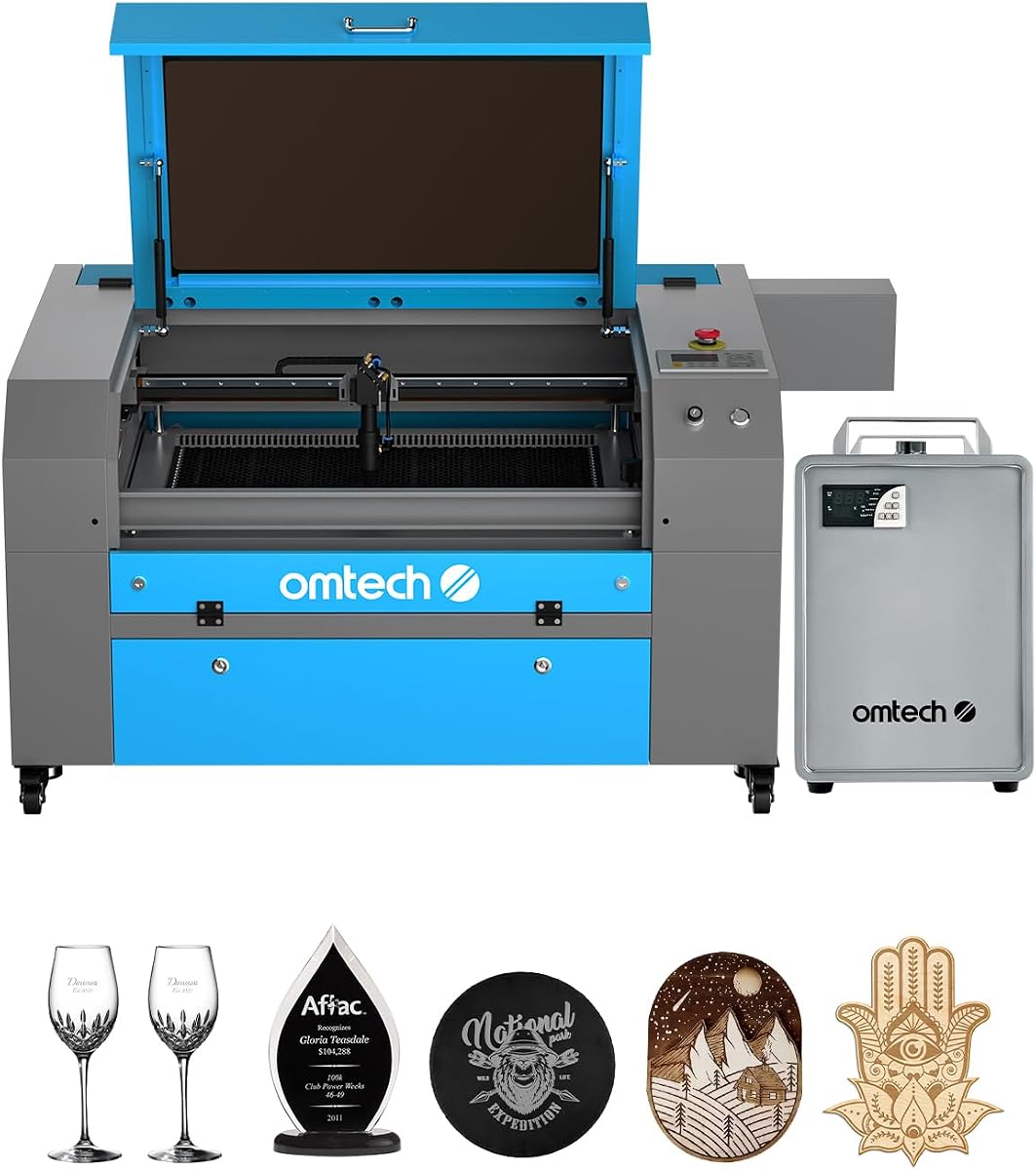
OMTech K40+ 45W Desktop CO2 Laser Engraver & Cutter
4.4Editor score
45W laser power performance
12×8 inch compact workspace
Compatible with LightBurn software
Discover the top CO2 laser cutters for 2026. This guide compares power, speed, safety, and features to help you choose the right machine for your projects.
CO2 laser cutters offer precise cutting and engraving for wood, acrylic, and more. Choosing the right model depends on your workspace, budget, and project volume needs.
We evaluated ten leading machines based on power output, work area, safety features, and software compatibility. Each selection balances performance with usability for diverse users.
Every pick highlights key specs, pros, cons, and ideal use cases. Note that prices fluctuate frequently, so check current listings before making your final purchasing decision today.
4.4Editor score

4.5Editor score

5.0Editor score
This side-by-side comparison highlights the core specifications of each selected CO2 laser cutter to help you quickly identify the machine that fits your specific needs.



The xTool P3 80W leads our list with its intelligent automation and industrial-grade power. It received a 4.5 rating for delivering professional results with minimal setup time.
We may earn a commission when you buy through this link, at no additional cost to you.
Its revolutionary Automated Creation System uses LiDAR ranging and dual HD cameras for flawless autofocus and positioning. This allows users to achieve 98.7% material utilization through AI-powered Smart Nesting.
While the price is high, the efficiency gains justify the cost for serious makers. The fully enclosed Class 1 safety design ensures peace of mind during operation.
Ideal for small businesses needing high throughput. This machine is our top recommendation for those who value automation and safety alongside raw cutting power.
The ACS system simplifies setup by automatically handling focus and alignment, allowing you to start cutting faster than with manual machines.
Class 1 certification with lid interlocks and active detection systems protects users from laser exposure and reduces fire risks significantly.
We may earn a commission when you buy through this link, at no additional cost to you.
The OMTech K40+ 45W is an excellent entry point for hobbyists. It earned a 4.4 rating for offering strong performance at a very competitive price point.
We may earn a commission when you buy through this link, at no additional cost to you.
Upgraded to 45W, it slices through acrylic and wood efficiently. The integrated air assist reduces smoke and protects the lens during high-power cutting jobs.
Software compatibility is a highlight, supporting LightBurn and LaserGRBL seamlessly. Users appreciate the 24/7 global support team for troubleshooting assistance.
Perfect for DIY enthusiasts on a budget. This model provides the essential features needed to start laser cutting without a major financial investment.
With 45W output, this machine cuts 10mm acrylic and 8mm wood, offering substantial capability for its class and price range.
Full support for industry-standard LightBurn software ensures you can manage complex designs and custom settings easily.
We may earn a commission when you buy through this link, at no additional cost to you.
The OMTech Pro 130W is our top premium pick for industrial applications. It holds a perfect 5.0 rating for delivering high-speed precision and reliability.
We may earn a commission when you buy through this link, at no additional cost to you.
Its built-in CW-5200 water chiller maintains temperatures within 0.5 degrees Fahrenheit, ensuring consistent performance. Servo motors enable engraving speeds up to 1,200 mm/s.
The Ruida 6445G touchscreen interface simplifies control, while WiFi connectivity allows for remote management. Four-way pass-through doors handle oversized materials effortlessly.
Best for professional shops needing speed and volume. This machine combines power and control to handle demanding industrial-grade production tasks.
The built-in chiller keeps the laser tube stable during long runs, preventing overheating and extending the tube's lifespan.
Servo motors with ball-bearing rails provide rapid movement without sacrificing precision, boosting overall productivity significantly.
We may earn a commission when you buy through this link, at no additional cost to you.
The VEVOR 100W offers a spacious workspace at a reasonable price. It received a perfect 5.0 rating for balancing speed and area effectively.
We may earn a commission when you buy through this link, at no additional cost to you.
It cuts materials up to 0.59 inches thick in one pass and engraves at speeds up to 19.7 inches per second. The digital control panel works with most third-party software.
Safety is prioritized with Class 1 certification and a tinted transparent window. Movable wheels allow easy repositioning despite the unit's size.
Ideal for users needing space without premium costs. This machine is great for crafting projects that require larger beds or frequent movement.
With 840 square inches of workspace, you can tackle large projects or multiple items simultaneously without repositioning.
Compatibility with LightBurn, CorelDRAW, and AutoCAD gives users flexibility in design workflows and file import options.
We may earn a commission when you buy through this link, at no additional cost to you.
The OMTech Maker 90W is solid for those needing more power than budget models. It earned a perfect 5.0 rating for robust construction and bundled accessories.
We may earn a commission when you buy through this link, at no additional cost to you.
Its Yongli H2 tube delivers 90W of power for up to 8,000 hours of usage. The bundled water chiller supports extended engraving sessions without overheating.
Four-way pass-through doors make it easy to handle long items. Safety is enhanced with flame-retardant viewing windows and cover interlocks.
Best for small businesses scaling up. This machine provides the necessary power and cooling for consistent commercial production environments.
The high-performance tube and proper cooling ensure the machine remains reliable over thousands of hours of operation.
Widened flame-retardant windows provide clear visibility while protecting users from heat and laser exposure risks.
We may earn a commission when you buy through this link, at no additional cost to you.
The OMTech Maker 60W simplifies the laser process with autofocus and software bundles. It received a 4.7 rating for user-friendly features.
We may earn a commission when you buy through this link, at no additional cost to you.
No manual adjustments are needed; the autofocus finds the right distance automatically. The bundled LightBurn software offers intuitive navigation for new users.
Safety and cleanliness are handled via built-in air assist and flame-retardant windows. The workbeds adjust up and down at the touch of a button.
Ideal for beginners wanting ease of use. This bundle removes common barriers to entry, helping new users start projects quickly.
Preinstalled LightBurn ensures you can start designing and cutting immediately without worrying about compatibility or installation steps.
Automatic autofocus adjusts the bed height precisely, eliminating guesswork and improving cut accuracy consistently.
We may earn a commission when you buy through this link, at no additional cost to you.
This OMTech K40+ variant focuses on compact usability. It earned a 4.5 rating for its practical design and reliable global support services.
We may earn a commission when you buy through this link, at no additional cost to you.
Supports LightBurn and LaserGRBL for seamless control. The integrated air assist clears smoke and debris, protecting lenses and reducing fire risk.
Safety features include door and water protection alongside an emergency stop function. A high-powered exhaust fan ensures a clean workspace.
Perfect for tight workspaces. If you need a desktop solution that still delivers on support and safety, this is a strong choice.
Access to 24/7 technical guidance and local demos helps resolve issues quickly, even for remote users.
Comprehensive safety features like flame-retardant panels and emergency stops prioritize user safety during every operation.
We may earn a commission when you buy through this link, at no additional cost to you.
The OMTech Pronto 100W is built for efficiency. It received a perfect 5.0 rating for revolutionary speeds and powerful airflow.
We may earn a commission when you buy through this link, at no additional cost to you.
Engraving speeds reach up to 39.4 inches per second, which is 37% faster than traditional models. The powerful air pump and fan ensure clean cuts.
Comprehensive protection includes water and temperature alarms. The autofocus technology simplifies setup for intricate designs or thick materials.
Ideal for competitive small businesses. Speed and precision are key here, making it a great choice for high-volume production.
With speeds up to 1000 mm/s, this machine transforms creative visions into reality faster than most competitors.
A powerful air pump reduces material burn and enhances cut quality by removing debris during the process.
We may earn a commission when you buy through this link, at no additional cost to you.
The OMTech Pronto 130W handles large projects effortlessly. It earned a perfect 5.0 rating for its massive workspace and powerful tube.
We may earn a commission when you buy through this link, at no additional cost to you.
It engraves as deep as 0.4 inches on nonmetallic materials with speeds up to 1000 mm/s. The tube lasts up to 12,000 hours with proper use.
The workbeds adjust automatically for focus. Two-way pass-through doors accommodate larger and longer items with ease.
Perfect for big studios or workshops. This model is designed for professionals needing to cut large sheets without frequent repositioning.
With a 51×35 inch work area, you can handle large materials or multiple projects simultaneously with efficiency.
The 130W tube delivers deep engraving and fast cuts, ensuring consistent quality over long operational lifespans.
We may earn a commission when you buy through this link, at no additional cost to you.
This OMTech K40+ variant offers simplicity. It earned a perfect 5.0 rating for being a straightforward, affordable desktop solution.
We may earn a commission when you buy through this link, at no additional cost to you.
It provides the core laser functions needed for basic engraving and cutting. The safety features cover essential protections for home users.
While it lacks some advanced features, it delivers consistent performance for everyday tasks. Ideal for hobbyists with limited budgets.
Best for those starting their journey. This unit is a practical choice for learning the basics of laser engraving.
Basic safety features provide necessary protection, keeping the learning curve manageable for first-time laser users.
Cost-effective pricing allows new users to invest in laser technology without overwhelming financial commitment.
We may earn a commission when you buy through this link, at no additional cost to you.
Choosing the right CO2 laser cutter requires balancing power, workspace, and safety features with your specific project needs and budget constraints.
Power determines cutting speed and material thickness. Higher wattage like 100W or 130W cuts thicker materials faster but costs more.
For general crafting, 45W to 60W is sufficient, while industrial needs require 90W or above.
Workspace size dictates how large your projects can be. A 12×8 inch bed suits small items, while larger ones need 24×35 inch areas.
Consider pass-through doors if you frequently cut long materials that exceed your bed dimensions.
Class 1 lasers are fully enclosed and safest for home use, whereas Class 2 require more vigilance. Always check for interlocks.
Look for emergency stop buttons and flame-retardant windows to ensure secure operation.
Support for LightBurn is essential for flexibility. Ensure the machine works with your preferred design tools like CorelDRAW or AutoCAD.
Some bundles include software, saving extra costs.
Water chillers are vital for high-power tubes to prevent overheating. Built-in units simplify setup compared to external chillers.
Choose models with automatic cooling alerts for better reliability.
Air assist systems remove debris and protect lenses. Look for adjustable airflow that syncs with laser power settings.
This feature reduces carbonization and fire risks significantly.
24/7 global support and multi-year warranties indicate a reliable manufacturer. Check for local demo availability for hands-on help.
Good service ensures you can resolve issues quickly.
Entry-level models start around $700, while premium units reach $8,000. Prioritize features you actually need over fancy extras.
A balance of power and safety usually offers the best value.
Start by calibrating the focus and testing on scrap material. Ensure your material is flat and secured properly to avoid misalignment during engraving.
Regularly clean the lenses and mirrors to maintain beam quality. Dust accumulation can reduce cutting efficiency and damage optical components over time.
Monitor air flow and water levels in the chiller. Proper ventilation prevents smoke buildup and ensures safe operation in any workspace environment.
Generally, CO2 lasers cannot cut metal. They are designed for non-metallic materials like wood, acrylic, and leather. For metal, you would need a fiber laser cutter.
Wear safety glasses designed for CO2 wavelengths. Ensure the machine enclosure is closed and ventilation is adequate to avoid inhaling fumes during operation.
Clean lenses and mirrors weekly with proper cleaning solutions. Inspect wiring and rails monthly to prevent dust from interfering with mechanical movement.
Yes, LightBurn offers powerful features not found in free software. It provides better control over cutting parameters and supports a wide range of machines.
Avoid cutting PVC or vinyl as it releases toxic chlorine gas. Also, transparent materials without additives may reflect the beam and damage the laser.
Tubes typically last 5,000 to 12,000 hours depending on usage. Proper cooling and consistent operation extend their lifespan significantly.
Most machines have built-in fans, but an external exhaust system is recommended for larger setups. It improves air quality and smoke removal efficiency.
The xTool P3 80W, OMTech K40+ 45W, and OMTech Pro 130W lead the list with automation, value, and industrial power respectively.
Prioritize safety and workspace size based on your production needs. Higher power and better cooling systems ensure long-term reliability and consistent results.
Always check current pricing and availability as deals change frequently. Investing in the right model will streamline your creative and production workflows.