
Pulsar Gaming Gears X2H Crazylight Wireless Gaming Mouse, Mini, Jet Black
4.3Editor score
37g featherweight construction
XS-1 Flagship Sensor
Symmetrical shape for claw grip
Discover the lightest mice for gaming in October 2026. We compare top wireless and wired options to help you find the perfect lightweight mouse for competitive
Finding the right gaming mouse can transform your performance. Lightweight mice reduce fatigue and increase speed, making them essential for competitive gamers. We review the top models available today to help you choose the perfect match for your setup.
Our team analyzed technical specs, user feedback, and professional reviews to compile this list. We focused on weight, sensor accuracy, battery life, and build quality. Each product offers unique advantages tailored to different play styles and hand sizes.
Each pick highlights key features and real-world performance. We explain why these mice stand out among countless options. Prices change frequently so check the links for current offers. Ready to upgrade your gear with the ideal lightweight mouse?
4.3Editor score

4.5Editor score
4.4Editor score
This side-by-side comparison highlights the key specifications and features of the top lightweight gaming mice. Use this table to quickly identify which model fits your specific needs regarding weight, sensor, and connectivity.


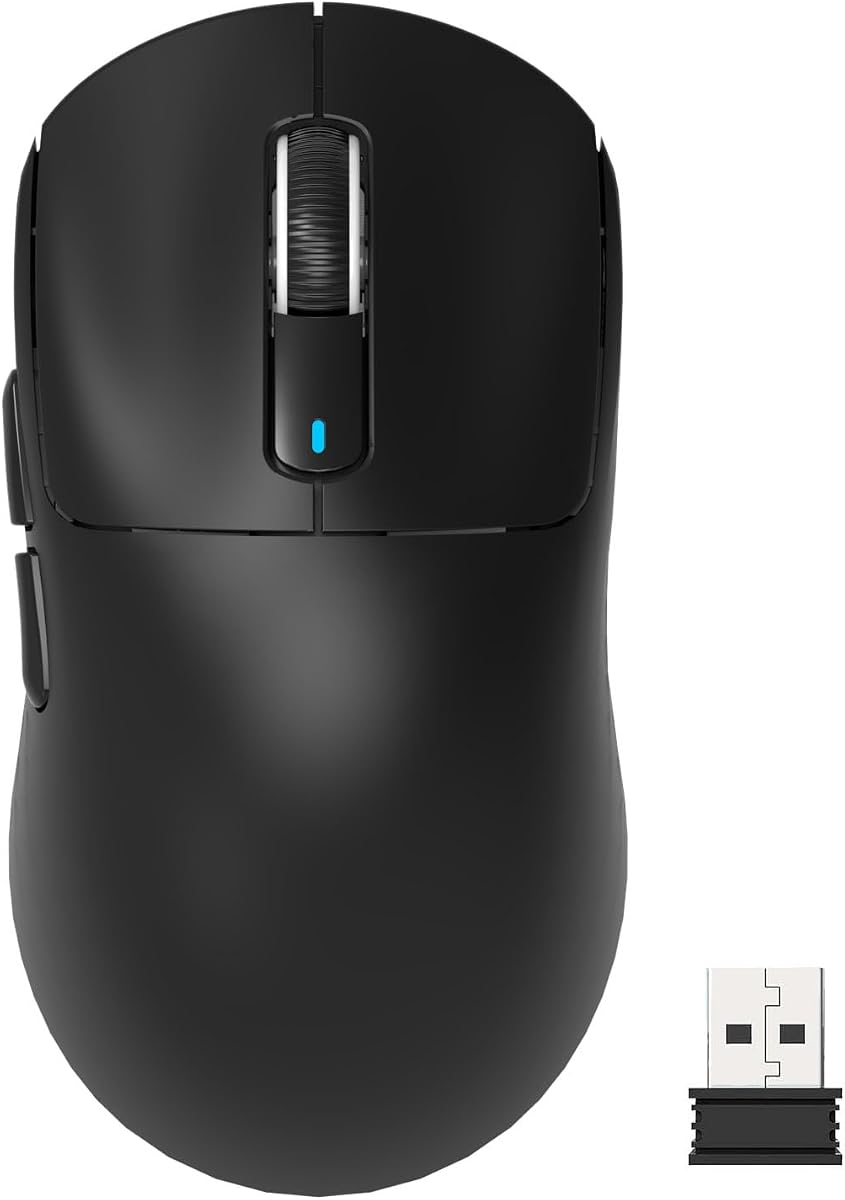


The Logitech G PRO X Superlight 2 stands out as a top choice for competitive gaming. With a rating of 4.5 stars, it offers exceptional performance for esports professionals. Its 60g weight ensures quick movements without fatigue.
We may earn a commission when you buy through this link, at no additional cost to you.
This mouse features the HERO 2 sensor, which provides unmatched accuracy up to 44000 DPI. The 8 kHz polling rate ensures instant response times during intense matches. Battery life extends up to 95 hours on a single charge.
While it is slightly heavier than some ultra-light options, the balance and durability make it worth the trade-off. The PTFE mouse feet glide smoothly on any surface. Wireless connectivity remains stable without lag.
Gamers seeking reliability and precision will love this model. It suits those who value brand reputation and build quality. Ideal for FPS games where split-second reactions determine the outcome.
The HERO 2 sensor eliminates smoothing and filtering for raw accuracy. This ensures your aim translates directly to on-screen movement.
With 95 hours of use, you rarely need to recharge. USB-C charging adds convenience for modern setups.
We may earn a commission when you buy through this link, at no additional cost to you.
Pulsar X2H Crazylight redefines lightweight gaming with its 37g weight. It weighs less than an egg yet delivers heavyweight performance. Its minimalist design ensures ultra-light handling during long sessions.
We may earn a commission when you buy through this link, at no additional cost to you.
The XS-1 Flagship Sensor offers 32000 DPI resolution and 750 IPS tracking. Optical switches minimize double clicks and ensure swift responses. The symmetrical shape supports both claw and fingertip grips effectively.
Despite its feather-light build, durability remains high. The dust-proof structure protects internal components from debris. However, its high price may deter casual users looking for budget options.
This mouse is perfect for professionals seeking every gram of weight saved. It excels in fast-paced shooters requiring rapid flicks. Users with smaller hands will find the fit ideal.
At just 37g, this mouse feels weightless. It reduces wrist strain during marathon gaming sessions.
The XS-1 sensor tracks movement with extreme precision. It handles high-speed tracking effortlessly.
We may earn a commission when you buy through this link, at no additional cost to you.
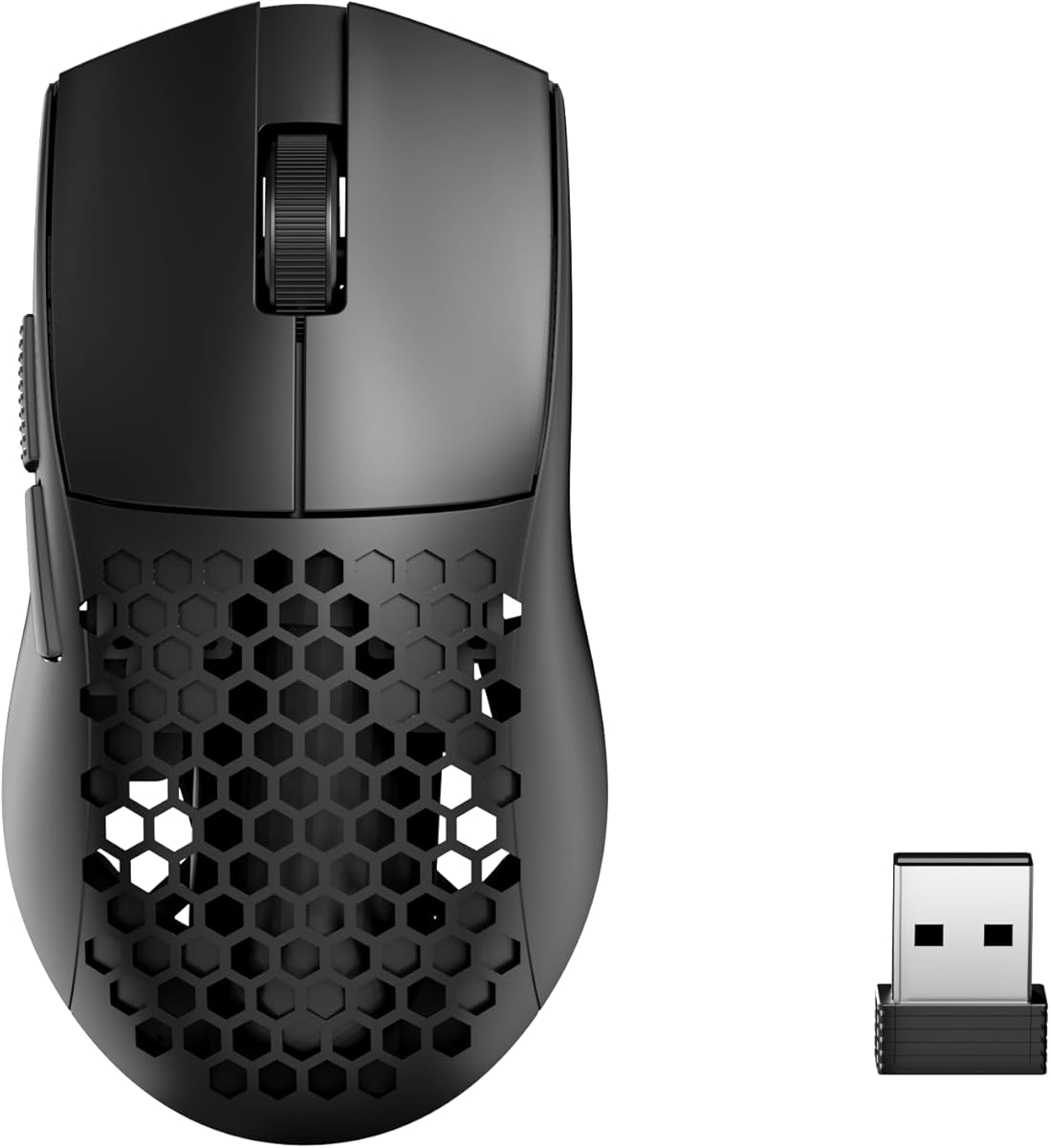
The Redragon M725 offers an affordable entry into the lightweight wireless gaming category. Its honeycomb design reduces weight to 49g. It features a 8000 DPI sensor suitable for general gaming needs.
We may earn a commission when you buy through this link, at no additional cost to you.
Tri-Mode connectivity allows switching between Bluetooth, 2.4GHz, and wired USB. This versatility supports both gaming and productivity tasks. Five programmable buttons enable efficient macro setups via software.
While it lacks top-tier specs, it performs reliably for its price. The honeycomb shell keeps hands cool during intense sessions. Build quality is decent though plastic feels less premium than rivals.
Ideal for budget-conscious gamers needing a lightweight option. It works well for students or casual players. Anyone wanting wireless freedom without breaking the bank should consider this.
Switch between wired and wireless modes easily. It supports work and play simultaneously.
Program macros for complex commands. Dedicated software makes setup simple.
We may earn a commission when you buy through this link, at no additional cost to you.
Razer Viper V3 HyperSpeed delivers consistent performance with up to 280 hours of battery life. Its 82g design balances weight and comfort well. The Focus Pro 30K sensor ensures flawless tracking on various surfaces.
We may earn a commission when you buy through this link, at no additional cost to you.
Wireless connection remains stable even in noisy environments. Mechanical switches offer a 60-million click lifespan for longevity. On-mouse DPI control allows quick adjustments without software.
Although not the lightest, it offers stability for users preferring a standard weight. The shape fits most hand sizes comfortably. Battery dependency might be a downside for USB-C users.
Best for gamers prioritizing battery longevity over minimal weight. It suits those who dislike frequent charging. A solid choice for competitive play requiring reliability.
With 280 hours, you rarely change batteries. Ideal for uninterrupted tournament play.
The Focus Pro 30K sensor tracks perfectly. It works on glass and hard pads.
We may earn a commission when you buy through this link, at no additional cost to you.
Logitech G305 Lightspeed is a reliable wireless mouse for daily gaming. It uses the HERO sensor for efficiency and precision. At 96g, it feels light compared to older wired models.
We may earn a commission when you buy through this link, at no additional cost to you.
Battery life extends up to 250 hours on one AA battery. The compact design makes it perfect for students on the go. It connects seamlessly via USB receiver stored inside the mouse.
While heavier than modern ultra-light mice, its durability stands out. It avoids battery anxiety and remains consistent. The lack of RGB saves power and keeps costs low.
Ideal for casual gamers or those needing a portable option. It works great for students traveling. A practical choice for budget-conscious users wanting reliability.
HERO sensor uses less power for longer play. Switch endurance mode to extend battery life.
Nano receiver stores inside for easy travel. Fits easily in laptop bags.
We may earn a commission when you buy through this link, at no additional cost to you.
MCHOSE L7 Pro combines lightweight build with advanced connectivity. Weighing just 39g, it ensures smooth movement during intense games. The included 8K receiver enhances responsiveness for competitive advantage.
We may earn a commission when you buy through this link, at no additional cost to you.
Its sensor reaches 26000 DPI with high energy efficiency. Optical switches provide a 150-million click lifespan. Tri-Mode connection supports wired and wireless flexibility.
The ergonomic hump design balances weight for various hand sizes. Drivers allow customization of DPI and macros. Despite fewer reviews, performance matches top-tier options.
Best for users seeking high specs without a premium brand name. It suits competitive gamers needing 8K polling. A strong contender in the ultra-light category.
Higher polling rate improves responsiveness. Free 8K receiver adds value.
Switches reduce accidental inputs. Lifespan exceeds many competitors.
We may earn a commission when you buy through this link, at no additional cost to you.
ATTACK SHARK X3 uses the popular PAW3395 sensor for accurate tracking. Weighing 49g, it remains light enough for speed without fragility. Kailh switches ensure crisp clicks with high durability.
We may earn a commission when you buy through this link, at no additional cost to you.
Tri-Mode connectivity includes Bluetooth, 2.4G, and wired USB. It supports up to four devices simultaneously for multitasking. Five programmable buttons allow efficient macro usage.
The ergonomic design minimizes hand strain during sessions. While budget-friendly, it offers specs comparable to expensive rivals. Software customization is accessible for most gamers.
Perfect for users wanting a balanced lightweight mouse. It suits both gaming and office work. Ideal for those seeking value without sacrificing performance.
PAW3395 delivers top-tier accuracy. Supports glass surfaces effectively.
Switch between devices easily. Supports wired stability when needed.
We may earn a commission when you buy through this link, at no additional cost to you.
Pulsar X2 Crazylight mirrors the X2H in weight but targets medium hands. At 39g, it offers nearly weightless movement for quick reactions. The symmetrical shape supports fingertip and claw grips effectively.
We may earn a commission when you buy through this link, at no additional cost to you.
It features the XS-1 sensor and optical switches for precision. Dust-proof internals protect against debris. DOT skates ensure smooth gliding on any surface.
Though similar to the X2H, it suits those preferring a larger base. Its build quality and performance are exceptional. However, it carries a premium price tag.
Best for competitive gamers needing maximum speed. It suits fingertip grip users. Ideal for those willing to pay for top-tier specs.
Symmetrical shape allows precise finger control. Reduces wrist strain during flicks.
DOT skates reduce friction. Works perfectly on glass and cloth.
We may earn a commission when you buy through this link, at no additional cost to you.
ASUS ROG Harpe Ace Mini is tailored for gamers with smaller hands. Weighing 49g, it offers precise control without bulk. The ROG AimPoint Pro sensor ensures track-on-glass accuracy.
We may earn a commission when you buy through this link, at no additional cost to you.
Tri-Mode connectivity supports up to three devices. SpeedNova wireless technology keeps latency low. Pro-approved design makes it ideal for competitive gaming.
Its compact form factor aids quick reflexes. Battery life reaches 105 hours. While pricey, the build quality justifies the cost for enthusiasts.
Best for FPS players with petite hands. It suits those needing a compact yet powerful mouse. Ideal for competitive setups requiring precision.
Designed with esports pros. Fits small hands perfectly.
ROG Omni Receiver links multiple devices. Ensures stable connection.
We may earn a commission when you buy through this link, at no additional cost to you.
Redragon M808 Storm offers an affordable lightweight wired option. Its honeycomb shell reduces weight to 85g. RGB lighting adds visual flair for gaming setups.
We may earn a commission when you buy through this link, at no additional cost to you.
Seven programmable buttons support complex macros. The super-lite cable reduces drag compared to standard cables. It provides reliable performance for budget-conscious users.
Though wired, the cable feels flexible and light. It lacks wireless convenience but saves costs. Build quality is decent for the price point.
Best for users wanting lightweight without paying premium prices. It suits RGB enthusiasts on a budget. Ideal for those preferring wired stability.
Affordable entry into lightweight gaming. RGB adds style easily.
Super-lite cable moves freely. Improves movement feel.
We may earn a commission when you buy through this link, at no additional cost to you.
Choosing the right lightweight gaming mouse involves balancing weight, sensor, and ergonomics. This guide explains key factors to ensure you pick the perfect mouse for your needs.
Weight significantly impacts speed and fatigue. Most gamers prefer mice between 30g and 70g. Ultra-light mice below 40g offer rapid movement but may feel fragile. Balanced mice around 60g provide comfort without excessive drag. Test different weights to find your comfort zone.
Aim for a weight that reduces strain during long sessions. Personal preference matters more than exact numbers.
Sensor accuracy dictates tracking precision. Look for optical sensors like HERO or PAW3395. Higher DPI and IPS allow tracking fast movements without spinouts. Zero smoothing ensures raw data for true accuracy. Check sensor support on glass surfaces if needed.
Prioritize sensors known for reliability in competitive games. A stable sensor outperforms high numbers.
Your grip style determines the ideal shape. Palm grip needs larger surfaces while fingertip prefers smaller. Claw grip fits symmetrical or mid-profile shapes. Try ergonomic models if wrist fatigue is an issue. Ensure the mouse supports your natural posture.
Ergonomic compatibility prevents strain. Choose shapes matching your grip habits.
Wireless options offer freedom but vary in latency. 2.4GHz RF is generally better than Bluetooth for gaming. Wired mice avoid battery anxiety but require cable management. Tri-Mode mice provide flexibility across devices. Check polling rates for responsiveness.
Select connectivity based on your usage habits. Wireless is standard for modern gaming.
Wireless mice need sufficient battery life. Aim for 50 hours minimum to avoid frequent charging. Rechargeable options reduce waste. Battery efficiency depends on LED usage. Turn off lights to extend usage time.
Long battery life ensures uninterrupted sessions. Check charging speed if power matters.
Lightweight mice sometimes sacrifice durability. Look for reinforced shells and quality switches. Optical switches reduce double-click risks. Honeycomb designs save weight but collect dust. Ensure the mouse can withstand daily use.
Quality materials prevent early failure. Balance weight savings with longevity.
Programmable buttons help with complex commands. Dedicated software allows macro and DPI settings. Check if the software is user-friendly. More buttons help MMO or strategy games. Simplified models suit FPS gamers.
Customization enhances control over gameplay. Choose based on your game genre.
Price often reflects build quality and features. Budget options offer decent performance for casual play. Premium mice provide advanced sensors and materials. Compare value based on long-term needs. Avoid overpaying for unnecessary features.
Value depends on individual requirements. Invest where performance matters most.
Proper setup improves performance significantly. Install official software to configure DPI and macros. Clean the sensor lens regularly to avoid tracking issues. Ensure your surface matches the mouse feet material.
Maintain wireless connections by updating firmware. Replace AA batteries promptly to avoid sudden power loss. For wired mice, check cable connections for slack. Store the mouse in a dry place to prevent dust buildup.
Clean the exterior with a soft cloth. Use compressed air for honeycomb shells to remove debris. Replace skates when they show wear. Periodically check switch responsiveness for early signs of damage.
The ideal weight varies by user preference and game type. Most competitive gamers prefer weights between 30g and 70g. Ultra-light mice under 40g are great for FPS but may feel fragile. Heavier mice around 60g offer more stability. Test different weights to find what feels comfortable.
Modern wireless mice use technologies like 2.4GHz RF which eliminate lag. High-end wireless options match wired performance closely. Check polling rates like 1000Hz or higher for minimal delay. Wireless freedom often outweighs minor latency differences. Always check reviews for specific model feedback.
Honeycomb shells reduce weight significantly, improving speed. They offer better air circulation to keep hands dry. However, they collect dust and feel less durable. Solid shells protect internals better but add weight. Choose based on whether you prioritize weight or durability.
Battery life typically ranges from 50 to 200 hours depending on features. High-performance sensors may drain power faster. Using RGB lighting reduces battery longevity significantly. Most models last weeks on a single charge. Check specific specs before purchasing.
Look for reputable optical sensors like HERO, PAW3395, or Focus Pro. These provide accurate tracking without spinouts. Higher DPI and IPS values indicate better performance. Ensure zero smoothing for raw precision. Check support for different surface types if needed.
Yes, lightweight mice work well for productivity tasks. Reduced weight lessens wrist strain during long work hours. Tri-Mode options support switching between devices efficiently. Comfort and ergonomics matter more than gaming features. Ensure it fits your grip style properly.
Optical switches use light beams to detect clicks. They reduce double-click issues and offer faster response. Mechanical switches provide tactile feedback familiar to many. Both are durable but optical tends to last longer. Choose based on feel preference and switch lifespan needs.
Some lightweight models offer larger ergonomic shapes. Brands like Logitech and Razer include full-size options. Check dimensions and grip recommendations before buying. Compact models may cause cramping for larger hands. Look for adjustable weights if possible.
We reviewed the top 10 lightweight mice for gaming in October 2026. Models like the Logitech G PRO X Superlight 2 and Pulsar X2H offer exceptional performance. Budget options like Redragon provide solid alternatives for casual gamers.
Prioritize weight, sensor accuracy, and ergonomics when buying. Your grip style and usage needs dictate the best choice. Reliable wireless connectivity ensures smooth gameplay without interruptions. Always consider battery life and build quality too.
Prices fluctuate frequently so check the current deals before purchasing. Use our links to compare specifications easily. Choosing the right lightweight mouse enhances precision and comfort during intense gaming sessions.