
TCL 55 T7 QLED Google TV
4.3Editor score
QLED quantum dot technology
120Hz panel refresh rate
Dolby Atmos audio support
This guide compares the top 120Hz TVs for next-gen consoles, analyzing refresh rates, HDMI 2.1 features, and picture quality to help gamers choose.
Finding the right display for modern gaming requires specific technical features that enhance responsiveness and visual fidelity. A high refresh rate screen ensures smooth motion during fast-paced action scenes and competitive multiplayer matches without introducing blur.
We evaluated ten leading models based on their native refresh rates, input lag performance, and compatibility with variable refresh rate technologies. Each candidate offers distinct advantages in brightness, color accuracy, and smart platform integration for diverse user needs.
Every selection below highlights unique strengths ranging from budget-friendly options to premium experiences tailored for serious enthusiasts. Keep in mind that availability and specifications may change over time as manufacturers update their product lines regularly.
4.3Editor score

4.6Editor score

4.1Editor score
The following table provides a side by side overview of key specifications across all ten selected models to facilitate direct comparison.


The Hisense 65 U7 Mini LED stands out as a top contender for serious gamers due to its exceptional native refresh rate and advanced backlighting system. This model delivers fluid motion clarity and deep contrast ratios essential for immersive next generation console experiences.
We may earn a commission when you buy through this link, at no additional cost to you.
Its Hi QLED Mini LED Pro technology utilizes thousands of backlight units to create precise local dimming zones. This ensures bright highlights remain vivid while dark scenes retain detail without distracting halos around objects. The anti reflection layer further enhances visibility in bright environments.
Despite these technical strengths, the interface can occasionally show minor latency when navigating menus quickly. The remote control design is functional but lacks premium materials found in competing flagship units. These drawbacks are minor compared to the visual performance on offer.
Gamers seeking high performance without paying flagship prices should prioritize this model. It balances picture quality and responsiveness effectively for titles requiring rapid frame updates and precise timing during competitive sessions.
The 165Hz native refresh rate minimizes motion blur significantly compared to standard 60Hz displays.
Local dimming zones allow for deeper blacks and higher contrast ratios in dark gaming environments.
We may earn a commission when you buy through this link, at no additional cost to you.
This TCL model offers an accessible entry point into high refresh rate gaming without compromising essential visual features. It supports 120Hz refresh rates and integrates a robust smart platform for easy content discovery and streaming.
We may earn a commission when you buy through this link, at no additional cost to you.
The QLED technology ensures rich and vibrant colors across the screen by utilizing quantum dot films. This enhances the visual appeal of modern titles with complex environments and vivid character designs. Motion rate technologies further smooth out fast moving scenes.
However, peak brightness levels are lower than premium alternatives which may impact HDR impact in bright rooms. Audio output is adequate but benefits significantly from an external sound system for full immersion. Users should consider these limitations based on their viewing setup.
Budget conscious gamers looking for solid performance should consider this option highly. It provides the necessary technical specifications for next gen consoles at a fraction of the cost of higher end models.
Quantum dot technology expands color volume to cover nearly the entire DCI P3 space.
Google TV integration allows for seamless voice control and access to a wide app ecosystem.
We may earn a commission when you buy through this link, at no additional cost to you.
Sony delivers a high fidelity viewing experience with the BRAVIA 3 II, specifically tuned for PlayStation 5 enthusiasts. The advanced XR processor analyzes content in real time to optimize color and clarity without manual adjustments.
We may earn a commission when you buy through this link, at no additional cost to you.
Exclusive features like Auto HDR Tone Mapping ensure that games look exactly as developers intended directly out of the box. The anti glare coating on the panel reduces distractions from ambient light sources allowing for clearer visuals during day or night.
While performance is top tier, the cost reflects this premium positioning compared to similar sized competitors. Brightness zones are fewer than Mini LED models which may limit contrast in very bright rooms. These factors are acceptable for dedicated cinema or gaming rooms.
PlayStation owners seeking a seamless integration experience will find significant value here. The optimized settings reduce setup time and guarantee consistent image quality across various game modes and streaming platforms.
Exclusive features like Auto Genre Picture Mode streamline setup for optimal gameplay.
The screen coating minimizes reflections from windows and lights for uninterrupted viewing.
We may earn a commission when you buy through this link, at no additional cost to you.
Samsung introduces this Mini LED model to deliver high contrast and brightness suitable for various lighting conditions. The processor ensures that details remain sharp even during rapid movement typical in action genres and sports broadcasts.
We may earn a commission when you buy through this link, at no additional cost to you.
Gaming Hub functionality consolidates streaming apps and cloud games into a single interface for easy access. Users can switch between inputs quickly without needing to navigate deep menus repeatedly. This centralization enhances usability for households with multiple users.
While the technology is impressive, some connectivity options are limited compared to competitors offering more HDMI ports. The remote control design prioritizes minimalism which can sometimes lead to accidental presses during intense sessions. These issues are manageable for most users.
Households wanting a balance of gaming performance and smart TV convenience should consider this model. It offers a robust feature set that supports modern streaming needs and casual gaming equally well.
Motion Xcelerator technology optimizes refresh rates for sharp and fluid action sequences.
Pure Color Spectrum delivers one billion colors for realistic and vibrant image rendering.
We may earn a commission when you buy through this link, at no additional cost to you.
This larger format television brings premium Mini LED technology to a spacious screen for immersive viewing experiences. The combination of quantum dots and mini LEDs provides a wide color gamut and precise brightness control.
We may earn a commission when you buy through this link, at no additional cost to you.
The Halo Control System improves contrast by isolating dark areas effectively preventing light bleed from bright objects. This technical refinement ensures that night scenes in games appear crisp and detailed without glowing artifacts around characters. The result is a more cinematic picture.
Physical design includes thicker bezels that might not suit ultra modern minimalist home theaters. A sturdy mount is essential for stability given the unit weight and dimensions on the wall. Buyers should account for installation requirements before purchasing.
Gamers seeking a large screen for shared experiences will appreciate the visual depth and clarity. It delivers high end picture quality at a reasonable price point for those prioritizing screen real estate over ultra slim frames.
Advanced local dimming eliminates haloing to enhance shadow detail and picture accuracy.
Quantum dot tech combined with Mini LED creates bold contrast in any lighting environment.
We may earn a commission when you buy through this link, at no additional cost to you.
For those needing a massive canvas for gaming and movies this model offers impressive scale and performance. The QLED panel ensures that colors remain vibrant even across such a vast display area without uniformity issues.
We may earn a commission when you buy through this link, at no additional cost to you.
Game Accelerator 288 supports fast motion and low latency input for responsive gameplay. Variable refresh rate compatibility minimizes screen tearing during intense scenes which is critical for competitive titles. High brightness levels also help maintain visibility in well lit rooms.
Operating the Fire TV interface may require some adjustment for users accustomed to other smart platforms. Power usage is substantial due to the size and brightness requirements of the backlight system. These factors should be weighed against the visual benefits provided.
Viewers prioritizing screen size and immersion should find this unit highly satisfying. It brings next gen features to a large format display at a competitive price compared to similar alternatives.
Motion Rate 480 keeps fast sports and action blur-free for clear viewing.
Dolby Atmos adds multi-dimensional sound directly from the TV speakers.
We may earn a commission when you buy through this link, at no additional cost to you.
OLED technology provides perfect blacks and infinite contrast which enhances the visual depth of games significantly. The Roku interface simplifies navigation making it easy to launch games or stream movies without delay.
We may earn a commission when you buy through this link, at no additional cost to you.
Free content options are abundant allowing users to watch news or movies without subscriptions. The slim profile makes it aesthetically pleasing when mounted on the wall. Freesync Premium support reduces tearing for a smoother visual experience.
Potential buyers should be aware of burn in risks if static elements like HUDs remain on screen for long periods. Peak brightness is lower than LED models which may reduce impact in bright daylight rooms. These risks are typical for OLED technology.
Casual gamers who prioritize image quality over extreme brightness will enjoy this display. The simplicity of the software and the superior contrast make it a strong candidate for living rooms.
OLED technology allows for individual pixels to turn off completely for true black colors.
The Roku OS offers a clutter-free home screen for quick access to favorite apps.
We may earn a commission when you buy through this link, at no additional cost to you.
Combining Mini LED brightness with QLED color makes this a versatile choice for mixed usage. The Roku platform remains one of the simplest interfaces available which reduces friction when switching inputs or apps.
We may earn a commission when you buy through this link, at no additional cost to you.
The Smart Picture Max technology optimizes images using AI to refine sharpness and color automatically. A rechargeable remote with voice control adds convenience for daily usage. Backdrops feature allows customization of the home screen for a personal touch.
Sound quality lacks deep bass which often requires a soundbar for immersive audio. Local dimming can vary across panels affecting consistency in dark scenes. Users should expect standard LED performance rather than OLED levels.
Those wanting a large screen without a high price tag should consider this model. It balances brightness and color effectively while maintaining a user friendly software experience.
Thousands of mini LEDs provide deeper darks and realistic depth across the screen.
AI cleans up incoming signals and optimizes color and sharpness automatically.
We may earn a commission when you buy through this link, at no additional cost to you.
This model remains a strong contender for mid range gaming due to its reliable refresh rates and color accuracy. The Game Accelerator supports high VRR speeds which helps maintain stability during competitive play.
We may earn a commission when you buy through this link, at no additional cost to you.
Full Array Local Dimming ensures that dark areas are handled with better control than edge lit panels. HDR content looks enhanced thanks to support for Dolby Vision and HDR10 formats. Google Assistant integration allows for hands free navigation easily.
As an older model compared to 2026 releases some features may be less refined than newer units. Peak brightness does not match the latest high end options for extreme sunlight environments. It remains a solid choice for budget conscious gamers.
Gamers looking for proven performance without paying the latest model costs should look here. It offers the essential technical specs needed for smooth 4K gameplay at a reasonable investment.
Over 200 local dimming zones adapt dynamically to on screen content.
Game Accelerator 240 provides responsive gameplay without lag.
We may earn a commission when you buy through this link, at no additional cost to you.
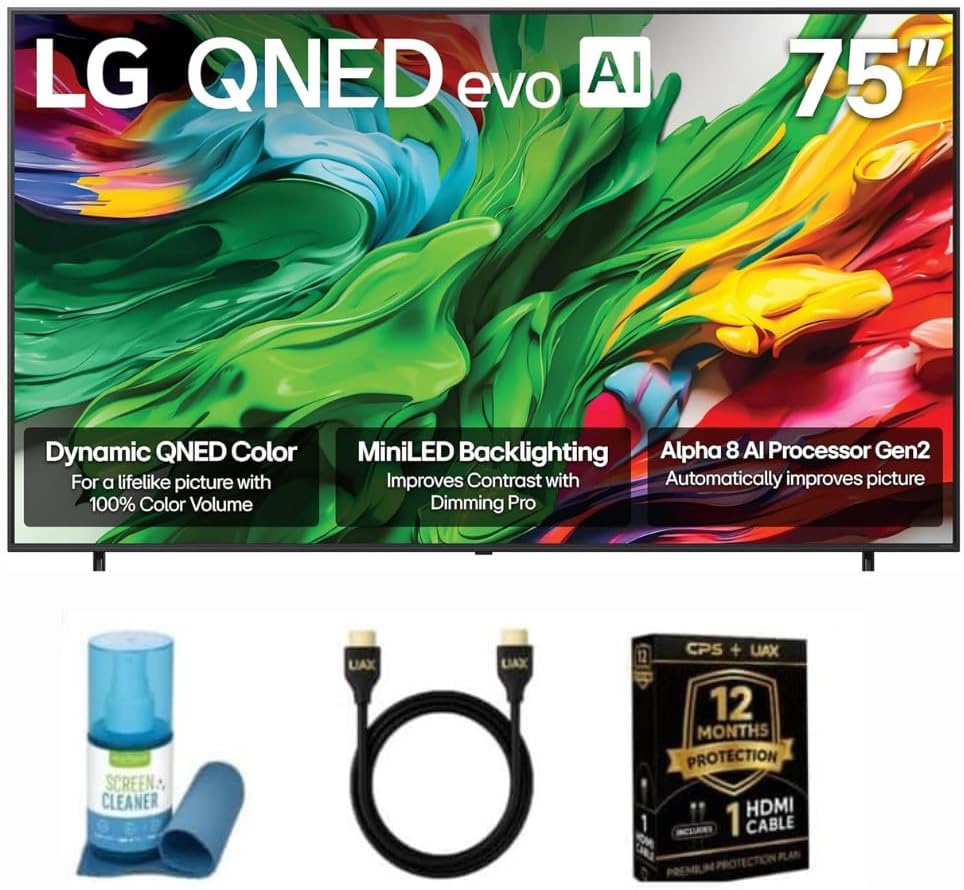
LG combines NanoCell and Mini LED technologies to produce a balanced image with vibrant colors and good contrast. The Alpha 8 processor handles upscaling and noise reduction efficiently to maintain detail in 4K content.
We may earn a commission when you buy through this link, at no additional cost to you.
WebOS 24 provides quick access to major streaming services and apps with a streamlined interface. Hands free voice control allows for convenient navigation using Alexa or Google Assistant. Game Optimizer simplifies finding optimal settings for different titles.
The price point places this in the premium segment which may be a barrier for some. The backlight zones are fewer than competing Mini LED models which may impact deep contrast. These factors reflect the brand premium.
Viewers prioritizing color accuracy and a robust smart platform will find this appealing. It delivers a premium experience that balances gaming features with high quality media consumption capabilities.
Quantum Dot and NanoCell technology combine for vibrant colors and deep contrast.
The Alpha 8 AI Processor optimizes image and sound for best viewing.
We may earn a commission when you buy through this link, at no additional cost to you.
Selecting a display optimized for modern gaming requires attention to specific technical specifications that influence performance and visual quality.
A native refresh rate of 120Hz or higher ensures that high frame rate games render smoothly without motion blur. Look for models that support true native rates rather than interpolated rates which do not match console output.
Prioritize TVs with 120Hz or higher native rates for the smoothest gameplay experience.
Variable Refresh Rate or VRR technology syncs the TVs refresh rate with the console output to eliminate screen tearing. This is essential for maintaining visual stability during intense gaming sessions where frame rates fluctuate.
Ensure the TV supports HDMI 2.1 VRR features for seamless synchronization.
Low input lag means the time between controller action and screen response is minimal. Competitive gamers need TVs with dedicated Game Modes that disable unnecessary processing to reduce latency to under 20ms.
Check independent reviews for input lag measurements to confirm responsiveness.
Mini LED and QLED backlights provide higher brightness and better local dimming than standard LED. This helps in maintaining detail in dark scenes while keeping highlights bright in HDR content.
Choose Mini LED or QLED panels for superior contrast and brightness.
An anti glare layer reduces reflections from windows or lights which can be distracting during long sessions. This feature is particularly important for living rooms with high ambient light levels.
Prioritize screens with anti glare treatments if viewing in bright rooms.
The operating system should allow easy switching between gaming inputs and streaming apps without delay. Features like a central gaming hub can consolidate services making access to cloud gaming or apps straightforward.
Evaluate the smart OS usability for quick input switching and app access.
Built-in speakers often lack the bass and depth required for immersive soundscapes. If you do not plan to use a soundbar look for models with Dolby Atmos and better speaker configuration.
Consider external audio needs when selecting built-in speaker quality.
Ensure the TV has enough HDMI 2.1 ports to connect your console and other devices simultaneously. Some models offer four ports while others may limit you which requires an HDMI switch or splitter.
Verify the number of HDMI 2.1 ports matches your device needs.
Begin by connecting your console to an HDMI 2.1 port to enable high bandwidth features like 4K at 120Hz. Enable Game Mode in the settings to minimize input lag and ensure the fastest possible response times.
Regularly update the firmware on both your TV and console to benefit from the latest compatibility patches. This helps maintain VRR stability and ensures all features work as intended after new releases.
Adjust brightness and local dimming settings based on your room lighting to reduce eye strain. Use the anti glare features if available and avoid placing the screen directly opposite bright windows.
While you can play on a 60Hz TV a 120Hz display provides smoother motion and better responsiveness for competitive titles. It allows you to see more frames per second which improves visual clarity in fast action games.
VRR synchronizes the TVs refresh rate with the games output to prevent screen tearing. It creates a smoother visual experience by adjusting the screen speed dynamically as frame rates change.
Yes to achieve 4K at 120Hz you need an Ultra High Speed HDMI cable certified for HDMI 2.1. Lower grade cables may support 120Hz but often restrict resolution or color depth options.
Activate Game Mode in the picture settings to disable post processing that adds delay. This mode optimizes the signal path for faster response times without compromising visual quality significantly.
OLED TVs typically offer the fastest pixel response times eliminating motion blur. Mini LED and QLED models are also excellent and provide higher brightness which helps in bright environments.
A 144Hz rate offers slightly higher headroom but most consoles output at 120Hz. The difference is noticeable mainly on PC gaming but 120Hz remains the standard for next gen consoles.
Modern anti glare coatings reduce reflections without significantly dulling the image. They are designed to maintain color accuracy and brightness while improving visibility in bright rooms.
If you own multiple consoles or devices buying a TV with four HDMI 2.1 ports is ideal. This avoids the need for switches and ensures every device can run at max performance simultaneously.
The Hisense 65 U7 and TCL 55 T7 offer exceptional performance for serious gamers needing speed and clarity. Both models balance advanced features with affordability for a wide range of setups.
Prioritize a native 120Hz refresh rate and HDMI 2.1 support to ensure your console performs at its peak. These technical essentials ensure smooth gameplay and accurate visual representation of modern titles.
Always verify current stock and specifications before purchasing as models update frequently throughout the year. Checking recent reviews will help confirm the unit meets your specific needs.