
EurekaMind Lite
4.4Editor score
Unlimited Transcription
Web Search Integration
Slim Credit Card Size
This guide compares the top AI meeting transcription devices for 2026, analyzing accuracy, battery life, privacy, and features to help professionals choose the
AI meeting transcription devices are revolutionizing how professionals capture and organize conversations. These smart gadgets use advanced AI to transcribe audio into text, summarize key points, and even generate actionable items. They save hours of manual note-taking and ensure no critical detail is lost during important meetings or interviews.
We evaluated ten leading AI voice recorders based on transcription accuracy, battery endurance, privacy standards, and ease of use. Our analysis includes real-world performance data, feature sets, and user feedback to provide a comprehensive comparison. We focused on devices that offer reliable offline and online capabilities for diverse professional environments.
Each product in this guide highlights unique strengths, from ultra-slim designs to enterprise-grade security. You will find detailed reviews, pros and cons, and expert recommendations tailored to different needs. Please note that prices and availability can change, so always verify current details before making a purchase decision for your workflow.
4.4Editor score

4.5Editor score

4.8Editor score
This side-by-side comparison table provides a quick overview of the key specifications and features for all ten top-rated AI meeting transcription devices reviewed in this guide.



The Plaud Note Pro stands out as a top-tier AI voice recorder designed for professionals who need reliability and advanced features. With a 4.5 rating, it offers AI directional audio that minimizes noise and captures voices with crystal clarity from up to 16.4 feet. Its ultra-slim design fits easily in pockets or card holders, making it perfect for all-day use.
We may earn a commission when you buy through this link, at no additional cost to you.
Key strengths include multimodal input, allowing users to snap photos or type notes during recording for richer context. The Ask Plaud feature lets users chat with their recordings to extract insights or draft emails. Compliance with ISO 27001, SOC 2, and HIPAA ensures that sensitive business data remains secure, which is vital for legal and medical professionals.
While the device excels in many areas, it relies heavily on the companion app for full functionality, which may limit offline usage. The initial Starter Plan includes transcription minutes, but heavy users might need to upgrade to higher plans. These trade-offs are acceptable given the device's superior audio quality and robust privacy features.
The Plaud Note Pro is ideal for executives, lawyers, and journalists who prioritize security and audio fidelity. It transforms raw meetings into actionable insights efficiently. We recommend this device for anyone seeking a premium AI note-taking solution that balances portability with powerful AI capabilities.
You can capture audio, add images, and highlight key moments simultaneously to create richer meeting records that go beyond simple audio files.
Built with global security certifications like ISO 27001 and HIPAA, ensuring that your sensitive conversations are encrypted and protected from unauthorized access.
We may earn a commission when you buy through this link, at no additional cost to you.
The Pocket AI Voice Recorder is designed for productivity enthusiasts who want seamless integration with their smartphones. With a 4.6 rating, it features MagSafe compatibility for hands-free recording on iPhones. Its one-tap recording ensures you never miss a moment, while automatic transcription and summarization keep you organized without manual effort.
We may earn a commission when you buy through this link, at no additional cost to you.
Strengths include a four-day battery life, perfect for travelers or professionals with back-to-back meetings. The device turns conversations into structured maps and action items, helping users review content quickly. The Ask Pocket feature allows instant questions about recordings, providing accurate answers grounded in the audio context.
However, the device is most effective when used with MagSafe-enabled iPhones, limiting flexibility for Android users. Some advanced features may require optional subscriptions, though core tools are included out of the box. These limitations are minor compared to the convenience it offers for daily productivity tasks.
Pocket is best suited for iPhone users who need a reliable, portable assistant for meetings and ideas. It simplifies note-taking significantly and fits well into mobile workflows. We recommend it for those who value ease of use and long battery endurance over complex offline capabilities.
The magnetic attachment allows you to secure the device to your phone effortlessly, enabling recording without holding it or fumbling with settings.
Automatic summarization and action item extraction transform raw audio into organized notes, saving time on manual review and follow-up tasks.
We may earn a commission when you buy through this link, at no additional cost to you.
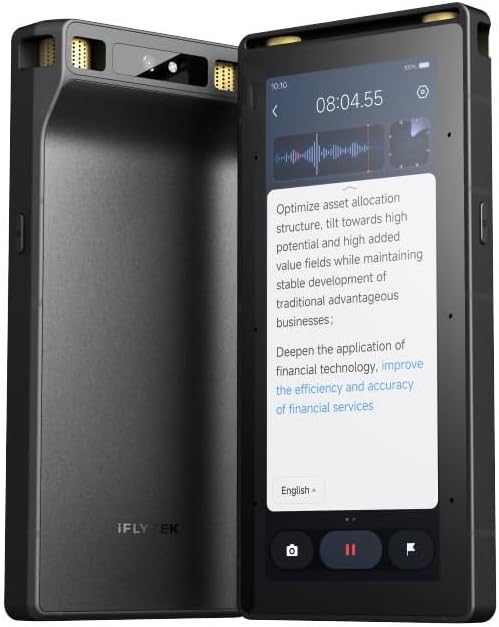
EurekaMind Lite offers a budget-friendly entry into AI transcription without compromising core functionality. With a 4.4 rating, it provides unlimited free transcription and AI summaries, making it accessible for students and freelancers. Its credit-card-sized design is ultra-portable, and the built-in Ask AI can search the web for deeper insights beyond your recordings.
We may earn a commission when you buy through this link, at no additional cost to you.
The device features smart speaker recognition and highlights action items automatically. Security standards like ISO 27001 and GDPR compliance ensure data privacy. One-tap recording works for both ambient conversations and phone calls, adapting to different scenarios seamlessly. This flexibility makes it a versatile tool for various professional needs.
Some advanced features like calendar sync require premium upgrades, which may be a drawback for power users. The Lite plan focuses on essentials, so users needing deep analysis might find it limited. However, for basic transcription and summarization, it delivers excellent value for the price.
EurekaMind Lite is perfect for users who need reliable transcription without ongoing subscription costs. Its compact size and web search feature add unique value. We recommend it for budget-conscious professionals who prioritize unlimited transcription and privacy.
Get unlimited transcription and AI summaries included in the Starter Plan, removing the barrier of monthly fees for casual users.
Ask AI can search the web to provide context and insights related to your conversations, enriching your notes with external information.
We may earn a commission when you buy through this link, at no additional cost to you.
The Comulytic Note Pro combines professional audio quality with advanced AI features for diverse users. With a 4.4 rating, it uses a triple-mic array to capture clear audio in noisy environments. Its Wi-Fi sync is ten times faster than Bluetooth, ensuring quick file transfers without interrupting recording sessions.
We may earn a commission when you buy through this link, at no additional cost to you.
Key strengths include 64GB local storage and unlimited cloud backup for security. The device supports 113 languages and includes a real-time translator for global communication. A vertical knowledge base tailors industry terms for real estate or finance professionals, improving transcription accuracy significantly.
Users may need a premium subscription for advanced features like Deep Dive Analysis. Battery life is solid at 45 hours but trails some competitors offering 70 hours. These trade-offs are minor given the device's robust feature set and focus on user privacy with CCPA compliance.
This device is ideal for multinational teams and professionals needing fast syncing and language support. It delivers reliable performance for meetings and interviews. We recommend it for those who value connectivity speed and multi-language capabilities.
Files transfer at up to ten times Bluetooth speed, allowing you to keep working without waiting for uploads after recordings.
Industry-specific terminology is captured accurately for fields like law and finance, ensuring technical discussions are transcribed correctly.
We may earn a commission when you buy through this link, at no additional cost to you.
Comu Action Pro excels at turning conversations into professional documents automatically. With a 4.8 rating, it offers a dedicated AI button to draft slides, emails, and reminders without prompts. The six-mic setup including a bone conduction mic ensures clear call recordings even in crowded rooms.
We may earn a commission when you buy through this link, at no additional cost to you.
Strengths include an impressive 70-hour battery life, ideal for long trips or conferences. MagSafe compatibility adds convenience for iPhone users. The device supports 113 languages and provides editable follow-up materials, saving significant time on post-meeting tasks.
The premium price reflects its advanced capabilities, but the ROI on productivity is high. Some users may need time to master the AI document generation features. However, once mastered, these tools streamline workflows effectively for busy professionals.
This device is best for executives and consultants needing comprehensive document drafting. It reduces post-meeting work significantly. We recommend it for those who want an all-in-one assistant for recording and document creation.
Conversations are transformed into editable slides, emails, and to-do lists automatically, eliminating manual drafting and speeding up follow-ups.
Internal phone vibrations are captured for crystal clear call recordings, ensuring no words are missed during important client conversations.
We may earn a commission when you buy through this link, at no additional cost to you.
This recorder is designed for global collaboration with support for 150 languages. With a 4.5 rating, it uses GPT-5.5 for high accuracy and deep conversation analysis. The rugged aluminum body withstands drops, and the OLED screen monitors status easily. Sixty-four gigabytes of storage holds hundreds of hours of audio.
We may earn a commission when you buy through this link, at no additional cost to you.
Key strengths include end-to-end encryption and a generous free AI package of 360 minutes per month. The included desktop software provides advanced editing and export capabilities. This ecosystem supports professional workflows from recording to archiving efficiently.
The device may be overwhelming for simple users due to extensive features. Battery life is decent but not the longest. However, the language support and security features make it a top choice for international business and research.
It suits multinational teams and researchers needing multi-language accuracy. We recommend it for users requiring robust data control and comprehensive translation capabilities.
Support for 150 languages ensures no nuance is missed in international meetings, with accurate transcription for diverse accents and jargon.
Full control over your data with end-to-end encryption, allowing secure export and management without third-party data sharing.
We may earn a commission when you buy through this link, at no additional cost to you.
Plaud Note Non-Pro offers a slim alternative to the Pro version. With a 4.5 rating, it features ultra-slim design and 64GB local storage for offline recording. It uses a vibration conduction sensor for clear phone call capture, ensuring internal sounds are recorded accurately.
We may earn a commission when you buy through this link, at no additional cost to you.
Strengths include global security standards like ISO and HIPAA compliance. The device generates structured insights using leading AI models. Cross-device sync ensures you can access notes on desktop or mobile, maintaining workflow flexibility without physical tethering.
Advanced multimodal features are less extensive than the Pro model. Users may need a subscription for higher transcription limits. Despite this, it remains a top choice for those prioritizing portability and privacy at a lower cost.
Ideal for travelers and privacy-conscious users who need a discreet recorder. We recommend it for those wanting core transcription features in a minimal package.
Store up to 64GB locally to record without internet, ensuring meetings are captured even in low-connectivity zones.
Captures internal phone sounds for clear call recordings, avoiding background noise issues common in standard microphones.
We may earn a commission when you buy through this link, at no additional cost to you.
This device is unique for its offline transcription and translation capabilities. With an eight-mic array, it captures audio up to 20 meters away, making it suitable for large halls. The device includes offline OCR and video subtitling for secure cross-border communication without data leakage.
We may earn a commission when you buy through this link, at no additional cost to you.
Strengths include three-tier hardware encryption and real-time projection for live transcription during meetings. A five-year Pro membership is included, adding significant value for premium features. This setup ensures sensitive data remains private and local.
The offline language count is smaller than online options, limiting global translation use cases. The price is higher due to offline hardware capabilities. However, for security-sensitive environments, it offers unmatched peace of mind.
Best for government and defense professionals needing offline security. We recommend it for those prioritizing privacy and hardware-level control over cloud processing.
Transcription and translation occur directly on the device, ensuring no internet connection is required for secure data handling.
Live transcriptions can be projected to screens during meetings, enhancing collaboration and ensuring real-time understanding.
We may earn a commission when you buy through this link, at no additional cost to you.
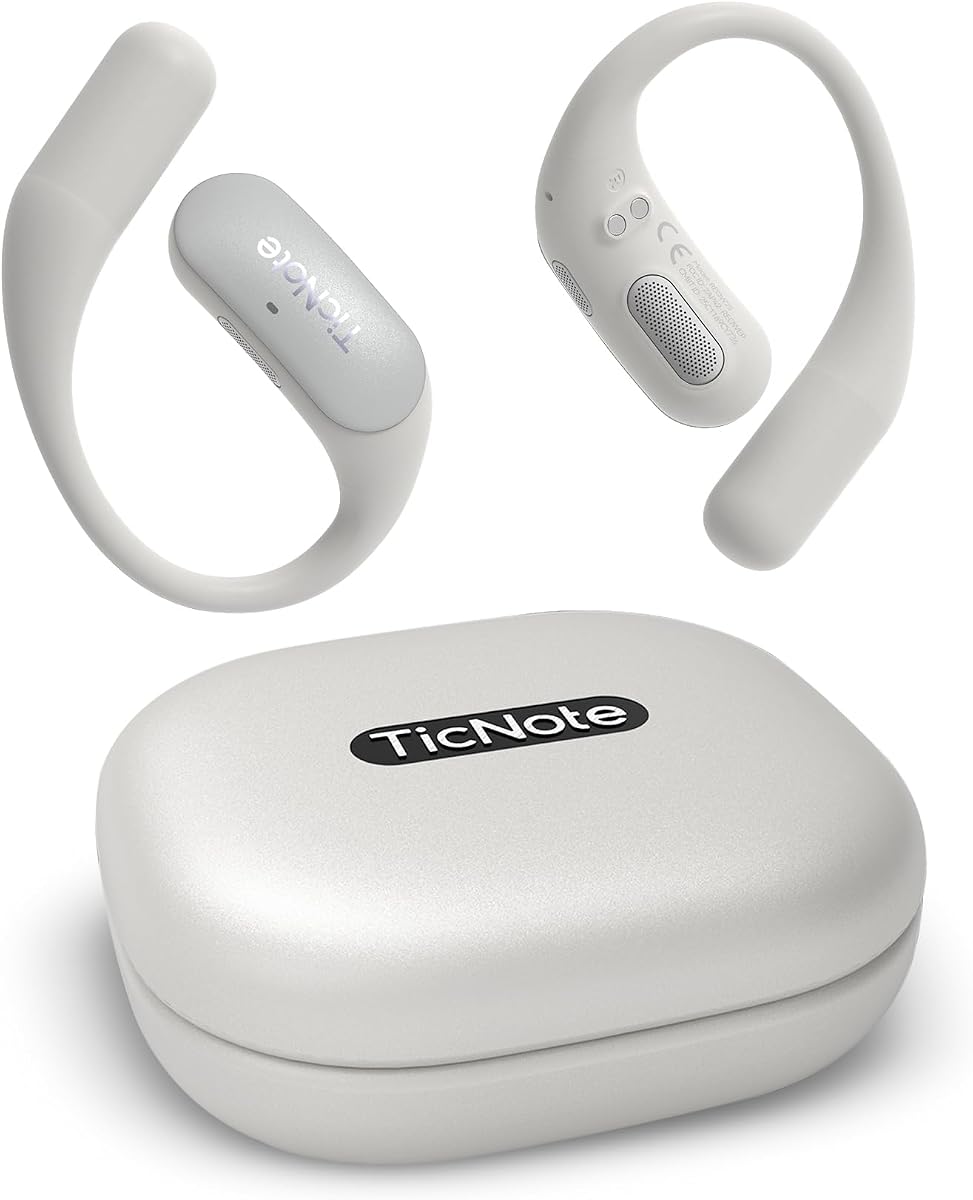
Mobvoi TicNote Pods are designed as a wearable voice recorder for active users. With a 4.1 rating, it uses voice-activated recording to capture conversations hands-free. Dual-mic arrays with noise cancellation ensure clear audio up to 10 meters away. It supports over 120 languages for accurate transcription.
We may earn a commission when you buy through this link, at no additional cost to you.
Strengths include team collaboration features with encrypted cloud storage. The Shadow AI organizes content into useful outputs for work and follow-up. Thirty-two gigabytes of local storage supports thousands of hours of recordings, ensuring you never run out of space.
Battery life is only 5 hours, which may limit all-day events without charging. It relies heavily on WiFi for cloud sync. However, for office work and classroom settings, its lightweight design is a significant advantage.
Ideal for students and remote workers in WiFi-rich environments. We recommend it for those wanting a discreet, hands-free note-taking solution.
Share notes and transcripts securely with your team, supporting collaborative editing and version history for better workflow alignment.
Built-in Shadow AI helps organize raw information into structured outputs, making it easier to prepare reports or presentations.
We may earn a commission when you buy through this link, at no additional cost to you.
Comulytic Note Pro II continues the legacy of fast syncing and AI precision. With a 4.2 rating, it supports 113 languages and provides industry-specific vertical knowledge bases. Unlimited cloud backup ensures data safety, while AES encryption protects sensitive files.
We may earn a commission when you buy through this link, at no additional cost to you.
Key strengths include a free Starter Plan with unlimited transcription, reducing initial costs. The device supports Wi-Fi sync for rapid transfers and maintains high accuracy across diverse professional fields. Customer service is responsive, ensuring smooth setup and troubleshooting.
Battery life remains consistent with the earlier model, which may be insufficient for long trips. Advanced features like Instant Abstract require upgrades. However, for daily use, it offers reliable performance and robust connectivity options.
Suitable for professionals needing seamless cloud backup and translation. We recommend it for businesses looking for a scalable solution with free core features.
Store your recordings securely in the cloud without limits, ensuring you never lose important data even if the device is lost.
Get unlimited transcription and summaries at no extra cost, making professional-grade tools accessible immediately.
We may earn a commission when you buy through this link, at no additional cost to you.
Selecting the right device involves evaluating features like transcription accuracy, battery life, and privacy. Below are key factors to consider.
Accuracy is critical for professional use. Look for devices offering high accuracy rates and support for multiple languages if you work internationally. Some devices use advanced models like GPT to improve context understanding.
Consider your usage patterns. Devices with 30 to 70 hours of battery life suit all-day meetings. Ensure fast charging capabilities to minimize downtime during busy schedules.
Sensitive data requires protection. Check for certifications like ISO 27001, HIPAA, or CCPA. End-to-end encryption ensures only you can access your transcripts and recordings.
Wi-Fi sync is faster than Bluetooth for large files. Some devices offer offline modes for security or travel. Ensure the device supports your preferred connectivity methods.
Devices should be slim and lightweight for discreet use. Magnetic or MagSafe designs add convenience for hands-free recording in meetings.
Some devices require monthly fees for advanced AI features. Evaluate the value of included Starter Plans versus premium upgrades to fit your budget.
If you work in secure environments, offline transcription may be necessary. Some devices support offline processing for sensitive data without internet exposure.
Look for tools like auto-generated summaries, action items, or document drafts. These features enhance productivity by turning audio into ready-to-use reports.
Start by recording a test audio to familiarize yourself with the interface. Use one-tap recording for quick capture of meetings or interviews.
After recording, sync files to the cloud or desktop using Wi-Fi to ensure data safety. Review generated transcripts for accuracy and edit if necessary.
Keep the device charged and store it in a protective case to prevent damage. Regularly update the app for new features and improved transcription models.
Legality depends on local laws regarding consent. Many jurisdictions require two-party consent. Always inform participants and obtain their permission before recording.
Most devices require internet for cloud sync and AI processing, but some offer offline modes. Check specific models if you need offline capabilities for security or travel.
Leading devices use end-to-end encryption and comply with standards like ISO 27001 and HIPAA. Data is encrypted both in transit and at rest to protect privacy.
Yes, many models offer specific call modes using vibration sensors or built-in mics to capture both sides of a conversation clearly.
Apps provide organization tools like tags, folders, and speaker labels. Sync to desktop software for advanced editing and archiving across devices.
Most devices have low-battery alerts. Ensure you carry a charger or power bank for extended sessions. Some models save data locally before shutting down.
The Plaud Note Pro, EurekaMind Lite, and Comu Action Pro stand out as top picks for their balance of accuracy, battery life, and features. Each device offers unique strengths tailored to different professional needs.
Prioritize privacy compliance and battery life if you handle sensitive data or long meetings. For those needing document generation, devices like Comu Action Pro excel in productivity.
Remember to check current prices and availability before purchasing. Technology evolves quickly, so verifying the latest features ensures you make the right choice for your workflow.