
KICKDOT Mobile Gaming Controller
4.4Editor score
TMR Joysticks for 10x Precision
15 Hours Non-Stop Gaming Time
Programmable Back Paddles and Macros
Discover the top 10 Android Joystick Controller options for mobile gaming. This guide compares Hall Effect sticks, battery life, compatibility, and features to
Mobile gaming has evolved significantly, and physical controllers now offer superior precision over touchscreens. An Android Joystick Controller brings console-like comfort to your phone. Whether playing competitive shooters or immersive RPGs, the right device enhances control and reduces fatigue during long sessions.
We evaluated ten top models based on sensor quality, build durability, and platform support. Our analysis focuses on Hall Effect technology, battery capacity, and ergonomic design. Each product was reviewed for connectivity stability and customization options to ensure a reliable gaming experience across various titles.
This list showcases detailed reviews, pros, cons, and technical specs for every pick. Prices and availability change frequently, so verify current details before purchasing. We aim to provide honest insights to help you find the ideal Android Joystick Controller for your specific needs and budget.
4.4Editor score

4.4Editor score
4.1Editor score
This side-by-side comparison highlights key specifications across all ten models. We look at connection types, battery capacity, sensor technology, and unique features to help you identify the best fit for your gaming style.


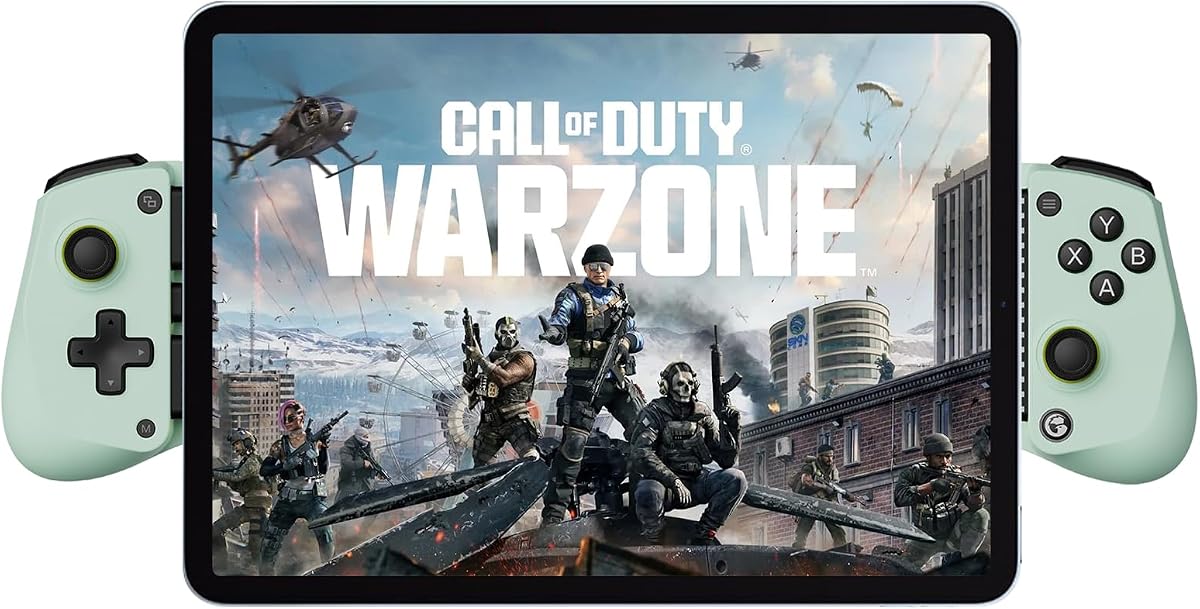

The Mocagen MC1 Phone Controller stands out as a top choice for Android gaming. It features Hall Effect joysticks that ensure precise control without drift. With a rating of 4.4 stars, it is trusted by users for reliability and comfort.
We may earn a commission when you buy through this link, at no additional cost to you.
Its standout quality is the electromagnetic induction technology that prevents wear. This makes it durable for intense gaming sessions. The ergonomic grip reduces fatigue, and the RGB ring adds a nice aesthetic touch. You can customize buttons using the KeyLinker app for tailored gameplay.
While the battery lasts 6 hours, it is not the longest in the category. The RGB lights drain power quickly if kept on bright settings. However, this is acceptable given the high-quality sensors and durable build quality it offers.
This controller is ideal for mobile gamers who prioritize precision and comfort. It works well with cloud gaming and native titles. If you want a reliable Android Joystick Controller that handles daily use well, this is a strong recommendation.
The Hall Effect sensors use magnetic induction to register movement. This eliminates physical contact friction that causes stick drift over time.
Textured grips and balanced weight distribution make long sessions comfortable. The design reduces hand strain during extended play.
We may earn a commission when you buy through this link, at no additional cost to you.
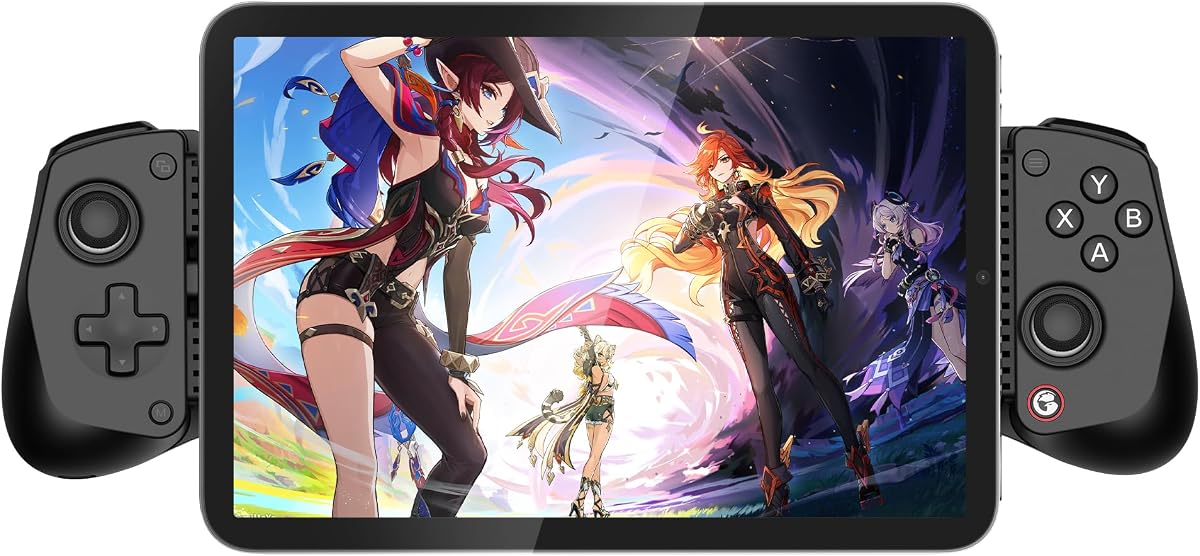
The KICKDOT Mobile Gaming Controller delivers premium features for serious Android gamers. It uses TMR technology for 10x better precision than Hall Effect. With a 4.4 rating, it is praised for its advanced sensor accuracy and long battery life.
We may earn a commission when you buy through this link, at no additional cost to you.
Its unique TMR sensors consume less power, enabling 15 hours of playtime. This is double the average battery life in this category. The programmable back paddles allow complex macros, enhancing competitive play in shooters and action titles.
The controller requires standard cases to fit properly, which limits some protection options. The price is higher than budget models, but the performance justifies the cost for enthusiasts. It supports Switch 2, ensuring future-proof compatibility.
Choose this if you demand top-tier precision and endurance. It excels in competitive scenarios where every millisecond matters. For a premium Android Joystick Controller that maximizes control and playtime, this model is the clear winner.
Tunneling Magnetoresistance provides ultra-smooth aiming with minimal power draw. This technology reduces battery strain while boosting accuracy.
Record complex button sequences and trigger them instantly with back paddles. This gives a competitive edge in RPGs and strategy games.
We may earn a commission when you buy through this link, at no additional cost to you.
The GameSir X5 Lite offers excellent value for budget-conscious mobile gamers. It includes Hall Effect sensors for reliable control at a low cost. With a 4.1 rating, users appreciate its lightweight build and pass-through charging feature.
We may earn a commission when you buy through this link, at no additional cost to you.
Its main strength is convenience during long sessions. You can play while charging the phone, avoiding battery anxiety. The controller is ultra-light, reducing hand fatigue. The Type-C connection ensures stable gameplay without wireless lag.
It lacks advanced features like back paddles or extensive customization apps. The membrane buttons are quiet but may feel less tactile than mechanical switches. These trade-offs are acceptable given the competitive pricing and solid core performance.
This is perfect for casual players who want better control without high costs. It supports major mobile titles and cloud gaming well. If you seek an affordable Android Joystick Controller with essential high-quality features, this is a smart buy.
Connect your phone to power while playing via the controller port. This ensures you never run out of battery during critical game moments.
Weighing only 135g, it feels almost invisible in your hands. This ergonomic advantage helps during marathon gaming sessions.
We may earn a commission when you buy through this link, at no additional cost to you.
The 8Bitdo Ultimate Mobile Gaming Controller is a strong option for Xbox and Android users. It is officially licensed, ensuring seamless cloud gaming. With a 4.3 rating, it delivers high precision and a familiar console layout.
We may earn a commission when you buy through this link, at no additional cost to you.
It features upgraded Hall Effect joysticks and metal rings for durability. The two back paddles add functionality without software. Its stretchable design fits most phones securely. The Xbox integration makes it ideal for Game Pass streaming.
Android app support is weaker compared to iOS features. The battery capacity is not explicitly stated, which might limit long sessions. However, the build quality and official licensing make it a trustworthy choice for serious gamers.
Choose this if you play Xbox games on Android or want a familiar feel. It blends mobile flexibility with console reliability. For a premium Android Joystick Controller with official support, this model is a top contender.
Being officially licensed means instant recognition by Xbox services. You skip complex pairing and get native input support immediately.
Metal rings and robust triggers resist wear over time. The controller feels premium and sturdy in daily use.
We may earn a commission when you buy through this link, at no additional cost to you.
The Mocagen MC1 Phone Controller is another strong entry focusing on endurance. It offers a 5M cycle lifespan for joysticks, reducing replacement needs. With a 4.4 rating, it is valued for its reliability and ergonomic design.
We may earn a commission when you buy through this link, at no additional cost to you.
Its high lifespan makes it ideal for frequent users. The laser-engraved texture provides a secure grip without slipping. You can adjust turbo speeds for different game genres, adding flexibility. The dual motors enhance immersion in action titles.
The RGB lights add flair but may drain battery faster. The need for the KeyLinker app to customize settings adds a small setup step. These are minor issues compared to the robust build quality and performance.
This is great for travelers or heavy mobile gamers. It protects the phone by fitting cases and resists wear. If you want an Android Joystick Controller that lasts and feels comfortable, this is a solid pick.
The compact design and case-friendly clamps make it easy to carry. It fits in bags and protects your phone while gaming on the move.
Adjustable turbo allows rapid fire without physical clicking. This helps in intense battles and reduces finger fatigue significantly.
We may earn a commission when you buy through this link, at no additional cost to you.
The GameSir G8 Plus Bluetooth controller bridges mobile and console gaming well. It supports Switch, iOS, and Android with Hall Effect sensors. With a 4.3 rating, users like its versatile connectivity and console-style comfort.
We may earn a commission when you buy through this link, at no additional cost to you.
It uses Hall sensors on both sticks and triggers for smooth control. The gyro enhances motion games like shooter titles. Interchangeable parts let you customize the look and feel. This flexibility is rare in this price range.
Battery life is split into two 500mAh sides, limiting total usage to 5 hours per charge. Wired PC support requires an adapter. However, the multi-device support justifies the battery trade-off for versatile players.
This is perfect for those who game across multiple devices. It works seamlessly for Steam Link and Xbox Play too. If you need a reliable Android Joystick Controller with console quality, this is a great choice.
Sticks and buttons are sized like a standard console pad. This familiar layout reduces learning time and improves accuracy.
Swappable parts let you personalize your controller easily. You can change colors or add accessories for unique setups.
We may earn a commission when you buy through this link, at no additional cost to you.
The 8Bitdo Ultimate 2C Wireless focuses on speed and response for Android. It offers a 1000Hz polling rate via 2.4G wireless. With a 4.4 rating, it is praised for its low latency and responsive triggers.
We may earn a commission when you buy through this link, at no additional cost to you.
Extra L4/R4 bumpers allow button remapping without software. Hall effect triggers provide precise input for racing or shooter games. This setup suits competitive play where fast reactions are critical. The transparent design looks sleek and unique.
It does not support Xbox Cloud directly like other models. The app support on Android is limited compared to iOS. These are acceptable limits if you prioritize raw input speed over cloud integration.
Choose this if you play emulators or PC-style games on Android. It mimics a PC controller's performance well. For a responsive Android Joystick Controller with extra buttons, this is a powerful option.
1000Hz ensures inputs register instantly. This reduces lag and improves timing for fast-paced games.
L4/R4 bumpers offer four more inputs than standard pads. You can map skills or actions without software.
We may earn a commission when you buy through this link, at no additional cost to you.
The Wireless Phone Controller for iPhone is designed to handle Android and iOS cloud gaming. It supports Xbox Game Pass and Steam Link reliably. With a 4.3 rating, users value its stable connection and long battery life.
We may earn a commission when you buy through this link, at no additional cost to you.
It offers adjustable turbo speeds for different games, from 5 to 20 shots per second. The 8-hour battery ensures you can play without interruption. Its extendable design fits many phones comfortably without removing the case.
Resetting may be needed if the connection glitches, but this is quick to fix. The lack of macro recording limits complex custom setups. Still, it provides solid performance for most cloud gaming scenarios.
This is ideal for cloud gamers who want simplicity. It works well with major services and mobile titles. If you need a dependable Android Joystick Controller for streaming games, this is a practical choice.
Native support for major streaming services means instant play. You avoid complex configurations and focus on the game.
With 8 hours of life, it lasts through daily sessions easily. This reduces the need for frequent charging during play.
We may earn a commission when you buy through this link, at no additional cost to you.
The GameSir X5 Lite Mobile offers a straightforward USB-C experience for Android. It plugs directly into the port for instant play. With a 4.3 rating, users appreciate its ease of use and lightweight design.
We may earn a commission when you buy through this link, at no additional cost to you.
Its wired connection eliminates Bluetooth lag, ensuring precise inputs. The pass-through charging allows you to game while recharging the phone. The Turbo function adds utility for rapid inputs in games without complex setup.
It lacks wireless capability, which limits portability. The app is available only on Android, restricting iOS users. Still, for those who prefer stability over wireless freedom, it is a great option.
Choose this if you dislike Bluetooth pairing and want reliability. It works well for Android devices with USB-C. If you need a no-frills Android Joystick Controller with charging, this is a smart buy.
Direct USB-C connection means zero wireless delay. This ensures your inputs match exactly what happens on screen.
Plug it in and start playing without apps or pairing. This reduces setup time and technical issues significantly.
We may earn a commission when you buy through this link, at no additional cost to you.
The XPT Portable Mini Controller is designed for pocket travel on Android. It is tiny but packs 3D sticks and gyro. With a 3.9 rating, it is valued for its portability despite some grip limitations.
We may earn a commission when you buy through this link, at no additional cost to you.
Its tiny size fits in any pocket for quick play anywhere. It works with Switch 2, iOS, and Android seamlessly. Dual rumble motors and gyro add depth to gameplay. This makes it unique for travelers.
Small hands benefit most; larger hands may find it cramped. The build is lighter than premium models, affecting longevity. But for on-the-go gaming, its convenience is unmatched.
This is perfect for commuters or casual gamers. It turns any phone into a handheld console. If you want the most portable Android Joystick Controller, this is the best fit.
It fits in any pocket and pairs instantly. This makes gaming on transit or trips possible without bulk.
It supports Switch 2 and 1 for seamless play. You can use it for handheld mode easily and effectively.
We may earn a commission when you buy through this link, at no additional cost to you.
Choosing the right Android Joystick Controller involves evaluating sensors, battery, and compatibility. This guide breaks down key factors to help you find a device that matches your play style and budget.
Sensor technology determines precision and durability. Hall Effect sensors use magnets to avoid physical wear, reducing drift. TMR sensors offer even higher accuracy but cost more. Look for non-contact designs to ensure your controller lasts years without drift issues.
Prioritize controllers with Hall Effect or TMR sensors. These reduce mechanical wear and provide smooth, consistent input over time.
Connection type affects latency and setup. Bluetooth offers wireless freedom but may have slight lag. Wired Type-C connections provide zero lag but limit mobility. Some models support 2.4G wireless for a middle ground. Choose based on your preference for mobility versus absolute precision.
Select Bluetooth for cloud gaming or wired for competitive titles. Balance your need for mobility with input accuracy.
Battery life impacts how long you can play without recharging. Most controllers offer 6 to 15 hours. RGB lighting and high polling rates drain battery faster. Models with efficient sensors extend playtime. Check capacity if you plan long sessions.
Look for at least 8 hours of battery life. Higher efficiency allows longer play without interruption.
Ergonomics determine comfort during long sessions. Full-size grips reduce hand fatigue better than mini controllers. Textured surfaces prevent slipping. A balanced weight ensures stability. If you play for hours, choose a model with adjustable or large grips.
Prioritize full-size controllers with textured grips. This ensures comfort and reduces strain during extended use.
Customization lets you tailor inputs to games. Remappable buttons and turbo features give flexibility. Some apps allow macro recording. Not all Android devices support these apps fully. Check if the controller offers on-the-fly customization.
Ensure the device supports remapping without extra hardware. This adds versatility for different game genres.
Compatibility ensures it works with your games and platforms. Some support Xbox Game Pass, Steam Link, or Switch 2. iOS often requires MFi certification. Cloud gaming needs low latency. Verify the device supports your specific app needs.
Check if the controller works with your preferred gaming apps. Broad compatibility ensures you can play various titles.
Build quality reflects durability and lifespan. Metal parts resist wear better than plastic. Look for reinforced buttons and joysticks. High-cycle ratings indicate longevity. A sturdy build prevents breakage during intense gameplay.
Choose controllers with metal accents and high cycle ratings. This ensures the device withstands daily use.
Price affects affordability without sacrificing quality. Budget models under $30 may lack features. Premium models offer better sensors and battery. Balance cost with features you actually use. The best value depends on your gaming habits.
Pick a controller that fits your budget and offers needed features. Avoid paying for unused premium extras.
To start using your controller, enable Bluetooth on your Android device and pair it by holding the Home button until the LED flashes. For wired options, simply plug the Type-C cable into your phone. Once paired, launch a supported game and ensure settings recognize the controller input.
To maximize battery life, turn off RGB lights when not needed and avoid overcharging. Store the device in a cool, dry place to prevent heat damage. Clean the grips and buttons with a dry cloth to remove oils and dust.
Update firmware regularly via the companion app if available to fix bugs and improve performance. Adjust turbo settings based on the game genre. Avoid dropping the controller to prevent internal sensor misalignment.
The KICKDOT Mobile Gaming Controller is excellent for cloud gaming due to its low latency and long battery life. It supports Xbox Game Pass and Steam Link effectively. Ensure you have a stable internet connection to minimize network lag.
Yes, Hall Effect sensors are better because they use magnetic fields instead of physical contact. This prevents stick drift and increases lifespan. They provide smoother and more precise input for competitive mobile games.
Many models like the GameSir X5 Lite work with iPhone but may require Type-C adapters. Ensure the controller supports iOS pairing protocols. Some Android-specific features might not function on iPhone devices.
Most Hall Effect controllers do not suffer from drift. If you experience drift, reset the controller via the app or check for firmware updates. In rare cases, recalibrating the app may resolve the issue.
A turbo function allows you to rapidly tap a button automatically. This helps in games needing quick inputs like shooters. It reduces finger fatigue and improves reaction speed during intense gameplay.
With proper care, a quality controller can last years. Hall Effect sensors ensure the joysticks last 5 million cycles. Regular cleaning and avoiding drops will help maintain performance over time.
Most require companion apps to map buttons and adjust settings. Ensure you download the correct app for your device. Some models allow basic changes without software but advanced features need app support.
The GameSir X5 Lite supports devices up to 213mm, making it great for large phones. The Mocagen MC1 also accommodates cases up to 12mm. Always check the clamp limits before buying.
We reviewed ten top Android Joystick Controller options to help you find the right match. The Mocagen MC1 leads in value and reliability. KICKDOT stands out for precision and battery life. GameSir X5 Lite offers the best budget option.
Prioritize sensor technology and battery life based on your needs. Wireless freedom matters for cloud gaming, while wired options suit competitive play. Comfort and ergonomics are vital for long sessions.
Prices change often, so check current listings before purchasing. Verify compatibility with your phone model. This guide ensures you choose a device that enhances your mobile gaming experience effectively.