
AOC 22B30HM2
4.7Editor score
Fast 100Hz refresh rate
VESA mount compatible
Frameless design
Finding the right display can transform your computing experience. AOC monitors offer a wide range of options for gamers and professionals alike. This guide helps you select the perfect screen for your needs and budget.
We have compared ten top models based on performance, design, and user feedback. Each product brings unique strengths to the table. Our analysis ensures you understand what sets each option apart.
Every pick highlights key features and real-world performance. Prices fluctuate frequently so check current listings. Use this guide to make an informed decision for your setup today.
4.7Editor score

4.6Editor score
4.4Editor score
As an Amazon Associate we earn from qualifying purchases.
Here is a side-by-side look at all ten models to help you compare specs and features quickly.


This monitor stands out with its 27-inch QHD display and incredible 260Hz refresh rate. It delivers smooth visuals and vibrant colors ideal for competitive gaming. Users appreciate the balance of performance and price in this category.
We may earn a commission when you buy through this link, at no additional cost to you.
The 240Hz native rate with 260Hz overclocking ensures fluid motion. Adaptive-Sync prevents screen tearing across AMD and NVIDIA GPUs. The IPS panel provides wide viewing angles and precise image quality for detailed visuals.
Tilt adjustment is available but height customization is limited. HDR performance is decent but not class-leading. These trade-offs are acceptable given the speed and color performance it delivers at this price point.
Competitive gamers seeking speed and clarity will love this display. It is perfect for fast-paced titles and immersive single-player experiences. Consider this if you prioritize motion smoothness and color fidelity above all else.
The ultra-fast refresh rate and response time eliminate blur during fast action.
QHD resolution combined with IPS technology ensures sharp and accurate colors.
We may earn a commission when you buy through this link, at no additional cost to you.
This model offers incredible speed at a budget-friendly price. It features a 200Hz refresh rate and crisp Full HD visuals. Gamers on a tight budget will find it hard to beat for performance.
We may earn a commission when you buy through this link, at no additional cost to you.
The 200Hz refresh rate ensures smooth motion in fast games. Wide color gamut coverage delivers vivid images. Its frameless design makes it perfect for multi-monitor setups or compact desks.
Color depth is standard for this class and lacks advanced features like USB hubs. These omissions are expected at this price. You get focused gaming performance without unnecessary extras driving up cost.
Ideal for budget-conscious gamers or console users. It supports up to 120Hz on consoles for enhanced fluidity. Choose this if you want high refresh rates without overspending.
Delivers 200Hz refresh rates that rival more expensive competitors.
Optimized for next-gen consoles with low latency and high frame support.
We may earn a commission when you buy through this link, at no additional cost to you.
This monitor brings OLED technology to gaming with stunning visual fidelity. It features genuine blacks and extreme color accuracy. It represents the top tier of AOC's lineup for image quality.
We may earn a commission when you buy through this link, at no additional cost to you.
The self-luminous OLED panel provides perfect blacks and over 1 billion colors. A 240Hz refresh rate and 0.03ms response ensure smooth gameplay. HDR10 support enhances contrast and detail in supported content.
The price is significantly higher than LCD alternatives. OLED panels carry inherent burn-in risks requiring careful usage. These factors are worth it for enthusiasts seeking the absolute best visual experience.
Enthusiast gamers and content creators will appreciate this display. It is perfect for HDR gaming and color-critical tasks. Choose this if you want unmatched contrast and color performance.
Individual pixels light up independently for perfect blacks and infinite contrast.
Lighting effects and wide gamut create a truly immersive environment.
We may earn a commission when you buy through this link, at no additional cost to you.
Designed for multimedia and productivity this monitor offers a crisp 4K display. It features built-in speakers and an IPS panel for clear viewing. It is a great choice for work and casual use.
We may earn a commission when you buy through this link, at no additional cost to you.
The 3840 x 2160 resolution delivers sharp text and fine details. Over 1 billion colors ensure accurate and rich visuals. Wide viewing angles make it comfortable for collaborative work sessions.
Lacks adaptive sync which limits gaming smoothness. Brightness is typical for office environments but may struggle in bright rooms. These limitations are acceptable for a productivity-focused display.
Ideal for professionals and home users needing screen real estate. Perfect for document editing media consumption and casual gaming. Select this if you value clarity and convenience over speed.
4K resolution ensures text and graphics appear sharp and readable.
Integrated speakers eliminate the need for external audio devices.
We may earn a commission when you buy through this link, at no additional cost to you.
This monitor combines a large 27-inch screen with high refresh rates. It supports NVIDIA G-SYNC compatible features for tear-free gameplay. It is a strong contender for those prioritizing smoothness.
We may earn a commission when you buy through this link, at no additional cost to you.
The 260Hz overclocked refresh rate delivers ultra-smooth motion. Adaptive-Sync technology keeps visuals fluid with your GPU. Flicker-free technology helps reduce eye strain during long gaming sessions.
Full HD resolution on a 27-inch panel may appear less sharp than QHD. Ergonomics are limited to tilt adjustment only. These trade-offs are common at this price point for high refresh.
Great for budget gaming setups requiring speed. Perfect for competitive players needing fast response. Choose this if you want a large screen and high refresh without paying premium.
Overclocked refresh ensures seamless motion in fast-paced titles.
Flicker-free technology reduces strain during extended usage.
We may earn a commission when you buy through this link, at no additional cost to you.
This 32-inch curved monitor wraps around your field of view. It features a VA panel for deep blacks and high contrast. Gamers seeking immersion will find this model compelling.
We may earn a commission when you buy through this link, at no additional cost to you.
The 1500R curvature enhances immersion significantly. Wide color gamut covers over 120% of sRGB for lifelike visuals. A 180Hz refresh rate ensures smooth action in fast-paced games.
VA panels have narrower viewing angles than IPS. Curved monitors require careful desk placement. These constraints are standard for immersive screens and acceptable for most setups.
Perfect for single-player gaming and immersive simulations. Ideal for those wanting a cinematic experience. Choose this if immersion and contrast are your top priorities.
VA panel technology delivers superior contrast for dark scenes.
Curved design expands your peripheral awareness during gameplay.
We may earn a commission when you buy through this link, at no additional cost to you.
This 32-inch monitor offers immense immersion with a curve and high refresh. It features AMD FreeSync Premium for smooth gameplay across devices. Gamers with large desks will appreciate its size.
We may earn a commission when you buy through this link, at no additional cost to you.
The 240Hz refresh rate ensures ultra-smooth motion. Low latency enhances responsiveness for competitive play. Optimized for consoles providing up to 120Hz performance on supported systems.
Full HD resolution may look soft on such a large panel. VA color shift can occur at extreme angles. These are typical compromises for large budget gaming panels.
Perfect for large desk setups and console gaming. Ideal for those prioritizing size and motion fluidity. Choose this if you want maximum immersion at a reasonable price.
Optimized for Xbox and PlayStation to unleash high frame rates.
32-inch curved screen fills your peripheral vision naturally.
We may earn a commission when you buy through this link, at no additional cost to you.
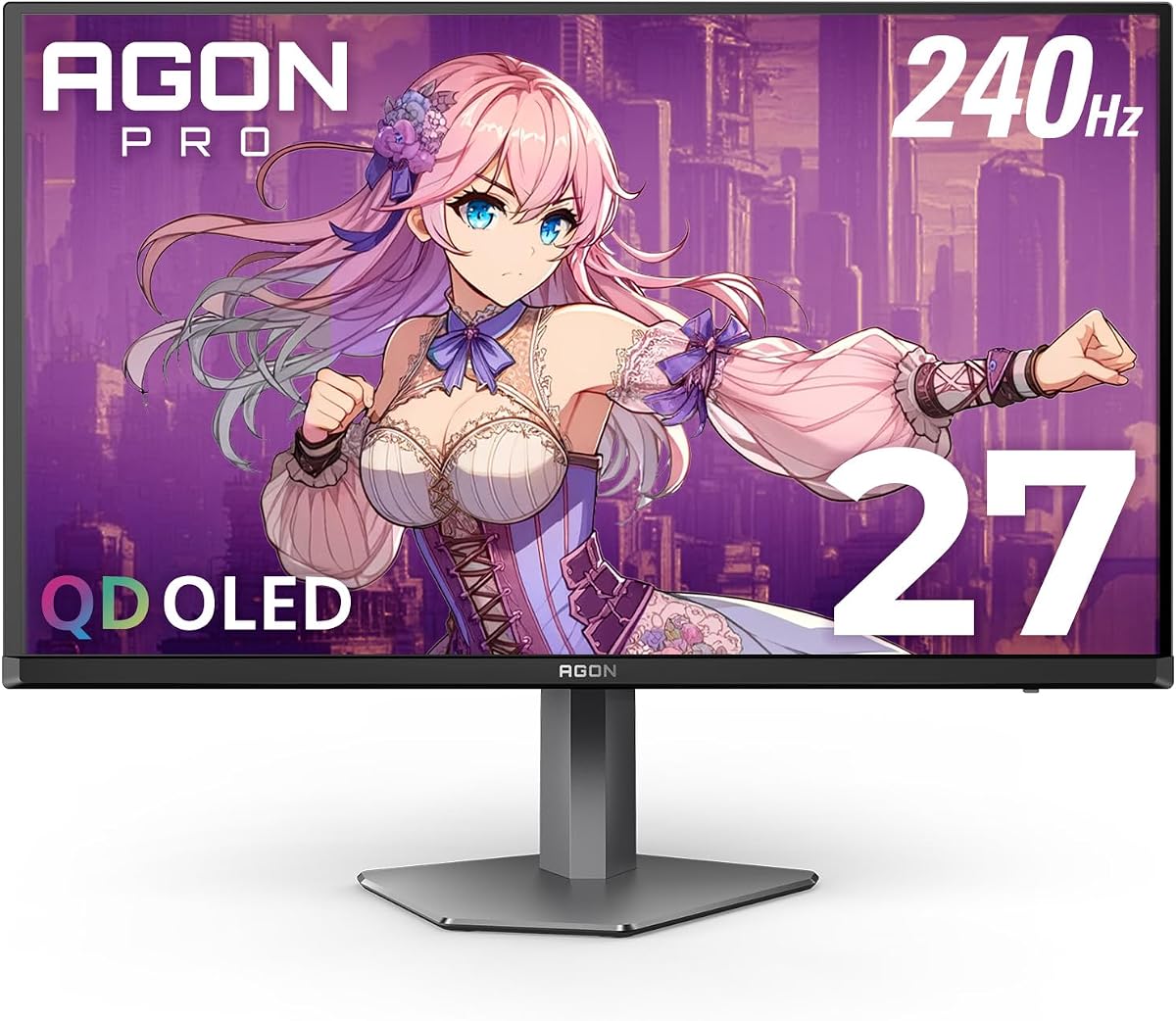
This monitor combines QD OLED technology with high-speed gaming performance. It features genuine blacks and rich colors for stunning visuals. Gamers seeking premium image quality will love this model.
We may earn a commission when you buy through this link, at no additional cost to you.
The self-luminous panel delivers extreme color accuracy and over 1 billion colors. A 240Hz refresh rate ensures fluid gameplay. G-Sync Compatible support prevents tearing across systems.
The price is high compared to LCD panels. OLED panels require care to avoid burn-in. These factors are justified by the exceptional image quality and speed.
Ideal for enthusiasts who want the best visuals. Perfect for HDR gaming and high-fidelity experiences. Choose this if you seek contrast and motion clarity.
Wide color gamut ensures vibrant and accurate visuals in games.
Fast response time eliminates motion blur effectively.
We may earn a commission when you buy through this link, at no additional cost to you.
This premium monitor adds a USB hub and height adjustment to OLED quality. It offers extensive connectivity with HDMI 2.1. Users appreciate the convenience and superior image fidelity.
We may earn a commission when you buy through this link, at no additional cost to you.
QD-OLED technology delivers sharp contrast and deep blacks. A USB hub simplifies desk setups by allowing peripheral connectivity. Height adjustable stand supports ergonomic positioning.
The high price limits accessibility. It is heavy requiring a sturdy desk. These constraints are acceptable for premium setups needing convenience and top-tier visuals.
Ideal for professional setups and enthusiast gaming. Perfect for those needing connectivity and premium performance. Choose this if you value ergonomics and advanced features.
USB hub reduces cable clutter for a clean setup.
Height adjustment ensures comfortable viewing angles for hours.
We may earn a commission when you buy through this link, at no additional cost to you.
This compact monitor fits small desks while offering solid gaming performance. It features a 100Hz refresh rate and eye care technology. Ideal for those needing a reliable secondary or small setup.
We may earn a commission when you buy through this link, at no additional cost to you.
The 100Hz refresh rate is twice typical office monitors for smooth visuals. Blue light filters reduce eye strain during extended sessions. VESA mounting provides flexibility for wall or arm setups.
Screen real estate is limited compared to larger models. Lacks advanced connectivity like USB hubs. These are expected for a compact budget monitor.
Perfect for small offices or gaming workstations. Ideal for budget-conscious buyers needing speed. Choose this if you want reliable performance without the bulk.
Compact footprint makes it ideal for small desks or multi-monitor arrays.
Blue light filter reduces strain during long usage periods.
We may earn a commission when you buy through this link, at no additional cost to you.
Selecting the right monitor requires balancing performance features and price. Here are key factors to consider.
Refresh rate determines how many frames per second the display shows. Higher rates like 240Hz reduce motion blur and improve competitive gameplay. Look for at least 144Hz for smooth gaming.
Prioritize higher refresh rates for competitive shooters and action games.
IPS panels offer wide viewing angles and excellent color accuracy. VA panels provide deeper blacks and higher contrast ratios. OLED panels deliver perfect blacks and fast response times.
Choose IPS for color work or OLED for premium contrast and speed.
Resolution impacts screen sharpness and detail. 1080p is standard for competitive gaming while 1440p offers more clarity. 4K is ideal for productivity and media consumption.
Balance resolution with GPU power to ensure smooth frame rates.
Response time measures how quickly pixels change color. Lower values like 0.5ms reduce ghosting during fast motion. Aim for under 5ms for competitive gaming.
Lower response times ensure clearer motion and better reaction times.
Ports determine how you connect devices. DisplayPort 1.4 supports higher refresh rates and resolutions. HDMI 2.1 is ideal for next-gen consoles.
Ensure your monitor has the right ports for your hardware needs.
Adaptive sync prevents screen tearing by syncing the display with GPU output. FreeSync works with AMD cards while G-Sync works with NVIDIA. Some displays support both.
Look for Adaptive Sync support to eliminate visual tearing and stutter.
Adjustability helps maintain a healthy posture. Height tilt swivel and pivot adjustments allow customized positioning. VESA mounts enable third-party stand or wall mounting.
Prioritize adjustable stands for long-term comfort and eye health.
Color gamut and accuracy are vital for content creation and rich visuals. sRGB and DCI-P3 coverage indicate color performance. HDR support enhances contrast and brightness.
Check color coverage if you need accurate reproduction for design or movies.
Connect your monitor using the provided cable. Match HDMI or DisplayPort to your GPU or console. Ensure your device supports the monitor's refresh rate.
Adjust brightness and color settings for comfort. Use night mode or blue light filters during evening sessions. Proper calibration reduces eye strain over time.
Clean the screen with a microfiber cloth. Avoid harsh chemicals that may damage the panel. Keep the monitor away from dust and direct sunlight for longevity.
Yes AOC monitors offer high refresh rates and low response times ideal for competitive play. Features like adaptive sync reduce tearing and input lag. Many models support G-Sync and FreeSync for smooth visuals.
IPS panels provide wider viewing angles and better color accuracy while VA panels offer higher contrast and deeper blacks. VA is often better for dark rooms whereas IPS excels in bright environments.
Many AOC gaming monitors support HDR10 or HDR400 for enhanced contrast and brightness. High-end OLED models offer superior HDR performance compared to standard LCD screens. Check specific model specs for HDR capabilities.
Most AOC monitors support VESA mounting allowing wall or third-party stand installation. Look for VESA compatibility in the product details to confirm this feature. Always use a compatible mount for safety.
Some models include built-in speakers for convenient audio output while others require external devices. Product details specify whether speakers are present. Check the specs if you want integrated audio.
Many AOC IPS and OLED models offer wide color gamuts and accurate colors suitable for photo editing. Higher resolution options provide detailed workspace for editing tools. Review color accuracy specs before purchasing.
We have reviewed ten top AOC monitors ranging from budget-friendly to premium OLED options. Each offers unique strengths in speed clarity and ergonomics. Your ideal pick depends on your specific gaming or work needs.
Consider refresh rate and resolution first for gaming performance. For productivity prioritize resolution and ergonomics. Always check connectivity and adaptive sync support for compatibility with your devices.
Prices change frequently so verify current listings before buying. Use this guide to narrow down your choices and invest confidently. Enjoy your new display and enhanced viewing experience.