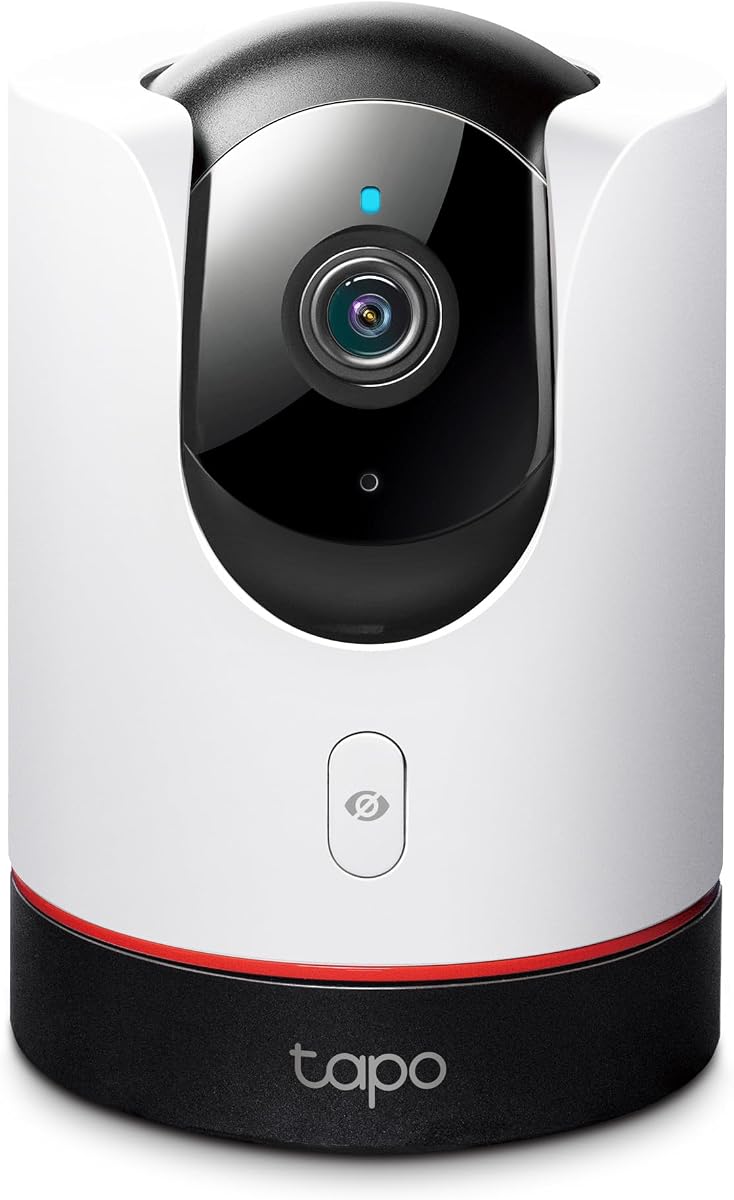
TP-Link Tapo C225
4.5Editor score
2K QHD Resolution
360 Degree View
Physical Privacy Mode
Compare the top Apple Homekit Security Cameras for October 2026. This guide reviews features, privacy, and integration to help you choose the best camera.
Choosing the right security camera for your home is a critical decision that impacts safety and peace of mind. With Apple Homekit Security Cameras, you gain seamless integration with your Apple ecosystem while maintaining high privacy standards. These devices allow you to view live feeds and receive alerts directly through the Home app on your iPhone or iPad.
This guide compares ten leading models designed to work with Homekit Secure Video. We analyzed resolution, night vision capabilities, storage options, and smart detection features to curate this list. Each product offers unique strengths, whether you need indoor monitoring, outdoor durability, or advanced hub functionality for your smart home setup.
Read on to discover detailed reviews and pros and cons for every camera on our list. We highlight key specifications and real-world performance notes to help you make an informed purchase. Keep in mind that availability and pricing may vary, so always check current listings before finalizing your order.
4.5Editor score
4.3Editor score
4.3Editor score
The following table provides a side-by-side comparison of all ten top-rated cameras. Review the key specifications to find the model that best fits your specific security needs and home setup.



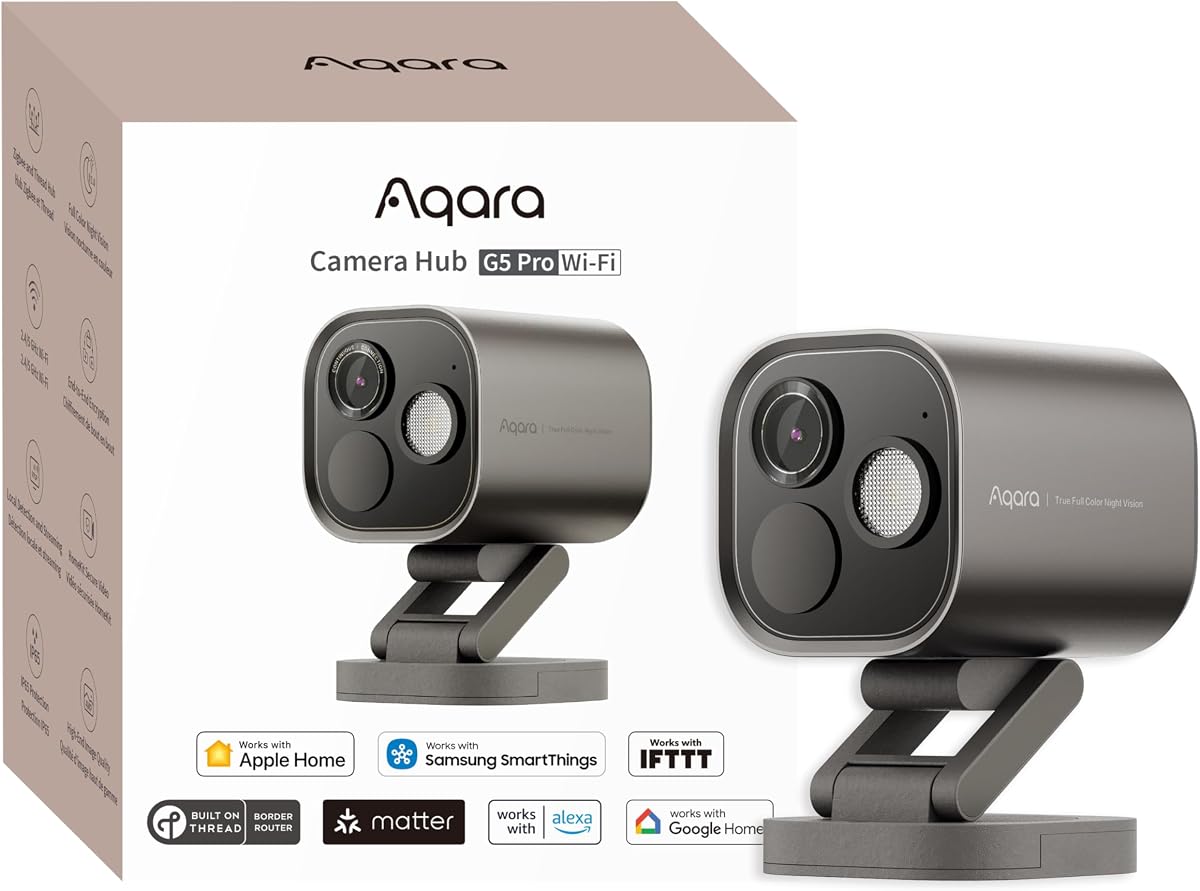
The Aqara G5 Pro WiFi stands out as a powerful security solution that doubles as a smart home hub. With a 4MP resolution and true color night vision, it captures clear images even in low light. Its built-in neural processing unit enables advanced detection for faces and vehicles without relying on the cloud.
We may earn a commission when you buy through this link, at no additional cost to you.
This camera offers significant privacy advantages by processing visual and audio detection locally. It supports Homekit Secure Video and can integrate up to 80 Zigbee devices. The dual-band Wi-Fi ensures stable connectivity while the USB-C power port adds installation flexibility.
While the lack of a battery backup means it relies on constant power, the robust feature set compensates for this. The requirement for a home hub to unlock Homekit features is standard for this ecosystem but adds to the overall system complexity.
Ideal for users seeking a central control point for their smart home, this camera excels in privacy and versatility. If you value local processing and high-quality video, the G5 Pro is a top recommendation for your security setup.
Local processing keeps your data private and ensures faster response times for automations.
Bridge your existing Aqara devices to Matter-compatible platforms like Apple Home for broader control.
We may earn a commission when you buy through this link, at no additional cost to you.
The TP-Link Tapo C225 is an excellent choice for those seeking high-quality video at a budget-friendly price. It delivers 2K QHD live view and features a 360-degree horizontal field of view. The design has won awards for its sleek look and functional performance.
We may earn a commission when you buy through this link, at no additional cost to you.
A standout feature is the innovative physical privacy mode that physically blocks the lens when not in use. This provides tangible peace of mind regarding privacy. It also includes a starlight sensor for better low-light visibility and sound detection for baby cries.
While it lacks Homekit Secure Video storage integration which limits cloud recording through Apple, local storage on a microSD card works well. This makes it a great standalone option if you do not strictly require iCloud backup for all clips.
For budget-conscious buyers who prioritize image quality and physical privacy, the Tapo C225 is a strong contender. Its design and features make it one of the best affordable cameras available for home monitoring.
The mechanical lens block ensures that the camera is not recording when you need total privacy.
The starlight sensor captures detailed images in dim conditions better than standard infrared sensors.
We may earn a commission when you buy through this link, at no additional cost to you.
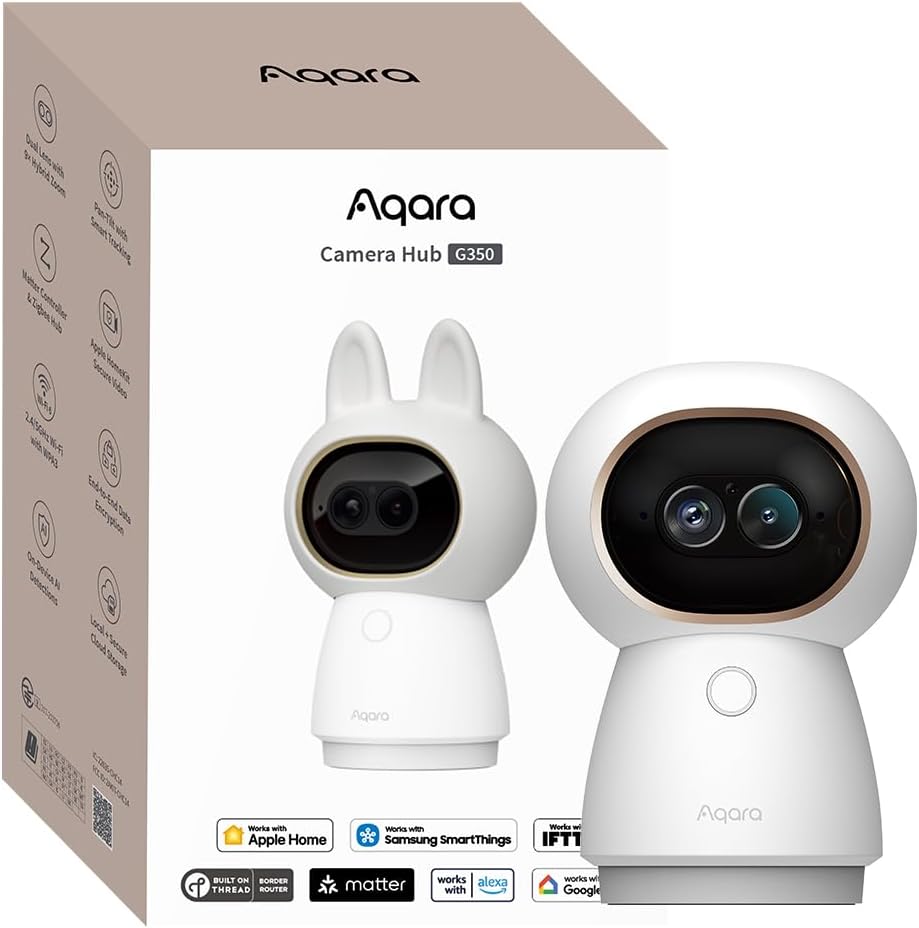
The Aqara G350 brings premium features to the indoor security market with its 4K Ultra HD dual-lens system. It combines a wide-angle 4K lens with a telephoto lens to offer sweeping views and detailed zoom without losing clarity. This makes it ideal for large rooms where detail is paramount.
We may earn a commission when you buy through this link, at no additional cost to you.
Beyond video, it acts as a Matter bridge and Zigbee hub allowing connection to up to 80 sub-devices. The gesture recognition feature allows you to trigger scenes with a simple hand wave. Local AI processing ensures that face and sound detection happens securely on the device.
While it is a premium investment, the dual-lens hardware and hub capabilities justify the cost for tech enthusiasts. The physical privacy mode offers a retractable lens for total visual assurance when you are home.
If you want the best resolution and smart home integration in one device, the G350 is unmatched. It serves as both a high-end security camera and a central hub for your Matter-enabled smart home.
The 9X hybrid zoom allows you to inspect specific areas closely while maintaining image sharpness.
Bridge existing Aqara devices to Matter platforms for wider compatibility with Google and Alexa.
We may earn a commission when you buy through this link, at no additional cost to you.
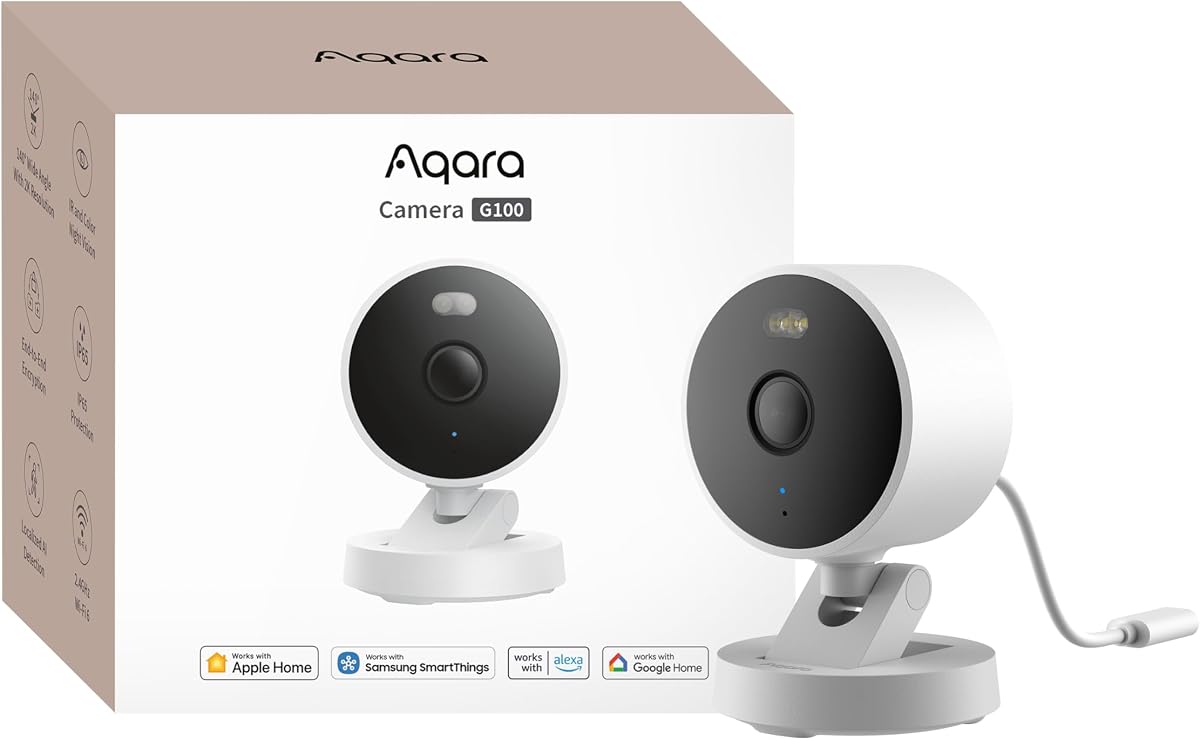
The G100 offers a robust solution for both indoor and outdoor surveillance with its IP65-rated housing. It films in 2K clarity and includes a spotlight for color night vision at night. The wide-angle lens captures broad areas making it suitable for driveways or rooms.
We may earn a commission when you buy through this link, at no additional cost to you.
It supports Homekit Secure Video but notes that resolution is limited to 1080p when connected to Apple Home. Local AI detection handles motion and person recognition well while cloud recognition requires a subscription. Wi-Fi 6 ensures smoother views in congested networks.
The limitation to 1080p in Homekit may be a downside for those seeking full 2K detail on Apple devices. However, the flexibility to use microSD storage and RTSP makes it a versatile option for custom setups.
Choose the G100 if you need a weather-proof camera that can adapt to various environments. It balances quality and connectivity features effectively for a reliable home security solution.
The spotlight illuminates areas to capture color footage at night without relying solely on IR.
Stream to Google and Alexa displays easily alongside Apple Home for broader access.
We may earn a commission when you buy through this link, at no additional cost to you.
The Eve Cam is built exclusively for Apple Homekit Secure Video with a strong focus on privacy. It performs video analysis locally in your home ensuring that personal data remains private. End-to-end encryption ensures only you can view live or recorded video.
We may earn a commission when you buy through this link, at no additional cost to you.
This camera integrates deeply with your Apple ecosystem requiring a home hub and iCloud+ plan. It offers smart motion detection that distinguishes between people and pets to reduce false alerts. Notifications are sent instantly to your iPhone or iPad when activity is detected.
While the privacy features are commendable the lower user rating suggests potential connectivity or usability issues. Additionally its reliance on a specific ecosystem limits flexibility for users with mixed smart home devices.
For Apple users who prioritize data security above all else the Eve Cam is a solid choice. Its exclusive design ensures a streamlined experience within the Apple environment.
Analysis happens locally to prevent cloud leaks and ensure your footage stays private.
Requires a HomePod or Apple TV to function fully within the Home app.
We may earn a commission when you buy through this link, at no additional cost to you.
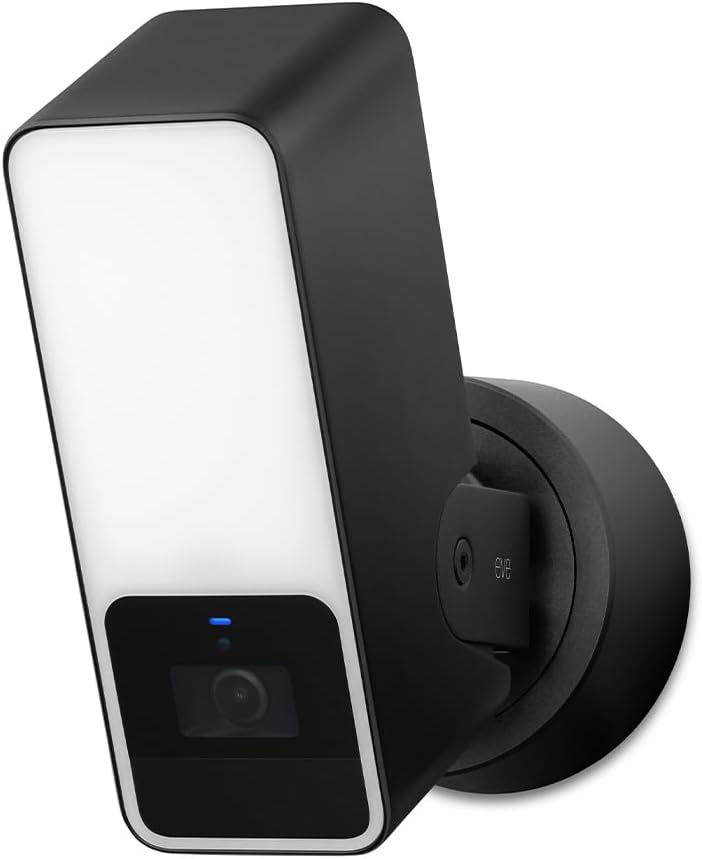
The Eve Outdoor Cam combines a camera with a powerful dimmable floodlight for superior exterior security. It requires a neutral wire and ground wire connection making installation more complex but ensuring robust performance. The 157-degree field of view captures wide areas clearly.
We may earn a commission when you buy through this link, at no additional cost to you.
It operates exclusively on Homekit Secure Video with no Eve cloud or registration required. This local-only approach ensures high data security for your footage. The infrared motion sensor triggers the light to deter intruders effectively at night.
Installation requirements can be a hurdle for DIY users due to the wiring needs. The price is also on the higher end which may not appeal to budget shoppers. However the security benefits are substantial.
If you need a high-security floodlight that prioritizes privacy the Eve Outdoor Cam is a strong pick. Its integration with Apple Home provides a seamless security experience for homeowners.
The integrated floodlight brightens the area to discourage potential intruders effectively.
Video analysis happens locally on the device to maintain maximum privacy standards.
We may earn a commission when you buy through this link, at no additional cost to you.
The Logitech Circle View is designed exclusively for Apple Homekit with a durable weatherproof body. It features Logitech TrueView video with a wide 180-degree field of view to capture every detail. The design includes a metal base and matte finish for a premium look.
We may earn a commission when you buy through this link, at no additional cost to you.
It offers best-in-class infrared night vision for clear visibility up to 15 feet away. A rear button allows instant privacy by tilting the camera down. The Home app integration is seamless allowing for easy access across Apple devices.
However it relies on motion detection rather than continuous video recording. This means you might miss events between motion triggers which can be a limitation for some users. The rating also suggests some connectivity issues.
For users who want a simple reliable outdoor camera for Apple Home the Circle View is a good fit. Its wide angle and build quality make it a solid choice for general monitoring.
Pressing the rear button tilts the camera down for instant privacy when needed.
The 180-degree optics provide a broad view to cover large outdoor areas.
We may earn a commission when you buy through this link, at no additional cost to you.
The Aqara E1 delivers 2K resolution and a 360-degree viewing angle for complete room coverage. Its pan and tilt motor enhances person tracking so you can follow movement throughout the space. The design supports Homekit Secure Video with local recognition for privacy.
We may earn a commission when you buy through this link, at no additional cost to you.
Advanced features include local automation based on person detection or sound detection. It supports Wi-Fi 6 for smoother live views in busy networks. The privacy mode pivots the lens to ensure no recording occurs when desired.
While the features are strong it requires a home hub to unlock all Homekit capabilities. The need for a 5V 2A power supply which is not included is also a factor to consider when purchasing.
For a reliable indoor camera with high resolution and wide coverage the E1 is an excellent value. It balances cost and performance well for general home monitoring needs.
Automate smart home scenes when the camera detects a person using local processing.
The 360-degree motor ensures every corner of the room is visible at all times.
We may earn a commission when you buy through this link, at no additional cost to you.
The eufy E30 captures crystal-clear 4K recording day and night with a built-in two-way audio. It features a panoramic view and new app features like Quick Focus Tap for easy navigation. The integrated spotlight allows switching between color and infrared night vision.
We may earn a commission when you buy through this link, at no additional cost to you.
Advanced on-device AI distinguishes humans pets and crying sounds to track movement automatically. It works with Homekit and other assistants but limits Homekit to 1080p resolution. Local storage on an SD card means you do not pay monthly fees for recording.
The limitation of 1080p in Homekit is a significant trade-off for the 4K native resolution. However the lack of monthly fees makes it an attractive option for budget-conscious users.
If you want high resolution recording without monthly costs the E30 is a great choice. It is particularly well-suited for monitoring pets and babies with its tracking and audio features.
Store footage locally on an SD card with no monthly subscription fees required.
The AI automatically tracks movement to keep subjects centered in the frame.
We may earn a commission when you buy through this link, at no additional cost to you.
The Aqara G5 Pro PoE offers a reliable security camera solution with Power over Ethernet technology. This single cable transmission simplifies installation by combining video and power. It offers 4MP resolution and true color night vision with a built-in spotlight for deterrence.
We may earn a commission when you buy through this link, at no additional cost to you.
Local AI visual detection identifies faces and vehicles with high accuracy without cloud upload. It acts as a Matter bridge and Zigbee hub to control up to 80 sub-devices. The encrypted storage ensures data is accessible only by your family.
You will need a PoE switch which adds to the initial setup cost and complexity. The requirement for a home hub also adds to the ecosystem requirements. But the stability of PoE is ideal for permanent installations.
If you prefer a wired connection for stability the PoE version is the best option. It delivers professional-grade performance for home or small office security needs.
PoE technology reduces wiring by using one network cable for both data and power.
On-device AI ensures privacy and reduces reliance on internet for basic detection.
We may earn a commission when you buy through this link, at no additional cost to you.
Selecting the right camera requires evaluating several factors to ensure it meets your needs. This guide breaks down key elements to consider before making your purchase.
Resolution determines the clarity of your video footage. Cameras ranging from 1080p to 4K offer different levels of detail. Higher resolution helps in identifying faces or license plates clearly. Choose a resolution that matches your viewing needs and storage capacity.
Higher resolution cameras capture more detail but may require more storage space.
Night vision ensures your camera works when light is low. Some models offer infrared while others provide color night vision with a spotlight. Color night vision allows for better identification of subjects at night. Check the effective range of the night vision to ensure it covers your area.
Infrared is covert while color night vision offers better visibility in dark conditions.
Storage is crucial for retaining footage after events occur. Many cameras support local storage via microSD cards which avoids monthly fees. Others rely on cloud storage or Homekit Secure Video for automatic backups. Decide if you prefer local or cloud storage based on privacy and convenience.
Local storage avoids fees while cloud storage offers automatic off-site backups.
Power options include wired connections via Wi-Fi or Ethernet. Some models support PoE for simpler installation with a single cable. Dual-band Wi-Fi helps prevent connectivity issues in congested networks. Ensure your chosen model supports your home network setup.
Wired connections offer more stability than wireless ones.
Privacy is a major concern with security cameras. Look for features like end-to-end encryption and physical privacy shutters. Local processing keeps data on the device rather than in the cloud. These features ensure that your video feeds remain secure from unauthorized access.
Physical shutters and local processing offer higher privacy assurance.
Advanced detection distinguishes between people pets and vehicles to reduce false alerts. Some cameras support gesture recognition to trigger smart scenes easily. Ensure the detection features you need are available in your region. Local AI processing improves response times and security.
Smart detection reduces unnecessary notifications and improves user experience.
Many Homekit cameras require a home hub like HomePod or Apple TV to function. Ensure you have a compatible hub before purchasing to avoid installation issues. The hub acts as a bridge for automations and notifications while you are away. This requirement is common for secure video features.
Verify you have a compatible home hub before buying any camera.
Outdoor cameras need a weatherproof rating to withstand elements. Look for IP65 or IP64 ratings for protection against dust and water. Ensure the build quality includes durable materials to handle temperature changes. Indoor cameras may not need such high ratings but should still be sturdy.
Outdoor cameras require higher IP ratings to handle harsh conditions.
To set up your camera start by downloading the required app and ensuring your home hub is active. Connect the camera to your Wi-Fi network and follow the on-screen pairing instructions. Position the camera to cover the desired area without obstructions. Test the view and detection settings to ensure everything is functioning correctly.
Maintain your camera by regularly cleaning the lens with a soft cloth to prevent dust accumulation. Check the Wi-Fi signal strength periodically to ensure a stable connection. Update the firmware through the app to access new features and security patches. This keeps your device running smoothly over time.
For storage management check your SD card or cloud storage usage regularly. Adjust motion sensitivity settings to reduce false alerts and save storage space. Use the physical privacy mode when you are home to prevent unnecessary recording. These steps help extend the life and efficiency of your camera.
Most Homekit cameras require a home hub such as a HomePod or Apple TV to function fully. The hub allows for remote access and automations when you are away from home. Without a hub you may still access local live views but many features will remain limited.
Homekit Secure Video requires an iCloud+ subscription which may involve a monthly fee depending on your storage plan. Local storage options like microSD cards allow you to record without monthly fees. It is important to check the storage requirements before purchasing to avoid unexpected costs.
Infrared night vision uses black and white imaging to capture video in dark conditions. Color night vision uses a spotlight to illuminate the area allowing for color footage. Both are effective but color night vision provides more detailed identification of subjects at night.
Homekit cameras are designed to work within the Apple ecosystem so viewing on Android devices is limited. However some brands offer third-party apps that allow limited viewing on non-Apple devices. For full functionality you should use Apple devices with the Home app.
Local AI detection processes video on the device rather than sending it to the cloud. This means sensitive data stays within your home network reducing exposure to potential breaches. It also speeds up response times for automations and notifications.
If your camera shows offline check your Wi-Fi connection and ensure the router is functioning. Restart the camera and check the power supply for any issues. Ensure your home hub is online and the Home app is updated. This usually resolves connectivity problems.
We reviewed ten top Apple Homekit Security Cameras that offer various features from 4K resolution to advanced AI detection. The Aqara G5 Pro WiFi and Tapo C225 stand out for their balance of performance and price. Each model brings unique strengths depending on whether you prioritize indoor detail or outdoor durability.
When choosing a camera focus on storage options and privacy features to meet your specific needs. Consider whether you need a hub or a specific resolution level for your home. Local processing is a valuable feature for those concerned about data security.
Always verify the current prices and availability before making your final decision as market values fluctuate. We hope this guide helps you find the perfect security solution for your home. Stay safe with the right camera that fits your lifestyle.