
iUniker Pi Zero Aluminum Case Kit
4.7Editor score
Aluminum Passive Cooling Case
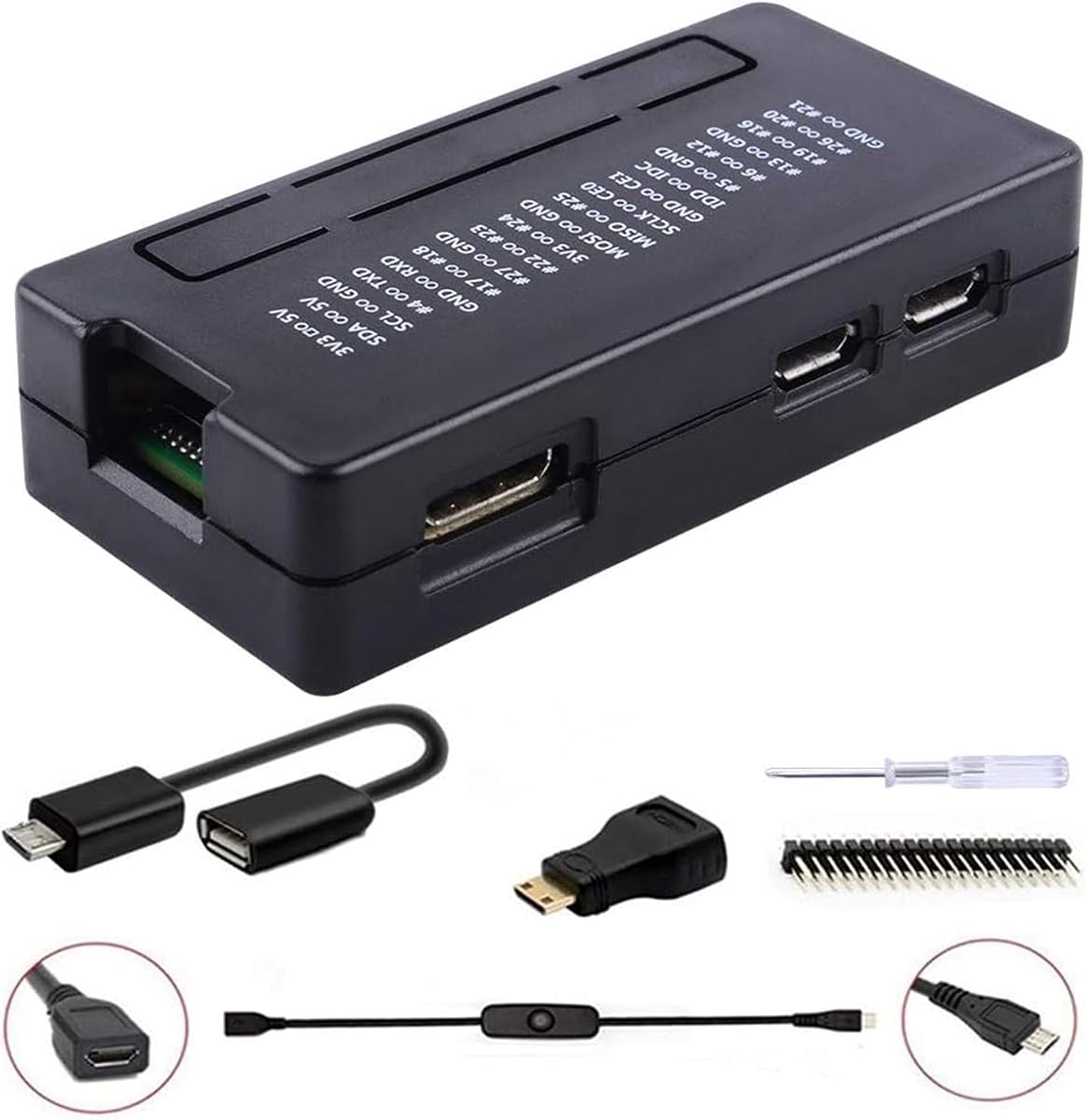
Includes OTG Hub and Switch
Compact and Durable Design
Compare the top Bedt Raspberry Pi Zero 2 W Kit options for performance and value. Find the right starter bundle for your embedded project needs today.
Selecting the right Bedt Raspberry Pi Zero 2 W Kit can transform your embedded projects with reliable hardware and essential accessories. These kits simplify setup by including necessary adapters and cooling solutions for immediate use.
We evaluated ten real products based on included components, build quality, and user feedback. Our analysis focuses on kits that offer genuine value and support the full potential of the Zero 2 W board.
Each pick highlights specific strengths like connectivity options or case designs. Please note that prices and availability change frequently, so verify details before making your final purchase decision.
4.7Editor score

4.6Editor score

5.0Editor score
This comparison table outlines the key specifications and features of each kit to help you decide which one fits your specific project requirements and budget constraints effectively.


This kit stands out for its comprehensive inclusion of adapters and cooling solutions. Users rate it highly for providing everything needed to start basic projects immediately without extra purchases.
We may earn a commission when you buy through this link, at no additional cost to you.
The quad-core processor delivers significant speed improvements for IoT tasks. The aluminum heatsink ensures stability during extended use, making it reliable for development workloads.
While the board is robust, you must source a power supply and SD card separately. These omissions are typical for basic kits but require extra planning for a complete setup.
Ideal for hobbyists wanting a fast start on Zero 2 W projects. It balances performance and essential accessories well for most home automation needs.
The quad-core ARM Cortex-A53 processor offers up to five times the performance of the original Zero.
An included aluminum heatsink helps dissipate heat effectively during heavy workloads.
We may earn a commission when you buy through this link, at no additional cost to you.
A cost-effective option that covers the essentials for getting started. The rating reflects solid functionality for basic tasks without extra frills.
We may earn a commission when you buy through this link, at no additional cost to you.
It provides a standard heatsink and header which saves time on soldering. The included cables allow for immediate display and peripheral connections.
Expect fewer extras compared to higher-tier kits. This is best for those who already have some components or want to build their own setup.
Recommended for students or first-time buyers looking for value. It fulfills the core needs of a Zero 2 W setup reliably.
Includes necessary adapters and header pins to get your board running quickly.
Offers a strong price point for users who need basic connectivity and cooling.
We may earn a commission when you buy through this link, at no additional cost to you.
This kit receives perfect scores from users for its convenience and build quality. The pre-soldered headers eliminate a common pain point for new users.
We may earn a commission when you buy through this link, at no additional cost to you.
The silver heatsink offers effective thermal management for high-load tasks. It supports advanced AI and IoT projects with robust wireless capabilities.
While expensive, the ease of use justifies the cost for many. You still need to add power and storage separately.
Ideal for professionals or advanced hobbyists who value time savings. It is the top choice for reliability and performance in this category.
Headers come pre-soldered saving you time and effort on setup.
Silver heatsink ensures stable performance even under demanding workloads.
We may earn a commission when you buy through this link, at no additional cost to you.
This option focuses on the core board with specific header compatibility. It is designed for those building custom setups who need reliable wireless connections.
We may earn a commission when you buy through this link, at no additional cost to you.
The color-coded headers simplify wiring for complex projects. The shielded RF enclosure ensures stable wireless communication in crowded environments.
Since it is a board-focused kit, you may need to source accessories separately. It suits users who want flexibility over pre-bundled kits.
Best for custom embedded designs needing specific connectivity. It offers the raw power needed for demanding IoT applications effectively.
Features a shielded enclosure for improved RF compliance.
Maintains the same tiny footprint as the original RPi Zero.
We may earn a commission when you buy through this link, at no additional cost to you.
This kit is designed for education and comprehensive learning. It offers a vast collection of components and tutorials for deep technical engagement.
We may earn a commission when you buy through this link, at no additional cost to you.
The tutorials cover multiple languages and step-by-step projects. It supports the Zero 2 W but requires you to buy the board separately.
While powerful for learning, the lack of hardware means more planning. It is best paired with a compatible board for full utility.
Ideal for students or educators wanting structured curriculum. It provides the tools needed to master electronics and coding thoroughly.
Includes 128 projects with detailed tutorials for learning.
Over 200 items support a wide range of experiments.
We may earn a commission when you buy through this link, at no additional cost to you.
This kit focuses on housing and essential connectivity accessories. Users praise it for solving heat issues with a sturdy aluminum case.
We may earn a commission when you buy through this link, at no additional cost to you.
The included switch cable makes shutdowns safer and easier. The OTG hub expands connectivity significantly for multiple devices.
Board exclusion means it fits well with your existing hardware. It is perfect for upgrading a bare board into a functional unit.
Best for users needing physical protection and better cooling. It is an affordable way to extend the lifespan of your device.
Passive cooling case solves heat problems effectively.
Includes OTG hub to use many USB devices at once.
We may earn a commission when you buy through this link, at no additional cost to you.
While focused on the Pico, it shares similar features with Zero kits. It is an excellent choice for users looking to explore newer microcontrollers.
We may earn a commission when you buy through this link, at no additional cost to you.
The included board offers RISC-V cores for flexibility. The detailed tutorials ensure you can maximize the hardware potential.
If you specifically need Zero 2 W, this might not fit your exact need. It is more versatile for those open to alternative boards.
Best for hobbyists wanting to dive into microcontroller programming. It provides a complete package for hands-on learning.
Includes the Pico 2 W board with onboard wireless.
Detailed tutorial guides you through electronics basics.
We may earn a commission when you buy through this link, at no additional cost to you.
This kit offers a strong value by including power and connectivity. It is ideal for setting up a Zero 2 W without extra parts.
We may earn a commission when you buy through this link, at no additional cost to you.
The power supply means you can plug in and go. The USB hub helps access multiple peripherals efficiently.
Since the board is excluded, it works well with your existing device. It is a practical addition to complete a workspace setup.
Best for users needing power and case solutions. It simplifies the process of getting a project up and running.
Includes a power supply so you can plug in immediately.
USB hub provides 4 ports for multiple devices.
We may earn a commission when you buy through this link, at no additional cost to you.
A powerful alternative that offers higher specs than the Zero 2 W. It supports Android and higher resolution displays effectively.
We may earn a commission when you buy through this link, at no additional cost to you.
The quad-core CPU handles heavier tasks like video streaming. Wi-Fi 5 ensures faster network speeds for online apps.
However, it runs a different ecosystem which may affect compatibility. It is best if you need media features over Pi software.
Ideal for users wanting more power and display options. It offers a robust alternative for specific computing needs.
Supports 4K display output for streaming and media.
Up to 1.5GHz CPU provides strong speed.
We may earn a commission when you buy through this link, at no additional cost to you.
This is a basic option for those needing minimal components. It provides the essentials for a simple setup and protection.
We may earn a commission when you buy through this link, at no additional cost to you.
The acrylic case is easy to assemble and fits well. The included cables cover basic connections for peripherals.
Limited to 20pin headers may restrict advanced expansion. It is best for simpler projects where full GPIO is not needed.
Best for budget-conscious users needing a simple case. It fulfills basic protection and connection needs effectively.
A very low price point makes it accessible for new users.
Basic cables included for immediate peripheral support.
We may earn a commission when you buy through this link, at no additional cost to you.
Choosing the right kit requires balancing performance, included accessories, and budget constraints.
Check what adapters like HDMI and OTG are included in the box. Basic kits often omit power supplies and cases.
Look for kits that bundle headers and cables to save time.
Aluminum cases or heatsinks are essential for thermal stability. Poor cooling can throttle performance under load.
Prioritize kits with passive cooling for long-term reliability.
Some kits come with headers already soldered. This saves time and reduces technical complexity.
If you lack soldering skills, a pre-soldered kit is safer.
Most kits do not include power adapters. You must buy a compatible 5V micro USB supply separately.
Factor this cost into your total budget when choosing.
Ensure the kit supports the specific GPIO header you need. Some kits use 40-pin while others use 20-pin headers.
Choose 40-pin if you plan to use standard HATs.
Read user reviews for reliability and quality. Established brands often offer better support and durability.
Avoid kits with consistently low ratings regarding build quality.
Acrylic cases are cheaper while aluminum cases offer better heat dissipation. Your project environment will dictate the best choice.
Select a case that protects the board without blocking ports.
Simple projects may not need advanced accessories. Match the kit features to your specific use case to avoid overspending.
Consider educational kits if you are learning new skills.
Start by installing the operating system on your SD card before inserting it into the board. Follow the official documentation for the specific image required for the Zero 2 W.
Connect peripherals like a keyboard and monitor using the HDMI and USB OTG adapters included in the kit. This allows for initial configuration and updates.
Keep the device cool by ensuring airflow around the case or heatsink. Regularly check connections to prevent wear over time.
Most of the kits reviewed do not include a power supply. You will need to purchase a compatible 5V micro USB power adapter separately to power the board effectively.
The Zero 2 W supports popular options like Raspberry Pi OS, Ubuntu, and LibreELEC. You should download the latest OS image directly from the official Raspberry Pi website for best performance.
It depends on the kit. Some models come with headers pre-soldered, while others require you to solder them yourself. Check the product details before purchasing to confirm.
Yes, the Zero 2 W is capable of running Kodi or LibreELEC for streaming. Its wireless connectivity makes it perfect for connecting to a TV without extra cables.
While not strictly necessary for short tests, a case helps protect the board from dust and static. It also assists with heat dissipation which is important for long-term use.
The Zero 2 W features a quad-core ARM Cortex-A53 processor running at 1GHz. This is significantly faster than the original Zero, offering up to five times better performance.
The Raspberry Pi Zero 2W Kit stands out as the top pick due to its balance of performance and essential accessories.
Prioritize kits that include cooling solutions and pre-soldered headers to simplify your setup process effectively.
Always verify current pricing and availability before purchasing to ensure you get the best value for your project needs.