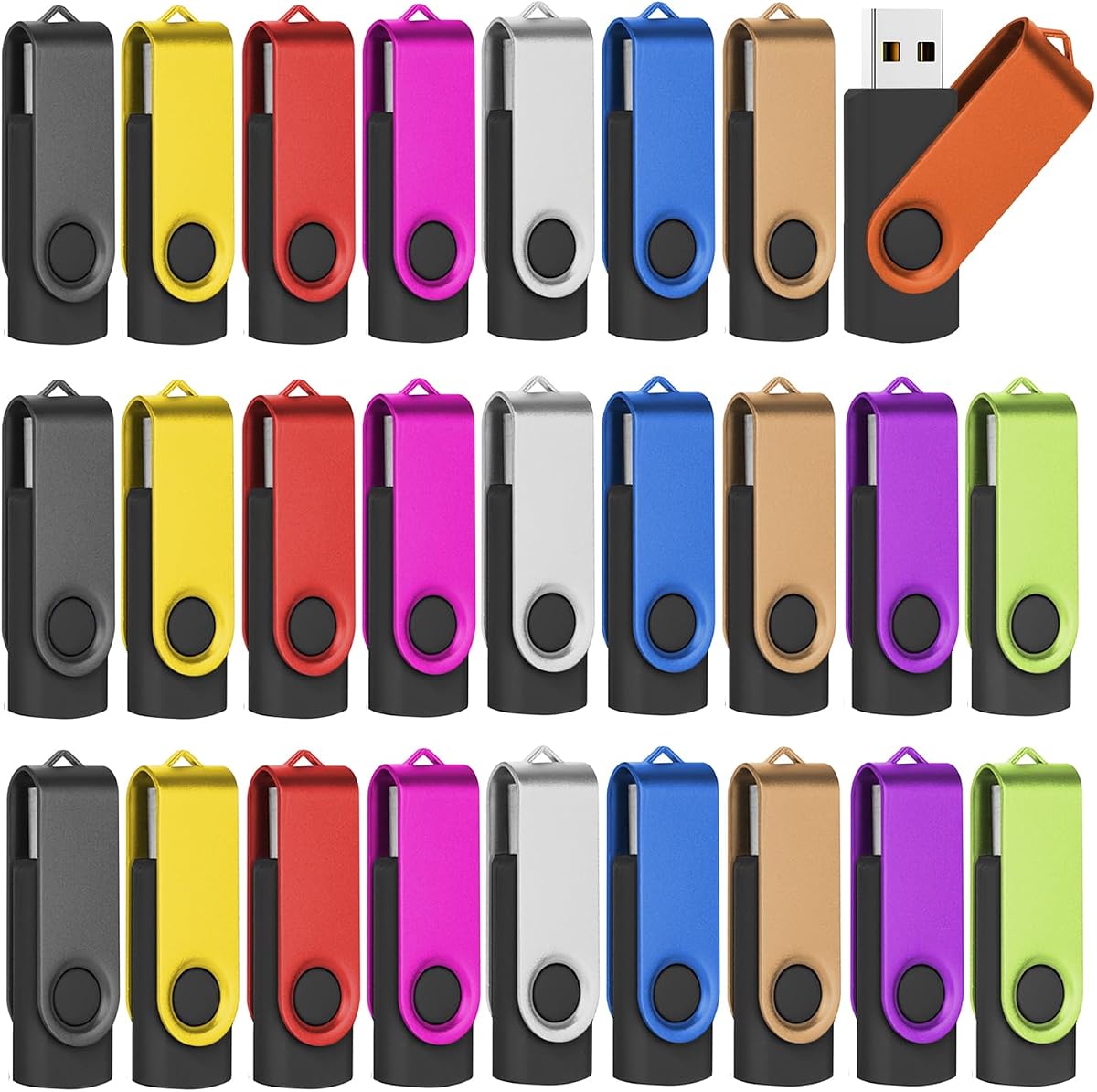
128MB 2.0 USB Flash Drive 50-Pack Thumb Drives Bulk with Lanyards
4.5Editor score
Affordable 50-pack
Included lanyards
Compact design
Discover the top 10 bulk USB flash drives for businesses and schools. Compare capacity, speed, and durability to find the perfect wholesale storage solution
Bulk USB flash drives are essential for businesses, schools, and events that need reliable portable storage. These multi-packs offer cost-effective solutions for distributing files, backups, or promotional materials efficiently without breaking the bank.
We compared ten top-rated bulk USB drive packs based on capacity, transfer speeds, build quality, and compatibility. Our analysis focuses on value, durability, and ease of use to help you choose the right quantity for your specific needs.
Each pick highlights key features, pros, and cons to guide your decision. Note that prices and availability change frequently, so verify current listings before purchasing to ensure you get the best deal for your budget.
4.5Editor score

4.6Editor score

4.6Editor score
This side-by-side comparison details the specifications and key attributes of the top ten bulk USB flash drive packs available today. Use this guide to quickly assess capacity, interface type, and packaging features across all options.


This 10-pack of PNY 32GB USB 3.0 flash drives stands out as the top choice for users needing reliable speed and capacity in a compact package. With a rating of 4.6 stars, it balances performance and practicality better than most competitors.
We may earn a commission when you buy through this link, at no additional cost to you.
The key strength lies in its USB 3.0 interface which offers transfer speeds up to ten times faster than standard USB 2.0 drives. This makes it ideal for moving large files like videos or high-resolution photos quickly. The durable sliding collar design protects the connector without needing a cap that can get lost.
While the price point is higher than basic USB 2.0 options, the speed advantage justifies the cost for professionals and frequent users. The cap-less design means no loose parts to lose which enhances reliability during daily travel and storage.
If you need a trusted bulk solution that delivers fast performance without compromise, this PNY pack is the smartest investment. It suits businesses or students who value efficiency and durability over the lowest possible price per drive.
The USB 3.0 support ensures files move significantly faster than older drives saving valuable time during data migration.
The sliding mechanism secures the USB port effectively reducing wear and tear during storage or transport.
We may earn a commission when you buy through this link, at no additional cost to you.
This massive 100-pack of 512MB USB drives offers an unbeatable quantity for events or large-scale distribution. With a 4.5 rating, it proves effective for simple file sharing where large capacity is not the priority.
We may earn a commission when you buy through this link, at no additional cost to you.
The metal clip design adds durability while the USB 2.0 interface ensures basic functionality across older and newer devices. The sheer number of drives makes it perfect for giveaways or classroom handouts where each person needs a small storage key.
Storage is limited to 512MB so it works best for text documents or small images. For large media files, this option will fill up quickly. However for the price per drive is minimal making it a smart bulk buy for specific use cases.
Choose this if you need dozens of drives for basic tasks like storing contact info or short videos. It is an excellent budget-friendly way to equip a large group without overspending on individual units.
Buying in packs of 100 ensures you always have spare drives ready for unexpected events or replacements.
The metal clip provides a secure way to attach the drive to keys or bags reducing the risk of loss.
We may earn a commission when you buy through this link, at no additional cost to you.
The Micro Center SuperSpeed 20-pack delivers high capacity and speed ideal for businesses needing substantial data storage. With 64GB per drive and USB 3.0 performance, it handles large files effortlessly while maintaining reliability.
We may earn a commission when you buy through this link, at no additional cost to you.
Transfer speeds up to 70MB/s make moving movies or full project backups much quicker than standard drives. The hard plastic cover protects the drive from rough handling while the rear loop allows easy attachment to keychains.
While the cost is higher than basic packs the generous 64GB space per drive often saves money compared to buying many smaller units. The 2-year warranty adds peace of mind ensuring long-term performance for critical data storage needs.
This pack is best for professional environments where capacity and speed matter most. If you need reliable bulk storage for presentations or backups this set offers top-tier performance with solid backing.
Each 64GB drive can hold hundreds of documents or dozens of videos reducing the need for multiple swaps.
The hard plastic casing ensures the drive survives daily drops and rough handling in busy work environments.
We may earn a commission when you buy through this link, at no additional cost to you.
This 50-pack of 128MB drives includes colorful lanyards making it a practical and economical choice for schools or offices. With a 4.5 rating, it balances usability and cost effectively for basic document storage needs.
We may earn a commission when you buy through this link, at no additional cost to you.
The variety of lanyard colors helps categorize drives by department or user without labeling. The frosted metal cover prevents fingerprints while the hole design allows quick attachment to key chains or lanyards for easy carrying.
Although 128MB is small by today's standards it suffices for text documents or small forms. The USB 2.0 interface is adequate for low-speed transfers ensuring compatibility with older systems without extra setup steps.
Opt for this pack when you need many drives for simple tasks and color-coding. It offers excellent value for groups where tracking drives by color simplifies organization and distribution.
Different colored lanyards help teams quickly identify which drive belongs to which project or person.
The included lanyards prevent loss by keeping drives attached to bags or belts during daily activities.
We may earn a commission when you buy through this link, at no additional cost to you.
The XUANREG 50-pack of 128MB drives offers a sleek compact design perfect for carrying in pockets or bags. Rated 4.6 stars, it focuses on portability and basic functionality for everyday data sharing tasks.
We may earn a commission when you buy through this link, at no additional cost to you.
Its compact size ensures the drive doesn't protrude from laptops reducing the risk of accidental disconnection. The inclusion of 20 lanyards means you can secure the drives immediately upon arrival without buying extra accessories.
While the 128MB limit restricts large media files it is ideal for small documents or text-based data. The compatibility with Windows and Linux ensures broad usability across different devices without requiring special drivers.
If portability is your main concern this pack provides a lightweight solution for bulk needs. It suits users who prioritize saving space and easy transport over large storage capacity.
The small dimensions allow drives to fit easily into wallets or card holders for discreet storage.
Comes with lanyards so users can attach drives to keys instantly avoiding misplacement risks.
We may earn a commission when you buy through this link, at no additional cost to you.
This KOOTION 20-pack features a swivel design that protects the USB connector while maintaining a capless look. With 16GB capacity per drive, it strikes a good balance for sharing photos or project files conveniently.
We may earn a commission when you buy through this link, at no additional cost to you.
The rotating metal side covers the USB port preventing damage during transport. An integrated loop allows attaching the drive to keys making it secure and easy to track. The neat packaging makes it suitable for gifting to clients or friends.
The 16GB capacity is practical for mixed file types unlike smaller drives that fill up quickly. While the swivel mechanism is convenient, users should be cautious of repeated rotations causing wear over time.
Choose this pack if you value a sleek capless design with physical protection. It offers a modern feel with enough storage for most personal or professional sharing needs.
The swivel arm shields the USB connector from dust and damage without needing a separate cap.
Boxed neatly with dividers ensuring drives arrive organized and undamaged for business gifts.
We may earn a commission when you buy through this link, at no additional cost to you.
EASTBULL emphasizes quality control with double testing on all 16GB drives in this 50-pack. This ensures a high success rate for users requiring reliable storage for business or educational distribution.
We may earn a commission when you buy through this link, at no additional cost to you.
The A+ chips provide stable performance reducing the risk of data corruption during writes. The compact body design is easy to handle while the included lanyards add extra convenience for attachment.
With 16GB per unit, these drives handle typical office documents and small media files well. The USB 2.0 interface is adequate for standard data needs ensuring compatibility with older machines.
This pack is ideal for bulk buyers who prioritize reliability over speed. The extra quality checks make it a safer choice for large-scale distribution where consistency matters most.
A+ grade chips ensure consistent performance and lower failure rates compared to generic components.
Lanyards and consistent packaging simplify logistics for large events requiring many uniform drives.
We may earn a commission when you buy through this link, at no additional cost to you.
MECHEER offers a 20-pack of 4GB drives featuring an LED indicator to show read/write activity clearly. This visual feedback helps prevent accidental removal during data transfer enhancing data integrity.
We may earn a commission when you buy through this link, at no additional cost to you.
The aluminum casing provides durability while the swivel cap protects the port. Being pre-formatted in FAT32 ensures broad compatibility across Windows and macOS systems without extra formatting steps.
While 4GB is modest, it suffices for small presentations or contact cards. The lanyards included make it easy to distribute at conferences or parties efficiently without losing track of units.
This option suits event organizers needing many small drives for giveaways. The LED light adds a professional touch that users appreciate during file transfers.
The blinking LED warns users when data is writing so they avoid pulling the drive out prematurely.
Aluminum housing resists scratches and dents ensuring the drive stays functional through heavy use.
We may earn a commission when you buy through this link, at no additional cost to you.
This blue variant of the EASTBULL 50-pack offers a distinct look for branding purposes while maintaining reliable performance. The 16GB capacity per drive provides enough space for typical business documents and small media files.
We may earn a commission when you buy through this link, at no additional cost to you.
Using A+ chips ensures stable operation similar to the black version. The lanyards included allow for quick attachment making distribution smooth for large groups or corporate events.
The blue color can help distinguish these drives from others in a shared pool. It adds a visual cue without adding complexity to the setup or maintenance process.
If you need a color-specific bulk pack for identification, this is a solid choice. It maintains the reliability of the brand with a simple aesthetic upgrade.
The blue color helps identify drives assigned to specific teams or projects easily.
Same tested components as the black version ensuring the same durability and performance levels.
We may earn a commission when you buy through this link, at no additional cost to you.
This FEBNISCTE 10-pack brings six 64GB drives in ten different colors enabling easy visual sorting. It is ideal for small teams where each member needs a dedicated high-capacity drive.
We may earn a commission when you buy through this link, at no additional cost to you.
The 64GB capacity supports large file transfers without needing multiple drives. The swivel cap protects the USB port while the metal casing ensures longevity during daily use.
Each color helps mark specific content types or user roles instantly. The wide compatibility ensures these drives work with any PC or Mac without driver issues.
Opt for this if you want color coding with high capacity in a small pack. It simplifies file management across a small group efficiently.
Distinct colors let users identify their drive instantly without labels or software.
64GB provides ample space for multiple projects or large video files without needing extra drives.
We may earn a commission when you buy through this link, at no additional cost to you.
Selecting the right bulk USB flash drives requires balancing capacity, speed, durability, and price. This guide breaks down the most important factors to consider for your specific use case.
Choose capacity based on file types: 4GB-128MB suits documents; 64GB supports media. Match the drive's total storage to your needs to avoid overpaying or under-provisioning.
Always verify usable space since manufacturers reserve part for system files.
USB 3.0 offers significantly faster speeds than USB 2.0. If transferring large files often, pay more for USB 3.0 to save time. For basic documents, USB 2.0 is sufficient and cheaper.
Check that your devices support the USB version for full speed.
Look for durable materials like metal or reinforced plastic. Swivel or sliding caps prevent losing the cover. A sturdy body reduces breakage during transport.
Prioritize models with protective features for rough environments.
Buy pack sizes matching your events or staffing needs. A 50-pack suits large schools; 10-packs fit small teams. Ensure enough spare units are included.
Large packs reduce per-unit cost significantly.
Ensure drives work with Windows, Mac, and Linux. Most are plug-and-play but verify OS support. Avoid proprietary software for simple storage.
Universal compatibility avoids tech support headaches.
FAT32 is universal for files under 4GB. exFAT handles larger files and cross-platform use. Choose based on your operating system requirements.
Format drives after purchase if needed.
Check for warranties even for bulk items. A 2-year warranty signals quality. Contact support for bulk issues if necessary.
Quality brands back their products confidently.
Plug drives into USB ports and wait for system recognition. Use file drag-and-drop for transfers. Always eject safely using the operating system to prevent corruption.
Store drives in cool, dry places away from strong magnets. Keep them inside their caps or covers to avoid dust buildup. Use lanyards to prevent dropping or losing units.
Regularly backup important data since flash drives can wear out over time. Format drives occasionally to optimize space. Avoid exposing them to extreme heat or liquid.
It depends on your needs. For simple text documents, 16GB is often enough. For multimedia or backups, choose 64GB or higher. Match the capacity to the largest file you plan to store on each drive.
Yes, if you transfer large files regularly. USB 3.0 is significantly faster than USB 2.0. For basic documents, USB 2.0 is sufficient and more budget-friendly for large packs.
Yes, most USB flash drives work with Mac systems automatically. Ensure the drive is formatted correctly. APFS or exFAT is recommended for Mac compatibility and performance.
Use colored lanyards or different drive colors to distinguish groups. Add labels to the metal case or use software to name the drives. This simplifies management across large teams.
Most come pre-formatted with FAT32 for broad compatibility. Check specifications to confirm. You may need to reformat if you require specific file types or larger file sizes.
Typically 3 to 5 years with normal use. Durability depends on build quality and handling. Avoid frequent plug-and-unplug cycles or physical stress to extend their lifespan.
We recommend the PNY 32GB USB 3.0 pack for its balanced speed and reliability, while the 50-pack 128MB option offers unbeatable value for basic distribution needs.
Prioritize capacity and interface speed based on your data types. Ensure packaging includes lanyards if portability is critical to your workflow.
Prices change frequently so verify current offers before purchasing. Choosing the right bulk pack saves time and money for your organization or event.