
VEIKK VK1200 V2
4.3Editor score
Full-laminated anti-glare glass
Tilt function support
Single-cable USB connectivity
Digital art has become more accessible than ever, thanks to affordable pen displays that bring your creativity directly to the screen. Choosing the right device can transform your workflow and elevate your artistic output significantly.
We have evaluated ten top models based on screen resolution, pressure sensitivity, and overall build quality. Each product offers unique strengths tailored to different skill levels and creative needs.
Every pick highlights key features, pros, and cons to help you make an informed decision. Please note that product availability and pricing may change frequently over time.
4.3Editor score

4.4Editor score

4.5Editor score
As an Amazon Associate we earn from qualifying purchases.
The following table provides a side-by-side comparison of the top ten affordable pen displays available today. Compare their specifications and features to find the perfect match for your needs.




The XP-PEN Artist12 stands out as a leading option for digital artists seeking value. It delivers a crisp 11.6-inch screen with high color accuracy suitable for professional workflows.
We may earn a commission when you buy through this link, at no additional cost to you.
Its battery-free stylus offers 8192 pressure levels ensuring natural and responsive strokes. The pre-installed anti-reflective protector reduces glare and protects the glass effectively.
While it is not a standalone tablet, its versatility as an extended display is excellent. Setup is straightforward though some laptops may need converters for connection.
Ideal for students and pros, this model balances performance and cost perfectly. It remains a top recommendation for those starting or upgrading their digital art kit.
The display covers 72% NTSC and 100% SRGB color gamut ensuring vibrant artwork presentation.
Comes with a multi-function pen holder and artist glove ensuring a complete and ready-to-use package.
We may earn a commission when you buy through this link, at no additional cost to you.
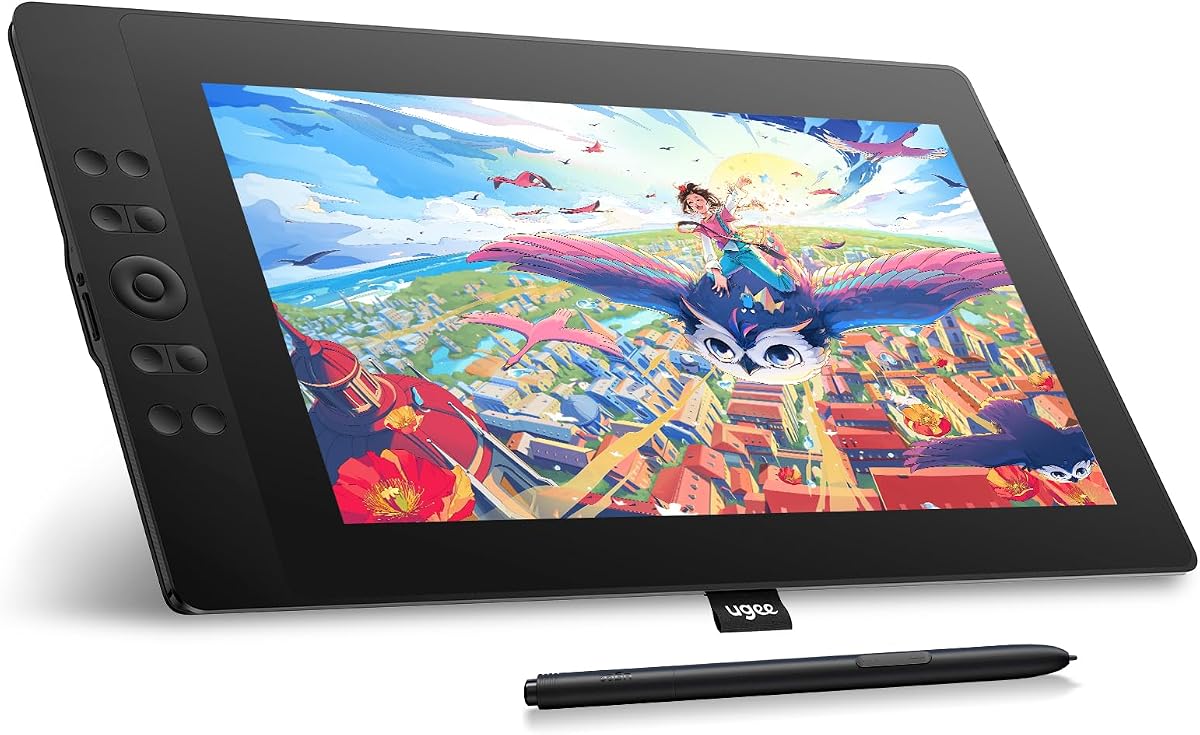
The VEIKK VK1200 V2 offers impressive value with its full-laminated technology reducing parallax significantly. Its anti-glare glass feels natural and enhances drawing precision for beginners.
We may earn a commission when you buy through this link, at no additional cost to you.
Featuring 8192 pressure levels and tilt support, the battery-free pens ensure smooth creative sessions. The included extra pen provides convenience and longevity for daily use.
The compact all-metal design makes it highly portable for artists on the go. However, users might prefer a larger screen for complex illustrations requiring more workspace.
As a budget-friendly choice, this tablet delivers robust features without breaking the bank. It is a solid entry point for anyone exploring digital art seriously.
The full-laminated screen integrates glass and display minimizing parallax for better cursor accuracy.
With its slim all-metal body and anti-slip back, it is easy to transport and stable during use.
We may earn a commission when you buy through this link, at no additional cost to you.
GAOMON PD1161 provides a balanced solution with its 8 shortcut keys enhancing workflow efficiency. The matte film reduces glare effectively giving a natural paper-like feel.
We may earn a commission when you buy through this link, at no additional cost to you.
Its 8192 pressure sensitivity and tilt support on the AP50 pen allow for expressive strokes. The device supports a wide range of creative software making it versatile.
Although it needs a PC connection, the included adapter ensures stable power for optimal performance. Users should note that the tilt function is limited to specific settings.
This model is ideal for illustrators and designers needing quick access to tools. Its reliability and feature set make it a trustworthy choice for regular work.
Eight customizable keys on the side streamline navigation and tools selection during creative tasks.
The pre-installed matte film protects the screen while reducing glare and smudges during use.
We may earn a commission when you buy through this link, at no additional cost to you.
The Artisul D16 offers a spacious 15.6-inch canvas ideal for detailed animation and design work. Its refurbished status provides significant savings while maintaining high performance standards.
We may earn a commission when you buy through this link, at no additional cost to you.
With full-lamination and a customizable dial, users gain precise control over their strokes. The 8192 pressure levels ensure detailed brush work and natural feel.
Though refurbished, the device includes essential accessories and warranty support for peace of mind. Ensure compatibility with your ports as extra converters may be needed.
Artists seeking a larger display will find this model compelling. It balances space and functionality making it suitable for extended creative sessions.
The 15.6-inch area allows for more room to detail complex images and multi-window workflows.
Features an adjustable stand supporting multiple angles for ergonomic comfort during long sessions.
We may earn a commission when you buy through this link, at no additional cost to you.
The HUION Kamvas 13 (Gen 3) elevates creativity with dual dials and advanced PenTech 4.0 technology. Its color accuracy and factory calibration report ensure professional visual output.
We may earn a commission when you buy through this link, at no additional cost to you.
Featuring 16384 pressure levels, the stylus captures every subtle nuance of your artistic intent. The Canvas Glass 2.0 reduces glare and enhances drawing precision.
While it commands a higher price, the feature set justifies the investment for serious designers. It requires a computer connection but delivers exceptional performance and reliability.
For professionals prioritizing color and precision, this model is unmatched. It offers a premium experience tailored to high-end creative needs.
Factory calibration ensures Avg. DeltaE less than 1.5 providing accurate and consistent color output.
Dual dials allow quick adjustments of brush size and opacity without breaking creative flow.
We may earn a commission when you buy through this link, at no additional cost to you.
The UGEE UE16 showcases 143% sRGB color gamut offering vivid and accurate color reproduction. Its large 15.4-inch screen provides ample space for intricate digital paintings.
We may earn a commission when you buy through this link, at no additional cost to you.
Featuring 16K pressure sensitivity, the stylus allows for nuanced line weight and shading. Multiple color spaces support flexibility across various artistic styles and needs.
While the device is robust it may be less portable due to its size. Ensure cables are packed correctly as they are separated to avoid confusion during setup.
This tablet is perfect for artists prioritizing color fidelity and screen size. Its strong performance and intuitive controls make it a valuable tool.
With 143% sRGB gamut and 8-bit color depth it reproduces 16.7 million colors accurately.
Eight physical keys offer tactile feedback improving the drawing experience significantly.
We may earn a commission when you buy through this link, at no additional cost to you.
The VEIKK VK1200 offers a straightforward yet capable experience for beginners and students. Its 11.6-inch screen provides a comfortable workspace for sketching and drafting.
We may earn a commission when you buy through this link, at no additional cost to you.
Featuring 8192 pressure levels and tilt support, the battery-free pen ensures smooth strokes. The inclusion of 28 replacement nibs adds significant value and longevity.
With 6 customizable keys, users can streamline their workflow easily. Setup is quick though connectivity might require adapters for some laptops.
This model is an excellent entry point for digital art. It balances cost and functionality making it ideal for hobbyists and learners.
28 replacement nibs ensure you never run out during projects providing uninterrupted creative time.
An artist glove is included to keep hands clean and prevent smudges on the screen.
We may earn a commission when you buy through this link, at no additional cost to you.
The RubensTab T11 Pro is a rare standalone device allowing art creation without a computer. Its portability and built-in battery make it perfect for traveling.
We may earn a commission when you buy through this link, at no additional cost to you.
With a 10.1-inch Full HD screen and multi-touch support, it offers a versatile and interactive experience. Pre-installed apps enable immediate use upon setup.
Battery life supports about five hours of continuous creative work. While smaller than monitors, its independence offers unparalleled convenience for mobile artists.
Ideal for students and professionals on the go, this tablet simplifies the creative process. It bridges the gap between laptops and tablets effectively.
No external device required enabling creation anywhere anytime for true portability and freedom.
Includes a suite of professional-grade drawing apps making it ready for immediate use.
We may earn a commission when you buy through this link, at no additional cost to you.
The VEIKK VK1200V2 enhances previous models with 16384 pressure levels and 120% sRGB color gamut. Its full-laminated screen ensures minimal parallax and high accuracy.
We may earn a commission when you buy through this link, at no additional cost to you.
With 2 pens included, users can switch easily without interruption. The lightweight design makes it easy to carry for daily creative tasks.
While dependent on a PC, its performance matches more expensive models. Setup is simple with Linux, Windows, and Mac support.
This tablet is perfect for artists seeking high-end specs at a budget price. It delivers professional performance for illustrators and designers.
16384 pressure levels provide nuanced control ensuring smooth and precise strokes.
120% sRGB gamut offers rich and lifelike colors essential for professional digital work.
We may earn a commission when you buy through this link, at no additional cost to you.
The XPPen Artist 12 Pro Lite brings professional features to an affordable compact design. Its 3-in-1 cable eliminates the need for adapters simplifying setup.
We may earn a commission when you buy through this link, at no additional cost to you.
With 8192 pressure levels and 60-degree tilt support, the stylus allows natural shading. The red dial offers quick access to brush size adjustments.
Though it requires a computer connection, the full-laminated screen ensures a distraction-free workflow. It is ideal for users wanting a seamless integrated experience.
This model combines performance and convenience effectively. Artists seeking reliable tools for sketching and editing will appreciate its versatility.
The 3-in-1 cable design removes adapter needs simplifying setup significantly.
A customizable red dial allows efficient control over brush size and zoom.
We may earn a commission when you buy through this link, at no additional cost to you.
Selecting the right pen display depends on understanding your specific needs and technical requirements. This section outlines the key factors to consider before purchasing.
Screen size affects how much space you have to draw. Larger screens offer more room for detail but are less portable. Resolution ensures clarity and sharpness for your artwork.
Choose a size that balances your workspace and comfort.
Pressure sensitivity determines how well the tablet detects your pen strokes. Higher levels allow for more nuanced line variation and shading control. Aim for at least 8192 levels for professional results.
Higher sensitivity improves natural feel and detail.
Color gamut defines the range of colors the screen can display. Look for devices with high SRGB or NTSC coverage to ensure vibrant and accurate colors. Good gamut prevents dull or washed-out images.
Prioritize color accuracy for design work.
Check the ports available on your computer and the tablet. USB-C single-cable setups simplify connections while HDMI may require adapters. Ensure compatibility with your system to avoid extra costs.
Verify connections match your laptop ports.
Ensure the tablet works with your preferred drawing applications. Most support major software like Photoshop and Illustrator but always check driver support. Compatibility ensures smooth workflow without technical interruptions.
Check software support before buying.
Look for included accessories like gloves and replacement nibs which add value. Ergonomic design and stand adjustments help maintain comfort during long sessions. Quality accessories extend device longevity.
Accessories improve usability and comfort.
Decide if you need a standalone tablet or one connected to a PC. Standalone devices offer portability but usually cost more. Connected models are cheaper and more powerful but require a host.
Select based on your mobility needs.
Check warranty terms and customer support availability. Reputable brands offer one-year warranties and driver updates. Good support ensures you can resolve issues quickly and maintain performance.
Review warranty terms for peace of mind.
Start by installing the latest drivers from the manufacturer's website to ensure full functionality. Connect the tablet using compatible cables and adjust screen settings for optimal brightness and color.
Use the included artist glove to prevent smudges and keep your hand clean while drawing. Customize the shortcut keys to match your workflow for faster and more efficient art creation.
Clean the screen regularly with a soft cloth to avoid scratches. Store the tablet and accessories safely when not in use to maintain their longevity and performance.
These tablets rely on your computer for processing power so ensure your system meets software requirements. Most modern PCs can handle basic digital art applications without issues.
Most models in this guide support both Mac and Linux operating systems. Always verify system requirements and download compatible drivers for smooth operation.
Higher pressure levels provide smoother and more accurate stroke transitions. 8192 levels are standard for professionals while 16384 offer even finer control.
Most require a computer connection unless specified as standalone. Standalone models offer portability but typically cost more than connected ones.
Use a soft microfiber cloth to wipe the screen gently. Avoid harsh chemicals or abrasive materials that could damage the anti-glare coating.
Yes, manufacturers provide free driver downloads and updates on their official websites. Keeping drivers current ensures compatibility with software updates.
The XP-PEN Artist12 and VEIKK VK1200 V2 stand out as top choices for value and performance. They offer excellent features suitable for artists at various skill levels.
Prioritize screen quality and color accuracy for professional work. Ensure the device fits your budget and workspace requirements for maximum utility.
Remember that prices and availability change frequently. Check current listings and warranty terms before making your final decision.