
CE249A Transfer Kit for HP Color LaserJet CP4025 CP4525 M651 M680 CM4540
5.0Editor score
Includes secondary roller and rollers
Factory tested for quality
Anti-drop protective packaging
This guide compares the top computer printer transfer belts for laser and thermal systems ensuring optimal print quality and long-term reliability across
Computer printer transfer belts play a crucial role in maintaining consistent print quality across laser and thermal printing systems. These components ensure toner or ink transfers smoothly from the drum to the media. Selecting the right belt minimizes downtime and extends the overall lifespan of your hardware.
We evaluated ten leading transfer belt solutions based on compatibility, build quality, and user feedback. Each product was assessed for its ability to deliver sharp output under continuous operation. Our comparison highlights key differences in yield, design, and integration with specific printer models.
Every pick in this guide showcases specific strengths for different printing environments and workloads. We included options for budget-conscious buyers and those needing premium reliability for high-volume tasks. Keep in mind that product availability and pricing may change over time as market conditions shift.
5.0Editor score

4.6Editor score

4.3Editor score
The following table presents a side-by-side comparison of all ten transfer belt solutions reviewed in this guide. It highlights key specifications and compatibility details to help you identify the best fit for your printer model and operational needs.





This 79866M belt is a top choice for Zebra ZT410 and ZT420 printers. With a high rating of 4.6, users praise its durability and compatibility. The belt is designed to handle heavy-duty thermal printing conditions effectively.
We may earn a commission when you buy through this link, at no additional cost to you.
The industrial-grade wear-resistant material ensures long runs without deformation. It features reinforced composite construction that resists heat and aging. This makes it ideal for continuous barcode printing tasks in demanding environments.
One trade-off is that it only fits 203dpi models, not 300dpi versions. However, for the supported range, the performance is reliable. The included customer service support adds peace of mind for business users.
If you operate a Zebra ZT series printer, this belt is a solid upgrade. It maintains print quality over time and reduces the risk of belt failure. It is highly recommended for shops needing consistent thermal output.
The reinforced composite material handles stress and heat without cracking.
Customers can return or get refunded if the product does not meet expectations.
We may earn a commission when you buy through this link, at no additional cost to you.
The Brother BU223CL belt unit delivers consistent professional color laser quality. It has a rating of 4.2 and supports up to 50,000 pages. This genuine unit ensures your printer performs at its best.
We may earn a commission when you buy through this link, at no additional cost to you.
Intelligent engineering allows this belt to integrate seamlessly with your Brother system. It produces sharp prints that withstand the test of time. The unit is designed for models like HL-L3210CW and MFC-L3710CW.
While it costs more than third-party options, the reliability is worth the investment. It reduces the risk of print defects caused by incompatible parts. The environmentally responsible disposal is an added benefit.
Choose this belt if you need dependable color laser output from your Brother device. It is ideal for offices where print quality and consistency are paramount. The yield matches high-volume usage needs well.
Engineered to work perfectly with your specific Brother printer model.
Brother offers responsible ways to dispose of branded products like this unit.
We may earn a commission when you buy through this link, at no additional cost to you.
The BU330CL belt unit offers a budget-friendly option for Brother laser users. It has a rating of 4.3 and yields around 50,000 pages. This product is packaged in retail boxes for protection.
We may earn a commission when you buy through this link, at no additional cost to you.
It fits models like HLL8260CDW and MFCL8610CDW. The unit is designed to work as a direct replacement for older belts. This ensures your printer continues to function without frequent breakdowns.
The retail packaging adds value for those looking for convenience and protection. However, it may not match OEM longevity. Still, the cost savings make it a great choice for smaller offices.
Consider this unit if you need a reliable replacement without spending too much. It is suitable for standard printing tasks and medium workloads. Check compatibility with your specific model before purchase.
Includes retail packaging to protect the unit during shipping and storage.
Offers a cost-effective solution for replacing worn transfer belts in Brother printers.
We may earn a commission when you buy through this link, at no additional cost to you.
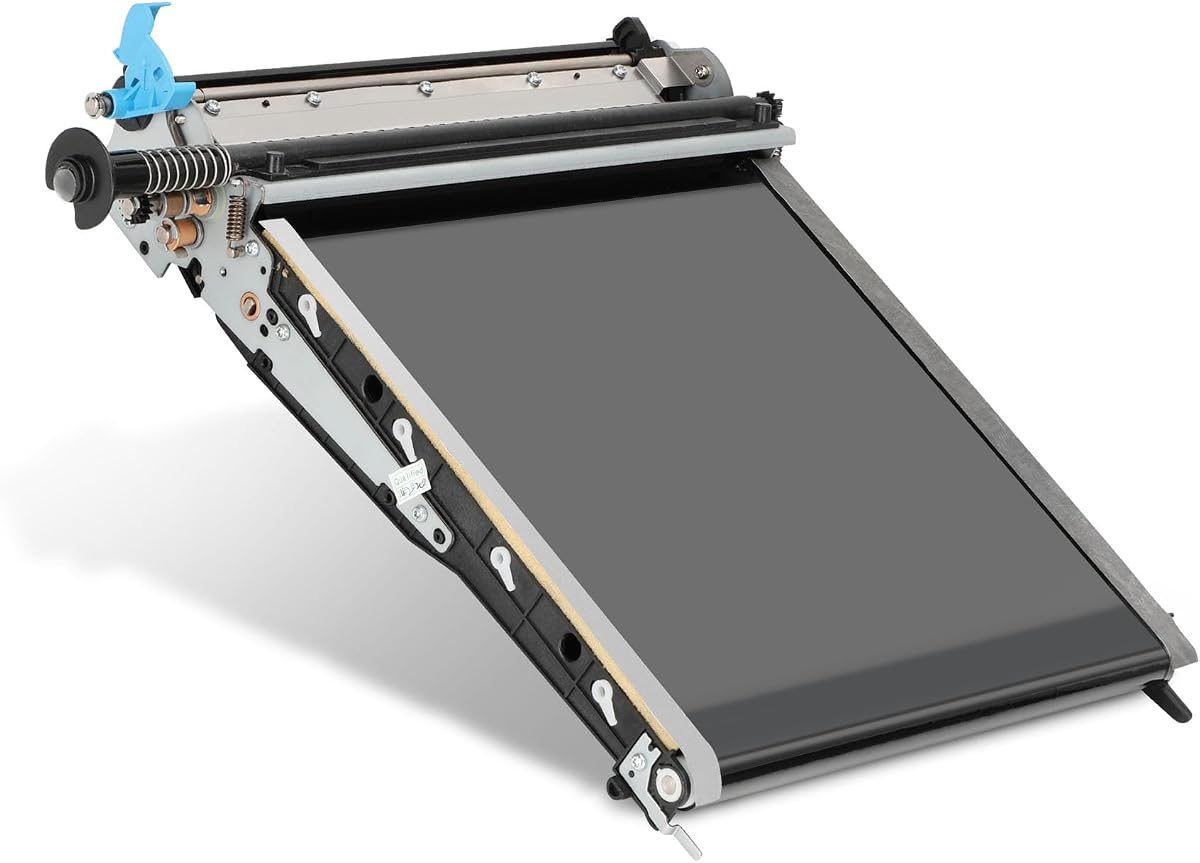
This CE249A transfer kit offers a comprehensive solution for HP printers. It holds a perfect 5.0 rating from satisfied customers. The kit includes the belt, secondary roller, and pickup rollers.
We may earn a commission when you buy through this link, at no additional cost to you.
Each component uses high-quality raw materials to maintain peak performance. It is factory tested to ensure functionality. The packaging is professional and anti-drop to protect the parts during transit.
The only downside is the size of the package, which may require careful unpacking. However, the completeness of the kit saves time on separate purchases. It is great for full maintenance sessions.
Choose this kit if you want to refresh your HP printer's performance fully. It fits CP4025 and M651 models reliably. The extra rollers included provide added convenience for long-term use.
Includes belt, secondary roller, and various feed rollers for a full refresh.
Every item is tested to ensure functionality before shipping to you.
We may earn a commission when you buy through this link, at no additional cost to you.
The BU220CL is a genuine transfer unit belt for select Brother printers. It holds a strong rating of 4.6 from users. This version comes without retail packaging but maintains full functionality.
We may earn a commission when you buy through this link, at no additional cost to you.
It fits HL-3140CW and MFC-9130CW models perfectly. The belt ensures seamless integration with the printer's internal system. This reduces the risk of compatibility issues common with third-party parts.
The lack of retail packaging means less waste but might feel less premium. However, the performance is consistent with other genuine Brother parts. It is a practical choice for those prioritizing function.
If you need a reliable belt for your Brother HL or MFC printer, this unit works well. It is durable and built to last. Always confirm your model number before ordering to ensure fit.
Designed as a direct replacement for seamless integration with your printer.
Customers appreciate the reliable performance and fit of this genuine belt unit.
We may earn a commission when you buy through this link, at no additional cost to you.
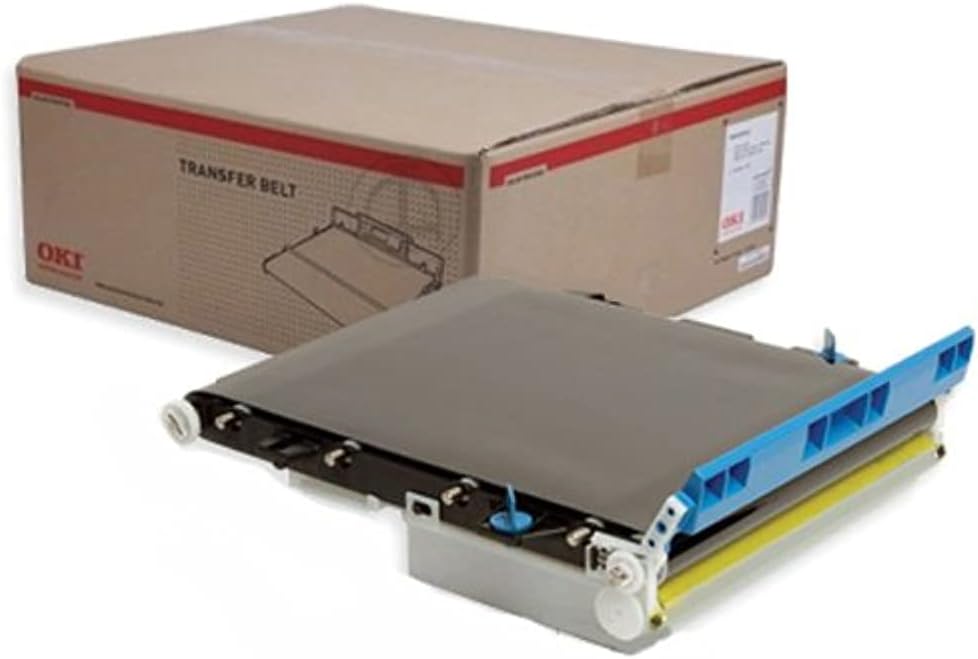
This Oki transfer belt provides a high yield of 60,000 pages. It has a 5.0 rating from users who value reliability. It is designed to replace critical parts regularly for longer machine life.
We may earn a commission when you buy through this link, at no additional cost to you.
Regular replacement reduces downtime and increases productivity in busy offices. It ensures your printer runs smoothly without unexpected stops. The product is manufactured to meet strict quality standards.
The high yield means fewer replacements over time, saving labor and money. It is ideal for environments with constant printing needs. Packaging is basic but sufficient for safe delivery.
Choose this belt if you run an Oki printer with high volume demands. It keeps your system running longer. Always check your model compatibility before purchasing to avoid fit issues.
Reducing downtime through regular part replacement keeps your workflow efficient.
A yield of 60,000 pages supports heavy usage without frequent changes.
We may earn a commission when you buy through this link, at no additional cost to you.
This HP OEM kit is designed for the CM3530 and 3525 series. It holds a rating of 3.3 due to complexity. It offers a 150,000 yield for high-volume environments. Always ensure this is installed by an experienced technician.
We may earn a commission when you buy through this link, at no additional cost to you.
It is authentic and guaranteed to match the exact part requirements. The kit ensures your printer maintains original print quality standards. It uses the identical part number to avoid any fit issues.
The lower rating comes from the need for professional installation. It is not a simple swap for all users. However, for those with access to techs, it is a robust choice.
Consider this kit if you need an official maintenance solution for your HP CM series. It supports long-term use effectively. Make sure you have the necessary skills or support for installation.
Guaranteed authentic parts ensure your printer meets original performance standards.
This kit is designed for experienced technicians to install correctly.
We may earn a commission when you buy through this link, at no additional cost to you.
The P1B93A kit offers compatibility with M652 and M653 printers. It includes multiple parts like pickup and separation rollers. While it has no rating yet, the materials suggest quality construction.
We may earn a commission when you buy through this link, at no additional cost to you.
Each part is smooth and runs without hindrance to improve printer life. The kit undergoes strict production control and multiple tests. It is built to bring your printer back to life.
The absence of reviews means you are relying on specs and support. However, the service promise includes responses within 24 hours. It is a good option for those needing enterprise-level parts.
Choose this kit if you own an M681 or M682 printer. It provides a full replacement set for smooth operation. Confirm compatibility with your model before purchasing to ensure a good fit.
Designed for LaserJet Enterprise printers like the M652 and M653 models.
A support team is ready to solve any questions within 24 hours.
We may earn a commission when you buy through this link, at no additional cost to you.
This 40X9929 assembly is built for Lexmark CS and XC series printers. It has a yield of 150,000 pages for long-term use. The product is crafted from high-quality materials for durability.
We may earn a commission when you buy through this link, at no additional cost to you.
Secure packaging ensures the product arrives intact without damage. Rigorous testing confirms optimal performance before shipping. It helps maintain smooth transfer operations in your device.
While it has no user rating yet, the specs are impressive. The anti-drop design adds value for shipping. It is ideal for offices relying on Lexmark hardware.
Select this assembly if you need a reliable Lexmark replacement. It supports consistent print quality. Check your model number against the list to avoid fit issues before ordering.
Professional anti-drop packaging protects the product during transit and handling.
High-quality materials ensure the belt lasts longer under normal operating conditions.
We may earn a commission when you buy through this link, at no additional cost to you.
This assembly covers XC4140 and XC4153 printers with a 150,000 yield. It is crafted from high-quality materials for durability. It is rigorously tested to ensure optimal printer performance.
We may earn a commission when you buy through this link, at no additional cost to you.
Secure packaging protects the belt during transit and storage. The anti-drop design ensures product integrity on arrival. It helps maintain smooth operations in your Lexmark device.
Lack of ratings means you are relying on specs. However, service is strong with 24-hour response times. It is a good choice for offices needing long-term reliability.
Choose this if you need a durable Lexmark XC replacement. It supports consistent quality and low maintenance. Confirm your exact model before purchasing to ensure the right fit.
A dedicated team is ready to respond to any questions within 24 hours.
High-quality materials and factory testing ensure the unit performs well over time.
We may earn a commission when you buy through this link, at no additional cost to you.
Selecting the right transfer belt involves several key factors beyond just price. This section covers the essential criteria to consider for compatibility and long-term performance.
Always confirm your printer model matches the belt before purchasing. Using an incorrect part can damage your machine or void warranties. Check part numbers and supported series carefully.
Verify the model number to ensure a perfect fit for your device.
Yield varies from 50,000 to 150,000 pages. Higher yields are better for offices with heavy workloads. It reduces downtime and frequent replacement needs.
Choose a higher yield for high-volume environments to save time.
Genuine parts offer guaranteed performance but cost more. Compatible options can be affordable but vary in quality. Decide based on your budget and performance needs.
Balance budget and performance when choosing OEM or compatible parts.
High-quality materials like reinforced composites resist heat and wear. Look for belts with heat-resistant and anti-aging features. This ensures longevity under continuous use.
Select belts with reinforced materials for longer service life.
Reliable sellers offer support if the product is unsatisfactory. Good service includes refunds or replacement if the part does not fit. Check return policies and response times.
Prioritize sellers with strong customer service and return policies.
Proper packaging protects the belt during transit. Anti-drop boxes and protective layers ensure the product arrives intact. This prevents damage that could affect performance.
Look for packaging that ensures the product arrives in good condition.
Thermal printers need belts with specific heat resistance. Laser printers require precision rollers and transfer belts. Match the belt to your printer's working conditions.
Choose a belt suited for your specific printer technology type.
Some kits require professional installation and technical expertise. Others are designed for user replacement. Consider your ability to install the part safely.
Ensure you have the tools or skills to install the belt properly.
Start by powering down and unplugging your printer before any service. Open the cover as instructed in your manual to access the belt assembly. This protects both you and the device.
When installing the new belt, ensure it aligns correctly with all rollers. Check for any wrinkles or misalignment before closing the cover. This prevents jams and poor print quality.
Maintain your belt by keeping it clean from dust and toner. Avoid touching the belt surface directly with your fingers. Regular maintenance extends the life of the belt significantly.
Check your printer model number against the compatibility list in the product description. Use the exact part number found on your existing belt to ensure a match. Manufacturers list specific models each belt supports on Amazon.
Some kits like OEM HP kits may require professional installation. However, many third-party units are designed for user replacement. Always read the installation guide to understand the skill level needed.
Replacement frequency depends on your print volume and yield rating. High yield belts can last up to 150,000 pages. Look for signs like streaks or fading to know when to replace.
Common signs include streaks, faded prints, or recurring paper jams. You might also hear unusual noises from the printer. Replace the belt if quality drops despite toner changes.
Transfer kits often include secondary rollers and pickup rollers. Full kits provide all necessary parts for a complete refresh. Read the package details to see what is included.
OEM parts are engineered by the original manufacturer which adds to the cost. Third-party options offer affordability but vary in quality. Choose based on your reliability needs.
Compatible belts work with many branded printers if they fit. They are often cheaper but may not match OEM longevity. Check reviews to gauge performance before buying.
Most sellers allow returns if the product is not satisfactory. Contact customer service to request a refund or exchange. Check the return policy before purchasing to ensure flexibility.
This guide covers the top computer printer transfer belts for various systems. We highlighted options for thermal, laser, and enterprise needs across different brands.
Consider your printer model, yield requirements, and budget when making a decision. Genuine parts offer reliability while compatible ones provide savings for standard tasks.
Prices and availability change frequently so check current listings before buying. Always verify compatibility to avoid returns and ensure smooth printer performance.