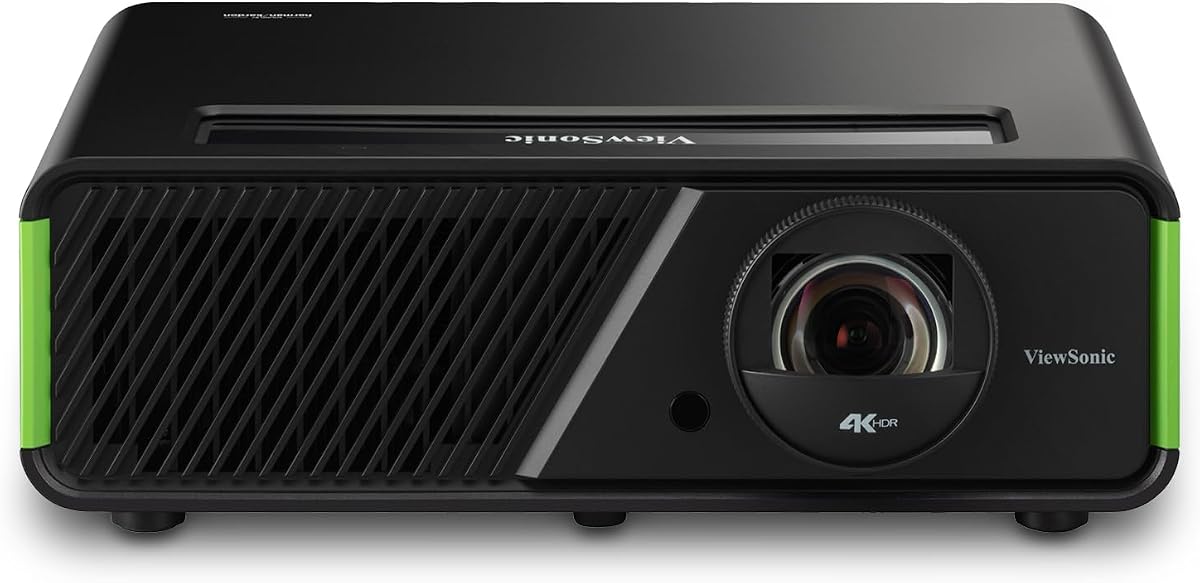
ViewSonic X2-4K UHD Short Throw
3.9Editor score
240Hz refresh rate support
4.2ms ultra-low input lag
Harman Kardon built-in speakers
This guide compares the top console gaming projector for big screen options to help you choose the best model for immersive home theater gaming experiences.
Transform your gaming setup with a console gaming projector for big screen that brings cinema-quality visuals to your living room. Modern projectors offer massive displays up to three hundred inches, perfect for immersive competitive play and family movie nights alike.
We evaluated ten top-rated models based on brightness, resolution, input lag, and smart features. Our analysis focuses on performance metrics that matter most to gamers, ensuring you find a device that delivers smooth motion and crisp details during intense sessions.
Each pick highlights key strengths and potential trade-offs to help you decide. Prices and availability fluctuate regularly, so check current listings before purchasing. These selections represent the best value and performance across various budgets and room sizes.
3.9Editor score

4.4Editor score
4.8Editor score
Compare specifications and features side by side to find the perfect console gaming projector for big screen needs. This table highlights resolution, brightness, refresh rates, and special gaming modes across all ten models.



This projector stands out as the top choice for gamers seeking a balanced mix of brightness and smart features. With a strong 4.4 rating, it delivers vivid 4K HDR visuals that remain visible even in lit rooms. The integrated Google TV eliminates the need for external streaming sticks, simplifying your setup significantly.
We may earn a commission when you buy through this link, at no additional cost to you.
Its 2200 ANSI lumen engine ensures crisp esports streams and console battles during daytime play. The HDMI 2.1 connectivity supports low input lag and smooth motion for competitive titles. Auto Focus and Auto Keystone Correction allow quick alignment without manual adjustments, making it ideal for daily gaming sessions.
While the 60Hz refresh rate is sufficient for most genres, competitive gamers seeking higher rates might look elsewhere. The sealed optical engine prevents dust spots but limits repairability. These trade-offs are acceptable for users prioritizing convenience and brightness over maximum refresh speeds.
Buyers who want a ready-to-use gaming theater without extra devices should choose this model. It balances performance and ease of use better than most competitors. For competitive play or casual marathons, it provides reliable, immersive visuals every time.
Google TV provides instant access to thousands of apps including Twitch and YouTube. WiFi 6 ensures stable streaming while screen mirroring lets you cast guides or tournaments easily.
Auto alignment tools save time while the sealed engine maintains image clarity. Multiple ports support consoles and soundbars without adapters.
We may earn a commission when you buy through this link, at no additional cost to you.
The ViewSonic PX749-4K targets elite gamers who demand maximum performance. It earns a solid reputation with native Xbox compatibility, including 1440p at 120Hz support. Its 4000 ANSI lumens ensure clarity even in moderately lit environments, making it versatile for home theaters.
We may earn a commission when you buy through this link, at no additional cost to you.
A 240Hz refresh rate and 4.2ms input lag deliver tear-free gameplay for high-action titles. HDR and HLG support unlock rich color accuracy for cinematic storytelling. The optical zoom and keystone tools allow precise image adjustment on any wall or screen.
The premium cost reflects its advanced features, but some users report calibration complexity. The bulkier design may suit dedicated theater rooms over casual spaces. These factors are manageable for enthusiasts seeking top-tier motion handling.
If you own an Xbox and want the smoothest possible experience, this model leads the category. It sacrifices affordability for performance and brightness. Gamers prioritizing competitive edge and home theater quality will appreciate its capabilities.
Designed specifically for Xbox, it supports 1440p 120Hz and 240Hz modes. Input lag stays low for responsive gameplay in action games.
Ceiling mounting support and optical zoom simplify setup. Four-corner adjustment ensures a square image on uneven surfaces.
We may earn a commission when you buy through this link, at no additional cost to you.
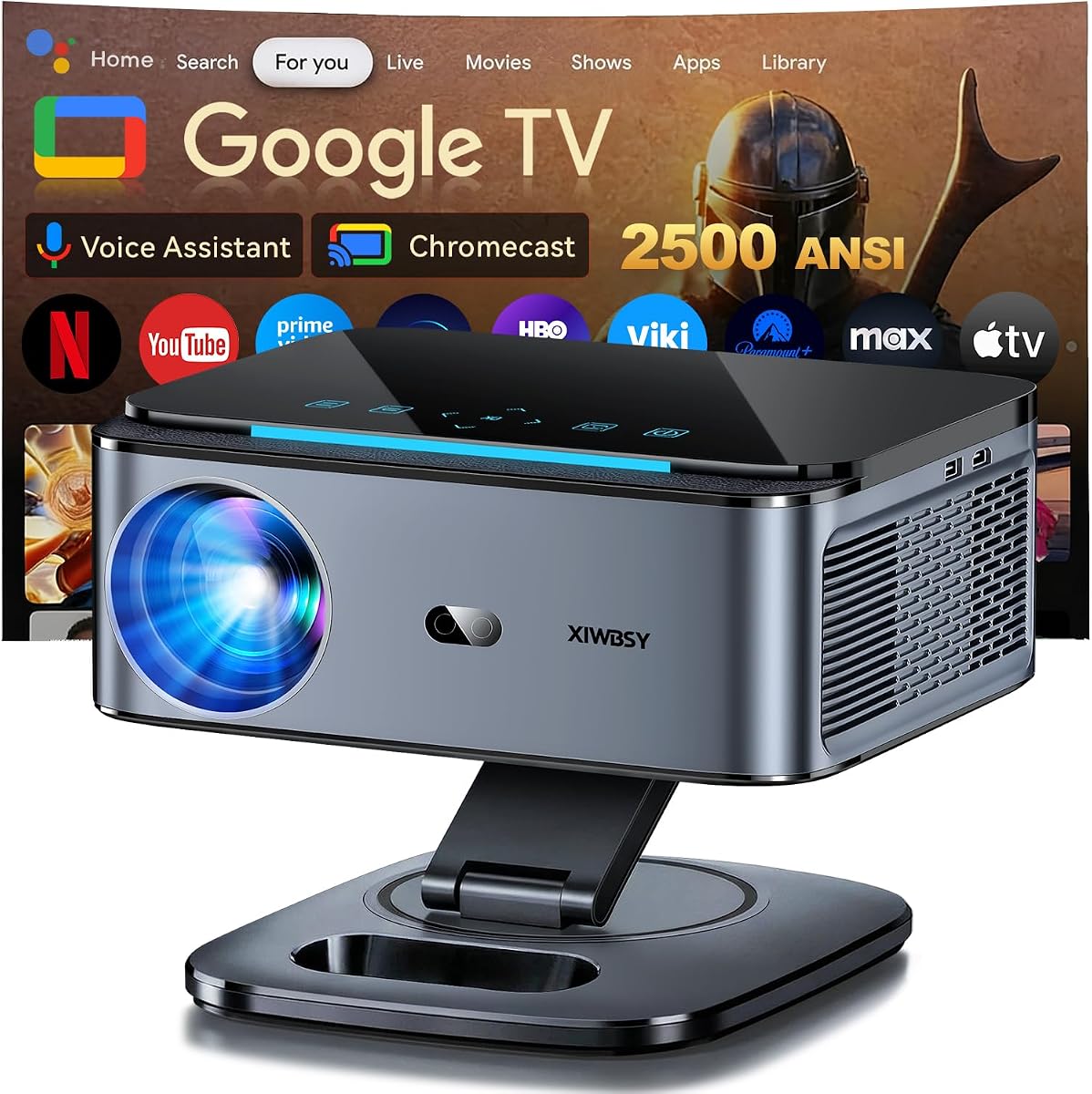
This projector offers exceptional value with a 4.8 rating and 2500 ANSI lumens. Despite the affordable price, it delivers authentic color reproduction and fine details. The preloaded Google TV OS provides one-click access to licensed platforms like YouTube and Netflix.
We may earn a commission when you buy through this link, at no additional cost to you.
With 10ms latency and 60Hz refresh, it handles casual gaming well. Built-in dual HiFi speakers eliminate the need for external audio. Full AI image calibration ensures a properly framed picture regardless of placement.
While native resolution is 1080P, 4K decoding supports high-quality streaming. The lack of specialized gaming modes may disappoint hardcore players. However, the combination of brightness and price makes it a strong entry-level option.
First-time buyers or casual gamers should consider this model for its reliability. It transforms any room into a theater without breaking the budget. Check current listings to confirm compatibility with your setup.
Dual 10W speakers deliver spatial sound. GTV Family Accounts manage content filters for safe viewing.
Rotatable stand supports ceiling or wall mounts. Digital zoom adjusts size without repositioning.
We may earn a commission when you buy through this link, at no additional cost to you.
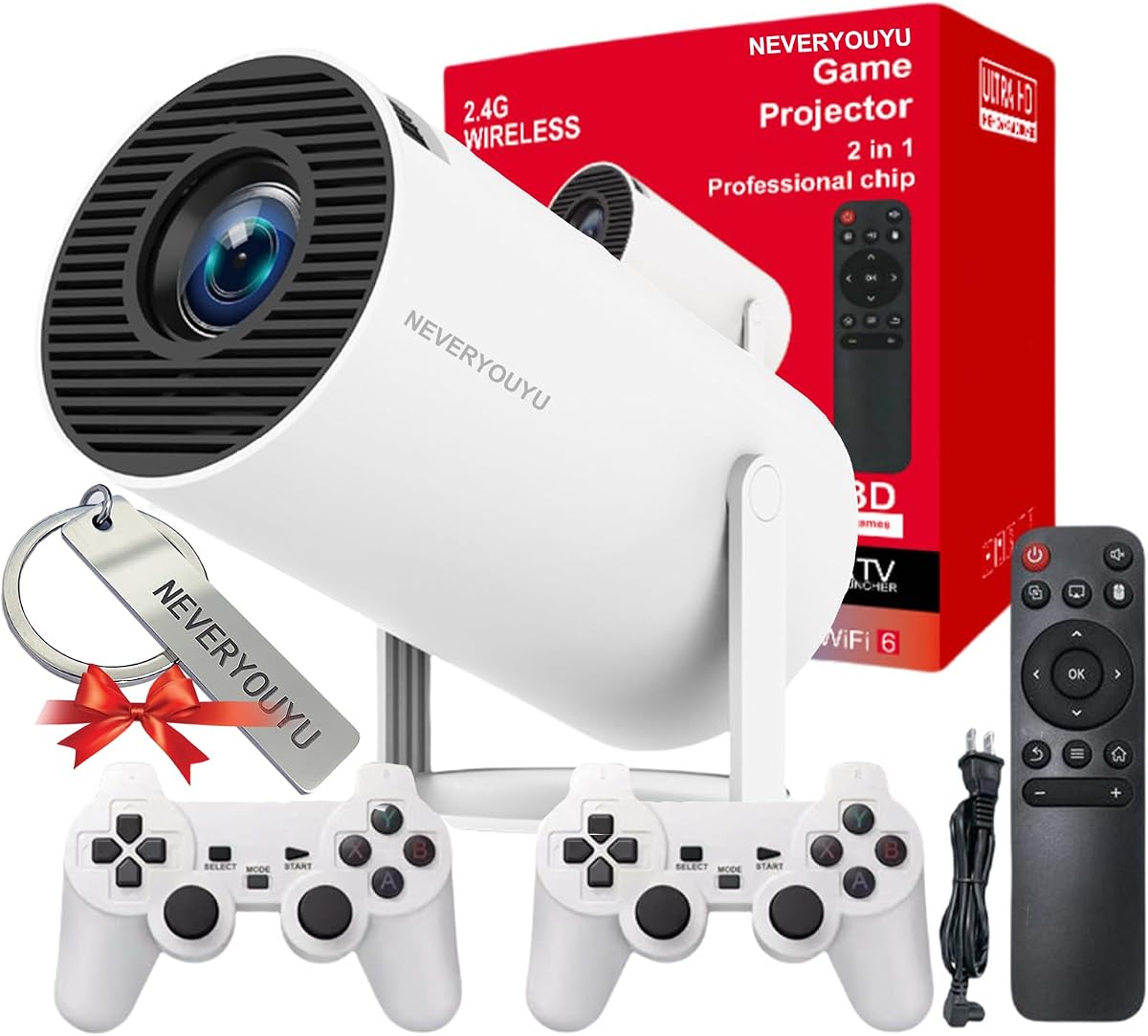
This device merges nostalgic fun with modern convenience, featuring over 36,000 built-in retro games. It targets families and fans of classic titles who want a simple solution. The whisper-quiet fan ensures peaceful operation during long sessions.
We may earn a commission when you buy through this link, at no additional cost to you.
Connectivity includes WiFi and Bluetooth for streaming and device pairing. The short throw design lets you project large images from close range. Controllers are included, making it ready to play out of the box.
Brightness is limited to 300 ANSI lumens, requiring a dark room for best results. Resolution stays at 720P, which may appear soft on large screens. These limitations fit its niche as a retro-focused budget unit.
It suits casual retro gaming or kids' entertainment rather than competitive play. If you prioritize simplicity and nostalgia over specs, this projector delivers fun. Ensure the room is dark enough to maximize image quality.
Access classic 90s titles instantly. Perfect for marathons or family nights.
Quick setup and intuitive controls. Ideal for beginners.
We may earn a commission when you buy through this link, at no additional cost to you.
BenQ delivers a trusted option with native 1080p and 92% Rec. 709 color accuracy. It earned accolades for gaming thanks to ultra-fast input lag. The short throw lens projects 100 inches from just five feet away.
We may earn a commission when you buy through this link, at no additional cost to you.
Brightness reaches 3000 lumens for clear visuals in dim spaces. It matches Xbox One X and PS4 Pro output for smooth motion. US-based customer service and a three-year warranty provide peace of mind.
Lacking 4K decoding limits its future-proofing compared to newer units. HDR performance depends on dim lighting to avoid washout. These constraints are minor for users seeking reliability and brand support.
Buyers wanting a proven, compact projector should consider this BenQ model. It excels in small rooms where throw distance matters. Check current specs to confirm compatibility with your console.
Low lag ensures responsive gameplay. Motion blur reduction keeps action crisp.
3-year parts and labor coverage. US-based service team.
We may earn a commission when you buy through this link, at no additional cost to you.
This laser projector offers cinematic clarity with 4K resolution and 3500 lumens. A dedicated Golf Mode enhances simulation training by adjusting color output. 360-degree projection allows flexible ceiling or wall mounting.
We may earn a commission when you buy through this link, at no additional cost to you.
It delivers 240Hz refresh and low input lag for competitive play. HDMI ARC and CEC support streamline home theater integration. Optical zoom and keystone tools enable precise image adjustment.
The laser source extends lifespan but adds weight and cost. It may feel oversized for smaller spaces. These factors suit dedicated media rooms prioritizing long-term reliability.
Enthusiasts wanting high-end performance and laser durability should opt for this ViewSonic. It balances simulation and gaming features well. Verify size constraints before installation.
Extended lifespan and stable brightness. No bulb replacements needed.
Dedicated golf mode adjusts greens and blues. Ideal for training apps.
We may earn a commission when you buy through this link, at no additional cost to you.
Designed specifically for Xbox, this short throw projector minimizes space requirements. It delivers 2000 lumens and a 1.2x optical zoom for flexible placement. Dual Harman Kardon speakers fill rooms with audio.
We may earn a commission when you buy through this link, at no additional cost to you.
Refresh rates reach 240Hz with 4.2ms response time. Cinema SuperColor technology ensures lifelike colors. It supports 60,000 hours of LED use for long-term value.
While not the brightest in the lineup, the short throw ratio suits tight setups. The cost reflects specialized gaming optimizations. Users seeking compact performance will find it worthwhile.
Choose this model for Xbox users with limited projector distance. It combines audio, speed, and color in a single unit. Check availability to confirm current pricing.
Built-in Harman Kardon speakers. No external speakers required.
60,000-hour lifespan. Stable brightness over time.
We may earn a commission when you buy through this link, at no additional cost to you.
Similar to its counterpart, this model focuses on nostalgia and portability. With over 36,000 retro games, it serves as a standalone entertainment hub. The mini design fits easily into bags or small spaces.
We may earn a commission when you buy through this link, at no additional cost to you.
Bluetooth and WiFi enable streaming and speaker pairing. It runs quietly at 25 dB for peaceful nights. Setup is intuitive, requiring minimal technical knowledge.
Brightness and resolution limit use in lit areas. It relies on dark rooms for acceptable clarity. These constraints suit specific casual use cases.
Gift seekers looking for fun tech should consider this projector. It provides immediate gameplay without console setup. Ensure your room allows for dark projection.
Compact design for travel. Quick setup for outdoor or indoor use.
Bluetooth and WiFi streaming. Pair with phones or speakers.
We may earn a commission when you buy through this link, at no additional cost to you.
Built for versatility, this projector uses VIDAA OS for smooth streaming. It offers 920 ISO ANSI lumens, a verified metric for real-world performance. Dolby Audio and 40W speakers enhance home theater sound.
We may earn a commission when you buy through this link, at no additional cost to you.
AI autofocus and obstacle avoidance automate setup. Over 1,000 live TV channels provide entertainment beyond gaming. AirPlay and HomeKit support simplify device integration.
Brightness suits indoor or shaded outdoor use. It prioritizes smart features over high-end gaming modes. Users wanting a flexible entertainment hub will appreciate its stability.
Check current specs to confirm gaming latency. For general streaming and backyard nights, it performs reliably. Ensure your content sources match the OS capabilities.
VIDAA OS stays fast over months. No ads or tracking.
Dual 20W speakers. Dolby Audio certification.
We may earn a commission when you buy through this link, at no additional cost to you.
The K14 offers verified 1450 ISO ANSI lumens for bright, detailed images. With HDMI 2.1 and under 30ms input lag, it supports smooth gaming. Dolby Audio and 60W speakers deliver rich sound.
We may earn a commission when you buy through this link, at no additional cost to you.
Auto focus and obstacle avoidance ensure quick setup. WiFi 6 lowers wireless latency for stable streaming. A rotating stand enables ceiling or bed viewing.
While optimized for movies, the specs allow casual gaming. It lacks specialized gaming modes found in premium units. Families prioritizing overall entertainment will find it versatile.
Choose this for bright rooms or outdoor use. It balances quality, price, and usability. Verify latency claims before competitive play.
1450 ISO ANSI verified. Outperforms inflated claims.
Rotating stand for ceiling projection. Ideal for bedrooms.
We may earn a commission when you buy through this link, at no additional cost to you.
Selecting the right console gaming projector for big screen requires understanding key technical factors. This guide breaks down what to prioritize for immersive gaming.
Brightness determines visibility in different lighting conditions. ANSI lumens measure real-world light output; higher numbers allow daytime or lit-room use. For competitive gaming, aim for at least 2000 lumens to prevent washed-out images during intense sessions.
Native resolution affects sharpness. Full 1080p is standard, while 4K decoding upscales content. For best detail, choose models with true 4K native panels. Most budget units rely on decoding, which remains acceptable for casual play.
Input lag measures delay between controller and display; under 20ms is ideal for competitive games. Refresh rates like 60Hz or 240Hz impact motion smoothness. Ensure your console supports the projector's rate to avoid stutter.
Built-in operating systems like Google TV or VIDAA eliminate extra devices. Check for HDMI 2.1 ports to support modern console features. Bluetooth and WiFi enable streaming without cables. Voice control adds convenience.
Short throw projectors fit small rooms. Throw ratio determines image size relative to distance. Auto focus and keystone simplify setup. Ceiling mounts may be necessary for fixed installations.
Built-in speakers vary in power. Dolby Audio or Harman Kardon units deliver richer sound. External soundbars connect via HDMI ARC. Check wattage for room-filling audio without extras.
Laser or LED sources outlast bulbs. Sealed engines resist dust. Look for multi-year warranties and customer support. Long-term reliability matters for daily use.
Some models optimize for Xbox or PS5. Game modes reduce lag. Confirm console compatibility for HDR and VRR support. Specialized features enhance the experience.
Place the projector on a stable, level surface away from obstructions. Connect your console via HDMI 2.1 for best performance. Adjust settings to match room lighting.
Use auto-focus tools to align the image quickly. Clean air filters regularly to prevent overheating. Keep the unit in a cool, dust-free environment.
Update firmware periodically for new features. Avoid touching lenses directly to prevent damage. For storage, keep the unit in a padded case to protect optics.
Aim for 2000 lumens or higher to combat ambient light. Models like the 4K HDR Gaming Projector with Google TV handle daylight well. Lower brightness units require dark rooms for clarity.
Yes, with low input lag and high refresh rates. Look for 240Hz support and under 20ms lag. TVs may still offer better black levels, but projectors provide unmatched size.
No, only specific models like ViewSonic PX749-4K guarantee 120Hz. Check HDMI 2.1 compatibility. Most units support 60Hz for casual gaming.
Enable Game Mode in settings. Use HDMI 2.1 ports. Disable post-processing. Ensure your console outputs at the projector's native rate.
Yes, they upscale content to 4K for sharper images. Native 4K panels exist but cost more. Decoding suffices for most streaming and gaming.
Google TV and VIDAA offer stable streaming. Check for low-latency modes. Both support casting and apps like Twitch. Choose based on your app needs.
Clean filters monthly for dusty rooms. Dust buildup causes overheating. Use a soft cloth for external surfaces. Follow the manual for safe cleaning.
Absolutely. High brightness and fast refresh rates suit sports titles. Optimize color settings for clarity. Ensure input lag remains low for reactions.
The top three picks—4K HDR Gaming Projector, ViewSonic X2-4K, and Google TV Smart Projector—cover most needs. Each balances brightness, lag, and smart features effectively.
Prioritize brightness and input lag for competitive play. Casual gamers may value smart OS and setup ease. Match specs to your room size and console.
Prices fluctuate, so verify current deals before buying. Check warranty terms and compatibility. With these factors, you can build a powerful big-screen gaming setup today.