
Skylight Calendar 15 Touchscreen
4.4Editor score
Premium HD smart display
Disney mode animations
Advanced sync features
Keeping a household organized requires clear communication and reliable tools for tracking tasks. A digital chore chart transforms how families manage daily routines by offering interactive screens and instant updates for everyone involved.
We evaluated ten leading models based on syncing capabilities, ease of use, and built-in reward systems. Each option brings unique strengths to help parents reduce nagging while keeping kids engaged in their responsibilities.
Every selection showcases specific features like meal planning, photo displays, and app integration to suit different home needs. Please note that product availability and pricing can change frequently on retailer sites.
4.4Editor score

4.4Editor score

4.4Editor score
As an Amazon Associate we earn from qualifying purchases.
This side-by-side comparison highlights the key specifications and capabilities of each top-rated model to help you make an informed decision for your household needs.
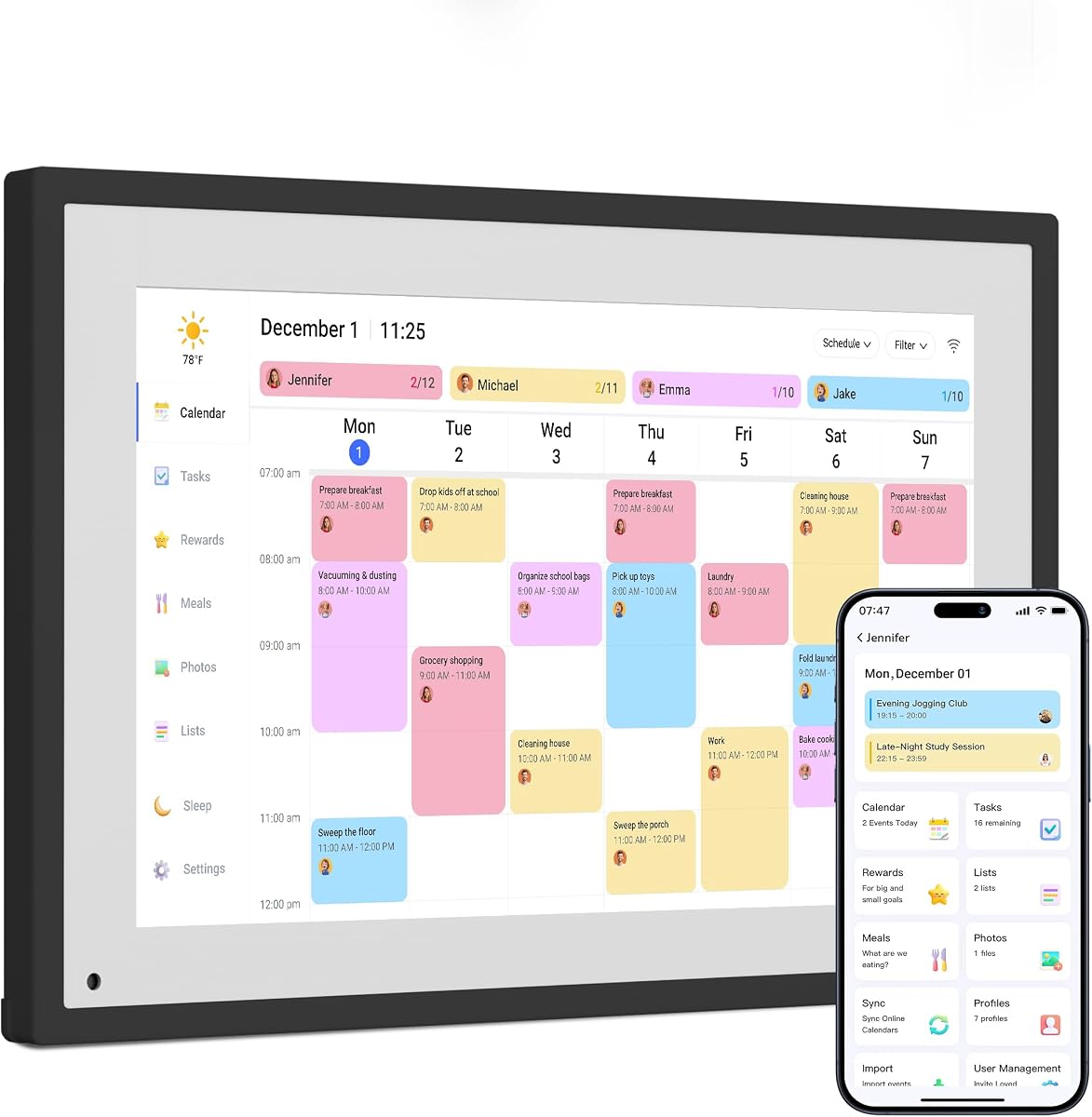



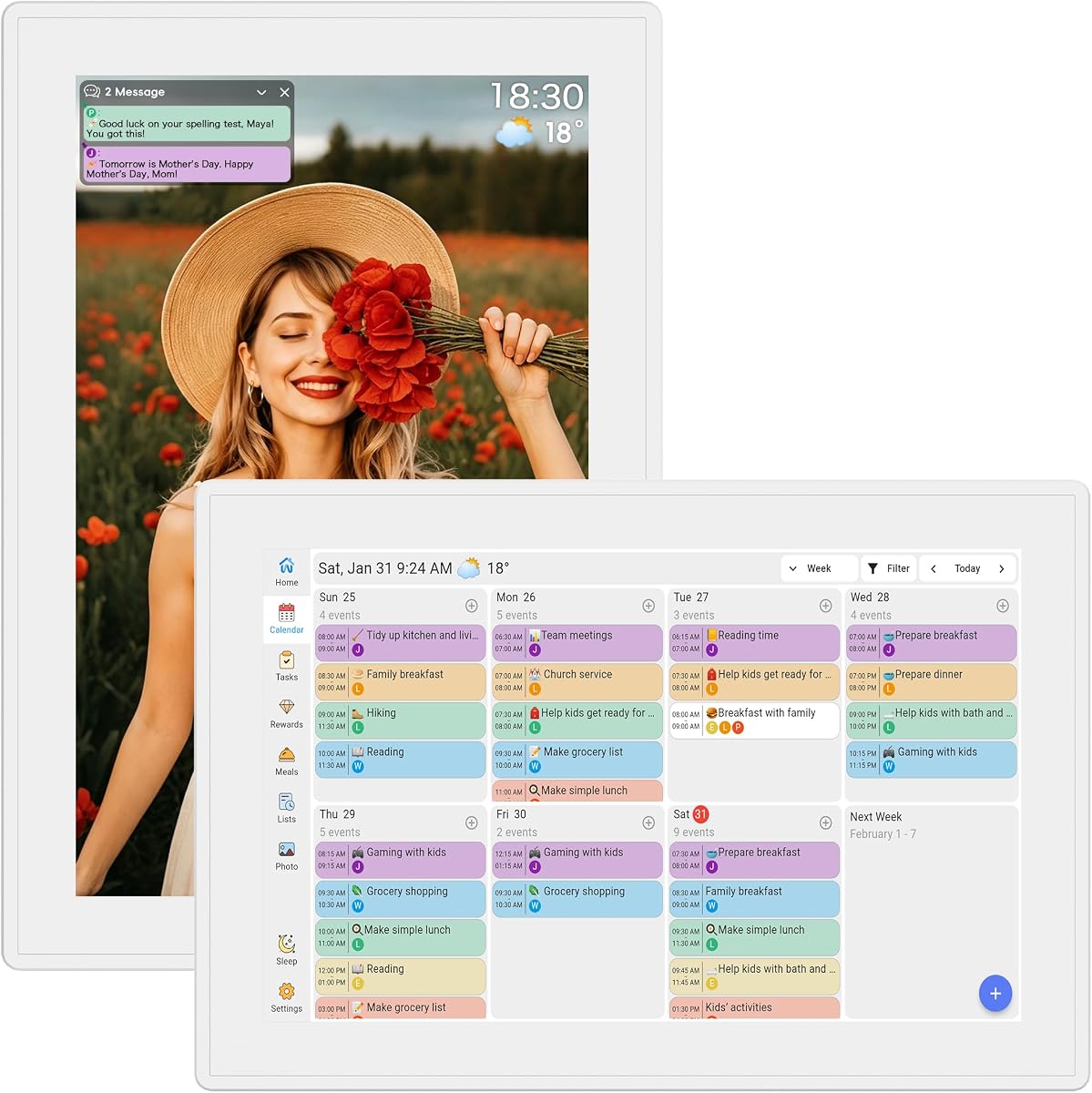
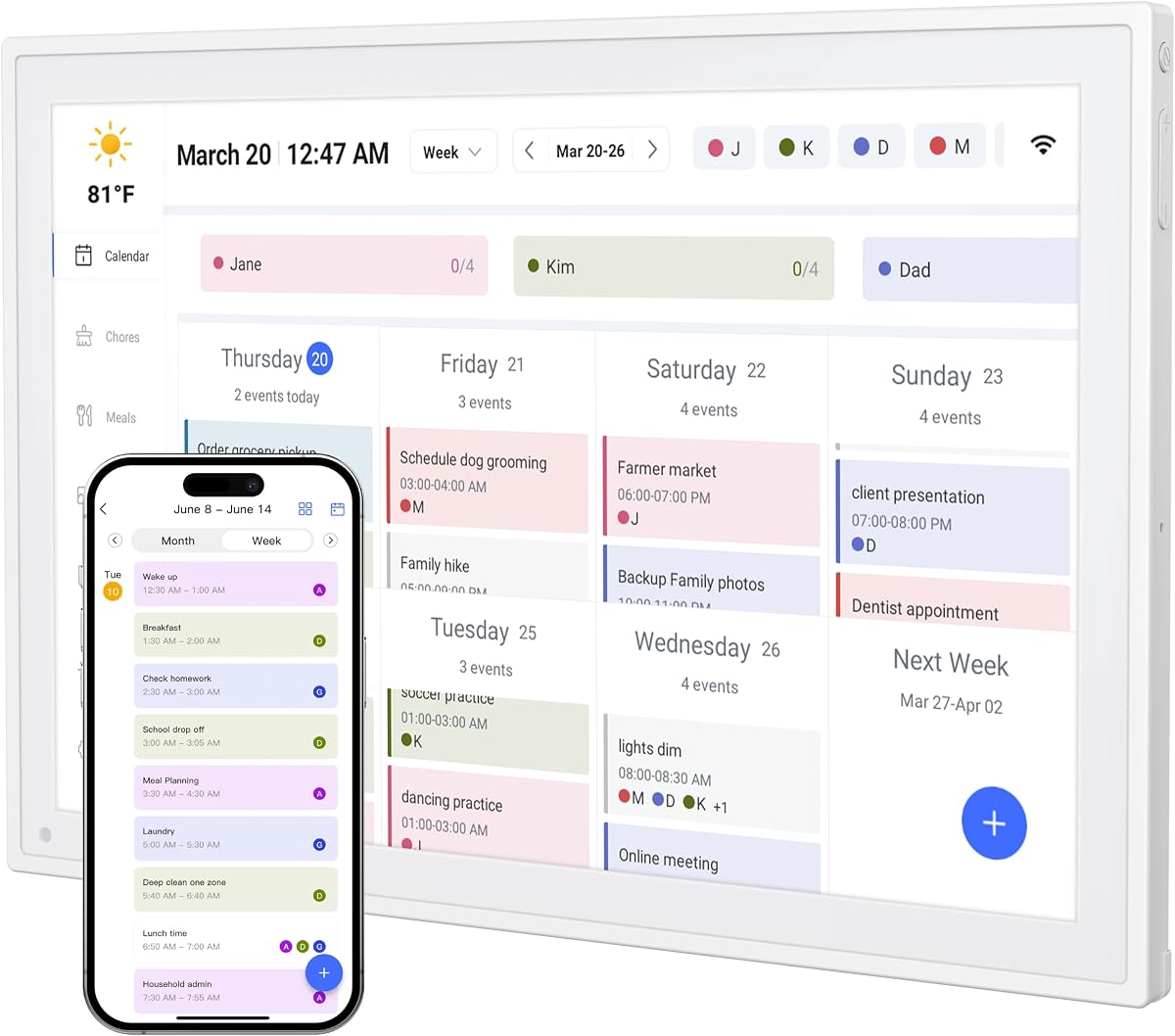
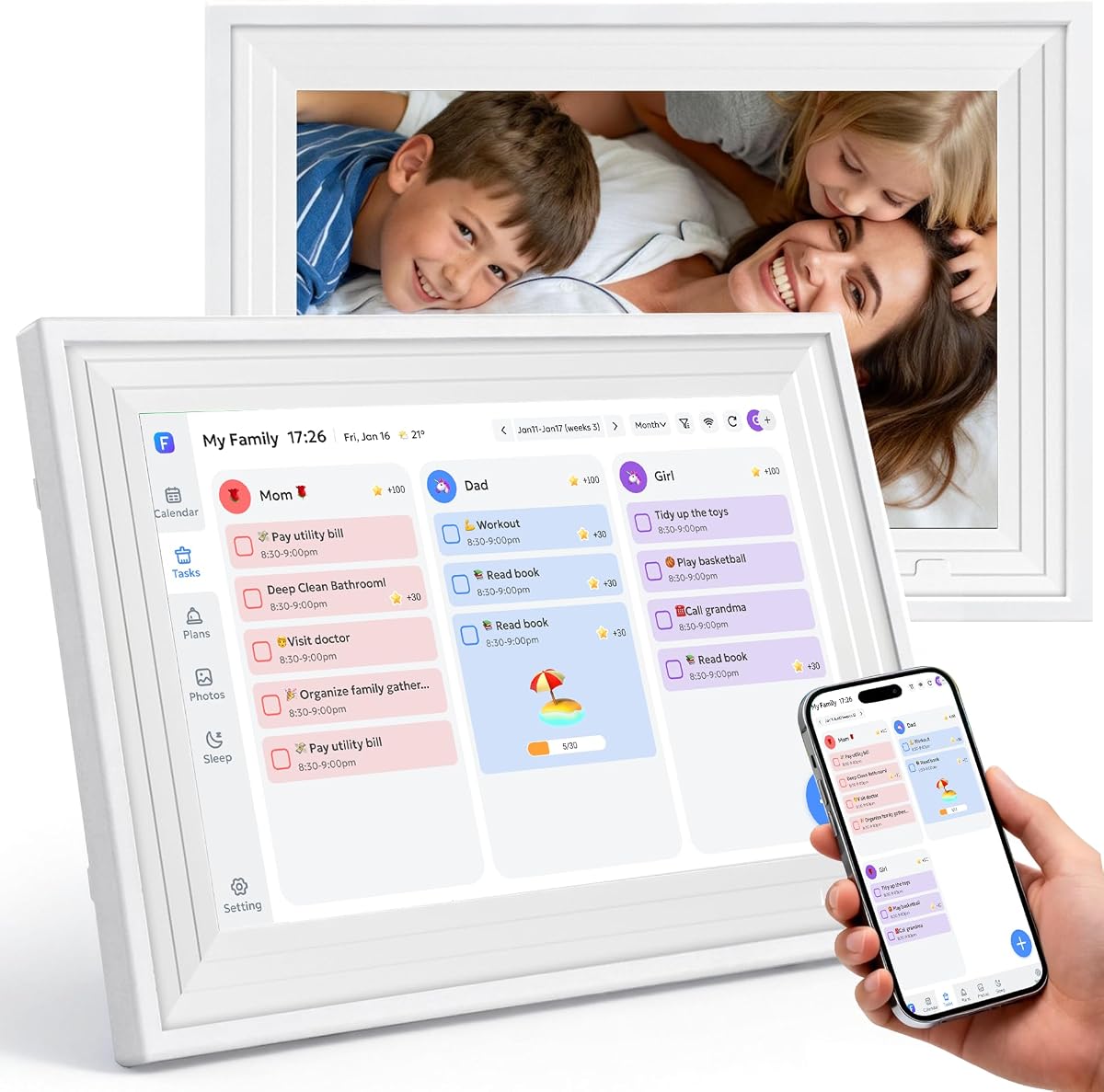
This 15.6-inch digital calendar acts as a comprehensive family command center for busy households. It features a large touchscreen interface that displays chore charts, meal plans, and shared schedules in one cohesive view.
We may earn a commission when you buy through this link, at no additional cost to you.
The interactive reward system allows parents to assign tasks and track progress with gamified points, which motivates children to complete duties independently. Real-time syncing with Google, Outlook, and iCloud ensures all family members stay updated without manual entries.
While the unit requires wall mounting or a desk stand, its size provides excellent visibility for the whole home. Some users may find the initial setup slightly involved, but the long-term organization benefits outweigh the effort.
This device is ideal for large families needing a central hub to manage complex routines. Its balance of features, quality, and lack of recurring fees makes it a top recommendation for modern home organization.
The command center approach unifies calendars and chores, reducing confusion and missed appointments throughout the week.
Built-in tools help children build responsibility through positive reinforcement and visual progress tracking.
We may earn a commission when you buy through this link, at no additional cost to you.
The Skylight Calendar delivers a premium experience with its 15.4-inch HD smart display designed for busy families. It offers a polished interface for shared schedules and interactive chore charts that keep everyone aligned.
We may earn a commission when you buy through this link, at no additional cost to you.
Unique features like Disney mode with animations and avatars make task completion fun for kids. The device syncs effortlessly with major calendar providers, ensuring your household stays on track without manual updates or stress.
While core features are accessible, advanced functions like Magic Import require a subscription, which may add to the long-term cost. However, the build quality and aesthetic appeal justify the investment for many modern homes.
This model suits households valuing design and advanced app integration. It is an excellent choice for those who want a stylish, high-tech solution for daily family management.
The high-definition display ensures clear visibility of tasks and schedules from across the room.
Disney mode adds a layer of fun to chores, encouraging consistent participation from children.
We may earn a commission when you buy through this link, at no additional cost to you.
This affordable digital calendar offers a robust feature set without requiring monthly payments or subscriptions. Its 10.1-inch touchscreen provides all the essentials for managing chores, meals, and family schedules efficiently.
We may earn a commission when you buy through this link, at no additional cost to you.
The built-in meal manager simplifies dinner planning by displaying menus and generating grocery lists automatically. Real-time syncing ensures that all family members see updated tasks and appointments on a single central hub.
Compared to larger models, the screen is smaller, which might limit visibility in bigger rooms. However, for smaller spaces or budget-conscious shoppers, it delivers exceptional value and core functionality without compromise.
This device is perfect for families seeking a practical solution without recurring costs. It balances performance and price effectively, making it an ideal entry point for digital home organization.
All core features, including syncing and chore tracking, are available permanently without subscription requirements.
Visual weekly menus help reduce decision fatigue and organize shopping lists efficiently.
We may earn a commission when you buy through this link, at no additional cost to you.
This smart calendar leverages dual-band Wi-Fi for rapid syncing across Google, iCloud, and Outlook accounts. Its interactive chore chart allows kids to check off tasks with a simple tap, promoting independence.
We may earn a commission when you buy through this link, at no additional cost to you.
Meal planning and grocery lists are integrated into the dashboard, making daily routines easier to manage. The device also doubles as a digital photo frame, displaying family memories when not actively showing schedules.
The 10.1-inch size is compact enough for kitchen counters, though it lacks the screen real estate of larger units. Some users may prefer more advanced customization options, but the core features work well for most.
Ideal for tech-savvy households needing reliable sync and a clean interface. This model offers a straightforward way to digitize family organization without complicated setups.
Fast updates ensure everyone sees the latest changes instantly, preventing scheduling conflicts.
The built-in photo mode transforms idle time into moments of connection with shared family memories.
We may earn a commission when you buy through this link, at no additional cost to you.
The Dragon Touch digital calendar is designed for simplicity, allowing users to get started by just plugging it in and connecting to Wi-Fi. It integrates multiple personal calendars into a unified interface for seamless family planning.
We may earn a commission when you buy through this link, at no additional cost to you.
A standout feature is the interactive chore chart combined with a dinner planner, which helps eliminate daily decision fatigue. Family members can manage schedules remotely via the companion eCalendar app, offering flexibility and convenience.
While the setup is quick, the device relies on Wi-Fi for full functionality, which could be limiting in areas with poor connectivity. The screen size is standard for the category, making it versatile for various home setups.
This model is perfect for households prioritizing ease of use and quick integration. It provides a solid mix of planning tools that help streamline everyday family logistics efficiently.
The straightforward initial configuration gets you managing tasks quickly without technical hurdles.
Displaying meal plans helps everyone know what is coming next, reducing daily arguments.
We may earn a commission when you buy through this link, at no additional cost to you.
This 15.6-inch smart calendar features a 1080P FHD touchscreen with generous 64GB storage for media files. It supports color-coded schedules and an interactive star reward system to build healthy habits for children.
We may earn a commission when you buy through this link, at no additional cost to you.
The adaptive display automatically rotates between portrait and landscape modes based on sensor input, ensuring optimal viewing. Built-in meal planners and grocery list sync help organize kitchen tasks alongside daily chores effectively.
The AiMOR app provides remote sharing, though it requires account setup which may be an extra step for some users. The high resolution and storage make it great for media-heavy families, but it is larger than compact models.
This device suits households needing significant storage and high-resolution visuals. Its robust feature set makes it a powerful central hub for managing both digital files and daily tasks.
The 1080P screen ensures crisp visuals for schedules, photos, and interactive elements.
The sensor-based rotation allows flexible placement without manual screen adjustments.
We may earn a commission when you buy through this link, at no additional cost to you.
This model holds a perfect 5.0 rating for its user-friendly approach to family organization. It combines shared calendars, color-coded schedules, and interactive rewards into a single cohesive and intuitive touchscreen experience.
We may earn a commission when you buy through this link, at no additional cost to you.
The reward system encourages kids to complete tasks by earning stars, which fosters responsibility without nagging. Real-time weather updates and smart sleep settings ensure the device remains practical and energy-efficient throughout the day.
While it lacks some advanced customization, the straightforward design ensures everyone can use it without frustration. The 10.1-inch screen fits easily on desks or walls, making it adaptable to different spaces.
Ideal for families seeking a reliable and high-rated solution. This calendar simplifies daily routines while keeping children engaged through positive reinforcement and visual feedback.
The 5.0 rating reflects high customer satisfaction with ease of use and reliability.
Interactive charts help children see their progress, encouraging consistent effort in daily tasks.
We may earn a commission when you buy through this link, at no additional cost to you.
This compact calendar features a silent vibration motor that wakes you for early appointments without disturbing partners. Its Full HD IPS touchscreen maintains readability day or night with an auto-brightness sensor.
We may earn a commission when you buy through this link, at no additional cost to you.
The recipe keeper and meal planner help organize kitchen tasks alongside standard scheduling functions. Kids can track progress and earn rewards on the color-coded screen, turning chores into an engaging activity.
While the interface is straightforward, it lacks some advanced features found in premium models. However, the focus on practical tools like vibrations and brightness makes it suitable for bedrooms or quiet spaces.
Best for households needing a versatile unit for both task management and gentle reminders. It balances utility with ease of use for a simple digital planning experience.
The vibration motor ensures timely notifications without sound, ideal for shared bedrooms.
Integrated recipe storage reduces kitchen clutter and simplifies grocery planning.
We may earn a commission when you buy through this link, at no additional cost to you.
This device offers a smart sleep mode to minimize light pollution at night, making it suitable for bedside tables. It transitions automatically into a photo frame to display cherished memories when idle.
We may earn a commission when you buy through this link, at no additional cost to you.
The meal planning feature shows visual menu titles to help organize groceries without cluttering the screen. Syncing with Google and Apple calendars ensures all schedules are centralized for easy family viewing.
While it displays menu titles only rather than full recipes, it remains effective for high-level planning. The ultra-thin design fits modern decor, but some users might prefer more detailed culinary tools.
Perfect for those prioritizing aesthetics and low-light functionality. It combines essential organizational tools with a sleek profile that blends well in living spaces or bedrooms.
Auto on/off settings reduce light pollution at night while keeping the device ready for morning use.
Displaying simple meal titles helps the family stay informed without overwhelming the display area.
We may earn a commission when you buy through this link, at no additional cost to you.
This Dragon Touch model organizes family schedules with color-coded tasks and a crystal-clear 10.1-inch touchscreen. When not in use, it transforms into a beautiful digital picture frame adding elegance to any room.
We may earn a commission when you buy through this link, at no additional cost to you.
The simple interface makes it easy for any family member to view schedules or photos without confusion. It supports basic task assignment, ensuring everyone knows who is responsible for daily chores.
While it lacks advanced smart integrations, its focus on simplicity and decor makes it ideal for less tech-heavy homes. The visual appeal turns a functional tool into a piece of home decor.
Best for families wanting a stylish and straightforward organizer. It effectively balances utility with design to enhance home aesthetics while keeping routines clear.
The frame doubles as home decor, seamlessly blending organization with modern aesthetics.
Simple visual cues help children quickly identify their responsibilities without reading complex lists.
We may earn a commission when you buy through this link, at no additional cost to you.
Selecting the right digital chore chart requires evaluating syncing capabilities, display quality, and reward features to match your family's specific needs and routines.
Look for devices that sync with Google Calendar, iCloud, and Outlook to ensure all family members see real-time updates without manual entry. This reduces missed appointments and keeps everyone aligned on daily schedules.
Prioritize models with dual-band Wi-Fi or seamless integration for reliable performance in busy households.
Larger screens like 15.6 inches offer better visibility for whole-family viewing, while 10.1-inch models save space on counters. High-resolution displays ensure text and images remain sharp in various lighting conditions.
Choose a size that fits your kitchen or living area without causing clutter.
Features like star trackers or gamified points help motivate children to complete chores independently. Visual feedback encourages good habits and reduces the need for verbal reminders or nagging.
Ensure the reward system is easy to manage for parents while engaging for kids.
Some devices require monthly fees for advanced features like Magic Import or Disney mode, while others offer full functionality for free. Check which features are locked behind paywalls before purchasing.
Opt for no-subscription models if you want to avoid recurring costs for long-term use.
Digital planners often include meal planners that generate grocery lists to simplify kitchen management. This integration helps families plan ahead and reduces daily decision fatigue regarding dinner menus.
Look for visual menu displays or recipe storage capabilities if meal prep is a priority.
Many models double as digital photo frames to display cherished memories when not showing schedules. This dual-purpose design adds emotional value to the device and enhances home decor.
Check for options to upload photos easily via companion apps or cloud services.
Decide whether you need a wall-mountable unit or a desk stand for flexibility. Wall mounts centralize the display in busy areas, while desktop options allow for easy access on counters.
Ensure the device comes with necessary hardware or stands for your preferred setup.
Simple plug-and-play setups with intuitive touchscreens save time and reduce technical frustration. A user-friendly interface ensures all family members, including children, can use the device independently.
Prioritize models with clear menus and quick configuration processes.
Begin by connecting the device to your home Wi-Fi network and installing the companion app on your smartphone. Sync your existing Google or iCloud calendars to populate the dashboard with appointments and events automatically.
Assign tasks and meal plans using the interactive touchscreen or app, setting up color codes or reward points to track progress. Encourage family members to check in regularly to update completed chores and view upcoming schedules.
Keep the screen clean with a soft microfiber cloth to avoid scratches and maintain clarity. Periodically update the device firmware through the app to ensure optimal performance and new feature availability.
Most models offer core features like syncing and tracking without any recurring fees. Some premium models may require a subscription for advanced tools like specialized photo import or animated features.
Download the companion app and log in with your Google account. Follow the in-app prompts to authorize calendar access, which will pull your events into the device display automatically.
Yes, most devices support multi-user access via the same app account. Family members can view or update tasks from their phones, ensuring everyone stays informed in real-time.
The device will continue to show locally stored schedules and tasks. Once Wi-Fi is restored, it will sync any updates made elsewhere to ensure consistency across all connected devices.
Most digital calendars require a constant power connection and do not have built-in batteries for portable use. They are designed to stay plugged in near a power source for continuous operation.
Many models include interactive reward systems where kids earn stars or points for completed chores. These visual cues help build motivation and track progress over time effectively.
Set the device to photo frame mode in the settings menu. Upload images via the app or cloud service to cycle through memories when the schedule display is not active.
Most manufacturers offer a standard warranty ranging from one to two years. Check the specific product details or manufacturer website for coverage terms and support options.
The 15.6 Digital Calendar Wall Touch Screen, Skylight Calendar, and Digital Calendar 10.1 Touchscreen lead the market with their balance of features and reliability. Each model caters to different needs from premium display to budget-friendly utility.
Prioritize syncing capabilities and reward systems based on your household size and how tech-savvy your family is. A device that reduces friction in daily planning is worth the investment for long-term harmony.
Remember to check current availability and prices before purchasing as these can change frequently. Choose a model that fits your space and budget to simplify your home organization effectively.