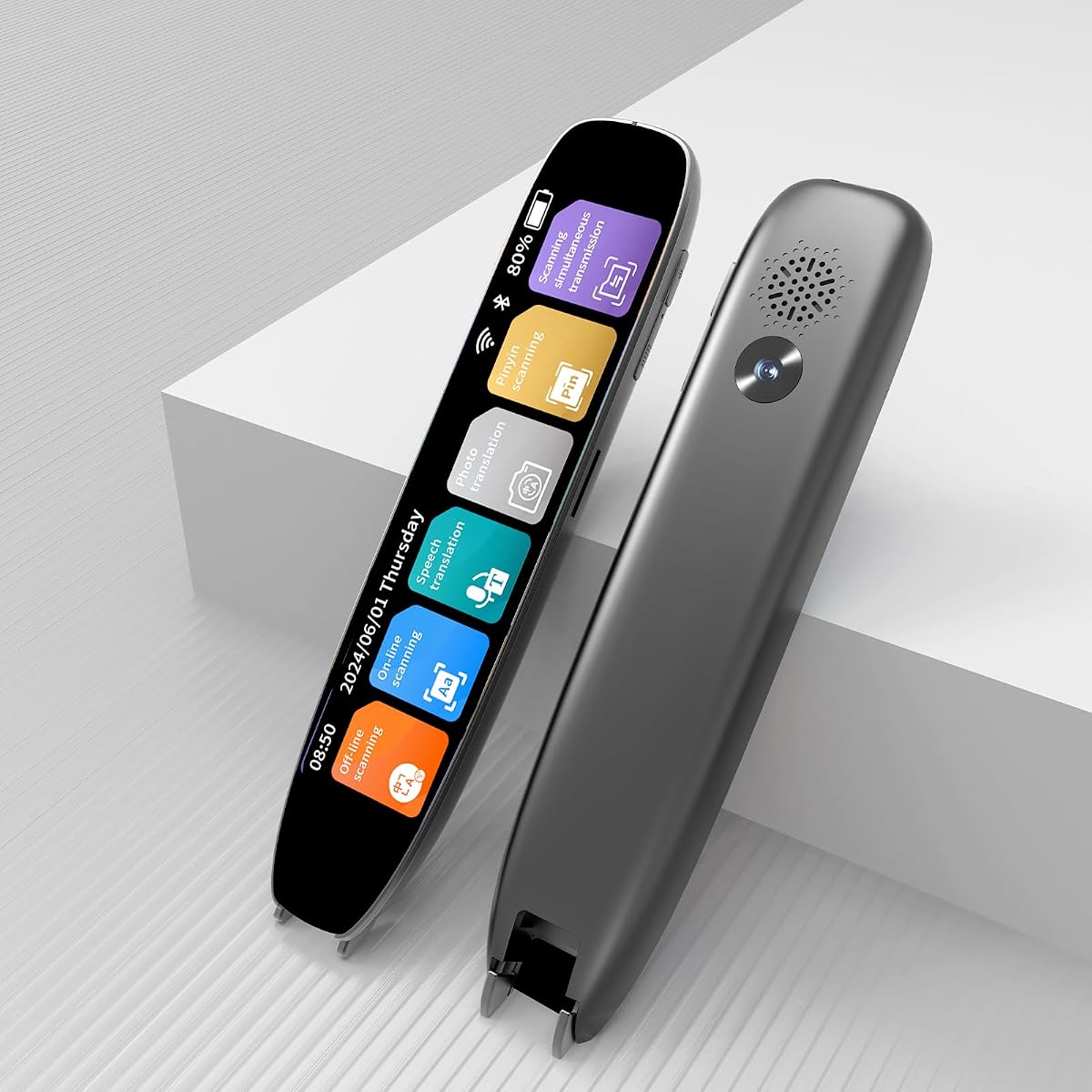
Scan Translator Pen
3.8Editor score
Affordable price point
142 online languages
Text to speech support
Finding the right reading pen can transform how individuals with dyslexia interact with text. These devices use optical character recognition and text to speech technology to scan printed words and read them aloud. They help users overcome reading barriers, improve comprehension, and build confidence in academic or professional settings.
We evaluated ten leading dyslexia reading pen models based on scanning accuracy, language support, battery life, and ease of use. Our comparison considers features like offline translation, note taking capabilities, and audio quality. Each product was selected for its ability to support learners and professionals who need reliable assistive technology on the go.
Each pick in this list highlights specific strengths and ideal use cases for different users. Whether you need a compact travel tool or a full-featured study companion, our guide covers the most effective options available. Please note that pricing and availability can change frequently, so check current listings before making a final decision.
3.8Editor score

5.0Editor score
3.9Editor score
As an Amazon Associate we earn from qualifying purchases.
The following table provides a side by side comparison of all ten dyslexia reading pen models featured in this guide. Each entry lists key specifications to help you quickly identify which device meets your specific needs for scanning, translation, and audio output.


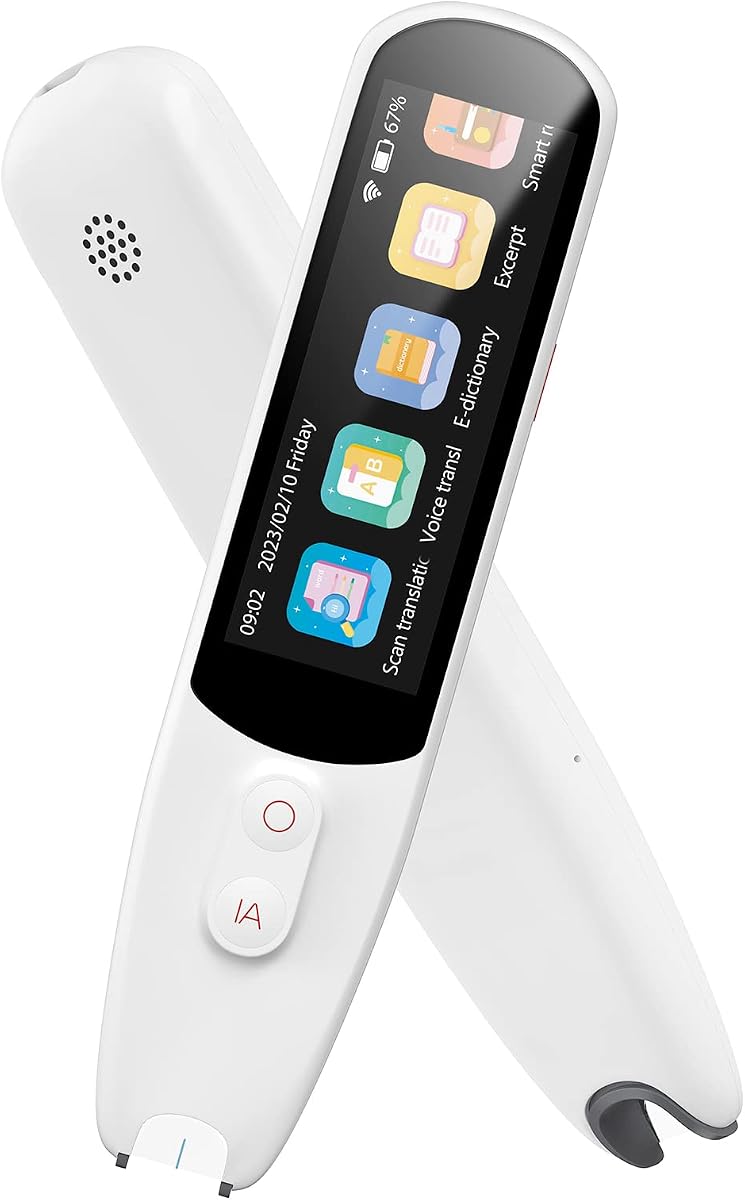


The Scanmarker Pal stands out as a versatile tool for dyslexia support and language learning. With a rating of 4.0, it offers strong performance in scanning and reading text aloud. Its ability to highlight words on a screen while reading enhances comprehension for auditory learners.
We may earn a commission when you buy through this link, at no additional cost to you.
Key strengths include support for over 100 languages and offline translation for major languages like English and Spanish. The device allows users to scan text and export it as a digital file, which is useful for note taking. Bluetooth connectivity enables an immersive audio experience with headphones.
While the offline feature is limited to five languages, it covers the most common needs for travelers and students. The compact design makes it easy to carry in a bag or pocket. These trade-offs are acceptable given the device overall functionality and ease of use.
This pen is ideal for students, adults, and travelers who need quick access to translation and reading support. It balances performance and portability well. We recommend it for anyone seeking a reliable assistive tool for dyslexia or language study.
Users can scan and translate text in over 100 languages quickly. This helps overcome language barriers during travel or study.
The pen reads scanned text aloud with highlighted words. This improves comprehension for those with reading challenges.
We may earn a commission when you buy through this link, at no additional cost to you.
The VORMOR Translator Pen earns a perfect 5.0 rating for its robust feature set and user friendly design. It combines OCR scanning with translation and recording tools in one device. The 3.5 inch touch screen provides clear visual feedback during use.
We may earn a commission when you buy through this link, at no additional cost to you.
Its strengths include support for 112 languages and a built-in Collins Dictionary for accurate definitions. The reverse scanning direction setting caters to left-handed users, which is a thoughtful touch. Bluetooth allows connection to headphones for private listening during study sessions.
Some users may find the interface complex at first, but the detailed UI helps navigation. The inclusion of a camera for photo translation adds versatility beyond simple text scanning. These features make it a strong contender for the best value option.
This pen is best for students and professionals who need detailed dictionary support and recording capabilities. It offers excellent performance for its price point. We recommend it for those who value screen real estate and audio features.
The pen can record meetings and lectures while scanning text. This helps users capture important information efficiently.
Users can point the camera at text for instant translation. This works well for menus and signs abroad.
We may earn a commission when you buy through this link, at no additional cost to you.
This Scan Translator Pen offers a comprehensive set of features for language learners and dyslexia users. It supports 142 online languages and 10 offline languages, providing flexibility in various environments. The device is lightweight and easy to carry anywhere.
We may earn a commission when you buy through this link, at no additional cost to you.
Key benefits include photo translation capabilities and Bluetooth headphone connectivity for immersive audio. The device also supports text extraction and syncing to phones for editing notes. This makes it a powerful study tool for classroom or travel use.
A notable limitation is that it only supports horizontal Japanese text, which may affect users reading specific materials. It is also not suitable for blind people due to screen reliance. These constraints are minor for most general users seeking broad language support.
We recommend this pen for global travelers and students who need offline translation options. It balances functionality and portability well. It is a strong choice for those needing versatile assistive technology.
The pen reads scanned text aloud to improve pronunciation. This helps ESL students learn correct word stress.
Users can sync scanned files to phones for editing. This streamlines note taking and document organization.
We may earn a commission when you buy through this link, at no additional cost to you.
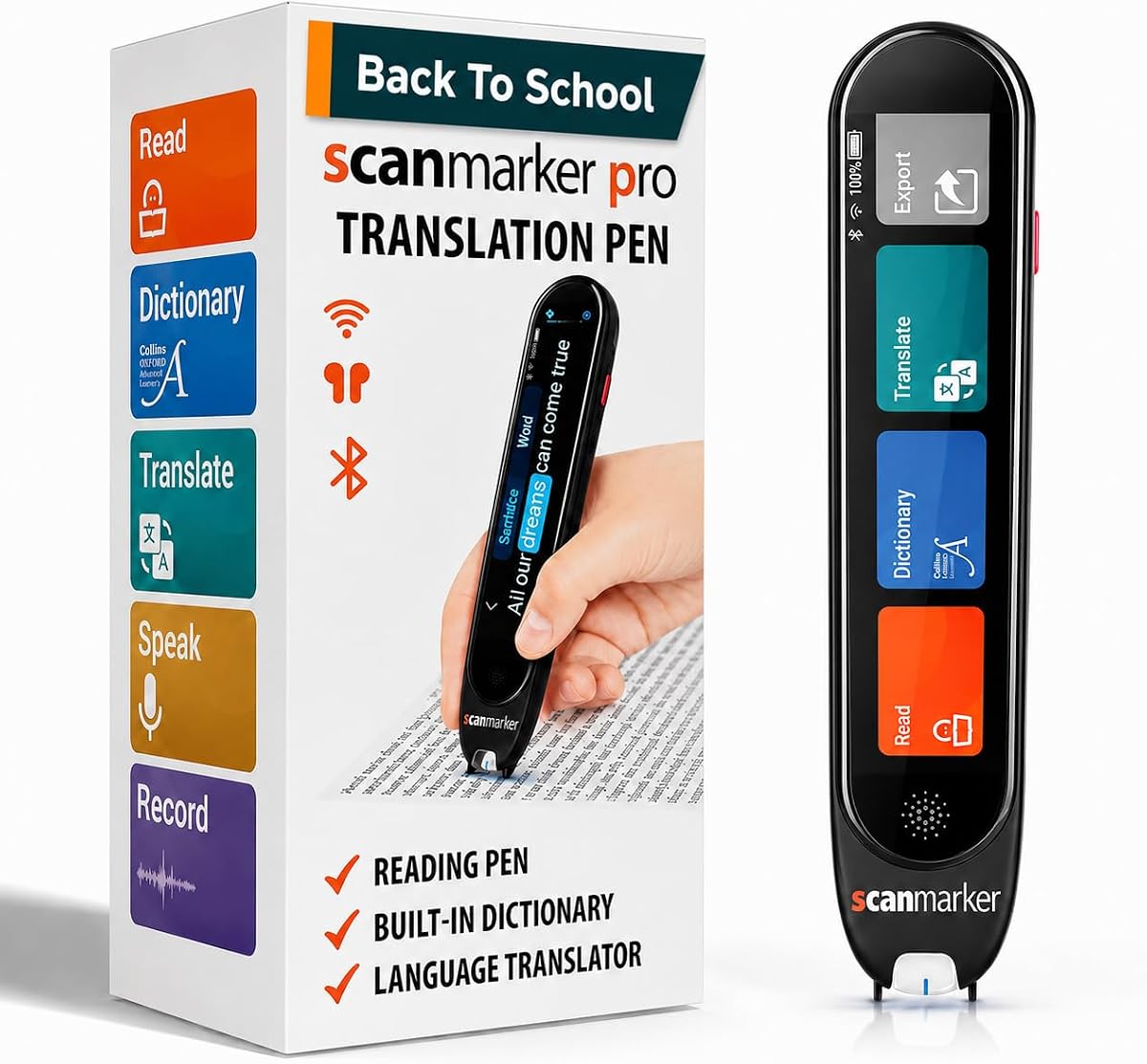
The Scanmarker Pro is a standalone device designed to scan and read text aloud while highlighting words. It supports over 100 languages and includes a built-in English dictionary for vocabulary building. This makes it excellent for students needing literacy support.
We may earn a commission when you buy through this link, at no additional cost to you.
Its strengths lie in its smart note-taking capabilities and built-in dictionary. Users can capture memos directly on the device, which helps organize information efficiently. The one-year warranty provides peace of mind for long-term use.
As a standalone pen, it does not scan to other devices directly, which may limit workflow for some. The price is higher than budget options, but the feature set justifies the cost. These trade-offs are acceptable for those needing dedicated assistive tools.
This pen is ideal for kids, adults, and classrooms requiring reliable reading support. It simplifies workflows with integrated note-taking. We recommend it for those seeking a robust, all-in-one reading tool.
Built-in dictionary offers word definitions on the fly. This helps learners understand context and meanings.
Users capture memos directly on the device. This aids professionals and students in data collection.
We may earn a commission when you buy through this link, at no additional cost to you.
This Scan Translator Pen features high-precision scanning and translation for diverse learning needs. It supports 142 languages and includes offline capabilities for major languages. The built-in camera allows for photo translation of menus or signs.
We may earn a commission when you buy through this link, at no additional cost to you.
Key features include a voice recorder function and Bluetooth support for headphones. Users can capture notes directly on the device for accurate data collection. This is useful for students and professionals organizing meetings or lectures.
While it does not support vertical Japanese text and is not for blind users, these are specific limitations. The device remains powerful for general text scanning and translation tasks. These constraints are minor for most standard use cases.
We recommend this pen for students and travelers needing a multifunctional tool. It balances affordability with advanced features. It is a reliable choice for those seeking comprehensive language support.
The pen serves as a voice recorder during meetings. This ensures no important information is missed.
Users can extract text from images for editing. This helps with quick data collection on the go.
We may earn a commission when you buy through this link, at no additional cost to you.
The SVANTTO Translator Pen integrates OCR translation and intelligent voice recording into one portable device. It supports 102 languages and offers offline translation for common languages like English and Chinese. This makes it practical for textbooks and documents.
We may earn a commission when you buy through this link, at no additional cost to you.
Its strengths include adjustable text-to-speech speeds and noise-reduction recording for lectures. The pen allows file transmission to mobile phones for sorting notes efficiently. These features are well-suited for students needing systematic study management.
While battery life varies by usage, the device offers a steady performance for daily study. The noise-reduction technology ensures clear audio capture in busy environments. These trade-offs are acceptable for students prioritizing recording quality.
This pen is ideal for learners and content creators needing stable portable recording. It offers fast and accurate assistance. We recommend it for those needing organized study tools.
Users can adjust reading speed to match their pace. This supports diverse learning needs effectively.
The pen converts text into editable memos instantly. This helps with vocabulary lists and outlines.
We may earn a commission when you buy through this link, at no additional cost to you.
The NEWYES AI Pen is equipped with AI dictionary and homework checker features to support in-depth learning. It offers six reading levels for all learners and adjusts word speed and accent options. This makes it ideal for kids and adults at different stages.
We may earn a commission when you buy through this link, at no additional cost to you.
Key strengths include 16GB storage and export support for txt, doc, and pdf formats. The built-in camera allows for photo translation across 112 languages. These features provide a seamless learning experience without extra software.
While the AI features add complexity, they offer significant value for students needing homework help. The specialized font design reduces reading stress, aiding comprehension. These trade-offs are acceptable for those seeking advanced educational support.
This pen is ideal for students and teachers needing versatile learning tools. It adapts to reading proficiency levels. We recommend it for those seeking an upgraded educational experience.
AI helps answer questions and explore surroundings instantly. This supports learning beyond just reading text.
Users sync text to phones and tablets easily. This simplifies saving and sharing content efficiently.
We may earn a commission when you buy through this link, at no additional cost to you.
This Translation Pen offers high-precision scanning and translation for diverse learning scenarios. It supports 142 languages and allows users to capture key text from documents. This makes it ideal for professionals gathering information quickly.
We may earn a commission when you buy through this link, at no additional cost to you.
Its strengths include photo translation and text excerpt functions for quick data collection. The device supports Bluetooth headphones and offline translation for major languages. These features help users access relevant parts of any text effectively.
While it does not support vertical Japanese text and is not for blind users, it remains powerful for general use. The photo translation feature works well for signs and menus. These constraints are minor for standard users seeking efficiency.
We recommend this pen for business travelers and students needing quick data collection. It helps access relevant parts of text efficiently. It is a reliable choice for those seeking multilingual support.
The pen extracts key text from images or documents. This helps users gather essential information quickly.
Users can snap photos of menus for instant translation. This is useful for dining out or travel.
We may earn a commission when you buy through this link, at no additional cost to you.
This Translator Pen features accurate OCR scanning to read text aloud instantly. It supports 142 languages for dialogue and includes offline capabilities for seamless travel use. The 5MP HD camera decodes complex layouts and pictures.
We may earn a commission when you buy through this link, at no additional cost to you.
Key features include mobile sync for editable files and HD voice recording for meetings. Users can scan texts in 52 languages and sync directly to phones. This saves study time and streamlines document organization effectively.
While it does not support vertical Japanese text and is not for blind users, these are specific constraints. The 5MP camera handles tricky text scenarios reliably. These trade-offs are acceptable for general users needing fast translation.
We recommend this pen for learners and office staff needing efficient organization. It combines text reading and multi-mode translation. It is a smart assistant for key information capture.
The 5MP camera handles images and pictures reliably. This works well for non-standard text scenarios.
Users can sync editable files to phones instantly. This saves time on manual transcription.
We may earn a commission when you buy through this link, at no additional cost to you.
This Scan Translation Pen supports online voice translation in 142 languages and offline for major languages. It is designed to be lightweight at 70g, fitting easily into pockets. The left/right hand mode adds a humanized touch for comfort.
We may earn a commission when you buy through this link, at no additional cost to you.
Key strengths include a classroom recording mode and photo translation for instant image translation. Users can capture lecture notes and replay audio for review. This ensures no key lecture content is missed during classes.
While it does not support vertical Japanese text and is not for blind users, it remains a reliable tool for general use. The portable design is ideal for daily travel or study. These trade-offs are acceptable for frequent travelers and students.
We recommend this pen for students and travelers needing portable assistive tools. It helps manage information efficiently. It is a compact choice for daily or travel use.
Users can record lectures for review later. This ensures they do not miss teacher content.
The pen supports left-handed users with specific mode. This adds comfort for fatigue-free operation.
We may earn a commission when you buy through this link, at no additional cost to you.
Selecting the right dyslexia reading pen requires careful consideration of features like language support, scanning accuracy, and portability. This section outlines key factors to help you make an informed decision based on your specific needs.
The number of languages supported is crucial for travelers and students learning multiple languages. Look for devices offering both online and offline translation capabilities to ensure functionality without internet access. Major languages like English, Spanish, and Chinese are standard in most models.
Prioritize pens that offer extensive language coverage if you need versatility. Offline support ensures you can translate in areas with poor connectivity.
Audio clarity is essential for users with dyslexia who rely on auditory feedback. High-quality speakers or headphone connectivity can significantly improve comprehension. Adjustable reading speeds allow users to match the pace of their own reading habits.
Ensure the device offers clear voice output and adjustable speed settings. This helps reduce cognitive load during study sessions.
Optical character recognition (OCR) accuracy determines how well the pen reads printed text. Devices with high-resolution cameras or sensors can handle complex layouts and different fonts better. Look for models that support scanning on paper, screens, and labels.
Choose a pen with proven OCR technology to avoid transcription errors. Accurate scanning saves time and frustration during use.
Battery longevity affects how long you can use the device without charging. Long sessions may require devices with extended battery life or fast charging capabilities. Consider how often you will use the pen daily to estimate power needs.
Look for batteries that last through a full school or work day. Long battery life ensures uninterrupted learning.
A lightweight and compact design makes the pen easier to carry in a bag or pocket. Heavy devices can become cumbersome during travel or extended study sessions. Check the weight and dimensions to ensure it fits your carrying preferences.
Prioritize compact models if you travel frequently. Portability ensures you always have your tool available.
Some pens allow you to save scanned text or notes directly to the device or sync them to a computer. This feature is useful for students who need to organize study materials efficiently. Look for options that support standard file formats like PDF or TXT.
Select models that offer seamless data management. This helps keep your learning materials organized and accessible.
Advanced features like AI dictionaries, recording capabilities, and photo translation can enhance the device utility. Recording is valuable for capturing lectures, while photo translation helps with signs and menus. Evaluate which extras align with your goals.
Consider features that directly support your study workflow. Extra capabilities can simplify daily tasks and learning.
Ensure the pen works with your existing devices or software. Bluetooth connectivity allows for wireless sync with phones or computers. Check for compatibility with your operating system to avoid technical issues.
Choose devices that integrate well with your tech setup. Compatibility ensures a smooth user experience.
To use the pen effectively, turn it on and select the desired language mode. Scan text by moving the pen tip horizontally across the line you wish to read. Wait for the audio output to play so you can hear the pronunciation and meaning.
For best results, keep the pen tip clean and free of dust. Use soft cloth wipes to clean the optical sensors regularly. This ensures accurate scanning and prevents errors caused by debris.
Store the pen in a protective case when not in use to prevent physical damage. Charge the battery fully before long trips to ensure uninterrupted operation. Regular maintenance will extend the life of your device.
These pens use text to speech technology to read printed text aloud. This helps users with dyslexia bypass decoding challenges and focus on comprehension. It also supports auditory learning styles which can improve retention.
Many models offer offline translation for a limited number of languages. This allows users to translate without an internet connection. However, full features may require online access for the best experience.
Most pens are designed for printed text on paper. Some advanced models support scanning on screens like tablets but results may vary. It is best to check the product specifications for screen compatibility.
Most pens support over 100 languages including English, Spanish, French, and Chinese. Offline capabilities usually cover the most common languages for convenience. Check the device settings for a full list of supported languages.
Many modern models support Bluetooth headphone connectivity. This allows for private listening which is useful in quiet environments. It also provides a more immersive experience for users with audio sensitivities.
Most dyslexia reading pens require a visual display for navigation. Therefore they are not suitable for blind users who rely solely on audio. Consider dedicated screen readers for those specific accessibility needs.
We explored ten top dyslexia reading pen options ranging from budget-friendly to premium models. The VORMOR Translator Pen and Scanmarker Pro stand out for their comprehensive features and support for diverse learners.
When choosing a device, prioritize language support, audio quality, and portability to match your needs. Devices with offline capabilities and note-taking features offer the most value for students and travelers.
Please note that prices and availability can change frequently. We recommend checking current listings and reviews before making a purchase to ensure you get the best value for your budget.