
VPFET HDMI Audio Extractor 4K HDMI to Optical 3.5mm AUX Audio Adapter Splitter Converter Support HDCP Digital DTS 5.1 PCM
4.1Editor score
Supports 4K resolution
Optical and 3.5mm output
Low energy consumption USB power
This guide compares the top HDMI Audio Extractor models for 2026, evaluating performance, compatibility, and features to help you find the perfect audio
Finding the right HDMI Audio Extractor can transform your home theater setup by separating audio from video signals. This allows you to connect external speakers or soundbars to devices that lack dedicated audio outputs. A quality extractor ensures high fidelity sound while maintaining video clarity across various resolutions.
We have evaluated ten leading models based on their resolution support, audio format compatibility, and ease of use. Each product offers unique capabilities ranging from basic stereo extraction to advanced eARC support. Our analysis focuses on real-world performance and compatibility with modern gaming consoles and streaming devices.
Each pick in this guide highlights specific strengths such as budget friendliness or premium features like 8K support. We detail the pros and cons to help you make an informed decision. Please note that prices and availability change frequently so check the latest listings before purchasing.
4.1Editor score

4.4Editor score

4.2Editor score
This side-by-side comparison highlights the key specifications and features of the top ten HDMI Audio Extractor models. Use this table to quickly identify which device matches your specific resolution and audio format needs.






This VPFET model stands out as an affordable solution for users needing basic audio separation. It supports 4K video pass-through and offers both optical and 3.5mm outputs for flexible speaker connections. The rating reflects consistent performance in standard home setups.
We may earn a commission when you buy through this link, at no additional cost to you.
The device excels in low energy consumption requiring only a USB connection for power. It supports HDCP 1.4 and allows DTS 5.1 through optical output making it suitable for basic surround sound systems. Plug and play functionality simplifies installation for non technical users.
Users should note it does not support ARC or eARC which limits use with modern TVs. Video resolution is capped at 4K@30Hz which may not suit high refresh rate gaming. These trade-offs are acceptable given the budget friendly pricing structure.
Buy this if you need a cost effective way to extract audio from gaming consoles or set top boxes. It works well with PS4 Xbox and PCs where external audio is preferred over built in TV speakers.
Provides reliable audio extraction without breaking the bank for budget conscious consumers.
Offers both optical and analog options to suit various speaker system configurations.
We may earn a commission when you buy through this link, at no additional cost to you.
The OREI ARC model offers a balanced feature set ideal for modern home theaters. It supports 4K@60Hz and HDR10 ensuring video quality remains intact while audio is extracted. The high rating confirms reliability across various media sources.
We may earn a commission when you buy through this link, at no additional cost to you.
Support for ARC allows direct connection to TV audio ports simplifying cabling. Downmixing preserves multichannel audio in HDMI outputs while allowing stereo on analog. CEC pass-through enables remote control integration between TV and source devices.
The unit does not allow TV remote control over audio device volume which can be inconvenient. The price is higher than basic extractors but justified by advanced video and audio handling. These minor drawbacks do not outweigh the functional benefits.
Choose this for setups involving modern smart TVs with ARC capabilities. It is perfect for users wanting seamless integration without compromising on high resolution video performance.
Simplifies wiring by allowing audio extraction directly from TV ARC ports.
Maintains 4K@60Hz quality for smooth gaming and movie watching experiences.
We may earn a commission when you buy through this link, at no additional cost to you.
This converter handles premium audio formats including Dolby TrueHD and DTS-HD Master Audio. It ensures 4K@60Hz video pass-through without degradation suitable for high end media players. The build quality is robust with a metal housing for heat dissipation.
We may earn a commission when you buy through this link, at no additional cost to you.
The device supports HDMI 2.0b and HDCP 2.2 for modern source compatibility. It passes through HDR and wide color gamuts effectively maintaining picture fidelity. Dual voltage supply makes it versatile for international travel or use.
It does not support ARC limiting TV connectivity options for some users. Resolution limits exclude certain high refresh rates like 1440p120Hz. These are acceptable trade-offs for a focused high fidelity audio converter.
Buy this for Blu-ray players or high end PCs needing reliable audio extraction. It is excellent for users prioritizing audio format support over TV ARC connectivity.
Delivers lossless audio formats for audiophiles seeking precise sound reproduction.
Metal housing ensures longevity and efficient cooling during extended use.
We may earn a commission when you buy through this link, at no additional cost to you.
This eSynic model focuses on high fidelity extraction from TV ARC ports. It supports 192KHz sampling ensuring clean and detailed sound output. The rating is strong among users needing high resolution audio from smart TVs.
We may earn a commission when you buy through this link, at no additional cost to you.
The device works exclusively with ARC/eARC inputs from TVs not other HDMI sources. It supports PCM audio formats providing lossless stereo to external speakers. Advanced processing minimizes interference and distortion effectively.
Lack of optical output limits compatibility with some digital audio systems. It is designed specifically for TV outputs limiting source flexibility. These constraints are acceptable for the intended TV audio upgrade use case.
Choose this to upgrade TV audio output to high quality external speakers. It is ideal for users with modern HDTVs seeking better sound without complex setups.
Delivers 192KHz sampling for exceptional audio clarity and detail.
Requires no drivers or software making setup incredibly simple and fast.
We may earn a commission when you buy through this link, at no additional cost to you.
This unit offers robust support for high refresh rates like 1080P@144Hz making it great for gaming. It passes through Dolby Digital and DTS formats effectively for surround sound. The rating indicates solid performance in standard configurations.
We may earn a commission when you buy through this link, at no additional cost to you.
Support for CEC allows remote control synchronization between connected devices. HDR10 pass-through ensures visual features remain active during extraction. HDMI 2.0 compliance ensures compatibility with most modern consoles.
Analog output requires PCM audio settings on the source device for best results. Not compatible with certain older set top boxes or Apple TV models. These issues are manageable with proper device configuration.
Buy this for PC gaming setups needing high refresh rate support. It works well with PCs and consoles prioritizing frame rate over 4K resolution.
Enables 144Hz refresh rates for smoother gameplay and faster response.
Keeps Dolby formats intact for compatible receivers without loss.
We may earn a commission when you buy through this link, at no additional cost to you.
This extractor converts TV eARC signals to optical and coaxial outputs. It supports 192KHz sampling for high quality audio reproduction. The rating reflects satisfaction among users with older audio systems needing coaxial inputs.
We may earn a commission when you buy through this link, at no additional cost to you.
Simultaneous optical and coaxial outputs provide broad compatibility with various amps. The eARC channel allows lossless multi-channel transmission from modern TVs. Backward compatibility with ARC covers a wider range of older TV models.
Lack of CEC prevents remote volume control via TV remote. It only works with TV ARC ports not other HDMI sources like consoles. These limitations are acceptable for dedicated TV audio upgrades.
Choose this for upgrading older audio systems with coaxial inputs. It is perfect for users wanting to bypass TV speakers for better home theater sound.
Provides both optical and coaxial connections for flexible system integration.
Supports 192KHz sampling for accurate reproduction of audio details.
We may earn a commission when you buy through this link, at no additional cost to you.
This OREI unit supports next generation 8K resolution pass-through ensuring future readiness. It includes ARC support for modern TV connectivity without compromising video quality. The build quality features a heavy duty metal enclosure for durability.
We may earn a commission when you buy through this link, at no additional cost to you.
HDCP 2.3 compliance ensures compatibility with high end content. Supports HDR and Dolby Vision pass-through maintaining visual fidelity during extraction. Dual voltage supply allows international use with included adapter.
The device does not support eARC limiting it to standard ARC bandwidth. Price reflects premium features but may be higher than needed for current setups. These are acceptable trade-offs for future proofing investment.
Buy this for setups planning to upgrade to 8K displays soon. It is ideal for users prioritizing future compatibility and premium build quality.
Supports 8K video pass-through for next generation display setups.
Heavy duty metal casing ensures efficient heat dissipation and longevity.
We may earn a commission when you buy through this link, at no additional cost to you.
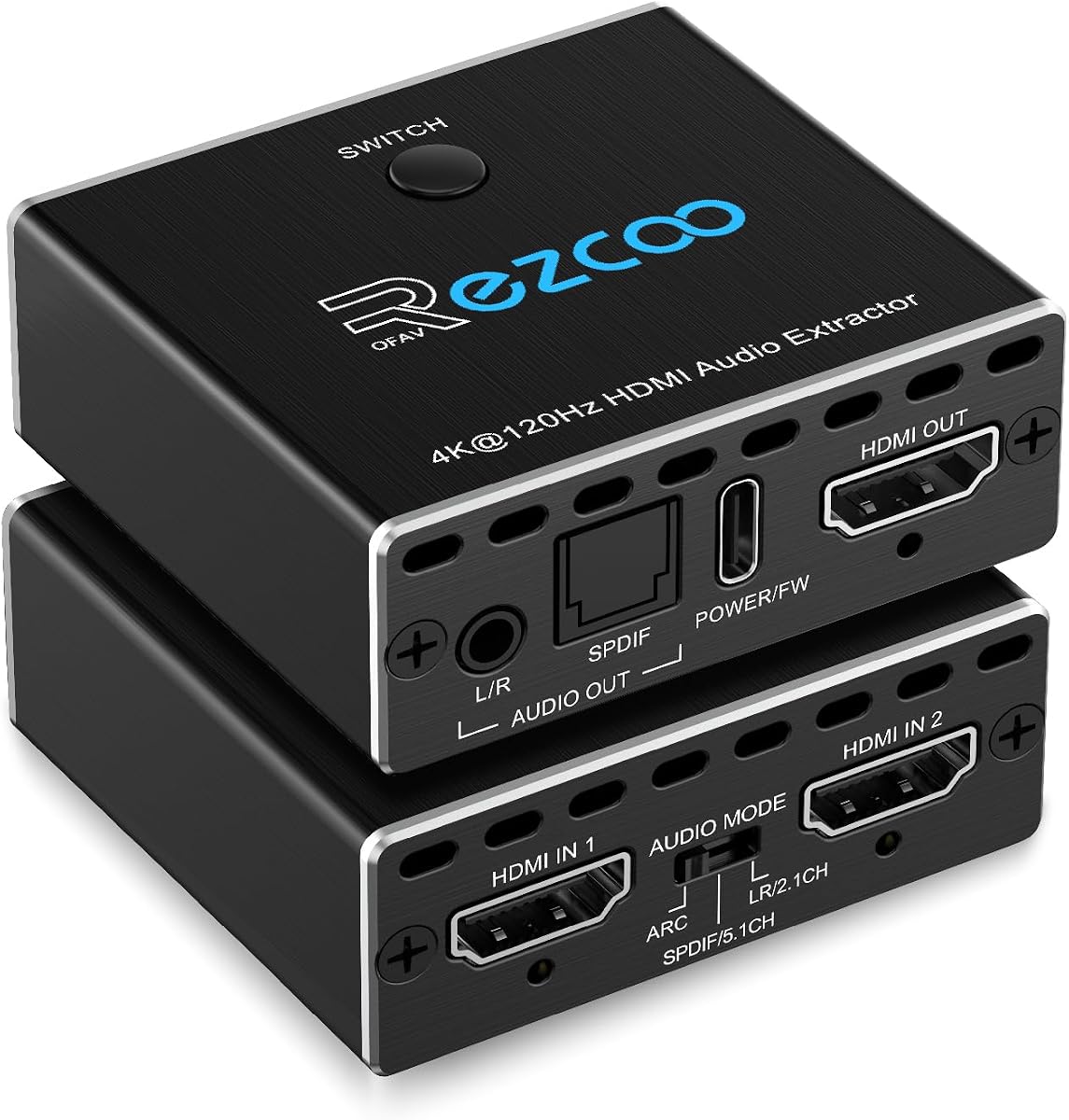
This unit combines extraction and switching for two HDMI sources simultaneously. It supports 4K@120Hz and 8K@60Hz ensuring top tier video performance. The perfect rating reflects high satisfaction with its switching capabilities.
We may earn a commission when you buy through this link, at no additional cost to you.
Allows selection between two consoles like PS5 and Xbox with one display. HDMI out supports 7.1CH audio for receivers while SPDIF supports 5.1CH. Type-C power and automatic switching simplify the user experience effectively.
Requires high quality HDMI 2.1 cables to avoid signal loss at high speeds. Only supports 2 in 1 out limiting flexibility for complex setups. These are acceptable constraints given the dual functionality.
Choose this for gaming setups with multiple consoles needing audio extraction. It is perfect for users wanting one device to handle both switching and audio separation.
Switches between two devices easily for a streamlined home setup.
Handles 120Hz video without compromising audio signal quality.
We may earn a commission when you buy through this link, at no additional cost to you.
This extractor offers three distinct operating modes for diverse audio needs. It supports 8K resolution and eARC input for modern TV audio extraction. The rating indicates solid performance across different operating configurations.
We may earn a commission when you buy through this link, at no additional cost to you.
PASS mode mirrors native audio while SPDIF mode enables multi-channel surround. R/L mode downmixes everything to stereo for analog systems. HDMI 2.1 support ensures compatibility with latest consoles and PCs.
Cannot use TV as signal source directly on HDMI IN requiring external input. Requires Type-C power connection for stable operation. These constraints are manageable with proper setup planning.
Buy this for users needing flexible audio modes and high resolution support. It is perfect for setups wanting versatile control over audio formats and outputs.
Offers PASS SPDIF and R/L modes to suit any audio setup.
Supports 8K video pass-through for future ready home theaters.
We may earn a commission when you buy through this link, at no additional cost to you.
This simple splitter handles basic audio extraction for older and newer devices. It supports 3D imaging and 4K@30Hz resolution ensuring decent visual quality. The rating reflects satisfaction with its plug and play simplicity.
We may earn a commission when you buy through this link, at no additional cost to you.
Includes 4K HDMI and audio cables for immediate use. Compact design makes it ideal for travel or tight spaces. Works with most consoles PCs and Blu-ray players effectively.
Resolution limited to 4K@30Hz which may not suit high refresh gaming. Does not support ARC limiting modern TV audio integration. These trade-offs are acceptable for basic stereo audio needs.
Choose this for simple setups needing stereo audio without complex features. It is perfect for users wanting an easy affordable solution for standard devices.
Compact size makes it easy to transport and install anywhere.
Includes all necessary cables for immediate setup and use.
We may earn a commission when you buy through this link, at no additional cost to you.
Selecting the right extractor depends on your specific audio video requirements and device compatibility. This guide outlines key factors to consider before purchasing.
Check if the extractor supports your desired video resolution such as 4K@60Hz or 8K. Mismatched resolutions can cause signal loss or reduced image quality. Ensure the device handles refresh rates like 120Hz if you plan on gaming.
Prioritize extractors with HDMI 2.0 or 2.1 bandwidth for future proofing.
Decide between optical SPDIF coaxial or analog 3.5mm outputs based on your speakers. Optical supports surround formats while analog is limited to stereo PCM. Some models offer both for maximum flexibility.
Choose the output type matching your existing speaker system inputs.
ARC support allows connection to TV audio ports for easier wiring. eARC offers higher bandwidth for lossless audio formats. Ensure the extractor explicitly states ARC support if you plan to use TV outputs.
Look for ARC labeling if your TV relies on HDMI for audio return.
HDCP version must match your source device to avoid black screens. HDMI 2.0 sources require HDCP 2.2 while 2.1 needs 2.3. Check product specifications carefully for compliance details.
Ensure HDCP compliance prevents compatibility issues with streaming services.
Some units require USB power while others use wall adapters. USB power is convenient but may draw from your source device. Ensure your power source can support the extractor effectively.
Consider USB powered models for simplicity or adapters for stability.
Advanced models offer multiple modes like pass or downmix. Downmix converts 5.1 audio to stereo for analog outputs. Ensure the mode supports your desired audio format requirements.
Select a model with modes matching your receiver capabilities.
Metal housings often provide better heat dissipation and durability. Plastic units are lighter but may overheat in enclosed spaces. Check reviews for thermal performance under load.
Opt for metal construction if the device will run continuously.
Reputable brands often offer warranties and technical support. Check if the manufacturer provides firmware updates or manuals. Warranty length can indicate confidence in product durability.
Choose brands with strong customer service for peace of mind.
Connect the HDMI source device like a console to the HDMI IN port of the extractor. Then connect the HDMI OUT to your display or monitor using a high speed cable. Ensure the cables are fully seated to avoid signal interruptions.
Use the provided optical or analog cables to connect your external speakers or receiver. Select the appropriate audio format on your source device to match the output type. For analog outputs set audio to PCM for best results.
Keep the extractor in a well ventilated area to prevent overheating during long sessions. Dust the unit periodically with a soft dry cloth to maintain performance. Check cable connections if audio or video issues arise unexpectedly.
Some premium extractors support 8K@60Hz pass-through. Check product specifications for HDMI 2.1 compliance. Not all models support this level so verify before purchasing.
Yes if the extractor specifically supports ARC input. Connect the TV HDMI ARC port to the extractor input. Ensure ARC is enabled in TV settings.
Analog outputs require PCM audio formats from the source. Check your device settings to disable bitstream formats. Ensure cables are securely connected.
Some models require USB or external power adapters. Check product specs for power requirements. Use provided cables for stable operation.
Higher refresh rate models support 4K@120Hz pass-through. Ensure the device supports HDMI 2.1 features. Lower bandwidth units may limit refresh rates.
Most extractors do not pass through volume control for analog outputs. You may need to adjust volume on the speaker directly. Some models support CEC for limited control.
The top picks highlight options ranging from budget friendly to future proof 8K support. OREI offers advanced features while VPFET provides affordability. Select based on your specific resolution needs.
Prioritize ARC support if using modern TVs and ensure HDMI bandwidth matches sources. Proper configuration ensures the audio formats function correctly on your system.
Prices and stock change frequently so verify current listings before buying. Check warranty details to protect your investment effectively.