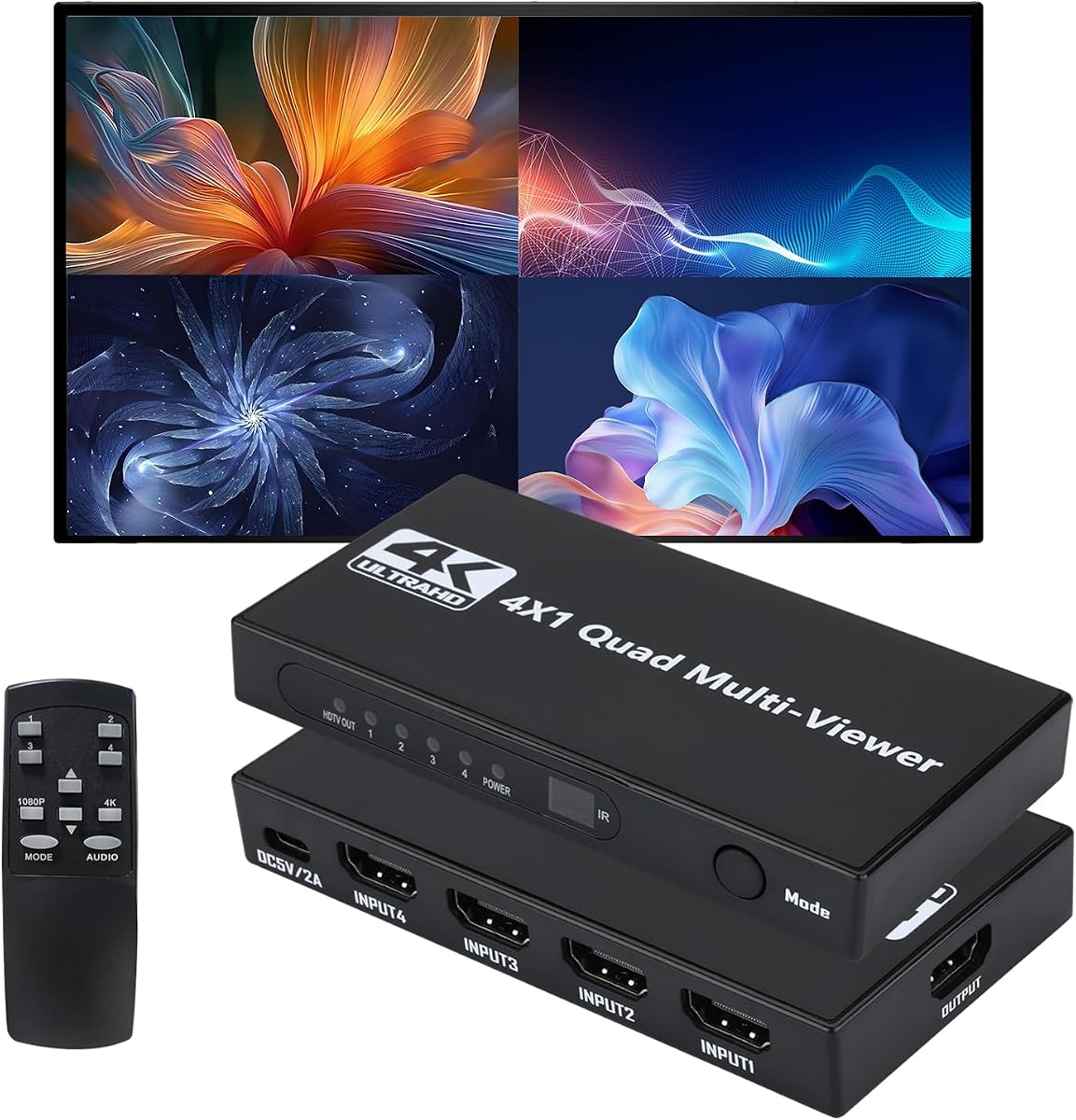
Generic HDMI Multiviewer
4.8Editor score
Twelve display modes
Low price point
Plug and play setup
This guide compares the top 10 HDMI Multiviewer models available in October 2026 to help you choose the right quad screen switch for your needs.
Finding the right HDMI Multiviewer can transform how you monitor multiple sources on a single display. Whether you manage security feeds or gaming consoles, a quality unit ensures smooth switching and clear visuals without signal loss or lag during critical moments.
We evaluated ten leading models based on resolution support, input flexibility, audio options, and ease of control. Each product was assessed for build quality, compatibility with modern devices, and value. Our list covers everything from budget-friendly quad viewers to advanced matrix controllers.
Every pick below highlights specific strengths and real-world performance traits. You will see detailed specs, pros, cons, and usage scenarios. Remember that prices and availability change frequently, so check current listings before finalizing your purchase decision today.
4.8Editor score

4.3Editor score
4.7Editor score
The following table offers a side-by-side look at the core specifications and capabilities of each model featured in this guide. Use it to quickly compare resolution limits, control methods, and unique features across all ten contenders.


The PORTTA Quad Multi Viewer stands out as a reliable choice for users needing to monitor four sources on one screen. It earns a solid rating from buyers who value ease of use and consistent performance in daily tasks.
We may earn a commission when you buy through this link, at no additional cost to you.
Its standout feature is seamless switching, which means you do not see a black screen when changing inputs. The six viewing modes include quad views and picture-in-picture, allowing flexible layouts. It supports 1080p at 60Hz and handles audio via Toslink or 3.5mm jacks.
While it lacks true 4K support, the downscaler ensures compatibility with lower resolution devices. The main trade-off is resolution ceiling, but this model is priced well for standard HD needs. Remote control adds convenience for long-distance operation.
This unit is ideal for home users or small offices managing security cameras or media players. If you need high-quality HD visuals without breaking the bank, this device delivers consistent results and strong support options.
The seamless switch feature ensures continuous video feed without blackouts when changing inputs. This is crucial for live monitoring where missing frames could matter.
Audio outputs via Toslink and 3.5mm jack allow connection to external speakers or sound systems. This enhances multimedia experience without relying solely on TV speakers.
We may earn a commission when you buy through this link, at no additional cost to you.
This OREI model offers a straightforward solution for splitting four HDMI inputs to a single display. It maintains consistent 1080p resolution and includes a VGA output for broader monitor compatibility. Many users find it cost-effective for basic surveillance or console monitoring.
We may earn a commission when you buy through this link, at no additional cost to you.
The five display modes provide essential layout options like quad view and picture-in-picture. The IR remote allows easy source switching without reaching the device. Setup is plug-and-play, making it accessible for non-technical users needing quick deployment.
While it lacks advanced audio extraction or 4K scaling, it performs well for standard HD content. The main limitation is the resolution cap, but at this price point, it is a functional tool for routine viewing.
Buyers seeking an economical multiviewer with reliable HDMI 1.4 support will appreciate this choice. It works well with older consoles and PCs where 4K is not a requirement.
The inclusion of a VGA output expands compatibility to older monitors or projectors that do not support HDMI. This adds flexibility for legacy setups.
Front panel buttons and an IR remote allow quick access to input sources. This dual control method ensures you can operate the device from various distances.
We may earn a commission when you buy through this link, at no additional cost to you.
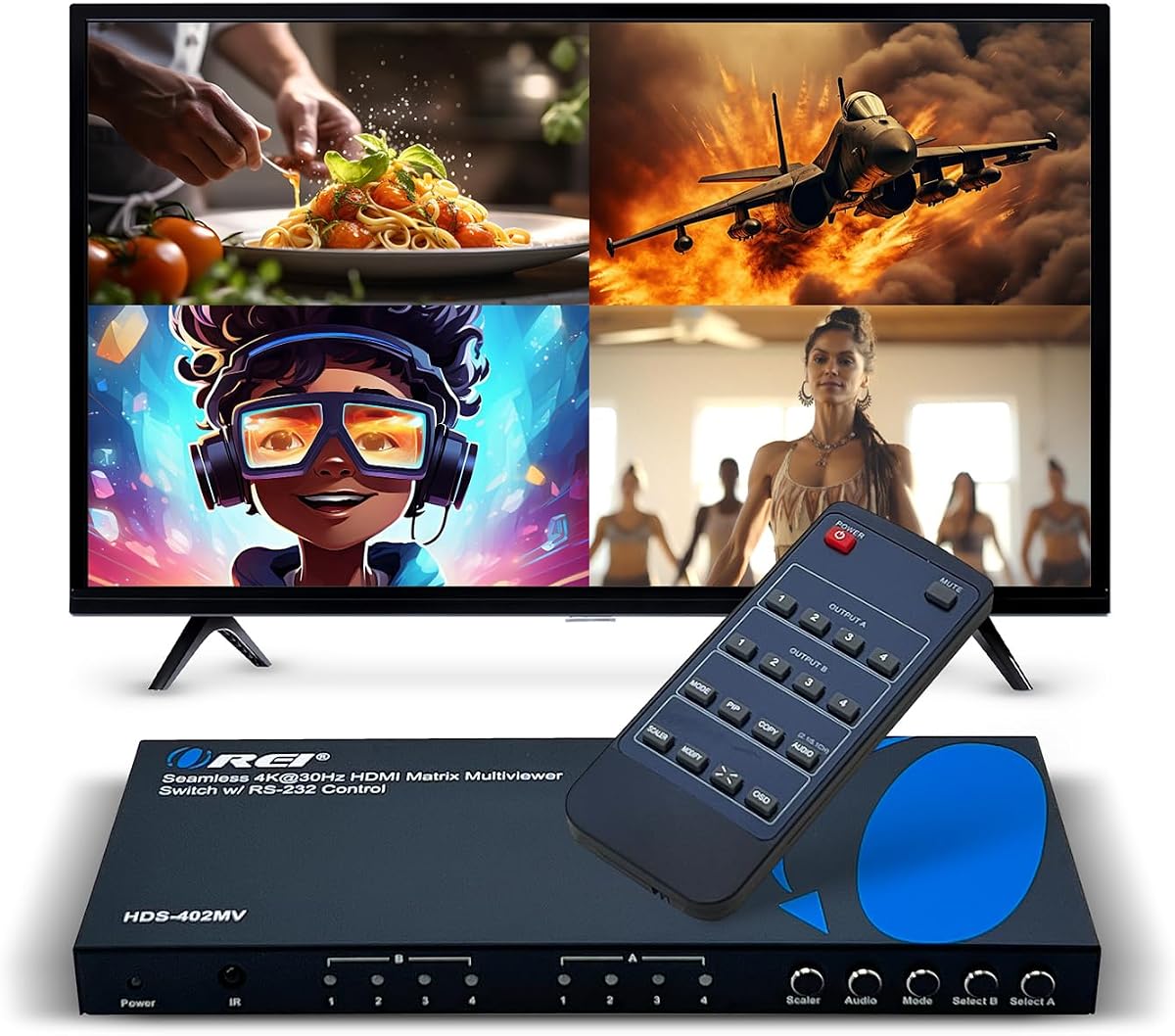
For users needing ultra-high-definition visuals, this OREI model delivers 4K at 30Hz with robust audio extraction. It handles premium formats like Dolby TrueHD and Master Audio, making it suitable for high-fidelity home theaters. The RS232 port adds professional control capabilities.
We may earn a commission when you buy through this link, at no additional cost to you.
The device supports 5 unique viewing modes and includes an audio converter for digital and analog outputs simultaneously. Dual voltage power ensures it works globally, while the included adapter simplifies international use. It is compatible with major gaming consoles and streaming devices.
While 4K is limited to 30Hz, this trade-off allows stable performance across multiple sources. Some users may find RS232 setup technical, but it offers advanced integration for prosumers. The package includes full accessories for immediate use.
This choice fits those who prioritize resolution and audio quality over smooth frame rates. If you need to route multiple 4K sources to one screen without losing sound quality, this unit offers a strong feature set.
The integrated audio converter supports DTS Digital and Dolby TrueHD formats. This ensures high-quality sound extraction alongside video routing.
Dual voltage supply and international adapters allow use in different regions. This is a key feature for travelers or global offices.
We may earn a commission when you buy through this link, at no additional cost to you.
This model offers a unique dual-output design, sending signals to two monitors simultaneously. It supports 4K at 30Hz and includes advanced controls like RS232 and an OSD menu for precise adjustments. It is one of the higher-rated options for professional environments.
We may earn a commission when you buy through this link, at no additional cost to you.
The five display modes allow complex layouts, and the 3.5mm analog audio adds audio connectivity. Mounting brackets facilitate wall installation, which is useful for fixed setups. It works seamlessly with major consoles and media players.
While the price is higher, the dual-output capability justifies the cost for users needing multiple screens. The learning curve for RS232 might be steep, but it enables automation. This unit offers exceptional flexibility for advanced video management.
Choose this if you need to display content on two screens while managing multiple inputs. It is ideal for control rooms or dual-monitor workstation setups requiring high resolution and control.
The 4-in-2-out design routes sources to two displays. This allows split workloads without needing two separate multiviewers.
An On-Screen Display menu lets you fine-tune settings like aspect ratio and source selection. This is vital for professional video installation.
We may earn a commission when you buy through this link, at no additional cost to you.
This model stands out with true 4K at 60Hz support, making it ideal for high-end gaming and video editing. It includes HDCP 2.2 compliance for protected content playback and an integrated audio converter for digital output. It offers the smoothest performance among similar units.
We may earn a commission when you buy through this link, at no additional cost to you.
The five display modes and audio converter allow flexible layouts. It supports Dolby TrueHD and DTS formats. The dual-voltage supply ensures global use, and the included adapter makes it easy to ship. It works with PS5 and Xbox Series X.
However, the high price reflects these capabilities. Some users may find audio selection complex with multiple channels. The trade-off is smooth 4K performance, which is rare in this category. This unit is built for demanding tasks.
If you need to route 4K content at 60Hz to one screen while switching inputs, this is the top pick. It is best for users who prioritize frame rates and compatibility with modern devices.
Support for 4K at 60Hz ensures fluid motion for games and video. This is essential for high-refresh-rate applications and professional editing.
Full HDCP 2.2 support ensures compliance with protected media content. This avoids encryption errors when playing streaming services or Blu-rays.
We may earn a commission when you buy through this link, at no additional cost to you.
This multiviewer offers 8 flexible viewing modes and supports 4K at 60Hz for high-quality visuals. It focuses on seamless switching to avoid blackouts during input changes. It supports HDCP 2.2 and is compatible with many modern gaming consoles.
We may earn a commission when you buy through this link, at no additional cost to you.
The dual functionality as a traditional switch and multiviewer makes it versatile. It includes onboard buttons and a remote for easy control. The zero-latency design ensures synchronized audio and video output without lag. It is great for monitoring or gaming.
While it boasts high specs, some users report variability in long-term reliability. The learning curve for 8 modes may be steep. But for those who need 4K and smooth performance, it is a solid contender in its price bracket.
Choose this if you need 4K capability and multiple layout options. It is well-suited for users who need high-definition feeds and do not want to compromise on frame rate.
Eight modes allow detailed customization of screen splits and picture-in-picture. This flexibility helps tailor displays for different tasks like gaming or surveillance.
Synchronized audio transmission with no lag ensures immersive experiences. This is important for gaming where timing matters significantly.
We may earn a commission when you buy through this link, at no additional cost to you.
This budget-friendly unit offers 12 screen switching modes at a very accessible price. It supports 1080p at 60Hz in multiviewer mode and handles 4K full screen. It is highly rated for its ease of use and broad system compatibility.
We may earn a commission when you buy through this link, at no additional cost to you.
Users can switch inputs via panel buttons without needing a remote. The device scales images from 16:9 to 4:3, adding layout flexibility. It works with major operating systems like Windows and macOS. The simple design makes it great for quick setups.
The only downside is the lack of a remote and audio extraction options. You must press the box to change sources. But for a low-cost solution with many display modes, it is hard to beat. It is reliable for basic needs.
This unit is ideal for students or small home offices needing basic multiview functionality. If you want a device that just works and costs less, this is a strong recommendation.
With 12 modes, you can customize layouts for almost any scenario. This is rare in budget units and adds value to the purchase.
Works with Windows, Linux, and Mac without drivers. Plug-and-play functionality ensures instant use without software installation.
We may earn a commission when you buy through this link, at no additional cost to you.
This J-Tech model is engineered for advanced audio extraction alongside 4K 60Hz video. It supports 7.1 channels and optical audio, making it suitable for home theaters. The OSD allows detailed adjustments. It offers strong value for those prioritizing sound quality.
We may earn a commission when you buy through this link, at no additional cost to you.
The eight modes include PiP and quad view. It has zero latency switching. The durable design includes mounting ears for professional installs. Lifetime technical support adds peace of mind for users who want assistance. It handles premium formats well.
While it has a higher price point, the audio capabilities justify it for audiophiles. Some users report learning curves with OSD settings. The trade-off is exceptional audio fidelity that most competitors lack in this price range.
Choose this if you need to separate sound from video for external amplification. It is perfect for immersive entertainment setups requiring surround sound processing.
RCA and optical outputs allow sending high-quality sound to external systems. This supports 7.1 channels for immersive surround sound.
Mounting ears and screws are included for wall or rack setups. This makes it a viable choice for professional AV installation.
We may earn a commission when you buy through this link, at no additional cost to you.
This model offers solid performance for standard HD setups. It supports 1080p and 2K at 60Hz. The dual voltage supply and international adapter make it a great choice for global use. It is rated highly for customer service and reliability.
We may earn a commission when you buy through this link, at no additional cost to you.
The 5 modes and IR remote allow easy switching. It supports high-quality PCM audio via HDMI and 3.5mm jacks. The package includes all necessary accessories. It works seamlessly with gaming consoles and streaming media.
The main limitation is the lack of 4K support. But for users needing a reliable device for standard HD content, it is a strong performer. The warranty and support add value to the purchase experience.
Choose this if you want a reliable brand with global capabilities. It is ideal for households needing straightforward multiview functionality without extra complexity.
OREI offers dedicated support and a full warranty. This ensures help is available if you encounter issues during setup.
The adapter and dual voltage power make it suitable for travelers. This is useful for users with devices from different regions.
We may earn a commission when you buy through this link, at no additional cost to you.
This device is a true matrix controller, routing any input to any output. It supports 10 video wall layouts and LAN control. It is designed for complex installations like digital signage or large monitoring systems. It offers professional-grade flexibility.
We may earn a commission when you buy through this link, at no additional cost to you.
The seamless switching and 4K input ensure sharp visuals. You can control it over a network. The lifetime support is a major plus for large setups. It handles HDCP and multiple resolutions well. It is built for serious applications.
While it is expensive, it replaces multiple simpler units. The complexity requires professional setup. But for businesses needing robust video management, this is the top option in the field.
Choose this if you need to build a video wall or require networked control. It is best for professional AV systems where reliability and flexibility are critical.
Route any of the 4 inputs to any of the 4 outputs. This allows complete customization of video paths.
LAN and web control allow remote management from a computer. This is essential for distributed systems and large installations.
We may earn a commission when you buy through this link, at no additional cost to you.
Selecting the right multiviewer depends on your resolution needs, input sources, and control preferences. We have broken down the key factors to help you make an informed decision.
Check if the unit supports your display resolution. Some models are limited to 1080p, while others handle 4K at 30Hz or 60Hz. For modern gaming or media, higher resolution support ensures clarity.
Choose a model that matches your display capability to avoid signal degradation.
Different multiviewers offer varying numbers of screen layouts. Look for quad view, picture-in-picture, and split options. More modes give you flexibility to organize your inputs.
Pick a unit with enough modes for your typical multitasking needs.
Seamless switching ensures you do not lose the video feed when changing inputs. This is critical for monitoring applications where missing frames could be problematic. Look for zero latency specifications.
Prioritize seamless switching to maintain continuous visibility of your sources.
Some models allow audio extraction via optical or analog outputs. If you need to route sound to external speakers, ensure the unit has the right audio ports. This enhances immersion.
Verify audio outputs match your sound system requirements before buying.
Units come with remote control, front buttons, or RS232 for automation. Remote controls are convenient for home use, while RS232 is better for professional setups. Consider how often you change inputs.
Select a control method that fits your physical setup and usage habits.
Ensure the unit supports HDCP standards required by your streaming services. Dual voltage power helps if you travel or use the device internationally. Compatibility with consoles and PCs is also key.
Check HDCP versions and power requirements to avoid connection issues.
Prices range from budget-friendly units to premium matrix controllers. Higher cost often brings better build quality and support. Look for warranties that offer peace of mind.
Balance cost with necessary features to get the best value for your use case.
Consider 4K capabilities even if you do not need them now. This ensures the device remains useful as your displays upgrade. Future-proof units save money in the long run.
Invest in slightly higher specs if they fit your budget to extend device life.
Connect all HDMI sources to the input ports on the device. Ensure each source is powered on and set to output video. Plug the output into your monitor or TV using a high-quality HDMI cable.
Turn on the multiviewer and press the input button to select your first source. Use the remote if available to switch inputs. Adjust layout modes via the remote or front panel to see all feeds simultaneously.
Keep the device in a well-ventilated area to prevent overheating. Regularly check cable connections for wear and clean dust from vents. Proper care extends the lifespan of the unit and ensures stable performance.
Yes, most multiviewers support consoles like PS5 and Xbox. Ensure the unit supports 1080p 60Hz or higher. Seamless switching ensures lag-free switching between feeds.
Standard HDMI cables work for most units. For 4K, use high-speed cables rated for your resolution. Avoid cheap cables that may degrade signal quality over long distances.
Single-output units only drive one screen. Use a model with dual outputs like the OREI 4×2. Check specs to confirm how many screens the device supports.
A multiviewer allows you to see multiple sources on one screen. A splitter duplicates one source to many screens. Use a multiviewer when you need different feeds on one display.
Models like the OREI 4K or J-Tech support 4K. However, refresh rates vary. Some support 30Hz while others support 60Hz for smoother motion.
Replace the battery and check for interference. Many units have front panel buttons for manual input. Ensure the remote is paired if it uses a special code.
We reviewed ten models that cover the needs of gamers, home users, and professionals. The PORTTA Quad Multi Viewer leads our picks for its balance of features and ease of use. It offers seamless switching and solid support for standard HD content.
For those needing higher resolution, the J-Tech and OREI 4K units provide 4K capability. If you need to save money, the budget-friendly generic model still offers excellent value. Choose based on your resolution and control needs.
Prices and availability change frequently, so double-check listings before purchase. Always verify current specs against your device requirements to ensure compatibility. With the right multiviewer, you can efficiently manage multiple feeds.