
Amazon Fire HD 8 Kids
4.6Editor score
Eight inch HD display screen
Thirteen hour battery life
Thirty two gigabytes storage
Finding the right device for your little one requires balancing durability with educational value. Modern tablets offer robust parental controls and kid-safe browsers to ensure safety. We evaluated ten models designed specifically for ages three to seven.
Our team analyzed battery life, screen quality, and storage capacity across various brands. We focused on devices with shockproof cases and reliable warranty options. Each product was assessed for its ability to handle daily toddler use effectively.
Every pick includes detailed specs and real-world performance notes for parents. Prices fluctuate often so verify current deals before purchasing. This guide helps you choose the perfect tablet for learning and play today.
4.6Editor score

4.3Editor score

4.0Editor score
As an Amazon Associate we earn from qualifying purchases.
This side-by-side comparison highlights key specs and features across all ten selected tablets to help you make an informed decision quickly.


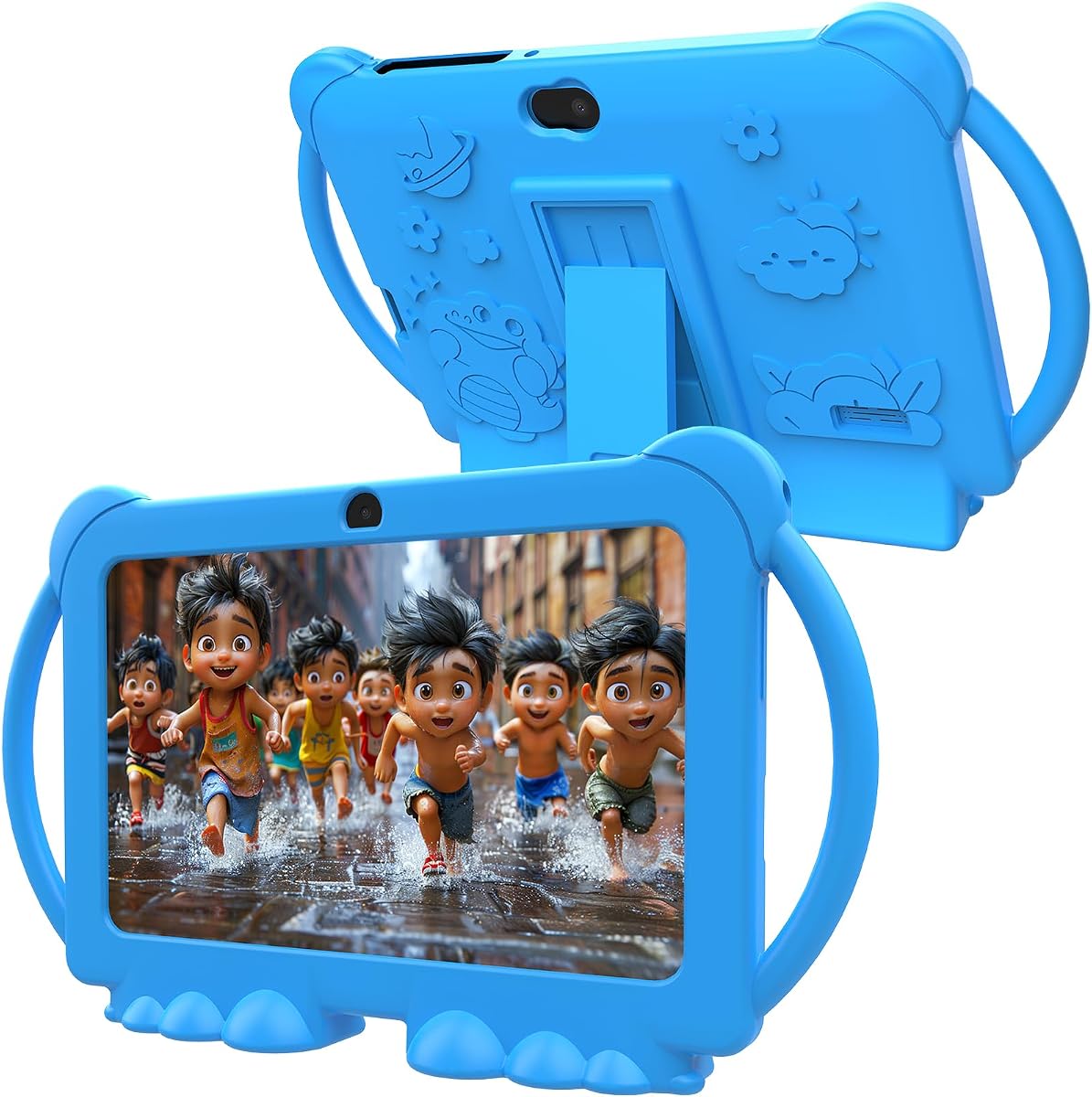


The Amazon Fire 7 Kids tablet stands out as the top choice for most families due to its comprehensive package. It includes a full year of Amazon Kids Plus and a durable case. The two year warranty ensures peace of mind for parents.
We may earn a commission when you buy through this link, at no additional cost to you.
Its parental dashboard allows you to filter content by age and set time limits easily. Kids can access thousands of ad free books and videos from trusted brands like Disney. The battery lasts up to ten hours of mixed use.
While the storage is limited to sixteen gigabytes, you can expand it with a microSD card. The screen resolution is basic compared to higher end models but sufficient for young children. It handles most educational apps smoothly.
This tablet is perfect for parents seeking a reliable device without breaking the bank. It balances cost and features better than most competitors. We recommend it for children aged three to seven who need a safe digital environment.
Amazon includes a two year worry free guarantee that replaces broken units for free. This policy covers accidental damage from drops and bumps common with toddlers.
The device comes preloaded with Amazon Kids Plus offering curated content. Parents can manage screen time and educational goals through an easy to use dashboard.
We may earn a commission when you buy through this link, at no additional cost to you.
The Amazon Fire HD 8 Kids offers a larger and sharper display compared to the 7 inch model. Its HD screen makes watching videos and reading books more enjoyable. The battery life extends up to thirteen hours of use.
We may earn a commission when you buy through this link, at no additional cost to you.
It includes the same two year warranty and parental controls as the smaller version. Parents appreciate the thirty two gigabytes of internal storage which reduces the need for immediate expansion. The case is sturdy and includes a handle.
While it costs more than the 7 inch option the extra screen real estate is worth it. The performance is smooth thanks to increased RAM. It handles multitasking better than budget tablets.
Choose this model if visual clarity and battery life are top priorities for your child. It supports longer usage sessions without interruption. This device grows with your child slightly better due to performance upgrades.
The eight inch HD screen provides vibrant colors and sharp text. This makes it ideal for reading digital books or watching educational videos comfortably.
With up to thirteen hours of battery life this tablet lasts through long trips. It ensures entertainment stays available even during extended periods of use.
We may earn a commission when you buy through this link, at no additional cost to you.
This tablet offers a budget friendly entry point for families needing Android flexibility. It runs Android twelve which allows access to the Google Play Store. The four gigabytes of RAM helps it run apps smoothly.
We may earn a commission when you buy through this link, at no additional cost to you.
It comes with a shockproof case and parental controls to keep kids safe. Storage is thirty two gigabytes with expansion via microSD card. The screen offers decent clarity for the price.
Compatibility with some premium apps may vary due to certification differences. The camera is functional but not for high quality photos. It is best for learning and entertainment apps.
This is the best choice if you need an Android tablet without high costs. It provides freedom to install third party apps safely. Parents should test specific apps before committing to ensure performance.
Unlike locked ecosystems this tablet allows access to Google Play apps. This opens up a wider range of educational tools and games for children.
A durable shockproof case is included to protect against drops. The adjustable stand helps kids watch videos hands free comfortably.
We may earn a commission when you buy through this link, at no additional cost to you.
The YosaToo tablet stands out with pre-installed offline learning apps for travel. It runs Android sixteen providing a modern interface for kids and parents. The Kids Space interface helps organize content safely.
We may earn a commission when you buy through this link, at no additional cost to you.
Parents can manage screen time and app usage through detailed controls. The thirty two gigabytes of storage is ample for media downloads. The case protects well against drops and bumps.
Since it is a newer model support resources might be limited compared to Amazon. The offline content is useful for flights or areas with poor WiFi. Ensure your Wi-Fi is stable for updates.
This device is excellent for families who travel frequently. It allows learning without needing constant internet access. It is a solid choice for modern Android enthusiasts.
Pre-installed apps allow kids to learn during flights or car rides. This reduces reliance on Wi-Fi for educational activities while traveling.
Running Android sixteen means kids get the latest features and updates. It supports Google Kids Space for a structured learning experience.
We may earn a commission when you buy through this link, at no additional cost to you.
Designed for ages six to twelve this tablet offers a mature experience. The slim case feels more grown up than rugged toddler cases. It includes sixty four gigabytes of storage which is huge for games.
We may earn a commission when you buy through this link, at no additional cost to you.
Alexa integration allows voice commands and smart home control. The browser has guardrails but allows more independence for older kids. Battery life lasts up to thirteen hours of use.
It costs more and does not include a year of Kids Plus like others. The design prioritizes sleekness over extreme durability. It is best for kids ready for more responsibility.
This tablet bridges the gap between toddler toys and adult devices. It prepares kids for independent browsing safely. Ideal for growing children who need more storage and features.
The slim case appeals to older kids who want something less bulky. It feels more like a standard tablet while still protecting against drops.
A controlled web browser lets kids browse safely with parental approval. This fosters research skills while maintaining safety guardrails.
We may earn a commission when you buy through this link, at no additional cost to you.
This tablet includes dual cameras for front and back photography. It is great for kids who enjoy taking pictures of their surroundings. The parental control app helps manage screen time effectively.
We may earn a commission when you buy through this link, at no additional cost to you.
It runs on Android twelve allowing access to standard apps easily. The case provides solid protection against drops and bumps. Storage can be expanded significantly with microSD.
Performance is average so complex games may run slowly. Support and updates depend on third party vendors. It is a good starter device for simple activities.
Choose this if photography is a priority for your child. It allows creative expression without needing a phone. It is best for basic learning and media consumption.
Dual cameras allow kids to take photos from different angles. This encourages creativity and documentation of their daily activities.
The built in parental control app allows custom time limits. Parents can filter apps to ensure safe usage habits.
We may earn a commission when you buy through this link, at no additional cost to you.
This tablet features a ten inch HD display ideal for media consumption. The eight gigabytes of RAM ensures smooth multitasking for multiple apps. It supports extensive storage via microSD cards.
We may earn a commission when you buy through this link, at no additional cost to you.
Google Kids Space provides a safe environment for exploring apps. The parental controls are detailed and allow for strict limits. It runs on Android sixteen for the latest features.
The size makes it heavier for small hands to hold alone. It is better for table use or viewing rather than handheld play. Battery life depends on screen brightness settings.
Pick this for kids who watch a lot of video or read comics. The screen real estate is excellent for educational content. It is a powerful device for creative tasks.
The ten inch screen provides better visibility for educational videos. It reduces strain on eyes during extended reading or viewing sessions.
Eight gigabytes of RAM allows running multiple apps without lag. This is ideal for creative apps or educational games.
We may earn a commission when you buy through this link, at no additional cost to you.
This device is designed to be light and easy to carry. The silicone case provides grip and protection against drops. It supports up to one terabyte of expandable storage.
We may earn a commission when you buy through this link, at no additional cost to you.
Parents can control app usage and screen time easily. The device is compatible with standard Android apps. It offers a balanced experience for the price.
Battery life is decent but not industry leading. Support is handled through the manufacturer directly. It is a reliable choice for casual use.
Choose this if weight is a major concern for your child. It is easy to carry in a backpack for school. It serves well as a first tablet.
The slim profile makes it easy for small hands to hold. It reduces fatigue during longer reading or viewing sessions.
Massive expandable storage allows storing many movies and games. This eliminates the need to constantly delete content.
We may earn a commission when you buy through this link, at no additional cost to you.
This tablet features a massive six thousand mAh battery for endurance. It pairs well with the ten inch display for all day use. The octa-core processor ensures smooth performance during gaming.
We may earn a commission when you buy through this link, at no additional cost to you.
Fast charging support means less time waiting for power. Parental controls allow filtering and usage management. It is a robust option for power users.
The larger size may be heavy for younger children. Software updates may not be as frequent as major brands. It remains a strong contender for battery performance.
This is ideal for long trips where charging is difficult. The battery life ensures uninterrupted learning. It supports demanding apps well with its processor.
A six thousand mAh battery lasts significantly longer than standard models. This ensures days of use between charges for long trips.
Support for fast charging reduces downtime during busy schedules. It gets kids back to learning quickly after short breaks.
We may earn a commission when you buy through this link, at no additional cost to you.
PRITOM offers a straightforward device ready for kids out of the box. It comes with pre-installed apps for immediate learning. The case protects well against drops and bumps.
We may earn a commission when you buy through this link, at no additional cost to you.
Parental controls are easy to set up for busy parents. It runs on Android thirteen ensuring compatibility with popular apps. Storage is adequate for basic needs.
Advanced features are minimal but functional for the target age. Camera quality is basic but sufficient for video calls. It is a reliable starter tablet.
Choose this for its ease of use and simplicity. It avoids complex setups that frustrate parents. It is a solid budget option for basic learning.
The setup process is minimal allowing kids to start learning quickly. Pre-installed apps reduce the need for external configuration.
Standard features like WiFi and Bluetooth work without issues. It focuses on core functionality rather than advanced specs.
We may earn a commission when you buy through this link, at no additional cost to you.
Selecting a tablet for young children involves considering several key factors to ensure safety and longevity.
Kids tablets must withstand drops and bumps. Look for devices with thick silicone cases that protect corners and screens. A durable case prevents expensive repairs and ensures longevity.
Prioritize models with reinforced edges and non-slip grips. This helps the device survive rough handling by toddlers daily.
Robust parental controls allow you to manage screen time and content. Ensure the device lets you filter apps and set bedtime limits easily. Safety is paramount for young children using digital devices.
Choose a system that offers detailed activity reports. Knowing what your child accesses helps you guide their digital habits.
Long battery life is essential for travel and school. Aim for devices with at least eight to ten hours of use. Frequent charging can be disruptive for active children.
Check real-world usage reviews to confirm battery claims. Consistent power ensures entertainment lasts through the day.
Kids download many games and videos over time. A minimum of thirty two gigabytes is recommended for smooth operation. Expandable storage via microSD cards adds flexibility.
Higher storage allows offline content for trips. This reduces reliance on mobile networks for entertainment.
A screen between seven and eight inches balances portability and visibility. HD resolution helps protect eyes during long reading sessions. Bright screens perform better in varied lighting.
Avoid overly large screens that are hard to hold. A compact size fits well in a small child's hands.
Accidents happen so a strong warranty is vital. Look for two year worry free guarantees that cover accidental damage. Support responsiveness matters when technical issues arise.
Ensure the manufacturer has clear support channels. Easy returns or replacements save money and time.
Android offers flexibility while Fire OS provides safety. Choose based on whether you want open app access or curated content. Compatibility with school apps is often required.
Verify the OS supports the latest educational updates. Older systems may stop receiving security patches soon.
Compare the bundle price including subscriptions and cases. Some models include a year of educational content for free. This adds significant value to the upfront cost.
Balance performance needs with your budget. You do not need high end specs for basic toddler learning.
First set up all parental controls before handing the tablet to your child. Create a password that prevents them from accessing settings. This keeps the environment safe from the start.
Charge the device regularly and avoid letting the battery drain completely. Keep the tablet in a cool dry place to protect the internal components. Heat and moisture can damage electronics.
Teach your child to handle the device with two hands. Show them how to put it away when not in use. Good habits prevent accidental drops and scratches.
Most models support video calls and browsers needed for Zoom or Google Meet. The larger screens make it easier to see lessons clearly. Ensure Wi-Fi is stable for uninterrupted learning sessions.
Many bundles include a year of subscription content. You can download additional free apps from stores like Amazon or Google Play. Some educational apps may require separate purchases.
Yes they run many casual games and educational apps smoothly. Avoid heavy AAA games on budget models as they may lag. Check RAM requirements for specific games before downloading.
Usually holding the power button for ten seconds forces a restart. Check the manual for specific key combinations on your model. Contact support if issues persist after rebooting.
Most cases snap off easily for wiping down the screen. Clean the screen with a dry microfiber cloth to avoid scratches. Do not use harsh chemicals on the display.
Yes most tablets allow separate profiles for each child. This keeps their books and settings organized. Parents can manage each profile individually.
We found that Amazon Fire tablets offer the best balance of safety and support for young children. Their warranties and parental tools provide peace of mind for families.
Prioritize durability and battery life when making your final decision. A device that lasts physically and operationally saves money over time.
Prices change frequently so check current deals before buying. Verify the warranty terms to ensure your purchase is protected against damage.