
TP-Link AXE5400 Tri-Band WiFi 6E Router
4.3Editor score
Tri-Band WiFi 6E speeds
EasyMesh-compatible for expansion
Includes VPN server and client
This guide compares the top 10 long range WiFi routers for 2026, evaluating coverage, speed, and features to help you choose the perfect home network solution.
Finding a reliable long range WiFi router is essential for modern homes with multiple devices and smart gadgets. A good router ensures seamless connectivity across every room, eliminating dead zones and buffering issues during streaming or gaming sessions.
We evaluated ten top models based on coverage area, speed capabilities, security features, and ease of setup. Our analysis includes both traditional routers and mesh systems to provide a comprehensive overview of the current market offerings for 2026.
Each pick highlights key strengths and ideal use cases to help you match a device to your specific needs. Please note that prices and availability change frequently, so verify details before making your final purchasing decision online.
4.3Editor score

4.3Editor score
4.2Editor score
The following table provides a side-by-side comparison of all ten products to help you quickly identify key specifications and features.






The TP-Link BE6500 stands out as a top choice for users seeking next-generation connectivity. With a rating of 4.3 stars, it delivers exceptional performance for homes needing high-speed internet across large spaces.
We may earn a commission when you buy through this link, at no additional cost to you.
This router features Wi-Fi 7 technology with Multi-Link Operation to optimize throughput and reduce latency. Its 2.5 Gbps WAN and LAN ports ensure you can take full advantage of multi-gigabit internet plans without bottlenecking.
While it offers impressive speed, you need Wi-Fi 7 devices to see the full benefit. The lack of Deco mesh compatibility means expansion relies on EasyMesh partners rather than a unified ecosystem.
It is ideal for tech-savvy users with high-speed internet plans who want future-proof hardware. We recommend this router for those needing robust wired and wireless performance simultaneously.
MLO allows simultaneous data transfer across bands for lower latency and better reliability.
The 2.5 Gbps ports support the latest modem speeds and reduce wired bottlenecks.
We may earn a commission when you buy through this link, at no additional cost to you.
This router offers incredible value by bringing 6 GHz Wi-Fi 6E capabilities to budget-conscious buyers. It consistently maintains a 4.3 star rating thanks to its balanced performance and feature set.
We may earn a commission when you buy through this link, at no additional cost to you.
The tri-band design separates traffic across three frequencies to minimize congestion in busy households. Its 1.0 GHz dual-core CPU and 512 MB RAM ensure stable operations even with many connected devices.
However, it lacks 2.5 Gbps ports which may limit wired speeds for NAS or gaming PCs. The maximum theoretical speed is lower than premium Wi-Fi 7 models.
Buy this if you need fast wireless speeds without paying a premium for Wi-Fi 7. It is perfect for medium homes needing extra bandwidth via the 6 GHz band.
The 6 GHz band provides a clear lane for compatible devices to reduce interference.
You can expand coverage by adding compatible extenders without changing your main router.
We may earn a commission when you buy through this link, at no additional cost to you.
The AX5400 is a solid performer that balances speed and range effectively for most users. It holds a strong 4.5 star rating reflecting high customer satisfaction with its reliability.
We may earn a commission when you buy through this link, at no additional cost to you.
Equipped with 4T4R and HE160 technology, it delivers ultra-fast connections on the 5 GHz band. Six external antennas with beamforming concentrate signals toward devices for better range.
The inclusion of a USB 3.0 port adds utility for shared storage or printer access directly from the router. However, it lacks the latest 6 GHz band and multi-gig ports.
This model suits users who need robust Wi-Fi 6 speeds without advanced mesh requirements. It is an excellent choice for families focused on streaming and general productivity.
Beamforming directs wireless signals toward devices to improve strength and stability.
The USB port allows easy media storage sharing without extra NAS hardware.
We may earn a commission when you buy through this link, at no additional cost to you.
This router delivers high throughput speeds with eight antennas to ensure signals reach distant rooms. It maintains a 4.4 star rating for its reliable performance and flexible networking options.
We may earn a commission when you buy through this link, at no additional cost to you.
The 2.5 Gbps WAN port allows it to handle multi-gigabit internet connections efficiently. Its beamforming antennas help maintain strong connections even through walls and floors.
While it supports OneMesh for expansion, it does not offer the newer Wi-Fi 7 features. Users looking for the absolute fastest wireless speeds may prefer newer models.
Choose this router if you have a high-speed internet plan and need strong wired options. It is great for households needing reliable Wi-Fi 6 performance and easy expansion.
The 2.5 Gbps port ensures your router doesn't limit your internet plan speed.
Add compatible extenders to create a seamless network without changing settings.
We may earn a commission when you buy through this link, at no additional cost to you.
The Nighthawk RS90 provides a dedicated dual-band Wi-Fi 7 experience for modern homes. With a 4.3 star rating, it is known for stability and ease of use via the Nighthawk app.
We may earn a commission when you buy through this link, at no additional cost to you.
Its coverage extends to 2,000 square feet which is sufficient for most single-story homes. The 2.5 Gig WAN port ensures wired devices can utilize higher internet speeds.
Compared to tri-band models, it may struggle with very high device counts in large homes. Security features like automatic updates help keep the network safe from threats.
This router is best for users who want a simple setup with Wi-Fi 7 speed. It is ideal for families needing reliable streaming and browsing without complex configurations.
Manage your network and run speed tests easily from your smartphone anywhere.
Firmware updates happen automatically to protect your home network from new threats.
We may earn a commission when you buy through this link, at no additional cost to you.
This model offers top-tier Wi-Fi 7 speeds with tri-band technology to separate traffic effectively. It earns a 4.3 star rating due to its robust performance and large coverage footprint.
We may earn a commission when you buy through this link, at no additional cost to you.
With up to 9.3 Gbps total speed it supports the fastest internet plans available today. The two 2.5 Gig LAN ports allow multiple devices to connect at high speeds simultaneously.
While powerful, the cost is high and many devices may not support the latest speeds. The larger coverage is ideal for multi-story homes needing strong signals throughout.
Select this router if you need maximum performance and have many devices connected. It is suitable for power users who want the fastest wireless technology available now.
Three bands reduce congestion by dedicating specific frequencies to high demand devices.
Multiple 2.5G LAN ports support NAS and gaming rigs needing high throughput.
We may earn a commission when you buy through this link, at no additional cost to you.
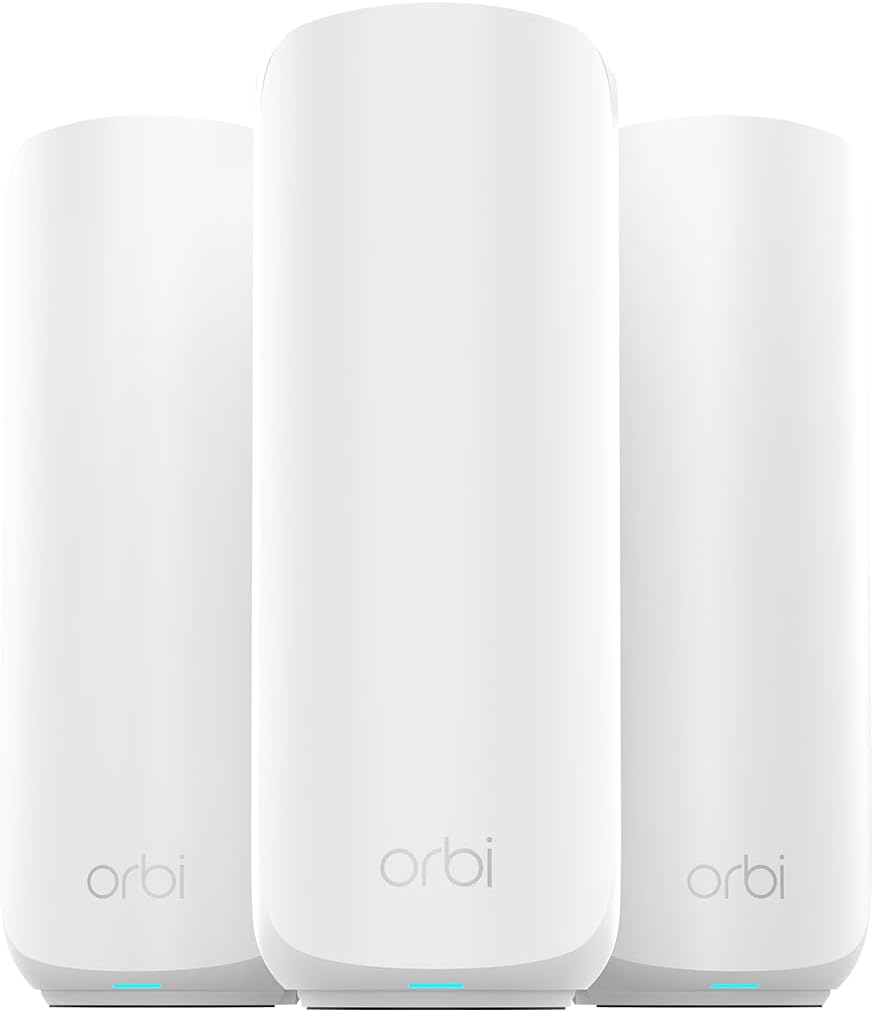
The Orbi 370 Series delivers whole-home coverage that traditional routers cannot match. It holds a 4.2 star rating reflecting high satisfaction with its seamless mesh connectivity.
We may earn a commission when you buy through this link, at no additional cost to you.
This 3-pack system covers up to 6,000 square feet eliminating dead zones across large properties. Enhanced backhaul ensures fast connections between the router and satellites.
While expensive, the ability to blanket large areas with one network is unmatched. The setup is straightforward but may require strategic placement for best results.
This system is perfect for large estates or multi-story homes needing uniform coverage. It is the top choice for those prioritizing range and simplicity over individual router power.
Satellites ensure every room has strong signal without needing separate networks.
Devices switch between units automatically for a continuous connection experience.
We may earn a commission when you buy through this link, at no additional cost to you.
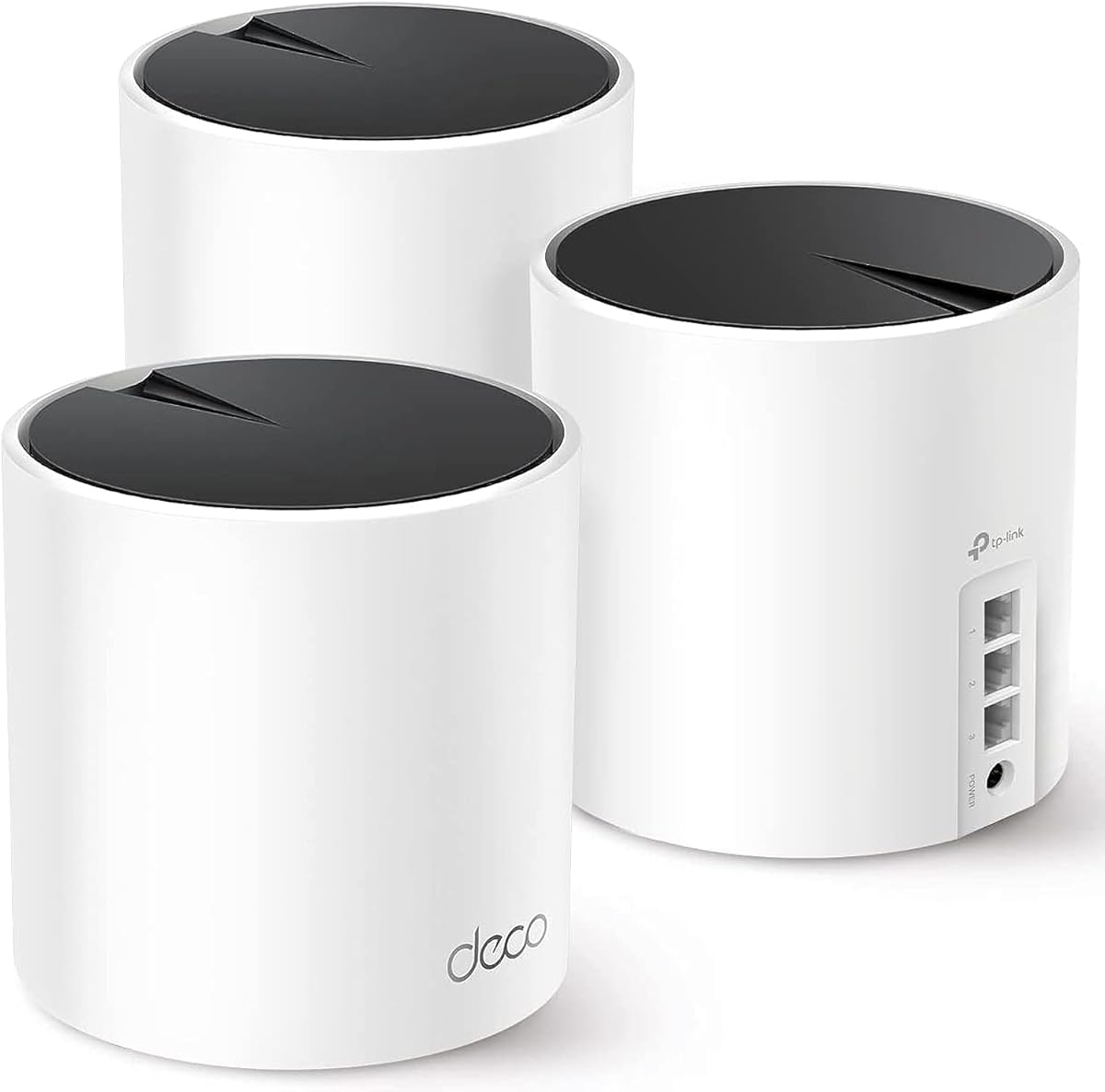
The Deco X55 3-pack provides extensive coverage with a mesh approach that is easy to manage. With a 4.4 star rating it is popular for its reliability and user friendly app.
We may earn a commission when you buy through this link, at no additional cost to you.
It covers up to 6,500 square feet which is ideal for large families or multi-level homes. The AI-driven mesh learns your environment to optimize connections automatically.
While it lacks Wi-Fi 7 speed it offers robust performance for standard home needs. The wired backhaul option ensures maximum speed when using Ethernet cables between units.
This system is recommended for those prioritizing ease of use and range. It fits well for households needing consistent signal across a large floor plan.
The mesh learns network environment to deliver ideal WiFi performance uniquely.
Use Ethernet cables to connect units for better speeds than wireless backhaul.
We may earn a commission when you buy through this link, at no additional cost to you.
This router combines tri-band Wi-Fi 7 with multiple multi-gig ports for high performance. It has a 4.0 star rating indicating solid performance with some variation in user experience.
We may earn a commission when you buy through this link, at no additional cost to you.
With up to 9300 Mbps total speed it supports heavy internet usage and multiple devices. The five 2.5G ports provide excellent wired connectivity for gaming and storage.
The private IoT network feature helps isolate smart devices to enhance security. However, stability issues reported by some users may require firmware updates.
Buy this if you need maximum wired and wireless throughput in one box. It suits tech users who want advanced features and high port counts.
Separate networks for smart devices improve security and reduce main network load.
Five ports ensure you have enough high-speed wired connections for many devices.
We may earn a commission when you buy through this link, at no additional cost to you.
The Archer A6 is a reliable budget router that covers basic needs effectively for small homes. It holds a 4.5 star rating for its simplicity and consistent performance over time.
We may earn a commission when you buy through this link, at no additional cost to you.
With 1200 Mbps speeds it handles standard browsing and HD streaming without issues. The four gigabit ports allow wired connections for devices like gaming consoles or PCs.
While it lacks advanced features like Wi-Fi 6 or mesh, it serves entry level users well. Its OneMesh support allows limited expansion if you need more range later.
This router is best for those on a tight budget or needing a backup device. It is suitable for small apartments where extreme speed is not a priority.
Provides reliable speeds for daily tasks without the cost of newer standards.
Four ports give you flexibility to connect essential devices directly.
We may earn a commission when you buy through this link, at no additional cost to you.
Selecting the right router involves understanding your home size, device count, and internet plan speeds.
Coverage area is the most critical factor for long range routers. Look for models that specify square footage coverage matching your home size to avoid dead zones. Larger homes may require mesh systems or routers with powerful antennas.
Always choose a router that covers at least your total living space to ensure reliable signals everywhere.
Newer standards like Wi-Fi 7 and Wi-Fi 6E offer faster speeds and better congestion handling. If you have many devices or a high-speed plan, these standards are worth the investment. Older standards like Wi-Fi 5 are cheaper but limit speed.
Prioritize newer standards if you want future-proof performance and faster data transfer.
Modern homes have dozens of smart devices, cameras, and phones connected at once. Ensure the router supports a high device count to prevent lag or disconnections. Models with OFDMA and MU-MIMO handle multiple connections better.
Check the specs for maximum supported devices to ensure stable performance for your family.
Wired ports are essential for gaming consoles and computers needing stable connections. Look for Gigabit or 2.5 Gbps ports if you have fast internet plans. USB ports can add storage sharing capabilities without extra hardware.
Verify the number and speed of LAN ports to match your wired device requirements.
Built-in security protects your network from malware and intruders without extra subscriptions. Features like WPA3 encryption and automatic firmware updates are vital for privacy. Some models include parental controls and IoT protection suites.
Choose a router with strong security protocols to keep your personal data safe online.
If you need to expand coverage later, check if the router supports mesh systems. OneMesh or EasyMesh allows you to add extenders that create a single network name. Dedicated mesh systems offer better roaming than simple range extenders.
Look for mesh compatibility if your home layout requires multiple access points for full coverage.
User-friendly apps simplify the setup process and daily management of your network. Look for interfaces that allow easy password changes and guest network setup from a phone. Guided setup steps help avoid common configuration errors during installation.
Prioritize models with intuitive apps to save time on maintenance and troubleshooting tasks.
Prices vary widely based on features and performance. Set a budget that balances cost with the speed and range you actually need. Sometimes paying more for a better router saves money in the long run by reducing replacements.
Compare features against the price to ensure you are getting value for your investment.
To start using your new router, connect it to your modem via the WAN port and power it on. Use the provided app to walk through the setup wizard and create your network name and password. Ensure the router is placed in a central location away from walls and metal objects.
Keep the router updated by enabling automatic firmware updates to maintain security and performance. Periodically reboot the device to clear memory and resolve any minor connectivity glitches. This simple maintenance habit ensures the router runs smoothly over time.
Monitor connected devices through the app to spot any unauthorized access or bandwidth hogs. Adjust quality of service settings to prioritize important tasks like video calls or gaming. Regular checks help maintain a balanced and secure network environment for all users.
The best range depends on your home size, but most quality routers cover 1500 to 2500 square feet. For larger spaces, mesh systems are more effective. Look for models that specify coverage area to match your layout.
Yes, routers can slow down over time due to hardware wear or outdated firmware. They may struggle with newer standards and increased device counts. Upgrading every few years ensures you keep up with technology.
Place the router in a central location elevated from the floor and away from obstructions. Avoid placing it inside cabinets or near large metal objects. This positioning maximizes signal propagation throughout your home.
Mesh systems provide better coverage for large homes by using multiple units. Single routers work well for smaller spaces but may have dead zones. Choose based on your square footage and layout complexity.
Yes, all these routers require a separate modem to connect to your internet service provider. The router manages your home network while the modem handles the external connection. You cannot use them without a modem.
Capacity varies but modern routers support 50 to 150 devices. Higher-end models and mesh systems handle more connections efficiently. Check the specs for maximum device limits before buying.
Wi-Fi 7 offers faster speeds and lower latency than Wi-Fi 6 with wider channels. It is better for heavy usage but requires compatible devices. Wi-Fi 6 is still sufficient for most standard home needs.
We reviewed ten top long range WiFi routers ranging from budget options to premium mesh systems. The TP-Link BE6500 stands out for its future-proof Wi-Fi 7 features while the Orbi 370 offers unmatched coverage for large estates.
Prioritize coverage area and device capacity when selecting a model for your home. Ensure the router supports your internet plan speed to avoid bottlenecks during heavy usage.
Prices and features change frequently so check current listings before finalizing your purchase. Use this guide to narrow down your options based on your specific requirements and budget.