
YAWYORE Gaming PC
4.5Editor score
Ryzen 7 5700X
RTX 5060 Graphics
32GB DDR4 RAM
This guide compares the best Gaming PC for Playing Kenshi to help you choose a system that handles its complex simulations and large worlds smoothly.
Choosing the right Gaming PC for Playing Kenshi requires balancing CPU power with memory capacity to handle its unique simulation mechanics. This guide reviews top systems designed for smooth gameplay and long-term reliability.
We evaluated ten prebuilt desktops based on processor speed, graphics performance, and thermal management. Each product was selected for its ability to run demanding titles without stuttering or overheating during extended sessions.
Every pick highlights key specs and real-world performance notes to help you decide quickly. Prices and availability change often, so verify current details before purchasing your new gaming setup.
4.5Editor score
4.8Editor score

4.7Editor score
This table compares all ten selected Gaming PC for Playing Kenshi models side by side. Use these specs to find the exact configuration you need for your budget and performance goals.


This Skytech Gaming PC Desktop stands out as the premier choice for demanding simulations due to its exceptional hardware combination. It holds a strong 4.8 rating from users who praise its ability to handle complex tasks without lag or slowdown.
We may earn a commission when you buy through this link, at no additional cost to you.
The AMD Ryzen 7 9850X3D processor provides immense computational power needed for intricate world logic and large data calculations. Paired with the RTX 5080 graphics card, it ensures that visual fidelity remains high even when rendering detailed environments.
While the performance is outstanding, the price reflects these top-end components. Some users might find the RGB lighting features contribute to higher energy consumption, but these are minor trade-offs for the level of power provided.
If you seek the ultimate experience for strategy and simulation games, this model delivers unmatched capability. Its robust build quality and cooling system make it a reliable long-term investment for serious gamers.
The Ryzen 7 9850X3D CPU excels at handling the complex logic required by heavy strategy titles and simulation environments.
With the RTX 5080, you can render detailed landscapes and weather effects with ease, ensuring a smooth visual experience.
We may earn a commission when you buy through this link, at no additional cost to you.
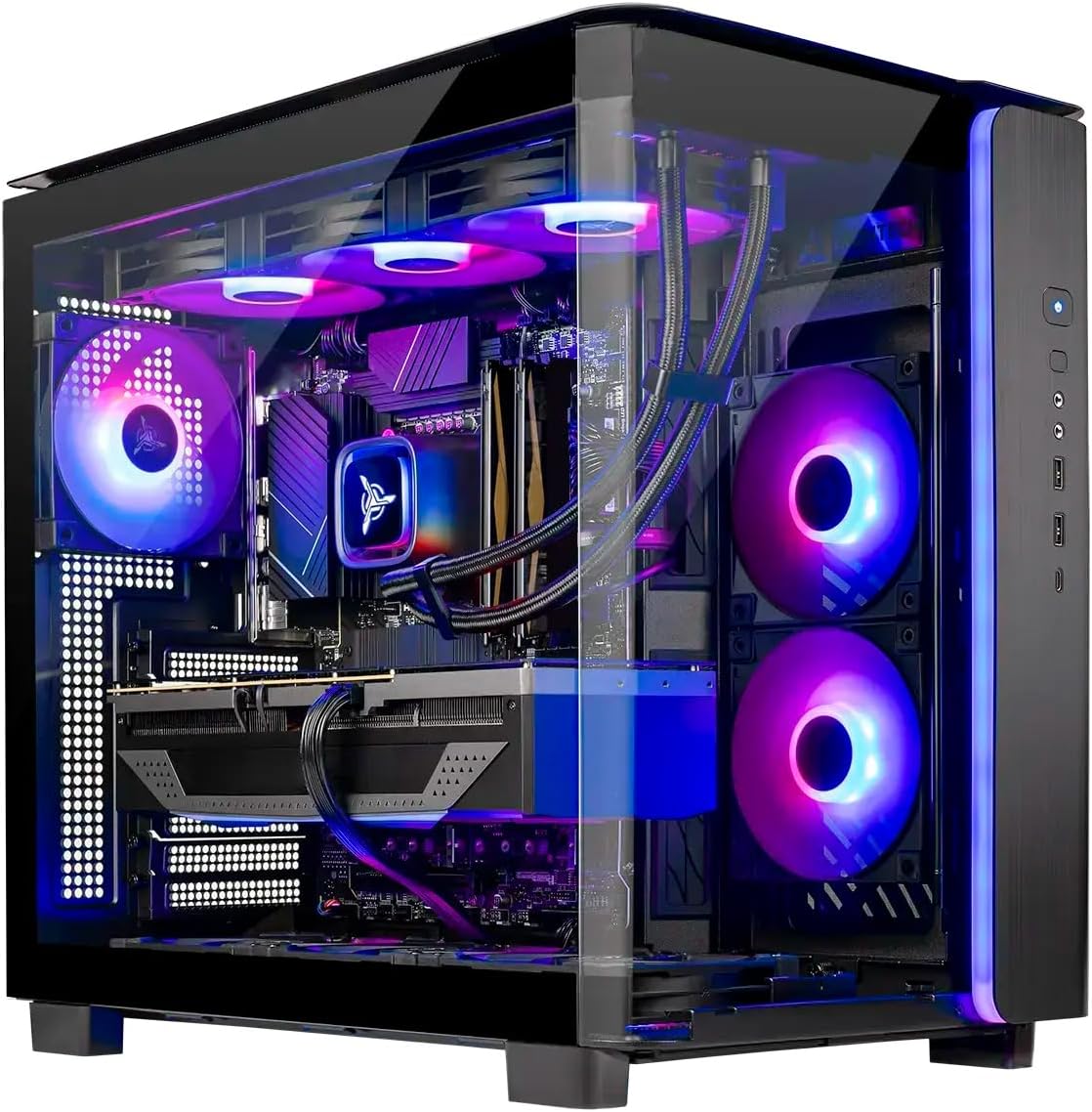
The YAWYORE Gaming PC offers an accessible entry point for enthusiasts who want reliable performance without breaking the bank. Users rate it highly for its value proposition, noting that it handles daily gaming needs efficiently.
We may earn a commission when you buy through this link, at no additional cost to you.
Equipped with an AMD Ryzen 7 5700X and RTX 5060, this system balances power and efficiency well. The 32GB of DDR4 RAM ensures you can run background applications while playing without experiencing significant slowdowns.
The use of DDR4 and an older GPU generation means it may struggle with ultra settings in future titles, but it remains viable for current needs. The included wireless connectivity adds convenience for a clutter-free desk setup.
This system is ideal for those prioritizing cost savings while still needing robust specs. Its straightforward assembly and features make it a practical choice for students and casual gamers alike.
You get a solid 8-core CPU and decent GPU at a price that undercuts many competitors in the market.
Built-in WiFi and Bluetooth allow you to connect peripherals easily without needing extra cables or adapters.
We may earn a commission when you buy through this link, at no additional cost to you.
The msi Codex Z2 Gaming Desktop brings modern architecture to the mid-range market with strong performance metrics. It earns a 4.3 rating from users who appreciate its balance between price and high-quality components.
We may earn a commission when you buy through this link, at no additional cost to you.
Powered by the RTX 5070 and an 8-core AMD processor, this machine delivers smooth gameplay and quick load times. The advanced GPU architecture supports features like ray tracing, enhancing visual realism in supported titles.
While the design is straightforward, the RGB lighting allows some personalization. Users note that the multiple system fans are effective for cooling but can be noticeable during intense gaming sessions.
For those seeking a reliable machine with modern tech features, this desktop is a strong contender. Its ample storage and fast memory ensure you can keep your game library extensive without compromise.
The Blackwell architecture in the RTX 5070 provides a generational leap in performance and efficiency for modern games.
Multiple cooling fans ensure heat is dissipated efficiently, keeping system temps stable during long sessions.
We may earn a commission when you buy through this link, at no additional cost to you.
The KOTIN Prebuilt Gaming PC stands out with unique features like a built-in smart display that monitors system stats. Users enjoy this functional touch alongside its solid gaming performance and ease of setup.
We may earn a commission when you buy through this link, at no additional cost to you.
Featuring a Ryzen 7 9700X and RTX 5070, this system delivers consistent frame rates and quick responsiveness. The inclusion of WiFi 7 and a robust power supply ensures it is ready for future connectivity and expansion needs.
The smart screen adds a functional aesthetic element, though it is primarily for diagnostics. Users must ensure they connect their monitor to the correct ports to avoid display issues, as noted in the product notes.
This PC is excellent for those who want a modern touch and strong core performance. Its ready-to-use nature makes it ideal for users who want to start gaming immediately upon arrival.
The integrated screen provides real-time data on temperatures and usage, adding a futuristic element to your desk.
With WiFi 7 support, you benefit from faster wireless speeds and lower latency for online gaming.
We may earn a commission when you buy through this link, at no additional cost to you.
This Skytech Gaming PC Desktop combines high-end components to deliver flawless performance for demanding tasks. It is rated 4.8 by users who value its powerful hardware and robust thermal management system.
We may earn a commission when you buy through this link, at no additional cost to you.
The Ryzen 7 9850X3D processor paired with the RTX 5080 ensures that even the most intensive applications run smoothly. The 360mm liquid cooler keeps the system cool under stress, allowing sustained peak performance without throttling.
While the price is premium, the inclusion of free gaming keyboard and mouse adds value to the package. Some might wish for a longer warranty period, but the system reliability supports extended use effectively.
This desktop is perfect for users who demand the best possible experience from their machine. Its streamlined software environment ensures you have maximum resources available for your games and applications.
The high-spec liquid cooler ensures the CPU stays cool even during hours of continuous gaming or content creation.
Using the latest CPU and GPU generations guarantees longevity and capability for future titles and updates.
We may earn a commission when you buy through this link, at no additional cost to you.
This Skytech Gaming PC Desktop is praised for its excellent balance between processing power and graphics capability. Users rate it 4.1 for its consistent performance in both gaming and productivity tasks.
We may earn a commission when you buy through this link, at no additional cost to you.
The Ryzen 7 9800X3D offers immense speed for calculations, while the RTX 5070 Ti handles graphical demands efficiently. The system is built to handle complex simulations and fast-paced shooters alike without stuttering.
While the price point is high for its GPU tier, the strong CPU performance justifies the cost for heavy multitaskers. The RGB lighting enhances aesthetics but can introduce minor noise levels during operation.
Ideal for users who want a balanced setup for various genres, this desktop offers robust performance. Its fast storage ensures quick access to large libraries of games and software.
The 9800X3D processor provides the speed needed for heavy data handling and multitasking.
Gen4 SSD technology ensures files are read and written at high speeds for reduced load times.
We may earn a commission when you buy through this link, at no additional cost to you.
The KOTIN Gaming PC Desktop delivers responsive performance thanks to its advanced cache technology and strong components. It holds a 4.3 rating from users who value its smart features and consistent frame rates.
We may earn a commission when you buy through this link, at no additional cost to you.
The Ryzen 7 9800X3D uses 3D V-Cache technology to boost responsiveness in gaming workloads. Combined with the RTX 5070 and fast DDR5 memory, it supports smooth gameplay and heavy multitasking effectively.
Users note that the cooler head display and smart panel add utility but require attention to setup details. The fan noise can be audible under heavy load, which is typical for systems with liquid cooling fans.
This desktop is excellent for gamers who prioritize responsiveness and modern features. Its high-speed memory ensures that loading times are minimized for a seamless experience.
The 96MB L3 cache helps improve gaming responsiveness and frame rate stability significantly.
The cooler head display lets you keep track of CPU temperature at a glance during sessions.
We may earn a commission when you buy through this link, at no additional cost to you.
The Skytech Gaming O11 Vision Gaming PC is celebrated for its striking aesthetic design and solid performance. It earns a 4.5 rating from users who appreciate the combination of visual appeal and technical capability.
We may earn a commission when you buy through this link, at no additional cost to you.
With an RTX 5070 and Ryzen 7 7700X, it handles current games and creative tasks efficiently. The Lian Li case provides a beautiful view of the components, enhancing the visual experience of the build.
While the design prioritizes looks, it may limit airflow slightly compared to open cases. The gold PSU ensures reliable power delivery, which is crucial for maintaining stable system performance over time.
This PC suits those who want a stylish and functional setup. Its quality components make it a reliable choice for long-term gaming and creative work.
The Lian Li PC-O11 Vision case offers a panoramic view of the internal components with a clean aesthetic.
The 850W Gold PSU ensures efficient energy use and stable power for all system components.
We may earn a commission when you buy through this link, at no additional cost to you.
The Horizon Autherium Dragon RGB is a powerhouse offering massive storage and memory for ultimate performance. It holds a 4.7 rating from users who value its generous specs and premium build quality.
We may earn a commission when you buy through this link, at no additional cost to you.
With an unlocked Core i9 CPU and 64GB of RAM, this system handles complex simulations and multitasking effortlessly. The 5TB storage ensures you never run out of space for large game libraries and assets.
The Windows 11 PRO edition adds professional features for advanced control and security. However, the high cost and large size might deter those looking for compact or budget-friendly options.
This desktop is ideal for professionals and enthusiasts who need maximum capacity. Its long warranty period offers peace of mind for heavy usage scenarios.
64GB of RAM is twice the standard high-end amount, enabling heavy multitasking without bottlenecks.
A three year parts warranty provides significant protection against component failure for long-term users.
We may earn a commission when you buy through this link, at no additional cost to you.
The Lenovo Legion Tower 5i offers a strong balance of power and expandability for versatile usage. It receives a 4.6 rating from users who appreciate its flexible upgrade options and reliable performance.
We may earn a commission when you buy through this link, at no additional cost to you.
Powered by the Intel Core Ultra 7 265F and RTX 5070 Ti, it handles modern games with ease. The tool-less side panel makes it easy to access components, encouraging future upgrades and maintenance.
While initial storage is limited, the expandability means you can add more space later. The included GamePass subscription adds value by offering access to a wide variety of games at launch.
This PC suits users who want a machine that grows with their needs. Its connectivity options ensure you stay connected with high-speed networking for online play.
The transparent tool-less panel allows you to upgrade memory or storage quickly without special tools.
Three months of PC GamePass gives you immediate access to new and popular games after purchase.
We may earn a commission when you buy through this link, at no additional cost to you.
Selecting the right system involves evaluating processor speed, memory capacity, and cooling efficiency. Use these factors to narrow down your options for optimal performance.
The CPU handles game logic and simulation physics. Look for a high-core processor like Ryzen 7 or Core i9 to ensure smooth calculations without lag.
Higher clock speeds and more cores directly improve your gaming experience by reducing frame drops.
At least 32GB of DDR5 RAM is recommended for running multiple applications alongside your game. Faster memory ensures quicker data access for seamless gameplay.
Upgrading memory later can be beneficial, but starting with a high baseline prevents immediate bottlenecks.
A dedicated GPU like RTX 5070 or higher is essential for rendering detailed environments. Ensure the card supports latest technologies for better visual fidelity.
Strong graphics capabilities allow you to play at higher resolutions and settings without compromising speed.
NVMe SSDs offer significantly faster load times than traditional HDDs. Aim for at least 1TB to store large game libraries efficiently.
Quick storage access reduces waiting times and improves overall system responsiveness during play.
Effective cooling prevents overheating during extended sessions. Liquid cooling or robust air cooling systems are preferred to maintain stable performance.
Good thermal management extends the lifespan of your hardware and ensures consistent frame rates.
Look for systems with built-in WiFi and multiple USB ports for easy peripheral connection. Fast Ethernet ensures stable online performance.
Versatile connectivity allows you to use all your devices without needing additional adapters.
Quality assembly ensures reliability and safety. A warranty of at least one year protects against hardware failures.
Reputable brands provide better customer support which is crucial if issues arise after purchase.
Windows 11 provides better optimization for modern games. Avoid systems with excessive bloatware to maximize available resources.
A clean software environment ensures your hardware performs at its intended peak without unnecessary background processes.
Begin by setting up your system in a well-ventilated area to prevent heat buildup. Ensure all cables are securely connected to the correct ports for optimal performance.
Keep your system drivers updated to maintain stability and performance. Use the provided control software to monitor temperatures and adjust fan speeds as needed.
Regularly clean dust from vents and fans to maintain airflow. Proper maintenance extends the lifespan of your components and ensures smooth operation.
A Ryzen 7 or Core i9 processor with multiple cores provides the power needed for simulations. Look for models with X3D technology or high boost clocks for better performance.
At least 32GB of RAM is recommended to handle heavy multitasking and large game assets. DDR5 memory offers faster speeds which help maintain smooth gameplay.
While air cooling is adequate, liquid cooling ensures better heat dissipation during long sessions. It is highly recommended for high-end CPUs to prevent throttling.
Any modern mid-range GPU like RTX 5070 or higher will handle strategy titles easily. Focus on models with sufficient VRAM for detailed environments.
Most systems allow for additional SSDs or HDDs to be added. Check the motherboard for available slots before purchasing to ensure future expansion.
Dust buildup or poor ventilation can cause high temperatures. Clean the fans regularly and ensure the case has adequate airflow to prevent overheating.
The top picks offer a range of performance levels to suit different budgets and needs. The Skytech and KOTIN models provide excellent value with strong specs for most users.
Prioritize CPU speed and memory capacity to ensure your system handles complex tasks smoothly. A robust cooling system is also essential for long-term reliability.
Prices fluctuate frequently, so verify current offers before purchasing. Selecting the right setup ensures you enjoy seamless performance in your favorite titles.