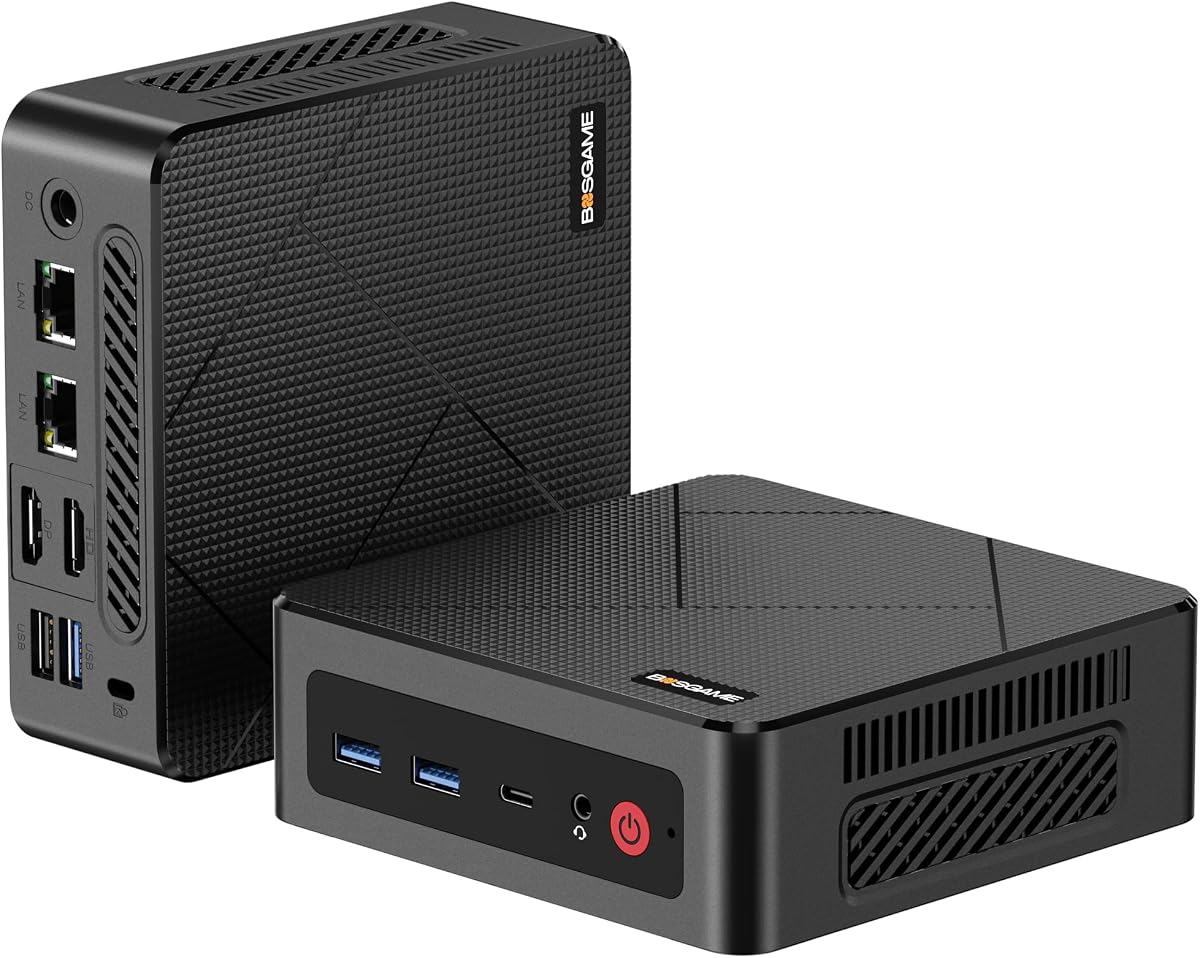
BOSGAME E4 Air Mini PC
4.2Editor score
AMD Ryzen 5 3500U processor
Dual RJ45 LAN and Wi-Fi 5
Triple 4K display support via HDMI DP USB-C
This guide compares the top Linux Mini Pcs available in October 2026, evaluating performance, expansion options, and Linux compatibility for every budget and
Linux Mini Pcs offer powerful computing in a tiny footprint for developers and professionals. These compact machines run open-source operating systems efficiently while supporting modern workloads and connectivity standards.
We evaluated ten top models based on processor performance, memory capacity, storage options, and Linux compatibility. Each product was analyzed for build quality, thermal efficiency, and real-world usability across different scenarios.
Each pick highlights specific strengths and ideal use cases to help you choose the right system. Prices and availability change frequently so verify current details before purchasing to ensure you get the best value today.
4.2Editor score

4.5Editor score

4.7Editor score
This comparison table lists all ten models side by side with their core specifications to help you quickly identify the best system for your specific performance and budget requirements.


The TK Node Mini PC is our top choice for developers and professionals seeking a reliable Linux Mini Pcs. It ships with Zorin OS Core which provides a secure Ubuntu-based desktop ideal for development and automation workloads.
We may earn a commission when you buy through this link, at no additional cost to you.
This system offers exceptional expandability with dual SO-DIMM slots supporting up to 64GB of RAM and dual NVMe SSD slots for up to 4TB of total storage. The AMD R2314 or Intel Core i3 options give you flexibility to match your workload requirements.
While the base model includes only 8GB of RAM this is easily upgradeable to handle demanding virtualization or container workloads. The compact 5 by 5 inch footprint fits neatly on any desk while delivering professional grade connectivity.
If you need a dependable Linux Mini Pcs with expandable storage and memory this model is ideal. Its US-based assembly and two-year warranty provide peace of mind for long-term deployments in labs or offices.
Dual SO-DIMM slots support up to 64GB RAM and dual NVMe slots allow up to 4TB total storage for growing projects.
Drive up to three 4K displays via HDMI DisplayPort and USB-C for enhanced multitasking and productivity.
We may earn a commission when you buy through this link, at no additional cost to you.
The Beelink SER3 is a capable Linux Mini Pcs designed for everyday productivity and light multitasking. Powered by the AMD Ryzen 3 3200U it offers smooth performance for office work web browsing and media consumption.
We may earn a commission when you buy through this link, at no additional cost to you.
With 16GB of DDR4 RAM and upgradeable memory this system handles multiple applications efficiently. The Radeon Vega 3 graphics support complex design software and 4K video playback making it suitable for creative work.
The dual HDMI ports enable multi-monitor configurations which enhance productivity for developers and analysts. Gigabit Ethernet and dual-band WiFi ensure reliable connectivity for file transfers and remote access tasks.
For users seeking an affordable Linux Mini Pcs with solid expandability and lifetime support this model delivers excellent value. Its compact design and strong after-sales service make it a reliable choice for home offices.
Upgrade RAM to 32GB and use the M.2 slot for additional storage expansion needs.
Radeon Vega 3 handles 4K video editing and playback smoothly for creative workflows.
We may earn a commission when you buy through this link, at no additional cost to you.
The ASUS NUC 14 Pro is a high-performance Linux Mini Pcs designed for developers and power users. It combines a powerful Intel Ultra 7 processor with Linux Mint to deliver a secure open-source environment ideal for AI research and cloud development.
We may earn a commission when you buy through this link, at no additional cost to you.
With configurations reaching 64GB of DDR5 RAM and 2TB of PCIe Gen4 storage this system handles virtualization and big data processing without bottlenecks. The advanced cooling design keeps it silent during intensive 24/7 operations.
Thunderbolt 4 connectivity and support for up to four 4K displays make this system ideal for complex multitasking workflows. WiFi 6E and Bluetooth 5.3 ensure reliable wireless performance for modern home office setups.
If you require top-tier performance and scalability in a compact form factor this model is unmatched. Its Linux Mint integration and premium features make it perfect for professionals seeking security and efficiency.
Up to 96GB DDR5 RAM and 2TB PCIe Gen4 SSD ensure blazing-fast data access and multitasking.
Thunderbolt 4 and HDMI 2.1 enable seamless 8K multi-monitor setups and fast data transfer.
We may earn a commission when you buy through this link, at no additional cost to you.
The Beelink Mini S12 Pro is an efficient Linux Mini Pcs optimized for home office and NAS applications. Its Intel N100 processor provides improved performance over previous generations while maintaining low power consumption for 24/7 operation.
We may earn a commission when you buy through this link, at no additional cost to you.
This system supports dual HDMI 4K displays allowing flexible multi-monitor setups for productivity. The included SATA interface enables additional storage up to 2TB which is perfect for media servers and backup tasks.
The cooling system features a large silent CPU fan and dedicated SSD cooling shield ensuring stable performance under load. With WiFi 6 and Bluetooth 5.2 connectivity remains fast and reliable for all daily tasks.
For users needing an affordable and efficient Linux Mini Pcs for office work or NAS this model is excellent. Its energy efficiency and expandable storage make it a practical choice for small businesses and home labs.
M.2 2280 slot plus 2.5-inch SATA interface allow up to 4TB total storage capacity.
Dual HDMI 2.0 and USB 3.2 ports support seamless 4K@60Hz multi-monitor setups.
We may earn a commission when you buy through this link, at no additional cost to you.
The KAMRUI Pinova P2 is a powerful Linux Mini Pcs designed for users requiring triple display support. Its Ryzen 7 3300U processor delivers 50% faster single-core performance compared to predecessors ensuring smooth multitasking and development workflows.
We may earn a commission when you buy through this link, at no additional cost to you.
Three independent 4K@60Hz displays can be driven simultaneously via HDMI DisplayPort and USB-C. This capability makes it perfect for remote work conferences and presentations that demand high visual fidelity.
While the 16GB LPDDR4X memory is non-upgradable the system includes two storage expansion slots supporting up to 4TB total. The compact design and VESA mount enable flexible placement on any desk or wall.
For professionals needing triple screen setups in a tiny footprint this model stands out. Its quiet operation and robust connectivity options make it ideal for home offices and small business environments.
HDMI 2.0 DisplayPort 1.4 and USB-C with DP Alt Mode enable triple 4K@60Hz displays.
Two storage expansion slots support up to 4TB total storage for large media files.
We may earn a commission when you buy through this link, at no additional cost to you.
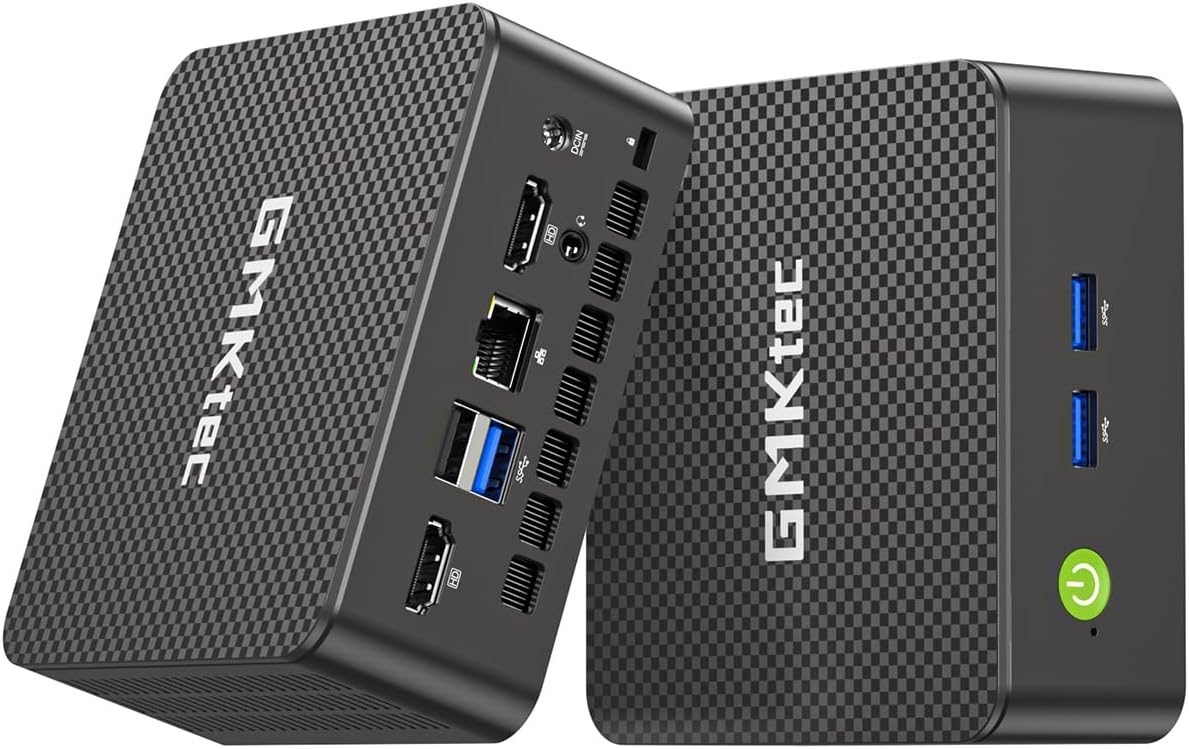
The GMKtec G11 is a specialized Linux Mini Pcs optimized for networking and virtualization tasks. Its dual 2.5GbE LAN ports allow it to function as a professional firewall NAS server or home lab host.
We may earn a commission when you buy through this link, at no additional cost to you.
Dual-channel memory and a powerful Radeon GPU deliver high throughput for multitasking and media rendering. The system supports three 4K displays making it suitable for trading or control room setups.
Designed for commercial and industrial environments this model offers silent cooling and stable 24/7 operation. WiFi 6E and Bluetooth 5.2 ensure reliable wireless connectivity while USB-C and USB 3.2 support fast data transfer.
If you need a Linux Mini Pcs for networking projects or virtualization this model is unmatched. Its dual LAN ports and dual-channel memory make it a powerhouse for advanced IT enthusiasts.
Dual 2.5GbE ports support pfSense firewall and high-speed NAS deployments.
16GB dual-channel DDR4 RAM eliminates bottlenecks for GPU and multi-threaded tasks.
We may earn a commission when you buy through this link, at no additional cost to you.
The CyberGeek Mini PC offers high-performance computing in a compact Linux Mini Pcs. Powered by the Intel Core i9-11900H it handles demanding software gaming and virtualization effortlessly.
We may earn a commission when you buy through this link, at no additional cost to you.
It supports triple 4K displays via DP HDMI and Type-C making it ideal for gaming or professional workflows. The pre-installed Ubuntu Linux provides a robust environment for development and cloud-native tasks.
Dual LAN ports and six USB connections ensure extensive peripheral and network support. The advanced cooling system maintains performance under load without throttling the CPU frequency.
For users needing maximum power in a small form factor this model is unmatched. Its expandable storage and Linux integration make it perfect for gaming and home server applications.
Intel Core i9-11900H delivers exceptional speed for gaming and heavy multitasking.
Pre-installed Ubuntu provides a flexible environment for developers and servers.
We may earn a commission when you buy through this link, at no additional cost to you.
The BOSGAME E5 is a balanced Linux Mini Pcs optimized for productivity and server use. Its Ryzen 3 5300U processor handles daily workflows and network server applications efficiently.
We may earn a commission when you buy through this link, at no additional cost to you.
Dual SODIMM slots allow memory expansion up to 64GB which supports virtual machines and heavy multitasking. The dual 2.5GbE LAN ports make it a strong candidate for home servers and network appliances.
Triple 4K display support enables comprehensive visual workspaces. The full-function USB-C port delivers high-speed data and video output making it versatile for modern peripherals.
For users needing expandable memory and advanced networking in a compact unit this model is excellent. Its quiet operation and flexible connectivity make it ideal for offices and home labs.
Dual SODIMM slots support up to 64GB RAM and dual M.2 slots allow dual-drive storage.
Dual 2.5GbE LAN ports support pfSense and high-speed NAS deployments.
We may earn a commission when you buy through this link, at no additional cost to you.
The BOSGAME E4 Air is an affordable Linux Mini Pcs designed for basic productivity and streaming. Its Ryzen 5 3500U processor handles spreadsheets web browsing and HD video editing effortlessly.
We may earn a commission when you buy through this link, at no additional cost to you.
Triple 4K display support allows you to maximize screen real estate for efficient multitasking. Dual RJ45 LAN ports ensure stable connections for file transfers and remote access tasks.
While the 8GB RAM and SATA SSD limit heavy workloads this system is ideal for daily office tasks. Its compact design and reliable performance make it suitable for home use.
For users seeking an entry-level Linux Mini Pcs this model provides excellent value. Its display capabilities and quiet operation make it a great choice for general home computing.
HDMI DisplayPort and USB-C support three 4K monitors for immersive visual setups.
Dual Gigabit Ethernet ports ensure stable and redundant network connections.
We may earn a commission when you buy through this link, at no additional cost to you.
The GMKtec G3S is an affordable Linux Mini Pcs ideal for routine office and media tasks. Its Intel N95 processor delivers 36% better performance than previous entry-level models.
We may earn a commission when you buy through this link, at no additional cost to you.
Dual HDMI 2.0 ports support 4K@60Hz displays enabling efficient multitasking for browsing and streaming. The compact design makes it a perfect fit for small desks and portable setups.
While memory and storage are fixed the 256GB SSD and 8GB RAM handle basic tasks well. WiFi 5 and Bluetooth 5.0 ensure reliable wireless connections for peripherals and internet.
For users needing a budget-friendly Linux Mini Pcs for basic tasks this model is ideal. Its energy efficiency and compact footprint make it a practical choice for home offices.
Supports AV1 decoding for smooth high-quality video playback on 4K displays.
Dual HDMI 2.0 outputs allow two 4K@60Hz displays simultaneously.
We may earn a commission when you buy through this link, at no additional cost to you.
Choosing the right Linux Mini Pcs requires balancing performance expandability and connectivity to match your specific use case and budget.
Processor performance determines multitasking capability. Systems with quad-core or higher CPUs like Ryzen 7 or Intel i7 handle development and virtualization smoothly.
Prioritize multi-core performance for heavy workloads. Avoid dual-core processors for professional tasks.
Memory should be at least 16GB for productivity and development. Systems supporting up to 64GB provide future-proofing for demanding applications.
SSD speed matters more than capacity for boot times. NVMe drives are preferred over SATA for faster application loading.
Triple 4K display support is essential for multitasking and trading setups. Verify HDMI DisplayPort and USB-C outputs match your monitors.
Check for AV1 decoding and 60Hz refresh rates to ensure smooth video playback and reduced eye strain.
Pre-installed Linux distributions like Zorin or Ubuntu simplify setup and reduce compatibility issues. Some models ship with optimized builds for specific use cases.
Ensure wireless and Bluetooth drivers are supported by your Linux kernel. Avoid systems using proprietary Wi-Fi chips with limited driver support.
Multiple USB 3.2 ports enable fast data transfer with external drives. Look for Thunderbolt or USB-C with DP Alt Mode for video output.
Dual Ethernet ports are useful for network appliances and firewalls. Gigabit Ethernet is standard; 2.5GbE adds headroom for home labs.
Compact Mini PCs often struggle with heat. Look for active cooling with large fans and copper heat pipes to avoid throttling.
Noise levels matter for offices. Systems with silent fan designs or heat pipe cooling keep noise low under load.
SO-DIMM slots allow memory upgrades which extend the system's lifespan. Check for dual slots to enable future RAM increases.
M.2 slots or SATA interfaces enable additional storage. Systems with only one SSD slot limit future capacity.
Warranty length indicates manufacturer confidence. Look for at least a one-year limited warranty covering defects.
US-based or lifetime technical support ensures long-term assistance. Check reviews for customer service responsiveness.
Set up your Linux Mini Pcs on a stable surface with good ventilation to prevent overheating. Connect the power adapter and peripherals such as monitor keyboard and mouse before powering on.
Update the operating system and install drivers immediately after setup. Use the system's package manager to install essential software like web browsers and office tools.
Keep the exterior clean with a dry cloth and avoid blocking ventilation slots. Monitor temperatures regularly and restart the system if performance slows due to thermal throttling.
Most Mini PCs support Linux but hardware compatibility varies. Wi-Fi and Bluetooth drivers are common pain points. Check manufacturer support pages or community forums for known issues before purchasing.
Some Mini PCs have removable SO-DIMM slots while others use soldered memory. Verify the product specs for upgradeability. Dual slots allow greater future capacity compared to single configurations.
Distributions like Zorin OS Ubuntu and Mint offer user-friendly interfaces and broad driver support. They are optimized for lightweight performance and compatibility with common hardware.
Most modern Mini PCs support 4K@60Hz via HDMI or DisplayPort. Triple 4K setups are available on higher-end models with multiple outputs and DP Alt Mode on USB-C.
256GB suffices for basic tasks while 512GB or more suits development and media. SSD speed matters more than capacity; consider systems with multiple slots for expansion.
Entry models handle casual gaming while higher-end CPUs and GPUs support light AAA titles. Integrated Vega graphics work well for esports but dedicated GPUs offer better performance.
The TK Node Mini PC leads our list with its expandable memory and Zorin OS support. The ASUS NUC 14 Pro delivers premium performance while the BOSGAME E4 Air offers budget-friendly entry.
Prioritize RAM capacity and Linux compatibility based on your workload. Systems with multiple ports and display outputs provide long-term flexibility for evolving needs.
Prices and stock change frequently so verify current specifications and pricing before purchasing. Choose a model that aligns with your performance requirements and expansion plans for best results.