
HDMI Adapter for N64/ Game Cube/SNES
4.2Editor score
HDMI cable included
Supports 1080p
Plug and play setup
This guide compares ten top GameCube HDMI adapters for modern displays, evaluating video quality, compatibility, and ease of use to help you choose the right
Bringing retro gaming into the modern era requires the right hardware. GameCube HDMI adapters allow you to connect your classic console to today's high-definition televisions without sacrificing the authentic feel of original hardware.
We evaluated ten popular adapters based on signal quality, compatibility with different GameCube models, and ease of setup. Our analysis covers both budget-friendly converters and advanced units with digital ports for superior resolution.
Each pick highlights specific strengths like line doubling or plug-and-play simplicity. Note that product availability and features may change over time, so check the latest details before purchasing your adapter.
4.2Editor score

4.6Editor score

4.4Editor score
This comparison table lists all ten adapters with their key specifications and links. Use it to quickly identify which model fits your console type and display needs.



This adapter stands out for its ability to deliver superior image clarity compared to standard AV cables. It is designed specifically for GameCube consoles with a digital port on the back, ensuring a stable and high-quality connection.
We may earn a commission when you buy through this link, at no additional cost to you.
The built-in Line Doubling and Scanlines features enhance the picture quality without needing extra power. A programmed remote makes menu navigation easy, allowing you to select options like Line Doubling and Scanlines effortlessly.
While it offers great performance, it is limited to DOL-001 models. This restriction might be a downside for users with older units, but the enhanced functionality and durability make it a worthwhile investment.
Ideal for enthusiasts seeking a plug-and-play experience with advanced features, this adapter is the top pick for those who want the best visual fidelity from their GameCube setup.
Line Doubling and Scanlines features improve visuals without extra power needs.
A programmed remote simplifies menu selection for custom display options.
We may earn a commission when you buy through this link, at no additional cost to you.
This adapter offers a cost-effective way to connect older consoles to modern TVs. It supports resolutions up to 1080p, providing a smooth gaming experience with clear and smooth picture quality.
We may earn a commission when you buy through this link, at no additional cost to you.
The included HDMI cable simplifies setup, making it a true plug-and-play solution. However, it requires an external power supply, which might be an extra step for some users.
While generally reliable, there are occasional reports of blue screen issues if the connection is not successful. Ensuring proper connections and power sources can mitigate these problems effectively.
For budget-conscious gamers, this adapter is a solid choice. It balances performance and affordability, making it accessible for those wanting to upgrade their setup without breaking the bank.
The HDMI cable is included, reducing the need for additional purchases.
External power supply is needed, so ensure you have a compatible source.
We may earn a commission when you buy through this link, at no additional cost to you.
This adapter offers extensive compatibility with different GameCube models and Wii consoles. It supports various display modes, providing advanced signal processing with great precision, colors, and resolution.
We may earn a commission when you buy through this link, at no additional cost to you.
The GC2SD Gen2 feature allows storage expansion using microSD cards, which is great for backing up game files. It also supports homebrew software, enhancing the console's capabilities for enthusiasts.
While the HDMI mode is limited to DOL-001 consoles, the GC2SD Gen2 works with all NGC consoles. This flexibility makes it a versatile choice, though setup can be complex for new users.
Ideal for power users, this adapter combines premium features with robust performance. It is the best choice for those who want to maximize their console's potential with advanced options.
Supports microSD cards up to 512GB for backing up and restoring game files.
Compatible with various homebrew software, offering enhanced console functionality.
We may earn a commission when you buy through this link, at no additional cost to you.
This converter is designed for analog composite input, making it suitable for devices with RCA outputs. It supports up to 1080p output, displaying a clear image on modern HDTVs or monitors.
We may earn a commission when you buy through this link, at no additional cost to you.
It supports multiple TV formats, ensuring compatibility with various international standards. The included HDMI and USB cables simplify setup, though you need to hook up the USB power cable during use.
While it supports many devices like PS2 and DVD players, it is not optimized for the GameCube digital port. This limits its effectiveness for GameCube users compared to dedicated adapters.
For users with devices that have RCA outputs, this converter is a solid option. It offers versatility and clear picture quality, though it may not be the best fit for GameCube consoles.
Supports various devices including PS2 and DVD players with composite input.
Works with PAL, NTSC, and SECAM formats for international compatibility.
We may earn a commission when you buy through this link, at no additional cost to you.
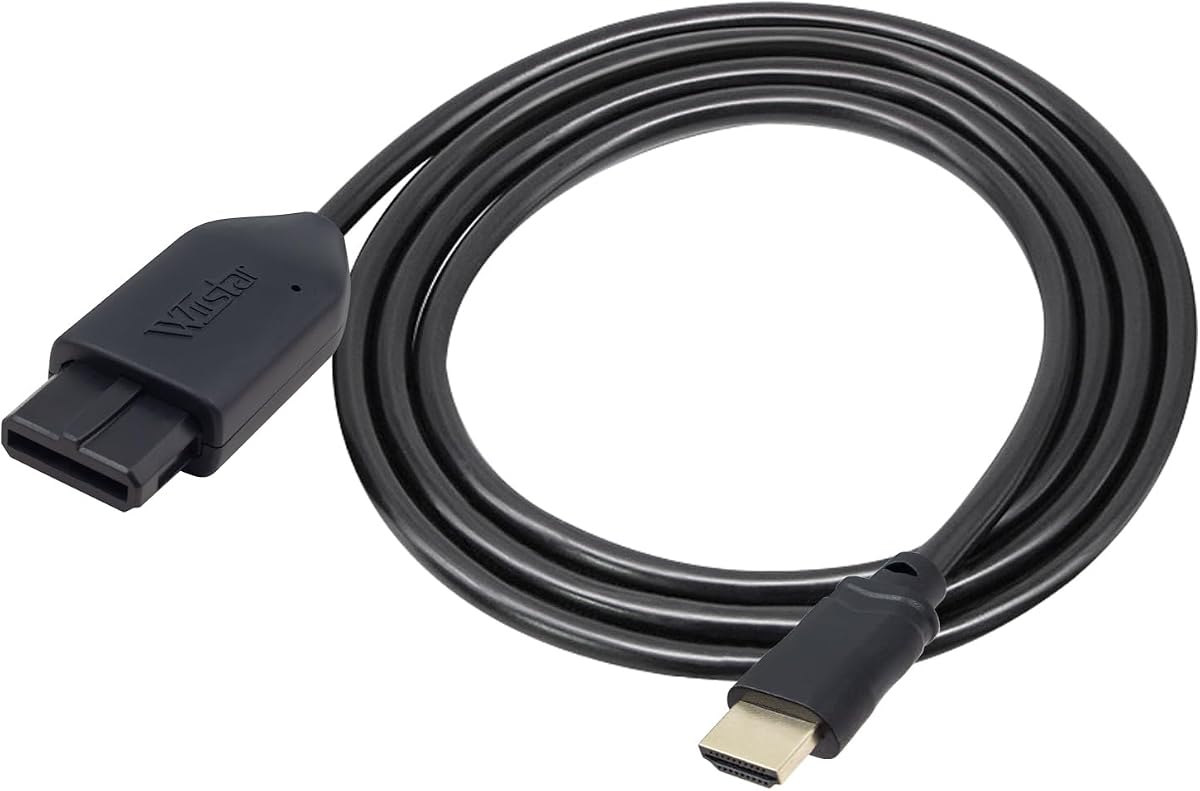
This adapter features an all-in-one cable design with a built-in console-specific port and HDMI plug. It eliminates the need for extra cables, offering the simplest and cleanest setup available.
We may earn a commission when you buy through this link, at no additional cost to you.
The S-Video signal output provides better picture quality than standard AV, with brighter and sharper images. It supports 1080p60Hz, though it does not support 720p60Hz.
While it does not require extra power, users should ensure proper connections to avoid blue screen issues. The lack of sound can also be an issue if connections are not properly established.
For those seeking a simple and effective setup, this adapter is a strong contender. It delivers better video quality and supports modern resolutions, making it a great choice for casual gamers.
Eliminates the need for extra cables by integrating ports directly into the design.
Offers better quality with sharper images and enhanced color precision.
We may earn a commission when you buy through this link, at no additional cost to you.
This adapter supports multiple consoles, offering an aspect ratio switch between 4:3 and 16:9. It provides better visual quality for gaming by upscaling analog S-Video signals to digital HDMI signals.
We may earn a commission when you buy through this link, at no additional cost to you.
The detachable design allows for the use of high-end or extended HDMI cables, enhancing flexibility. It offers low latency gaming, ensuring unnoticeable lag during gameplay.
While it supports multiple consoles, the setup might require extra cables if you need longer HDMI connections. The aspect ratio switch is a key feature for maintaining the original look of games.
Ideal for gamers who value aspect ratio flexibility, this adapter is a solid choice. It delivers clear video quality and responsive performance, making it suitable for competitive play.
Toggle switch allows switching between 4:3 and 16:9 for optimal display.
Ensures unnoticeable lag, providing responsive gameplay for competitive titles.
We may earn a commission when you buy through this link, at no additional cost to you.
This adapter converts analog signals into crisp digital HDMI signals, supporting resolutions up to 1080p. It brings retro gaming to life on modern displays with sharp picture quality.
We may earn a commission when you buy through this link, at no additional cost to you.
It offers broad compatibility with various consoles, seamlessly connecting to modern displays. The ultra-low input lag ensures color accuracy and responsive performance for a smooth gaming experience.
While it claims to operate without extra power, using additional accessories may require an external source. The lack of available review ratings makes it a bit of a gamble for new buyers.
For those interested in a straightforward solution with upscaling capabilities, this adapter is worth considering. It provides a clear image and supports modern displays, making it a practical option.
Converts analog signals to crisp digital HDMI with sharp 1080p resolution.
Supports multiple classic consoles and connects to modern HDTVs and monitors.
We may earn a commission when you buy through this link, at no additional cost to you.
This adapter supports SVideo and Composite outputs, offering a clean solution for retro gaming. It does not need any additional power to work, making it a simple plug-and-play setup.
We may earn a commission when you buy through this link, at no additional cost to you.
The all-in-one design ensures compatibility with N64, Super Nintendo, and Gamecube consoles. It works well via the proprietary analogue port, eliminating the need for extra hardware or software.
While it lacks advanced features, its simplicity is a strength for casual users. However, packaging variations might lead to unexpected contents, so it is wise to check reviews before purchasing.
For a hassle-free setup, this adapter is a reliable choice. It offers essential functionality without the need for extra power or complex configurations, making it suitable for everyday use.
Eliminates the need for extra power, simplifying the overall setup process.
Compatible with multiple consoles via proprietary analogue port connectivity.
We may earn a commission when you buy through this link, at no additional cost to you.
This adapter offers clear and smooth picture quality for legacy systems on modern TVs. It includes an HDMI cable and supports 16:9 conversion, making setup straightforward and efficient.
We may earn a commission when you buy through this link, at no additional cost to you.
It is a true plug-and-play solution with no screen lag or additional power supply required. However, users should check if the connection is successful to avoid sound or blue screen issues.
While it provides a better gaming experience, potential issues with sound may arise. Ensuring proper connections can resolve these problems, making it a reliable choice for most users.
For a hassle-free setup with modern TVs, this adapter is a solid option. It delivers clear visuals and supports widescreen formats, enhancing the retro gaming experience effectively.
Includes an HDMI cable for immediate setup without extra purchases.
Supports 16:9 conversion, allowing modern widescreen display compatibility.
We may earn a commission when you buy through this link, at no additional cost to you.
This adapter extracts the S-Video signal path for a cleaner and more defined image compared to RCA composite. It requires no external power for normal use, making it a simple plug-and-play solution.
We may earn a commission when you buy through this link, at no additional cost to you.
It includes a 1.5m HDMI cable with nickel-plated connectors to resist oxidation and maintain stable signal transmission. The adapter outputs the original console resolution, preserving the authentic look of games.
While it does not upscale to HD resolutions, it delivers a clear and defined image. The lack of external power requirement is convenient, though some might prefer upscaling features.
For those valuing a clean image and simple setup, this adapter is a practical choice. It avoids external power needs and provides stable signal transmission, making it suitable for retro purists.
Extracts S-Video signal path for a cleaner image than standard composite cables.
Includes nickel-plated connectors to resist oxidation and ensure stable transmission.
We may earn a commission when you buy through this link, at no additional cost to you.
Choosing the right adapter involves understanding your console model and display needs. This guide covers key factors to help you find the best fit for your setup.
Ensure the adapter supports your specific GameCube model. Some adapters work only with DOL-001 consoles that have a digital port, while others support older models via RCA inputs.
Always check the product description to confirm compatibility with your console's AV Multi-Out port or digital port.
Adapters vary in supported resolutions. Some offer up to 1080p, while others maintain the original 480p or 576p output. Consider what your display can handle.
Higher resolution support provides a sharper image on modern TVs, but original resolution may be preferred by purists.
Some adapters draw power from the console, while others require external USB power. Check if you have a suitable power source before purchasing.
Adapters without external power needs are more convenient but may not work with all setups or accessories.
Basic adapters offer simple plug-and-play functionality, while advanced ones include remote controls and line doubling features. Decide what level of control you need.
Advanced features enhance image quality but may complicate setup. Choose based on your technical comfort and gaming preferences.
Look for adapters that support 4:3 and 16:9 aspect ratios. This ensures your game display matches your TV settings.
Aspect ratio switches provide flexibility for different games and displays, improving the overall viewing experience.
Some adapters come with HDMI cables and remotes, while others do not. This affects the total cost and convenience of setup.
Check what is included to avoid additional purchases and ensure a complete and ready-to-use solution.
Quality adapters offer cleaner S-Video output compared to RCA composite. This results in sharper images with less interference.
Prioritize adapters that emphasize signal processing to maintain the clarity of your retro games.
Check the warranty period and support options offered by the manufacturer. Reliable support ensures assistance if issues arise.
A good warranty provides peace of mind and protects your investment against potential defects.
Start by connecting the adapter to your GameCube console's appropriate port. For models with digital ports, use the digital adapter cable. For older models, ensure you have the correct RCA or S-Video connections.
Connect the HDMI cable from the adapter to your TV or monitor. If the adapter requires external power, plug the USB power cable into a compatible source before turning on the console.
Turn on your console and set your TV to the correct HDMI input. If the adapter includes a remote, use it to adjust settings like line doubling or aspect ratio for the best viewing experience.
Digital port adapters connect directly to DOL-001 consoles with a digital port, offering superior video quality. Standard RCA adapters work with older models using composite inputs, which may produce lower quality images.
Some adapters draw power from the console, while others need external USB power. It depends on the specific model and its design. Check the product details to ensure you have the right power setup.
Adapters vary in compatibility. Some support all models via RCA inputs, while others are limited to DOL-001 consoles. Always verify compatibility with your specific console model before purchasing.
A blue screen typically indicates no video signal. Check your connections to ensure the adapter and HDMI cable are securely plugged in. Also, confirm the adapter receives proper power if required.
Some adapters support up to 1080p, while others maintain the original console resolution. It depends on the adapter's capabilities. Check the product description to confirm the supported output resolution.
Some products include an HDMI cable in the package, while others do not. This varies by manufacturer and model. Always check the product details to see what is included before buying.
The best adapter depends on your console model and desired features. From budget-friendly options to advanced units with digital ports, there is a solution for every need.
Prioritize compatibility and signal quality to ensure a smooth gaming experience. Features like aspect ratio switches and line doubling can further enhance your setup.
Remember that product availability and features may change. Always check the latest details and reviews before making your final decision to ensure you get the best value.