
SUNLU S1 Plus Filament Dryer
4.7Editor score
Under thirty five dollar price
Quiet operation under ten db
Simple LCD control interface
This guide compares the top 3D Printer Filament Dryer Box models to help you prevent moisture damage and ensure consistent print quality for all your filaments.
Moisture is the silent killer of 3D printing quality, causing stringing, popping, and weak layer adhesion in almost every material. A dedicated filament dryer box actively removes water from your spools before and during prints, ensuring smooth extrusion and reliable results every single time you print.
We evaluated ten leading filament dryer boxes based on heating speed, temperature accuracy, sealing quality, and ease of use. Our analysis focused on real-world performance data, user feedback, and technical specifications to identify which models deliver the most consistent drying without wasting energy or space.
Each pick below highlights specific strengths like multi-spool capacity, smart humidity controls, or budget-friendly pricing. While we list current prices for reference, retail costs fluctuate frequently so please verify the latest deals directly on the product pages before making your final purchase decision today.
4.7Editor score

4.7Editor score

4.6Editor score
This side-by-side comparison breaks down the key technical specifications and unique features of each top-rated filament dryer box to help you quickly identify the model that fits your specific printing workflow and budget requirements.



The Comgrow filament dryer box offers a straightforward solution for keeping your spools dry without breaking the bank. It holds two 1kg spools comfortably and uses a simple LCD screen to display temperature and time settings. With a solid rating of 4.4 stars it has proven reliable for basic printing needs.
We may earn a commission when you buy through this link, at no additional cost to you.
This unit features a sealed enclosure with silicone cable sheaths to prevent moisture reabsorption while printing. The heating range tops out at fifty degrees Celsius which is sufficient for common materials like PLA and PETG. Users appreciate the straightforward interface that lets them set time and temperature easily.
However the maximum temperature limit means it might struggle with high-performance materials like ABS or Nylon that require higher heat. The setup requires manual input for every session and does not remember preferences after power loss. This is acceptable for occasional users who do not need advanced automation.
Anyone looking for a budget-friendly option to keep PLA and PETG dry will find this box a solid choice. It balances cost and functionality well for home enthusiasts. Just ensure your filaments do not need temperatures exceeding fifty degrees before purchasing this model.
The box uses a snap-button upper cover and silicone seals to maintain a dry environment during storage.
A two-inch screen provides clear visibility of temperature and humidity to track drying progress effectively.
We may earn a commission when you buy through this link, at no additional cost to you.
The Creality Space Pi X4 stands out as a premium choice for users needing high capacity and fast drying speeds. It holds four standard spools or two large 2kg spools making it ideal for workshops with multiple printers. With a high rating of 4.6 stars it delivers consistent performance.
We may earn a commission when you buy through this link, at no additional cost to you.
Its dual heating chambers use 200W power to reach up to 85 degrees Celsius. This enables effective drying of challenging materials like ABS PC and ASA which typically require higher temperatures. The touch interface allows precise temperature control for different filament types ensuring optimal results.
The main trade-off is the higher price and the physical footprint it occupies on your desk. The illuminated window helps monitor spools without opening the box but the unit is substantial in size. It is best suited for serious users who need to dry multiple spools quickly.
This dryer is perfect for professional or advanced hobbyists managing large inventories of diverse materials. The speed and capacity justify the cost if you print frequently. Ensure you have enough space before investing in this robust drying solution.
Two independent heating chambers dry filament 30% faster than single-chamber alternatives for quicker readiness.
Reach temperatures up to 85C to tackle engineering materials like Nylon and Polycarbonate with ease.
We may earn a commission when you buy through this link, at no additional cost to you.
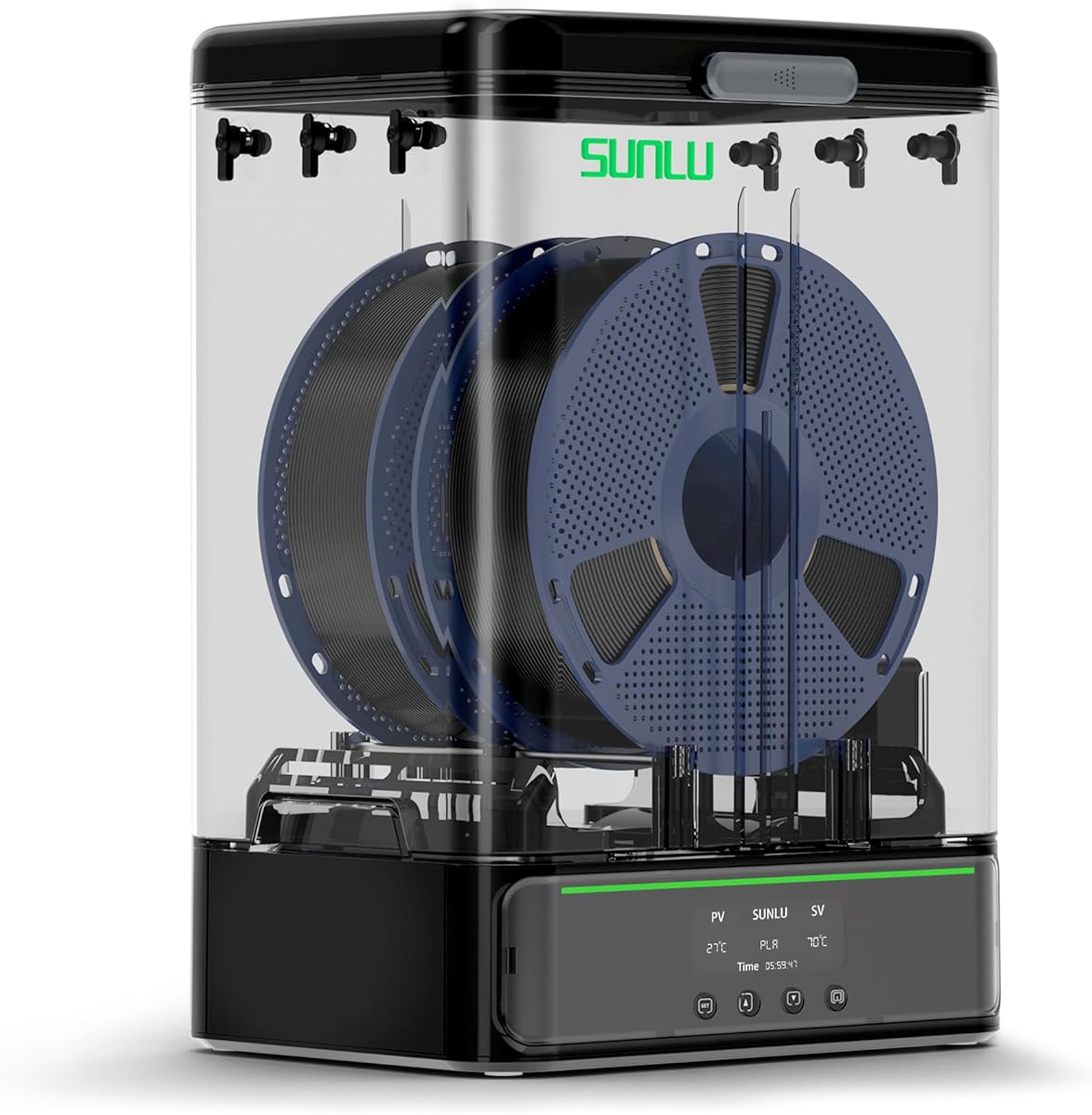
The SUNLU S1 Plus offers exceptional value for its price point with a high rating of 4.7 stars. It provides essential drying capabilities without unnecessary complexity making it a great entry point for beginners. Its quiet operation ensures it does not disturb your workspace environment.
We may earn a commission when you buy through this link, at no additional cost to you.
This model heats up to 55 degrees which covers most standard filaments like PLA PETG and TPU. The LCD screen clearly displays temperature and time allowing for simple adjustments. It accommodates most standard spools including those up to 1kg in weight.
The single spool capacity limits multi-user or multi-material scenarios but it works well for single printer setups. The ultra-quiet design is a significant benefit for home offices or shared spaces. Overall it delivers reliable drying performance at a very competitive cost.
For those prioritizing quiet operation and affordability this dryer is an excellent pick. It solves moisture issues effectively for common materials without costing much. Check current prices online as deals often make this an even better value.
Operates at less than 10 decibels so it runs silently without disrupting your daily activities.
Large LCD monitor shows temperature and time clearly for easy tracking and manual adjustments.
We may earn a commission when you buy through this link, at no additional cost to you.
The Creality Space PI SE focuses on efficient heating with a built-in fan that circulates hot air at 360 degrees. This design ensures even drying across the entire spool which is critical for preventing weak points. It holds up to 1kg spools and supports a wide range of materials.
We may earn a commission when you buy through this link, at no additional cost to you.
With a max temperature of 65 degrees it handles ABS and TPU comfortably. The touch screen offers an intuitive interface for setting time and temperature. Users can customize settings based on ambient humidity and filament type for better results.
While effective it lacks some of the advanced sealing features found in higher-end models. The knob and screen are simple to use but offer fewer automation options. It is a good middle-ground option for those needing more than basic capacity.
This dryer is suitable for users needing a balance between features and cost. The fan system is a standout feature for ensuring uniform drying. Verify compatibility with your specific spool sizes before purchase.
A built-in fan moves hot air throughout the chamber for consistent heat distribution.
Adjust temperature from 45 to 65 degrees to match specific material requirements precisely.
We may earn a commission when you buy through this link, at no additional cost to you.
This model introduces one-key presets for twelve different filament types which simplifies setup significantly. It also features power-off memory so you do not have to reprogram settings after an outage. The touch screen supports temperature toggling between Celsius and Fahrenheit for global users.
We may earn a commission when you buy through this link, at no additional cost to you.
Heating reaches up to 70 degrees making it compatible with high-performance materials. The 360-degree heating ensures the spool is dried uniformly without hot spots. It is a strong contender for users who want convenience and versatility.
However it does not include a built-in humidity sensor which limits real-time monitoring. The build quality is functional but not premium feeling compared to more expensive units. It is a solid choice for users who need flexibility.
Ideal for hobbyists who want quick setup for different materials without manual tuning. The memory function adds practical value for frequent use. Ensure you have space for the unit as it may be bulky on small desks.
Pre-programmed temperature settings for twelve filaments eliminate guesswork and save time daily.
Recall previous settings after a power outage so you never lose your configuration settings.
We may earn a commission when you buy through this link, at no additional cost to you.
The upgraded SUNLU S1 Plus features a fan design that speeds up moisture removal from filaments. This active airflow helps dry spools faster than passive heating alone. It displays temperature time and humidity on a clear LCD screen for easy monitoring.
We may earn a commission when you buy through this link, at no additional cost to you.
It is compatible with most major filament brands and supports diameters from 1.75mm to 3mm. The adjustable range goes up to 55 degrees which suits most common materials. Users find it effective for preventing clogging and poor adhesion.
Lack of built-in humidity meter means you rely on temperature settings rather than real-time data. Controls are basic compared to smart models but functional for regular use. It remains a reliable choice for standard printing needs.
Best for users needing a cost-effective upgrade to their drying workflow. The fan makes it more effective than simpler boxes. Check that your printer setup allows easy filament feeding from this unit.
A built-in fan helps expel moisture faster than static heat for quicker dry times.
LCD screen displays time temperature and humidity for clear tracking of drying status.
We may earn a commission when you buy through this link, at no additional cost to you.
This is a passive storage solution designed to keep filaments dry using seal and desiccant support. It features a built-in hygrometer so you can track humidity levels without external tools. It is ideal for storage between prints rather than active drying.
We may earn a commission when you buy through this link, at no additional cost to you.
While it does not actively heat filaments the sealed design protects against reabsorption. The visible humidity reading helps you judge when to replace desiccants or open for active drying. It works well for materials that do not require high heat to dry.
Not suitable for actively removing moisture from wet spools quickly but excellent for maintaining dryness. The design fits neatly into any workspace and supports up to 1kg spools. It is a great complement to an active dryer.
Recommended for users who want to store already dried filament safely. The hygrometer is a useful tool for long-term care. Pair it with an active dryer for the best results.
Built-in hygrometer displays humidity levels to help you maintain optimal storage conditions.
Airtight enclosure prevents moisture from entering during storage to protect sensitive materials.
We may earn a commission when you buy through this link, at no additional cost to you.
The SUNLU SP2 is designed to handle larger spools up to 3KG which is rare in this category. It features a detachable storage base allowing you to use the box for storage after drying. The heating reaches 70 degrees in just 15 minutes for quick prep.
We may earn a commission when you buy through this link, at no additional cost to you.
It uses 360-degree surround heating for even drying of larger spools. The sealing mechanism uses sliding latches and gaskets to keep moisture out effectively. Users appreciate the flexibility of using it as both dryer and storage.
The unit is physically large which may be an issue for smaller desks. Controls are straightforward but lack advanced features like presets. It is a practical choice for users working with heavy-duty materials.
Perfect for industrial or heavy home users needing to dry 3KG spools quickly. The detachable base adds value for workflow efficiency. Ensure you have adequate space before purchasing this unit.
250W PTC element heats up quickly to reach 70C within 15 minutes for fast drying.
Designed to hold 3KG spools as well as standard 1KG spools for versatile support.
We may earn a commission when you buy through this link, at no additional cost to you.
The Sovol SH02 supports drying two spools at once with dedicated holes for PTFE tubes. It includes one-key presets for nine filament types to simplify selection. The unit reaches 70 degrees for effective drying of engineering materials like ABS and Nylon.
We may earn a commission when you buy through this link, at no additional cost to you.
Sealing is improved over previous models with thicker materials to block moisture effectively. It also features smart safety protection that cuts off heating if the fan fails. This safety feature provides peace of mind during long runs.
The lack of a built-in humidity monitor requires manual tracking of conditions. Build quality is adequate but not premium. It is a strong contender for users needing dual spool drying on a budget.
Ideal for dual printer setups or users needing to dry multiple materials. The safety features add value to the design. Check current prices for the best deals online.
Two filament holes allow simultaneous drying of two spools to save time.
Auto shut-off prevents overheating if fan failure occurs during operation.
We may earn a commission when you buy through this link, at no additional cost to you.
The SUNLU S4 is the ultimate choice for large-scale printing with four spool capacity. It features smart auto humidity control that starts drying when humidity rises and stops when low. This automation ensures your filaments stay in ideal condition without constant monitoring.
We may earn a commission when you buy through this link, at no additional cost to you.
With 350W power and three fans it achieves uniform drying with minimal temperature variation. It connects to four printers simultaneously supporting endless printing setups. The triple security system keeps temperatures safe and reliable.
The high price and large footprint make it a premium investment for professionals. It requires significant space but delivers unmatched efficiency for multi-printer farms. Users report high satisfaction with its performance.
Best for studios or advanced users needing to dry many spools at once. The auto control saves time and effort. Verify dimensions before purchase to ensure fit.
System automatically adjusts drying based on real-time humidity levels to maintain consistency.
Three built-in fans circulate air to keep temperature balanced across all spools.
We may earn a commission when you buy through this link, at no additional cost to you.
Selecting the right dryer box involves balancing capacity, temperature range, and features to match your specific printing needs. This guide breaks down the essential factors you should consider before making a purchase.
Capacity determines how many spools you can dry at once. Models range from holding one to four spools or supporting 3kg sizes. Choose based on how many printers you run or how much inventory you manage weekly.
Select a unit that matches your spool dimensions to ensure proper fit inside the chamber.
Different materials require different drying temperatures. PLA needs lower heat while ABS or Nylon often need up to 70 degrees. Ensure the box supports the highest temp your materials require.
A wider temperature range offers more flexibility for experimenting with various filament types.
PTC heaters are common and efficient compared to simple heating pads. Look for models with fans that circulate air to avoid hot spots that can damage filament.
Uniform heating ensures the entire spool dries evenly and reduces drying time.
A good seal prevents moisture from re-entering the box during storage. Silicone seals and sliding latches help maintain a dry environment even when powered off.
Strong sealing is vital for maintaining dryness between prints.
Touch screens offer modern control while knobs are simpler and robust. Some models offer presets that automate settings for specific filaments saving you time.
Intuitive controls reduce setup errors and make routine use easier.
Built-in hygrometers let you track humidity levels inside the box. This data helps you judge when filament is ready or if the seal is intact.
Active monitoring adds a layer of confidence to your workflow.
Overheat protection and auto-shutoff mechanisms protect your filament from damage. Look for features that detect fan failure or excessive temperature spikes.
Safety features reduce risk of fire or wasted material during long runs.
Physical size matters if you have limited desk space. Compact models are easier to fit but may hold fewer spools.
Choose a design that fits your workspace comfortably without blocking other equipment.
Start by ensuring the dryer box is clean and dry before inserting your filament. Place the spool on the rollers or holder inside and thread the filament through the designated outlet hole connected to your printer.
Set the temperature and time according to the manufacturer's recommendations for your material type. Press start and let the unit run until the cycle completes or the humidity drops to your desired level.
After drying keep the box sealed to prevent moisture reabsorption if you are not printing immediately. Clean the interior periodically and replace desiccants if your model supports them to maintain optimal conditions.
Most standard filaments like PLA and PETG need between 4 to 6 hours. More hygroscopic materials like Nylon may require up to 12 to 24 hours depending on humidity levels.
Yes most modern boxes allow you to print while drying. Thread the filament through the exit hole directly to your extruder for continuous feeding without opening the seal.
If your model supports desiccants you should replace them periodically. Over time they lose effectiveness and will not help absorb moisture effectively during storage.
PLA should be dried at temperatures around 45 to 55 degrees Celsius. Exceeding this range can soften the filament and cause deformation inside the dryer.
Most models support standard 1.75mm and 2.85mm diameters. Check specifications for any unusual sizes to ensure the feeder holes match your filament.
Active dryers can reduce moisture significantly in a few hours. However completely saturated filament may need multiple cycles to return to optimal dryness.
Active drying is faster and more effective for removing existing moisture. Passive storage helps maintain dryness but cannot actively pull water from damp spools.
Monitor the humidity reading if your box has a hygrometer. A stable low humidity reading over time indicates the filament has reached optimal dryness.
We have reviewed ten top models ranging from budget-friendly single spool boxes to advanced multi-spool systems. The SUNLU S4 and Creality Space Pi X4 stand out for large users while the SUNLU S1 Plus offers excellent value for entry-level needs.
When prioritizing look for temperature range capacity and sealing quality that match your most common materials. High temp capability is essential for engineering filaments while easy controls help with daily use.
Prices for these units fluctuate regularly so please check the latest deals before buying. Verify current specs and compatibility to ensure the model you select will meet your printing requirements perfectly.