
Samsung 16GB DDR4 3200MHz
4.6Editor score
High performance upgrade
Dependable reliable performance
Speeds up loading times
This guide compares the top DDR4 Sodimm Laptop RAM modules for performance, compatibility, and value to help you upgrade your laptop memory effectively in
Choosing the right DDR4 Sodimm Laptop RAM is essential for boosting system performance, multitasking capabilities, and overall responsiveness. Whether you are a student, professional, or casual user, upgrading your memory can extend the lifespan of your device and improve its efficiency significantly.
We have carefully evaluated ten leading DDR4 Sodimm modules based on speed, capacity, compatibility, and reliability. Our selection includes options from trusted brands like Crucial, Samsung, G.SKILL, and more, ensuring you find a solution that fits your specific laptop model and usage needs.
Each pick in this list highlights key features, specifications, and real-world benefits to guide your decision. Keep in mind that prices and availability can change frequently, so verify current stock and pricing before making your final purchase to ensure you get the best deal available.
4.6Editor score
4.8Editor score
4.7Editor score
This side-by-side comparison highlights the key specifications and features of all ten selected DDR4 Sodimm Laptop RAM modules. Use this table to quickly identify capacity, speed, voltage, and form factor details to find the perfect match for your system.


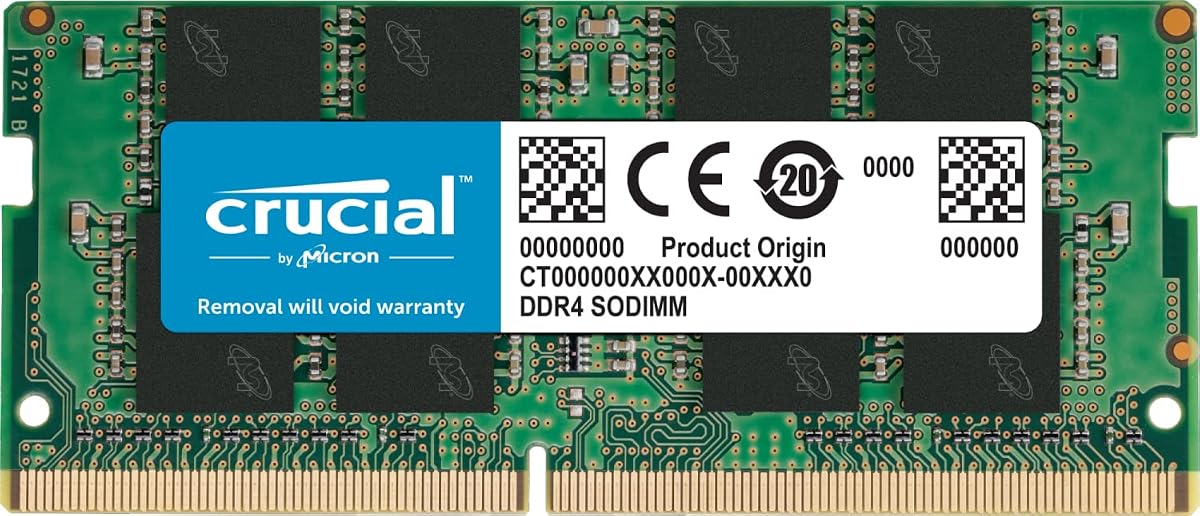
The Crucial 16GB DDR4 RAM stands out as the top choice for users seeking reliable performance upgrades. With a 4.8 rating, it delivers 3200MHz speed and broad compatibility across modern laptops. Its reputation for quality makes it a safe bet for critical upgrades.
We may earn a commission when you buy through this link, at no additional cost to you.
Key strengths include system performance boosts that enhance multitasking and responsiveness. The module operates at 3200MHz but downclocks to 2933MHz or 2666MHz if needed. This flexibility ensures it works seamlessly with various Intel and AMD processors.
Installation is straightforward with step-by-step guides available online. While some laptops need case opening, the process is designed for users without advanced skills. Testing at component and module levels guarantees top-tier reliability.
Ideal for professionals and students needing extra memory for heavy workloads. Its Micron backing ensures longevity. For those prioritizing stability and speed, this kit delivers exceptional value without compromising on performance.
This RAM improves responsiveness for smoother workflows when running multiple applications simultaneously without lag or delays.
Using Crucial System Scanner tools ensures seamless integration with your specific laptop model for error-free upgrades.
We may earn a commission when you buy through this link, at no additional cost to you.
Samsung offers a cost-effective solution with this 16GB DDR4 3200MHz module. Rated at 4.6, it provides solid performance for daily tasks. The dual rank configuration supports efficient data handling for improved system throughput.
We may earn a commission when you buy through this link, at no additional cost to you.
Modules undergo quality assurance testing for dependable operation. Users report faster loading times and better responsiveness after installation. The standard 1.2V voltage ensures compatibility with most DDR4 systems without requiring extra power.
While primarily designed for select laptops, always verify compatibility before purchase. The module's reliability makes it a budget-friendly choice for extending device life without spending a fortune on premium options.
Great for casual users needing extra memory for browsing or office work. Its performance-to-value ratio is hard to beat. Choose this for a straightforward upgrade that delivers noticeable speed improvements.
Experience faster system responsiveness and reduced lag without breaking the bank with this verified budget-friendly upgrade.
Operates at 1.2V standard voltage ensuring broad compatibility with most modern DDR4 laptops and notebooks.
We may earn a commission when you buy through this link, at no additional cost to you.
This 8GB variant delivers the same trusted quality as its 16GB sibling. With a 4.8 rating, it's ideal for users needing a modest bump in memory. The 3200MHz speed ensures smooth performance for everyday computing needs.
We may earn a commission when you buy through this link, at no additional cost to you.
It operates at 3200MHz but downclocks to 2933MHz or 2666MHz for older systems. This adaptability ensures compatibility with a wide range of laptops. Micron's rigorous testing guarantees top performance and reliability.
Installation is simple with detailed guides available online. The module fits standard 260-pin slots. While 8GB is sufficient for basic tasks, it may not suffice for heavy gaming or professional software.
Perfect for users wanting an affordable upgrade without compromising on brand trust. Its high rating reflects user satisfaction. Choose this for a reliable, entry-level improvement that keeps your laptop running smoothly.
Downclocks to 2933MHz or 2666MHz ensuring smooth operation across diverse laptop generations and system requirements.
Backed by years of memory expertise, this module undergoes rigorous testing to ensure consistent, error-free performance.
We may earn a commission when you buy through this link, at no additional cost to you.
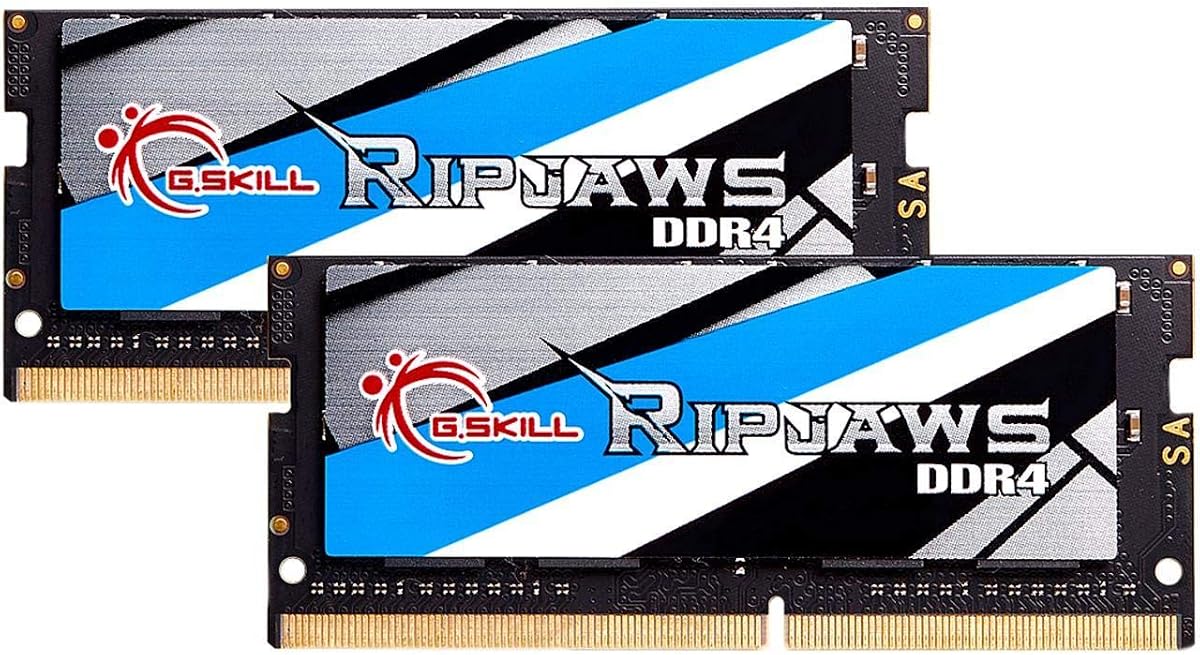
G.SKILL provides a premium 32GB kit ideal for power users. Rated at 4.7, it supports demanding applications and multitasking. The 2x16GB configuration enables dual channel memory for better bandwidth and performance.
We may earn a commission when you buy through this link, at no additional cost to you.
Modules are tested for stability and boot at JEDEC default speeds. Overclocking may require BIOS adjustments depending on the system. This kit is designed for laptops needing maximum capacity without sacrificing reliability.
Avoid mixing memory kits as they are matched sets for optimal function. The modules' high capacity supports video editing or large datasets. Ensure your laptop supports 32GB before purchasing.
Perfect for professionals requiring substantial memory for heavy workflows. Its premium features justify the cost for those needing top-tier performance. Choose this for future-proofing your laptop for intensive tasks.
The 2x16GB configuration enables dual channel memory for significantly improved bandwidth and overall system performance.
Memory kits are sold as matched sets designed to run together for reduced instability or system failure risks.
We may earn a commission when you buy through this link, at no additional cost to you.
TEAMGROUP offers a robust 32GB kit with a lifetime warranty. With a 4.8 rating, it delivers high performance and compliance with JEDEC and RoHS standards. The 3200MHz speed ensures smooth operation for demanding tasks.
We may earn a commission when you buy through this link, at no additional cost to you.
Actual speed may vary depending on system components like motherboard or BIOS. Strict verification procedures guarantee product quality. Free technical support is available for installation or troubleshooting assistance.
Installation videos are included in product images for easy setup. While performance depends on system support, the module is designed for stability. Always check device specs before purchasing to ensure compatibility.
Ideal for users needing high capacity with long-term security. The lifetime warranty provides peace of mind. Choose this for a reliable, supported upgrade that handles heavy workloads with ease.
Enjoy peace of mind with a lifetime warranty that covers defects and ensures your investment is protected long-term.
All modules undergo strict test and verification procedures to guarantee dependable performance and reliability.
We may earn a commission when you buy through this link, at no additional cost to you.
A-Tech delivers a budget-friendly 8GB DDR4 module rated at 2400MHz. With a 4.7 rating, it's ideal for basic upgrades. The single rank configuration ensures broad compatibility with older laptop models.
We may earn a commission when you buy through this link, at no additional cost to you.
Modules maximize performance for faster loading speeds and multitasking. A-Tech's lifetime warranty covers defects, and friendly support is available. The 1.2V voltage aligns with JEDEC standards for safety.
This module is designed for ease of installation at home. While 2400MHz is slower than newer standards, it suffices for daily tasks. Verify your laptop's supported speed before purchasing.
Perfect for users on a tight budget needing a simple memory boost. Its lifetime warranty adds value. Choose this for a straightforward, reliable upgrade without unnecessary complexity.
Achieve faster loading speeds and improved multitasking without significant investment with this cost-effective memory module.
Backed by a lifetime warranty and friendly tech support team available before and after your purchase.
We may earn a commission when you buy through this link, at no additional cost to you.
GIGASTONE offers a high-performance 32GB kit with 3200MHz speed. With a 4.7 rating, it ensures versatile use across multiple laptop systems. The 2x16GB configuration supports efficient memory management.
We may earn a commission when you buy through this link, at no additional cost to you.
Modules are designed for compatibility with laptops and all-in-one computers. CL22 timing and 1.2V voltage meet standard requirements. Rigorous testing ensures dependable and reliable performance under load.
While less known than top brands, the kit meets critical specs. The unbuffered SODIMM form fits most laptops. Always check your system supports 32GB before purchasing to avoid conflicts.
Ideal for users needing high capacity without breaking the bank. Its verified specs and compatibility make it a solid choice. Choose this for a reliable, performance-focused upgrade for your device.
Designed for laptops, notebooks, and all-in-one computers ensuring versatile use across multiple systems without hassle.
CL22 timing and 1.2V voltage ensure meeting industry standards for reliable operation in supported systems.
We may earn a commission when you buy through this link, at no additional cost to you.
This genuine Samsung module offers 8GB DDR4 capacity at 3200MHz. With a 4.8 rating, it is built for select laptops and all-in-one systems. The single rank configuration ensures compatibility with older laptops.
We may earn a commission when you buy through this link, at no additional cost to you.
It expands available memory to reduce bottlenecks and increase workload capacity. The PC4-25600 rating confirms high performance. Non-ECC unbuffered design meets standard requirements for typical consumer devices.
Modules may vary in part numbers but share identical specifications. This ensures consistent performance across batches. Always verify your system supports 3200MHz speed before purchasing to maximize benefits.
Perfect for users needing a quick upgrade without compatibility issues. Its high rating reflects reliability and performance. Choose this for a trusted, straightforward memory enhancement from a leading brand.
Expand your system's available memory resource to improve performance and reduce bottlenecks effectively.
Product may be M471A1G44CB0-CWE or equivalent Samsung part number identical in specifications and performance.
We may earn a commission when you buy through this link, at no additional cost to you.
This module provides 32GB capacity in a single stick for flexibility. With a 4.7 rating, it supports 3200Mbps speeds for demanding tasks. The 2Rx8 dual rank configuration ensures efficient data handling.
We may earn a commission when you buy through this link, at no additional cost to you.
It uses a standard 260-pin SODIMM design for broad compatibility. Newest version ensures modern speed support. Ideal for laptops needing maximum memory without requiring paired slots.
Verify your system supports 32GB single stick before purchasing. The module's high density allows future upgrades if needed. Always check free slots and motherboard limits for accurate installation.
Perfect for users needing high capacity without dual slots. Its single module design simplifies upgrades. Choose this for a high-performance, flexible solution for your laptop.
Single stick design offers flexibility to add 32GB capacity without requiring dual-slot configurations for upgrades.
2Rx8 dual rank configuration ensures efficient data handling and improved throughput for demanding workloads.
We may earn a commission when you buy through this link, at no additional cost to you.
CORSAIR offers a stylish 16GB DDR4 module with slim design. With a 4.7 rating, it supports up to 3200MHz speed. The sleek black finish ensures physical compatibility with modern laptop internals.
We may earn a commission when you buy through this link, at no additional cost to you.
Auto-overclocking works with compatible laptops without BIOS changes. Each module is built using selected DRAM for stability. It supports both Intel and AMD processors for broad adoption.
Maximum speed requires BIOS adjustments on some systems. The slim design fits tighter laptop spaces better than bulkier options. Always check your laptop supports 3200MHz for full performance.
Ideal for users wanting performance and aesthetics. Its stability and auto-overclocking make it user-friendly. Choose this for a premium upgrade that enhances both speed and look of your laptop.
Slim attractive design ensures physical compatibility with modern laptops while maintaining performance integrity.
Auto-overclocking with compatible laptops allows performance boosts without requiring manual BIOS configuration.
We may earn a commission when you buy through this link, at no additional cost to you.
Selecting the right DDR4 Sodimm Laptop RAM involves understanding compatibility, speed, capacity, and brand reliability. Use this guide to evaluate key factors ensuring your upgrade enhances system performance effectively.
Determine how much memory your laptop needs based on your usage. Basic tasks require 8GB, while gaming or video editing benefit from 16GB to 32GB. Higher capacity ensures smoother multitasking and future-proofing your system.
Choose 32GB if you run heavy applications; otherwise, 8GB or 16GB suffices for daily tasks.
Check your laptop supports 3200MHz or lower speeds. Modules often downclock to match system limits, so ensure compatibility before purchasing. Faster RAM improves performance but only if supported by your CPU and motherboard.
Verify supported speeds via system scanner tools or manufacturer documentation for accurate results.
Laptops require SODIMM modules with 260 pins, not desktop DIMMs. Ensure the module fits your slot and has correct dimensions for physical compatibility. Mixing types won't work due to differences in size and pin configuration.
Select SODIMM 260-pin modules explicitly labeled for laptops to avoid installation issues.
Using two matching modules enables dual channel memory for improved bandwidth. Kits sold as pairs ensure compatibility and better performance. Mixing different capacities or speeds may reduce benefits or cause instability.
Purchase matched kits for dual channel advantages unless your laptop supports single module operation.
Trusted brands like Crucial, Samsung, and G.SKILL offer rigorous testing and warranties. Reputable manufacturers ensure consistent performance and reduce failure risk. Avoid unknown brands to minimize compatibility issues or early failures.
Stick with known manufacturers for better support and verified performance guarantees.
Look for lifetime warranties to protect your investment against defects. Many premium modules include free technical support. Warranty terms vary, so read details to understand coverage for your specific needs.
Prioritize options with comprehensive warranties for long-term security.
Upgrading RAM may require opening the laptop case. Ensure you have necessary tools and follow safe handling practices to avoid damage. Many brands provide installation guides for user-friendly upgrades.
Check if your laptop allows RAM access or if service centers are required for upgrades.
Prices vary based on capacity and brand. Set a realistic budget while balancing quality needs. Higher performance often costs more, but entry-level options provide adequate speed for basic tasks.
Balance cost against performance needs to find the best value without overspending.
Before installation, shut down your laptop and disconnect all power sources. Ground yourself to avoid static discharge that could damage components. Remove the laptop cover carefully to access the RAM slots inside.
Insert the module at a 30-degree angle and press down until it clicks. Ensure it is securely seated in the slot before closing the cover. Check your system recognizes the new memory in BIOS or settings.
Regularly clean the laptop vents to prevent overheating that could affect RAM performance. Avoid physical impacts and extreme temperatures to extend the module's lifespan. Monitor system performance for any signs of instability after upgrades.
No, only laptops with DDR4 SODIMM slots support these modules. Check your laptop's specifications or use a system scanner tool to confirm compatibility. Older laptops may use DDR3 or different form factors.
You can mix capacities but may lose dual channel benefits. Ensure speeds and timings match for stability. Some systems run best with matched pairs; consult your motherboard's manual for best practices.
Most modern laptops support up to 32GB or 64GB total. Check your specific model's limits before purchasing large modules. Exceeding supported capacity may result in unrecognized memory or instability.
Usually no, most RAM installs automatically. Some systems require BIOS updates or speed settings for full functionality. Refer to manufacturer guidelines for any necessary configuration steps post-installation.
Faster RAM improves performance if supported by your system. It speeds up multitasking and application loading. Ensure your CPU and motherboard support the speed to see real-world benefits.
Use system tools like Task Manager or third-party scanners. Check the memory tab for speed, capacity, and type details. Manufacturer websites also list supported RAM configurations for specific laptop models.
This guide highlighted top DDR4 Sodimm modules from Crucial, Samsung, and G.SKILL offering varied capacities and speeds. Each option balances performance, reliability, and cost to meet diverse user needs.
Prioritize compatibility and warranty when choosing your upgrade. Focus on brands with strong testing records to ensure stability. Match RAM specs to your laptop's limits for optimal performance gains.
Always check current prices and availability as these change frequently. Verify your system requirements before purchasing to avoid return hassles. Invest in reliable memory to extend your device's life and speed.