
DARKROCK 3-Pack 120mm Black
4.6Editor score
Low noise operation
Hydraulic bearing design
Easy installation
This guide compares the top 10 exhaust fans for PC builds to help you choose the best cooling solution for your system airflow and noise needs.
Finding the right exhaust fan for your PC is essential for maintaining optimal temperatures and ensuring long-term system stability. A good fan moves heat away efficiently while keeping noise levels low for a comfortable workspace.
We compared ten top-rated models based on airflow, noise, bearing type, and build quality. Each product was evaluated for its ability to handle diverse cooling tasks from standard cases to specialized setups.
Each pick shows key specs and real-world performance insights to help you decide. Please note that availability and pricing can change frequently so check current listings before purchasing your next fan.
4.6Editor score

4.8Editor score
4.6Editor score
The following table provides a side-by-side comparison of all ten selected exhaust fans highlighting their key specifications and intended use cases to help you find the perfect match for your setup.


The Noctua NF-P12 redux-1700 PWM stands out as the top choice for users seeking reliable and quiet cooling. Its high rating reflects decades of engineering excellence focused on balancing performance and noise levels effectively.
We may earn a commission when you buy through this link, at no additional cost to you.
This fan features a pressure-optimized blade design that delivers strong airflow while maintaining minimal acoustic output. The 4-pin PWM interface ensures automatic speed control based on system temperature allowing for optimal efficiency without manual intervention.
While it lacks some premium accessories included with higher end models its performance remains outstanding. The trade-off is acceptable given the proven durability and consistent operation over extended periods in demanding environments.
Ideal for silent PC builds and demanding workstations this fan delivers where it matters most. If you value long term reliability and whisper quiet performance the Noctua redux series is the best investment for your system.
Engineered for silent operation the redux edition maintains high airflow while keeping noise levels significantly lower than many competitors in its class.
With an expected lifespan exceeding 150000 hours this fan ensures consistent cooling performance for years without requiring replacement or maintenance.
We may earn a commission when you buy through this link, at no additional cost to you.
The DARKROCK 3-Pack offers an affordable solution for users needing multiple fans without breaking the budget. It delivers solid cooling performance with a focus on quiet operation and ease of use for all skill levels.
We may earn a commission when you buy through this link, at no additional cost to you.
Featuring hydraulic bearings and silicone cushions these fans reduce vibration and noise effectively. The 3-pin interface ensures compatibility with most motherboards while the lightweight design simplifies installation in tight spaces.
While not suited for extreme cooling scenarios the performance is adequate for general case ventilation. The lower RPM is a reasonable compromise for the price point ensuring long term reliability and consistent airflow.
For budget conscious builders or those expanding their case ventilation this pack provides excellent value. It meets basic cooling needs efficiently while keeping system noise at a comfortable level for daily use.
Priced competitively this three pack allows users to outfit their entire case with reliable fans without sacrificing essential performance features.
Soft silicone cushions absorb high speed vibrations reducing operational noise and preventing unnecessary wear on the fan structure over time.
We may earn a commission when you buy through this link, at no additional cost to you.
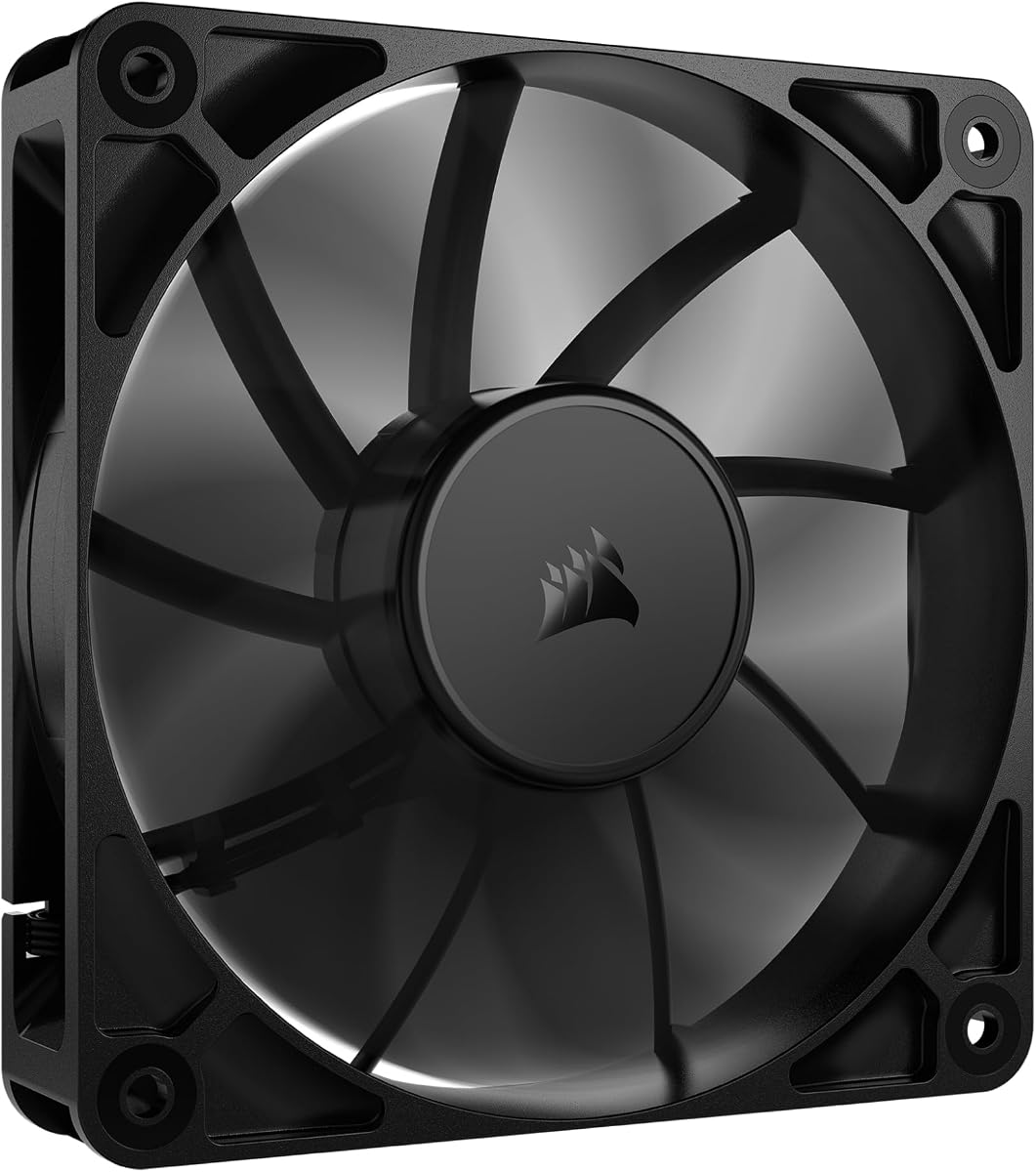
The CORSAIR RS120 represents premium cooling with advanced features designed for high performance systems. Its magnetic dome bearing ensures smooth operation while AirGuide technology directs airflow precisely to where it is needed most.
We may earn a commission when you buy through this link, at no additional cost to you.
With up to 2100 RPM and 72.8 CFM airflow this fan handles demanding thermal loads effortlessly. Daisy-chain support reduces cable clutter by allowing multiple fans to connect via a single PWM header for cleaner builds.
While the cost is higher than standard options the engineering justifies the investment for enthusiasts. The single pack limitation is a minor drawback given the overall quality and performance delivered in critical cooling zones.
Best suited for radiator cooling and high static pressure applications this fan excels in constrained environments. If you need concentrated cooling and cable management simplicity the RS120 delivers exceptional results.
AirGuide vanes direct air precisely to hotspots improving cooling efficiency and reducing unnecessary turbulence inside the computer case.
Daisy-chain functionality allows multiple fans to share a single connector reducing cable clutter and improving airflow in tight cases.
We may earn a commission when you buy through this link, at no additional cost to you.
This AC plug fan offers a simple alternative for users who want cooling without connecting to motherboard headers. It provides variable speed control directly from a controller and works with standard wall outlets for maximum flexibility.
We may earn a commission when you buy through this link, at no additional cost to you.
Dual-ball bearings ensure a long lifespan of 50000 hours while the controller allows you to adjust RPM based on noise or cooling needs. This versatility makes it ideal for server cabinets or specialized equipment.
While it lacks case fan form factor precision it delivers strong airflow for larger enclosures. The trade-off is the need for an external power source which may not suit compact PC builds with limited outlets.
Perfect for retrofits or non-standard cases this fan delivers reliable ventilation without complex wiring. It suits users who need independent control over cooling performance outside of system BIOS settings.
Adjust the fan speed manually via the included controller to balance noise and cooling power independently of your system temperature.
Designed with universal voltage support this fan works across 110V to 220V regions making it accessible for international users.
We may earn a commission when you buy through this link, at no additional cost to you.
This five-pack from Thermalright combines performance with aesthetic appeal through ARGB lighting and reliable bearings. It offers high value for users needing complete case ventilation with customizable visual effects synchronized via motherboard software.
We may earn a commission when you buy through this link, at no additional cost to you.
The S-FDB bearings minimize noise and blade shake while the 4-pin PWM interface ensures smooth speed control. Each fan delivers consistent airflow of 66.17 CFM maintaining stable temperatures under moderate load conditions.
While color synchronization across multiple units requires compatible hardware the performance is consistently strong. The trade-off is manageable for most users since cooling performance remains a priority over perfect RGB uniformity.
Best for budget friendly builds needing full case lighting this set provides excellent performance per dollar. It balances quality cooling with visual flair making it ideal for gamers and enthusiasts alike.
Up to 17 lighting modes allow you to match fan effects with your system theme for a cohesive and professional look.
The S-FDB bearing design reduces friction and wear ensuring consistent quiet operation over extended periods of use.
We may earn a commission when you buy through this link, at no additional cost to you.
The be quiet! Pure Wings 3 lives up to its name with exceptional silence and efficient airflow. Designed for quiet operation it features a rifle bearing for longevity and optimized blades that reduce noise without sacrificing cooling performance.
We may earn a commission when you buy through this link, at no additional cost to you.
Its frame and blade design are tuned to minimize turbulence and vibration making it ideal for low-noise PCs. The fan operates smoothly at low RPM ensuring minimal acoustic disturbance even during extended use.
While the design is minimal the performance is robust for general case cooling. The trade-off is a higher price for those who prioritize silence but the acoustic benefits are worth the investment for quiet builds.
Perfect for home theaters and quiet office PCs this fan delivers whisper-quiet cooling consistently. If silence is your top priority the Pure Wings 3 remains a benchmark for acoustic efficiency in its class.
Optimized blades and frame geometry reduce turbulence and vibrations resulting in a nearly silent operation under load.
The rifle bearing design ensures smooth rotation and minimal wear allowing the fan to operate quietly for decades.
We may earn a commission when you buy through this link, at no additional cost to you.
This USB fan offers a portable and flexible solution for cooling small electronics without requiring internal installation. With ultra-quiet operation at just 18dB it is perfect for home offices or gaming setups where noise is a concern.
We may earn a commission when you buy through this link, at no additional cost to you.
Built-in shock-absorbing pads prevent surface scratches and reduce vibration allowing it to stand upright or lie flat. The USB interface simplifies connectivity with laptops or power banks ensuring easy setup anywhere.
While not intended for heavy-duty PC case cooling it excels as a targeted supplemental cooler for peripherals. The trade-off is lower static pressure but sufficient airflow for devices like routers or mini PCs.
Best for supplemental cooling of external devices this fan combines portability with whisper-quiet performance. If you need flexible cooling without installing internal hardware this is an excellent choice.
Operating at just 18dB this fan is quieter than library noise ensuring no interference with work or entertainment.
Shock-absorbing pads allow flexible placement options either upright or flat without risking damage to underlying surfaces.
We may earn a commission when you buy through this link, at no additional cost to you.
The Kingwin 80mm fan provides efficient cooling for smaller cases or components that cannot accommodate larger fans. Despite its size it delivers optimized airflow and maintains low noise levels suitable for office or quiet desktop use.
We may earn a commission when you buy through this link, at no additional cost to you.
With a long-life bearing and optimized blade design it ensures reliable performance over time. This fan fits standard 80mm mounts making it an ideal replacement for legacy systems or compact builds.
While its overall CFM is lower than larger fans the static pressure helps move air through restricted spaces. The trade-off is acceptable for small form factor cases where space is at a premium.
Best for compact builds or CPU cooler replacements this fan offers reliable cooling in a small package. If you need effective ventilation without bulk the Kingwin 80mm delivers consistent results.
The 80mm form factor fits smaller cases and tight mounting positions where larger fans simply cannot be installed.
Blade design focuses on moving air efficiently through small enclosures ensuring cooling performance despite reduced surface area.
We may earn a commission when you buy through this link, at no additional cost to you.
This high-speed fan delivers exceptional airflow and pressure suitable for demanding mining rigs or server environments. With 230 CFM and dual-ball bearings it provides robust ventilation where performance is more critical than acoustic silence.
We may earn a commission when you buy through this link, at no additional cost to you.
The 38mm thickness allows it to fit specialized slots while maintaining maximum surface area for airflow. PWM support ensures that speed can be adjusted according to thermal needs balancing cooling output with noise.
While it operates louder than standard case fans the cooling power is necessary for heavy loads. The trade-off is manageable in industrial or mining setups where cooling capacity is the priority.
Best for high-performance mining and server setups this fan ensures maximum cooling capacity. If you need raw airflow power to handle extreme heat the Wathai 12038 delivers unmatched performance.
With 230 CFM this fan handles high-density heat loads ensuring components stay within safe operating temperatures under load.
Dual-ball bearings support continuous high-speed operation for extended periods reducing wear and ensuring consistent performance.
We may earn a commission when you buy through this link, at no additional cost to you.
This three-pack from Thermalright delivers solid cooling with vibrant ARGB lighting perfect for enthusiasts who want visual appeal. It combines performance and aesthetics with PWM speed control for efficient thermal management in any build.
We may earn a commission when you buy through this link, at no additional cost to you.
The S-FDB bearings ensure smooth and quiet operation while the LED blades reflect light softly for even effects. Each fan connects via 4-pin PWM allowing motherboard control for adaptive cooling based on system temps.
While cable management can be complex with three units the performance remains strong across the pack. The trade-off is worth it for users prioritizing aesthetics alongside effective ventilation and quiet operation.
Best for gamers and build enthusiasts this set offers excellent value with customizable lighting and cooling. If you need a balanced package of style and performance this pack delivers consistently.
Up to 17 lighting modes provide customizable options to match your theme or sync with other system components.
Each fan delivers consistent airflow and quiet operation ensuring your system stays cool while looking great.
We may earn a commission when you buy through this link, at no additional cost to you.
Selecting the right exhaust fan requires understanding your case layout cooling needs and budget. This guide outlines the essential factors to help you choose a fan that delivers efficient and reliable performance.
Ensure the fan matches your case mounts commonly 120mm or 80mm. Measure available space and check for clearance near components like GPUs or RAM before purchasing a new unit.
Always verify that the fan dimensions fit your specific case model to avoid installation issues or airflow obstruction.
Airflow (CFM) determines how much air the fan moves while static pressure is crucial for pushing air through radiators or dust filters. Choose high CFM for open cases and high pressure for restricted setups.
Select a fan based on your case type balancing airflow volume with resistance to maximize cooling efficiency.
Noise measured in dB(A) impacts your comfort especially in quiet environments. Look for fans rated below 30dB for silent operation and consider those with PWM control to reduce RPM during idle.
Prioritize low noise fans if you use your PC in living rooms or shared workspaces to maintain a peaceful environment.
Bearings affect longevity and noise performance. Sleeve bearings are affordable but noisier while fluid dynamic or magnetic bearings last longer and run quieter at higher speeds.
Invest in fans with high-quality bearings to ensure consistent operation and reduce the need for frequent replacements.
Most modern fans use 4-pin PWM for automatic speed control via motherboard. Ensure your motherboard has enough headers or consider daisy-chaining fans to reduce cable clutter.
Choose fans that support your system's control interface to ensure efficient thermal management and easy installation.
ARGB lighting adds visual flair but requires compatible software and headers for sync. Decide if you need lighting effects or prefer plain black fans for a minimalistic look.
Consider aesthetic preferences carefully since lighting adds complexity and cost to your overall build setup.
Balancing cost with performance ensures you get the right fan for your needs. Multi-pack options often provide better value per fan compared to individual high-end units.
Assess your budget and performance requirements to choose a fan that offers the best cost-to-performance ratio.
Mining rigs and servers need high airflow and durability while silent builds prioritize noise reduction. Match the fan to your specific usage scenario for optimal results.
Define your primary use case early to avoid choosing features that may not benefit your particular setup.
Install the exhaust fan at the rear or top of your case to expel hot air efficiently. Ensure the arrow on the frame points outward so that air moves away from components properly.
Clean the fan blades regularly using compressed air to remove dust buildup which can reduce airflow and increase noise levels. Dust accumulation can cause overheating and shorten the fan's lifespan.
Monitor fan speeds through BIOS or software tools to ensure they respond correctly to temperature changes. Adjust PWM curves as needed to balance noise and cooling performance for your specific system.
Most standard cases support 120mm exhaust fans which offer a good balance between airflow and noise. Smaller 80mm fans are better for compact cases where space is limited.
Yes PWM allows the fan speed to adjust based on system temperature reducing noise at idle and maximizing airflow under load. This leads to better energy efficiency and quieter operation.
If your case has dust filters tight spaces or radiators high static pressure fans are better. Open cases without restrictions benefit more from high airflow CFM fans instead.
Yes you can use Y-splitters or daisy-chain connections to link multiple fans to a single header. Ensure the header supports the combined current draw of all connected fans.
Loud noises often come from worn bearings dust buildup or vibration. Cleaning the fan and adding rubber mounts can reduce noise significantly.
No lighting does not affect cooling performance. ARGB fans are chosen for aesthetics but standard black fans perform equally well in thermal regulation.
High quality fans with fluid dynamic or ball bearings can last 50000 to 150000 hours. Regular cleaning and moderate speeds extend their operational lifespan further.
Front fans usually act as intake bringing cool air in while rear and top fans serve as exhaust expelling hot air. This creates effective airflow paths for optimal cooling.
The Noctua NF-P12 redux stands out for its quiet performance while the DARKROCK and CORSAIR options offer great value and premium features respectively. These top picks cover most cooling needs for standard and high-performance builds.
Prioritize bearing quality airflow capacity and noise levels based on your environment. For silent workspaces prioritize acoustic performance while for mining rigs focus on raw cooling power.
Always verify current availability and compatibility before buying. Checking updated listings ensures you get the best deal for your specific case requirements.