
MOSDART 64GB Metal USB 2.0 Flash Drive
4.5Editor score
Waterproof metal casing
Built-in keychain ring
Broad OS compatibility
This guide compares the top external hard drive keychain options for portable storage, durability, and speed to help you choose the right device.
Finding the right external hard drive keychain can transform how you carry and access your data. These compact devices blend portability with robust storage, ensuring your files are secure and available wherever you go without bulk.
We evaluated ten top-rated models based on speed, durability, compatibility, and design. Our analysis covers metal flash drives, portable SSDs, and hybrid options to highlight performance and real-world usability for various needs.
Each pick highlights key strengths and trade-offs to guide your decision. Prices and availability change frequently, so verify current details before purchasing to ensure you get the best value and performance for your specific workflow.
4.5Editor score

4.5Editor score

4.2Editor score
This side-by-side comparison summarizes the core specifications and key advantages of each model. Use this overview to quickly identify which drive aligns with your storage capacity, speed, and portability requirements.


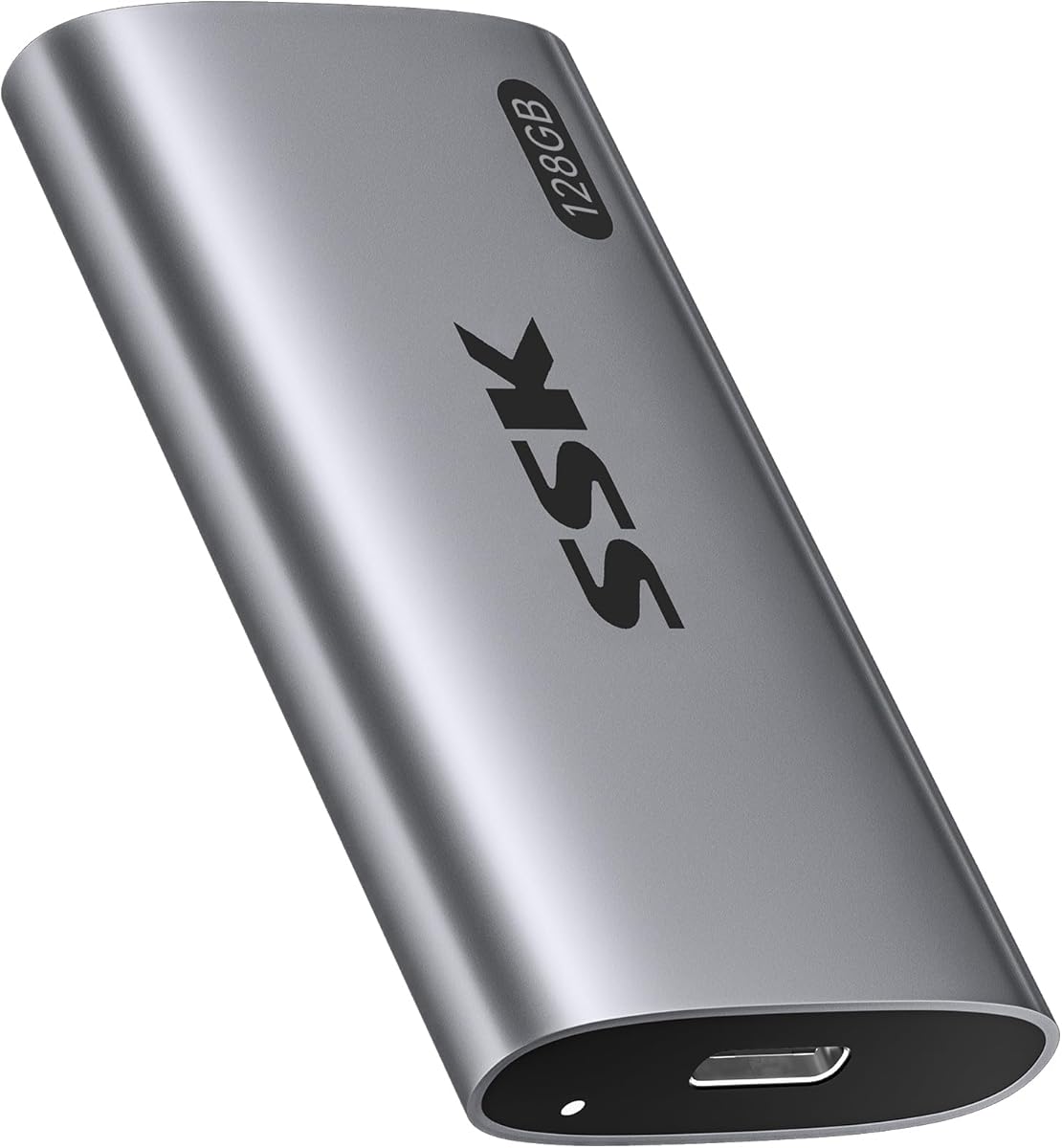


The SSK Portable SSD 250GB stands out with its impressive read speeds and lightweight build. Rated 4.5 stars, it delivers consistent performance for professionals needing quick access to large files on the go.
We may earn a commission when you buy through this link, at no additional cost to you.
Its 1050MB/s read speed ensures that 4K video or large project archives transfer in seconds. The aluminum alloy case keeps heat low during heavy use, while SLC caching maintains steady speeds for cache capacity limits.
Windows users may notice capacity variance due to binary calculation differences, but this does not affect physical storage. The trade-off is acceptable given the speed and portability benefits for active workflows.
Buy this if you need a balance of high speed and portability. It is ideal for photographers or video editors who require reliable storage that fits easily in a bag or pocket.
With read speeds up to 1050MB/s, this drive minimizes wait times when accessing or transferring media files.
The 2mm aluminum case ensures effective heat dissipation, protecting internal components during prolonged transfers.
We may earn a commission when you buy through this link, at no additional cost to you.
The MOSDART 64GB offers essential storage with rugged protection at a budget-friendly price. With a 4.5 rating, it serves well for casual users needing secure data transport without high-speed requirements.
We may earn a commission when you buy through this link, at no additional cost to you.
Its waterproof metal casing provides excellent resistance against environmental hazards like water and dust. The built-in keychain ensures it stays attached to keys or bags, reducing the risk of loss.
While USB 2.0 limits transfer speeds, it is sufficient for documents or photos. Users should note capacity formatting may vary but does not impact functionality for typical use cases.
Choose this for everyday backup or travel storage where durability and cost matter more than speed. It is a practical option for students or anyone managing modest file volumes.
The sealed metal casing ensures data safety even in humid or wet environments.
The integrated keyring lets you attach the drive securely to personal items for instant access.
We may earn a commission when you buy through this link, at no additional cost to you.
This 230GB flash drive balances large storage with a robust metal build. Rated 4.1 stars, it is suited for users needing ample space for media libraries without investing in an SSD.
We may earn a commission when you buy through this link, at no additional cost to you.
Its waterproof and X-ray resistant design makes it reliable for travel. The metal shell adds durability, while the keychain ensures it remains close to essential items during transit.
Transfer speeds are adequate but not as fast as SSDs. Users might experience slower speeds with massive transfers compared to premium options, but the capacity compensates for this trade-off.
Ideal for storing music, videos, or project backups. It works well for general office or personal use where bulk storage and basic durability are the primary priorities.
With 230GB of storage, you can hold thousands of photos or hours of video in one compact device.
Its resistance to shocks and water ensures your data remains safe during daily commutes or vacations.
We may earn a commission when you buy through this link, at no additional cost to you.
This dual-interface SSD excels in versatility with USB-A and Type-C connectors. Its 4.8 rating highlights consistent performance and compatibility across phones, tablets, and computers.
We may earn a commission when you buy through this link, at no additional cost to you.
Sequential read speeds reach 450MB/s, making file transfers smooth without drop-offs. The swivel design protects connectors while maintaining a keychain-friendly form factor for daily carry.
It lacks Lightning support, which may limit iPhone use unless using adapters. Still, modern iPhones support USB-C, making it broadly compatible for current device ecosystems.
Perfect for tech-savvy users with multiple device types. It offers a reliable bridge between legacy USB-A systems and modern USB-C gadgets with solid speed and build.
Both USB-A and Type-C ports allow direct connection to most laptops and mobile devices without adapters.
The all-metal zinc alloy housing improves heat dissipation and protects against drops during travel.
We may earn a commission when you buy through this link, at no additional cost to you.
The Secure Key Ring Style 128GB drive focuses on simplicity and durability. With a strong focus on secure storage, it works well for those needing a no-fuss backup tool.
We may earn a commission when you buy through this link, at no additional cost to you.
Its metal construction withstands daily wear and movement. The key ring design allows easy attachment to keyrings or bags, keeping data accessible when needed.
While specific speed metrics are not highlighted, plug-and-play functionality ensures straightforward use across systems. This makes it suitable for general office or personal document management tasks.
Select this for straightforward storage needs without advanced features. It is a solid choice for users prioritizing ease of use and physical durability over high-speed transfers.
The robust metal casing ensures the drive can handle regular handling without significant wear.
Attached directly to keys, the drive stays close at hand for quick file retrieval.
We may earn a commission when you buy through this link, at no additional cost to you.
This 64GB metal drive offers compact storage with stable transmission. Its 4.1 rating indicates reliable performance for users with modest storage needs and older USB ports.
We may earn a commission when you buy through this link, at no additional cost to you.
The Class-A chip ensures consistent performance during transfers. Its metal case and keychain design provide protection and convenience for daily carry on keys or lanyards.
USB 2.0 limits speed compared to newer standards, but it remains effective for text files and small media. The lightweight design ensures it never adds bulk to your gear.
Buy for basic storage tasks like sharing documents or backups. It fits well in scenarios where portability and compatibility are more important than high-speed data access.
Class-A chip technology ensures reliable data transfer with minimal errors during use.
The slim metal profile fits easily in pockets or bags without adding noticeable weight.
We may earn a commission when you buy through this link, at no additional cost to you.
The SSK 128GB Portable SSD balances speed and portability. Rated 4.3 stars, it offers reliable performance for users needing faster access than standard flash drives.
We may earn a commission when you buy through this link, at no additional cost to you.
With read speeds of 550MB/s and 6Gbps transfer rates, large file transfers are quick. SLC caching helps maintain steady speeds during prolonged operations without throttling.
Display capacity variance may occur on Windows due to binary interpretation. This is standard for SSDs and does not affect usable space for most applications.
Choose this for general work or media storage requiring decent speed. It suits users looking for SSD reliability without paying premium prices for the highest speeds.
S.M.A.R.T. monitoring helps maintain drive health and performance over time.
USB-C and USB-A support ensure compatibility across Windows, Mac, and Android devices.
We may earn a commission when you buy through this link, at no additional cost to you.
This nano SSD sets a benchmark for portability with only 2.8 grams of weight. Rated 4.2 stars, it is perfect for users needing high capacity without any bulk in their pocket.
We may earn a commission when you buy through this link, at no additional cost to you.
Its read speed of 450MB/s is fast enough for most tasks. The exFAT format ensures immediate compatibility across Windows, Mac, iOS, and Android without reformatting.
The small size makes it durable against drops but may be easy to lose without a lanyard. Users should weigh the size benefits against potential loss risks during travel.
Ideal for mobile creators or travelers prioritizing weight. It delivers premium SSD performance in the smallest possible footprint for maximum convenience on the go.
At just 2.8 grams, this drive is nearly weightless, making it ideal for long travel.
Pre-formatted exFAT allows plug-and-play across Windows, macOS, iOS, and Android devices.
We may earn a commission when you buy through this link, at no additional cost to you.
This two-pack of 128GB drives offers exceptional value for bulk storage needs. With a 4.5 rating, it is perfect for users needing multiple secure backups or shared drives.
We may earn a commission when you buy through this link, at no additional cost to you.
Metal casing and vacuum sealing ensure waterproof and dustproof protection. Cap-less designs eliminate lost caps, maintaining reliability over time for everyday use.
While USB 2.0 limits speed, the dual pack ensures you always have a spare. This redundancy is valuable for keeping critical data safe across separate locations.
Choose for offices or families needing shared storage options. It provides cost-effective, reliable backup solutions with durable construction and practical designs.
With two drives included, you can back up critical files in two separate physical locations.
The waterproof and dustproof design ensures data integrity even in harsh conditions.
We may earn a commission when you buy through this link, at no additional cost to you.
The Seagate 2TB drive leads in capacity for users needing massive storage. Rated 4.6 stars, it provides reliable backup for large video projects or extensive media collections.
We may earn a commission when you buy through this link, at no additional cost to you.
Its USB 3.0 connection ensures decent speeds while offering broad compatibility. Drag-and-drop functionality simplifies backups, and the included cable supports reliable power and data transfer.
Physical size is larger than flash drives, reducing portability slightly. However, the massive storage and brand trust make it a strong choice for critical data backups.
Choose for extensive media storage or professional archives. It is ideal when you need the most space possible and trust in a long-standing hardware brand.
Store thousands of videos, photos, and documents with two terabytes of space.
Seagate's reputation ensures consistent performance and durability for long-term storage needs.
We may earn a commission when you buy through this link, at no additional cost to you.
Selecting the right external hard drive keychain depends on balancing capacity, speed, and durability. Use these factors to narrow down options that match your workflow and portability needs.
Capacity determines how many files you can store. Smaller flash drives suit documents, while SSDs and larger models handle videos or full backups. Assess your file volume before choosing a size.
Choose enough space to grow your data without frequent transfers but avoid overpaying for unused storage.
SSDs offer faster read/write speeds than standard flash drives. If you work with large media files, prioritize models with USB 3.2 or Type-C support for better performance.
Look for advertised read speeds above 400MB/s to ensure efficient transfers when time matters.
Ensure the drive has the correct ports for your devices. Dual USB-A and Type-C drives provide flexibility for modern phones and older laptops alike.
If you use iPhones or Android devices, confirm USB-C compatibility or availability of adapters.
Metal casings and waterproof seals protect against shocks and spills. Keychain designs reduce the risk of loss when attached to keys or bags.
Prioritize sealed and metal models if you frequently travel or work outdoors.
Most drives work across Windows, macOS, and Linux. Verify formats like exFAT to avoid reformatting when switching between systems.
Choose drives labeled cross-platform to prevent setup headaches on multiple devices.
Some SSDs may require more power than USB 2.0 ports provide. Ensure your device supports USB 3.0 or higher for full performance.
Mobile users should confirm power consumption fits within their device limits for stable operation.
SSDs cost more but offer better speed and endurance. Flash drives are cheaper and sufficient for occasional use or small file needs.
Compare features against price to find the best fit for your priorities.
Check manufacturer warranties for reliability assurance. Reputable brands typically offer one to three years of support for hardware issues.
Choose sellers with responsive customer service to resolve any drive failures quickly.
To use, simply plug the drive into a compatible USB port. Wait for it to mount and appear in your file system. Drag files to copy them, then safely eject before unplugging to prevent data loss.
Keep the metal casing clean by wiping it with a soft dry cloth. Avoid exposing the drive to extreme temperatures or moisture for extended periods to maintain internal integrity.
Use the keychain feature to attach it securely to personal items when not in use. Regularly back up critical data and format the drive periodically to optimize performance and file structure.
SSDs use flash memory controllers for faster transfer speeds and better endurance. Flash drives are typically slower and cheaper but work well for occasional small file transfers.
This is due to binary versus decimal calculation differences in file systems. The actual physical storage remains the same but displays differently based on OS standards.
Most USB-C drives work with modern iPhones supporting USB-C. Older iPhones may require Lightning adapters to connect properly to compatible storage devices.
Many models feature waterproof metal casings to protect against spills. However, avoid submerging any drive completely to maintain long-term reliability and data safety.
With proper care, SSDs can last several years while flash drives may wear out sooner due to limited write cycles. Avoid frequent heavy use and physical stress to extend life.
Most drives are plug-and-play requiring no installation. Some advanced models offer management software but basic file transfer works immediately upon connection.
Our top picks include the SSK Portable SSD for speed, MOSDART for budget, and SUNEAST for ultra-portability. Each offers unique strengths to fit different usage needs and budgets.
Prioritize capacity and speed based on your workflow. For casual use, flash drives suffice, while professionals benefit from SSD performance and durability features.
Prices and availability fluctuate frequently so verify current listings before purchasing. Check for updated specs and warranty details to ensure you get the best value today.